ERP Integration Services
Connect your ERP without creating another fragile system your team has to reconcile by hand.
RaftLabs designs ERP integrations for operations and IT leaders who need orders, customers, inventory, invoices, payments, and fulfilment data to move reliably between an ERP and the systems around it. We start with one costly manual handoff, define which system owns every field, then build the API, EDI, event, or file-based connection with retries, reconciliation, monitoring, and a controlled cutover.
A system-of-record and field-ownership map before development begins
API, event, EDI, or file-based integration selected for the actual latency and volume
Idempotent processing, replayable failures, reconciliation, and operating alerts
A phased cutover that keeps finance, sales, warehouse, and fulfilment teams working
Bring the problem, the current workflow, or the existing code. We reply with a practical next step within one business day.
The brief
Start with what is not working.
Good software decisions begin with the constraint, not a list of features or a preferred technology.
01
Are teams re-keying orders, customer records, stock movements, or invoices because two systems disagree?
02
Can your operators find, replay, and reconcile a failed transfer without waiting for a developer?
Plain answer
ERP integration connects an ERP with CRM, ecommerce, warehouse, banking, supplier, or other operational systems. A reliable implementation defines which system owns each field, makes retries safe, isolates and replays failed records, reconciles source and target data, and alerts an accountable operator. RaftLabs scopes the highest-value connection first, then expands the integration layer.
What to remember
- Start with the manual handoff that creates the most delay, re-entry, or reconciliation work
- Define the system of record for every shared field before deciding whether sync is one-way or bidirectional
- Choose synchronous, event-driven, batch, EDI, or file transfer from the required latency, volume, and platform limits
- Treat idempotency, failed-message replay, reconciliation, monitoring, and ownership as launch requirements
- Run historical-data tests and a phased cutover before the integration becomes the operational source of truth
- RaftLabs planning bands start at $15,000-$35,000 for a focused first connection and grow with system count, rules, data quality, and migration risk
ERP integration succeeds when the business can trust a transaction after it crosses a system boundary. An order should not be duplicated because a request timed out. A payment should not disappear into an error log that only a developer can read. A customer record should not oscillate between two versions because nobody decided whether CRM or ERP owns the field.
That is the core purpose of this service: make one operational flow reliable enough to become routine, then reuse its rules and operating model as you connect more systems.
Start with a business flow, not a connector catalogue
A prebuilt connector can shorten implementation, but it does not decide how your company works. Before choosing middleware or writing code, trace one flow from the event that starts it to the team that handles an exception.
For an ecommerce-to-ERP flow, that means answering concrete questions:
- When is an order ready to enter ERP: checkout, payment authorization, fraud approval, or fulfilment release?
- Which system creates the customer, SKU, tax, discount, warehouse, and shipping-method identifiers?
- What happens when the ERP rejects one line because the SKU or tax code is missing?
- Can the storefront accept delayed inventory, and what oversell buffer is required?
- Which system tells the customer that an item shipped, was refunded, or was partially fulfilled?
- Who owns a failed record, and how do they correct and replay it?
The same method applies to ERP and CRM integration, banking feeds, WMS connections, EDI orders, and supplier portals. The unit of design is the end-to-end business transaction.
- the recommended first release
- 1 flow
- Choose the handoff with the clearest operational cost
- focused connection planning band
- $15K-$35K
- RaftLabs canonical basic-build range; final scope follows discovery
- focused connection planning window
- 6-10 weeks
- Assumes access, sample data, and an available test environment
The integration contract we define before development
The contract is the shared reference for business owners, platform administrators, developers, and support. It makes invisible assumptions reviewable before they become production defects.
- Trigger and acceptance point
- The exact event that starts the transfer and the condition that means the receiving system accepted it. An HTTP response alone may not mean an ERP document posted successfully.
- Record and field ownership
- The source of truth for every shared object and field. Ownership determines sync direction, conflict handling, and who may correct a value.
- Identity and matching
- Stable keys for customers, products, orders, invoices, payments, and locations. Matching rules also define how duplicates and missing references are handled.
- Transformation rules
- Mappings for status, currency, tax, units, addresses, bundles, discounts, and custom fields, including what happens when no valid mapping exists.
- Delivery and recovery
- Latency target, ordering requirements, idempotency key, retry policy, failure queue, replay permissions, and the evidence retained for audit and support.
- Reconciliation and ownership
- Expected-versus-accepted counts, control totals, alert thresholds, dashboard audience, and the person accountable for each exception class.
Microsoft's official Dynamics 365 integration-pattern guidance asks teams to decide around data availability, service protection, transformation, flow direction, scalability, and error handling. It also calls out idempotency, out-of-order messages, retries, and queues for failed asynchronous messages. Those are contract decisions, not post-launch enhancements.
Choose the pattern from latency, volume, and failure cost
“Real time” is not automatically better. A sales rep checking credit status may need a synchronous lookup. Thousands of nightly catalogue updates may be safer as an asynchronous batch. A retailer that mandates EDI has already constrained the transport and acknowledgement model.
| Pattern | Use it when | Design question to settle |
|---|---|---|
| Synchronous API | A user or process needs an immediate answer and transaction volume fits platform limits. | What happens to the user and transaction when the ERP is slow, unavailable, or throttles the request? |
| Event or message queue | The sender can continue while the receiving system processes work independently. | How will duplicates, ordering, poison messages, replay, and eventual consistency appear to operators? |
| Scheduled batch or file | The source exports data on a schedule or the business accepts hourly or daily freshness. | How will the team detect a missing file, partial batch, malformed row, or changed column layout? |
| EDI | A trading partner requires standardized business documents and acknowledgements. | Which implementation guide, document versions, partner-specific rules, and acknowledgements are in scope? |
| iPaaS or middleware | Several systems need reusable routing, transformation, monitoring, and managed connectors. | Which business logic belongs in the platform, and how will licence, run, connector, and support costs grow? |
| Custom integration service | Vendor connectors cannot express the business rules or the legacy system needs a controlled adapter. | Who will own the code, credentials, deployment, observability, and regression testing after vendor upgrades? |
Microsoft's product-specific Dynamics guidance notes that synchronous OData is suited to relatively low-volume exchanges and is subject to service protection and throttling. The practical implication is simple: measure peak transaction volume and payload size before committing to a synchronous design.
What we build into every production interface
Reliability
The controls behind a trustworthy sync
- 01
Safe retries and duplicate prevention
Each business transaction carries a stable identity. If a network timeout leaves the sender unsure whether the ERP accepted the request, retrying with the same key updates or confirms the original transaction instead of creating another order or invoice. We separate transient faults from records that need correction and account for events arriving out of order.
- Built with
- Idempotency keys · Backoff · Ordering
- 02
Operator-owned exception recovery
A failed record keeps its payload, source identifier, error response, attempt history, and mapping version. Authorized operators can correct recoverable data and replay the record. Alerts route to a named owner with business context; a generic “integration failed” message is not an operating procedure.
- Built with
- Failure queue · Context · Replay
- 03
Business reconciliation
Transport success does not prove business success. Reconciliation compares expected and accepted record counts plus relevant totals such as order value, invoice value, payment value, or inventory quantity. Differences become an exception list that a finance or operations owner can review.
- Built with
- Counts · Control totals · Exceptions
- 04
Security and credential lifecycle
Integration identities receive only the permissions needed for their flows. Secrets stay outside source code, access is logged, and rotation or expiry becomes a monitored operating event. Oracle's NetSuite REST documentation also warns that OAuth authorizations are not copied into sandbox or Release Preview accounts, so environment refresh and reauthorization belong in the runbook.
- Built with
- Least privilege · OAuth · Rotation
- 05
Monitoring that matches the platform
Dashboards show success rate, failure classes, queue age, throughput, latency, and the last completed reconciliation. The platform's own tools stay part of the picture: for example, SAP Integration Suite monitoring exposes usage and performance views for integrations and APIs.
- Built with
- Health · Throughput · Lag · Errors
- 06
Version and change management
We version mappings and payload contracts, keep representative regression fixtures, and identify vendor release dependencies. A field addition may be harmless; an enum, authentication, or required-field change can stop a critical flow. The runbook names who reviews vendor changes and how the integration is tested before production.
- Built with
- Schema contracts · Regression data · Runbooks
ERP and CRM integration: assign ownership field by field
“The CRM owns customers” is usually too vague. A sales team may own contact details and opportunity activity while finance owns the legal account name, billing entity, credit hold, currency, tax identifier, and payment terms. The ownership matrix should operate at field level.
| Shared data | Common owner | What the other system needs |
|---|---|---|
| Lead, contact, opportunity | CRM | A stable account reference and the sales context needed to create a quote or order. |
| Legal customer and billing account | ERP | Account number, financial status, invoicing identity, and approved billing details. |
| Credit status and payment terms | ERP | A read-only sales signal that can stop or warn before an order is promised. |
| Quote or order | Depends on approval flow | A clear handoff state, external ID, accepted/rejected response, and status updates. |
| Invoice and payment status | ERP | A customer-facing or sales-facing summary without exposing unnecessary finance data. |
This is a starting model, not a universal rule. Your governance and workflow decide the owner. When both systems may update a field, we document precedence, timestamps, loop prevention, and the cases that require human review rather than defaulting to “last write wins.”
ERP ecommerce integration: design the whole order lifecycle
The first happy-path order is a small part of the build. Production scope usually includes customer matching, product variants, bundles, discounts, taxes, multiple warehouses, partial fulfilment, cancellations, returns, refunds, and inventory reservations.
Shopify exposes webhook topics for changes such as inventory-level updates and fulfilment events in its GraphQL Admin API documentation. A webhook should trigger durable processing; it should not be treated as proof that the ERP accepted the business transaction. The receiver still needs deduplication, acknowledgement, retry, and reconciliation.
Before approving ecommerce integration, walk through these exception cases with sample records:
an order contains an unknown SKU or location;
the same customer uses a different email or address;
a bundle has components the ERP stocks separately;
tax or discount totals do not match the ERP's calculation;
one line ships, one is backordered, and one is refunded;
inventory changes while a transfer is delayed;
the storefront retries an event already accepted by ERP.
How we scope and deliver the first connection
1. Integration discovery
We map the business flow, systems, environments, objects, fields, owners, volumes, peak periods, latency needs, compliance boundaries, and current exception work. We inspect official API or file specifications and use sample payloads. Unknown vendor access is recorded as a dependency rather than hidden inside an estimate.
2. Contract and failure design
We produce the field-ownership and mapping matrix, transaction states, identity rules, error taxonomy, retry policy, reconciliation controls, alert routes, security model, and acceptance criteria. This is where stakeholders resolve business ambiguity before it becomes code.
3. Build against representative data
Development uses non-production environments and sanitized examples that include valid, incomplete, duplicated, and historically messy records. We add observability and replay while building the flow, because retrofitting them after launch changes the architecture.
4. Operational acceptance and cutover
Finance, sales, warehouse, or fulfilment owners validate outcomes and exception handling. The cutover plan covers data freeze or change capture, opening reconciliation, rollback thresholds, support coverage, and a period of heightened monitoring.
5. Expansion from a proven pattern
After the first flow is stable, later integrations can reuse authentication, deployment, logging, monitoring, alerting, and reconciliation conventions. Reuse lowers delivery risk only when the business ownership and mapping for each new flow are still defined explicitly.
What ERP integration costs at RaftLabs
These are planning bands from the RaftLabs canonical cost model, not a quote for an unseen system:
| Scope | Planning band | Typical shape |
|---|---|---|
| Focused first connection | $15,000-$35,000 | One business flow, two accessible systems, bounded mappings, test environments, monitoring, and cutover. |
| Standard multi-flow implementation | $30,000-$60,000 | Several related objects or workflows, more transformations, operational dashboard, and broader acceptance testing. |
| Full integration layer | $55,000-$100,000 | Multiple systems, reusable integration services, complex exceptions, migration, or demanding volume and cutover requirements. |
| Enterprise programme | $140,000-$240,000+ | Multiple modules or regions, extensive governance, security review, EDI partners, data remediation, and phased organizational rollout. |
The estimate changes most when platform access is uncertain, master data is inconsistent, undocumented rules live with individual employees, partner certification is required, or historical migration and zero-downtime cutover are bundled into the same release. We surface those factors before fixing scope.
Relevant integration proof from RaftLabs
RaftLabs does not publish a named ERP implementation case study for this page. The closest public proof is UrShipper, a multi-carrier shipping platform, and we present it as adjacent integration evidence rather than an ERP claim.
UrShipper required direct and aggregator-based carrier integrations, a Shopify connector, three role-specific portals, asynchronous carrier processing, and a phased migration of more than 200 active customers. RaftLabs rebuilt the platform in 14 weeks; the published case study reports 2,000+ shipments across 70+ countries in the first year and 92 new business signups in the first two months. Its relevance here is the engineering pattern: inconsistent external APIs, retries, shared operational data, and a live migration where service continuity mattered.
Proof
Adjacent integration work

How Energia Rewards cut support tickets by 80%
A 10-12 week Energia Rewards rebuild that migrated roughly 500,000 users, reduced support tickets by 80%, and replaced a WordPress platform that had reached its operating limit.

B2B loyalty program case study: Instantor Rewards for Irish plumbers and installers
A B2B loyalty program for installers who buy Instantor products through Irish builders' merchants: receipt-based points, four tiers, competitions, and per-channel consent. Live in about 15 weeks, run from 2021 to 2024.
Related ERP and integration guidance
ERP software development for teams considering new ERP modules or a broader custom platform
Inventory ERP software when warehouse and stock control are the core system problem
Manufacturing ERP software for production, BOM, procurement, and multi-site workflows
API development services when the integration layer itself needs reusable, governed APIs
Business systems integration for a wider portfolio of operational systems beyond ERP
Useful next steps
More on integrations & APIs
Work with us
Work with us
Custom CRM Software for Solar Sales and Delivery
See the service
Article
Real estate app development: costs, data, and what actually ships in 2026
Proptech founders and real estate brokerages evaluating custom software face one hard question: when does building beat buying Zillow API access or a Buildium seat? Here is the honest breakdown by scenario.
Read more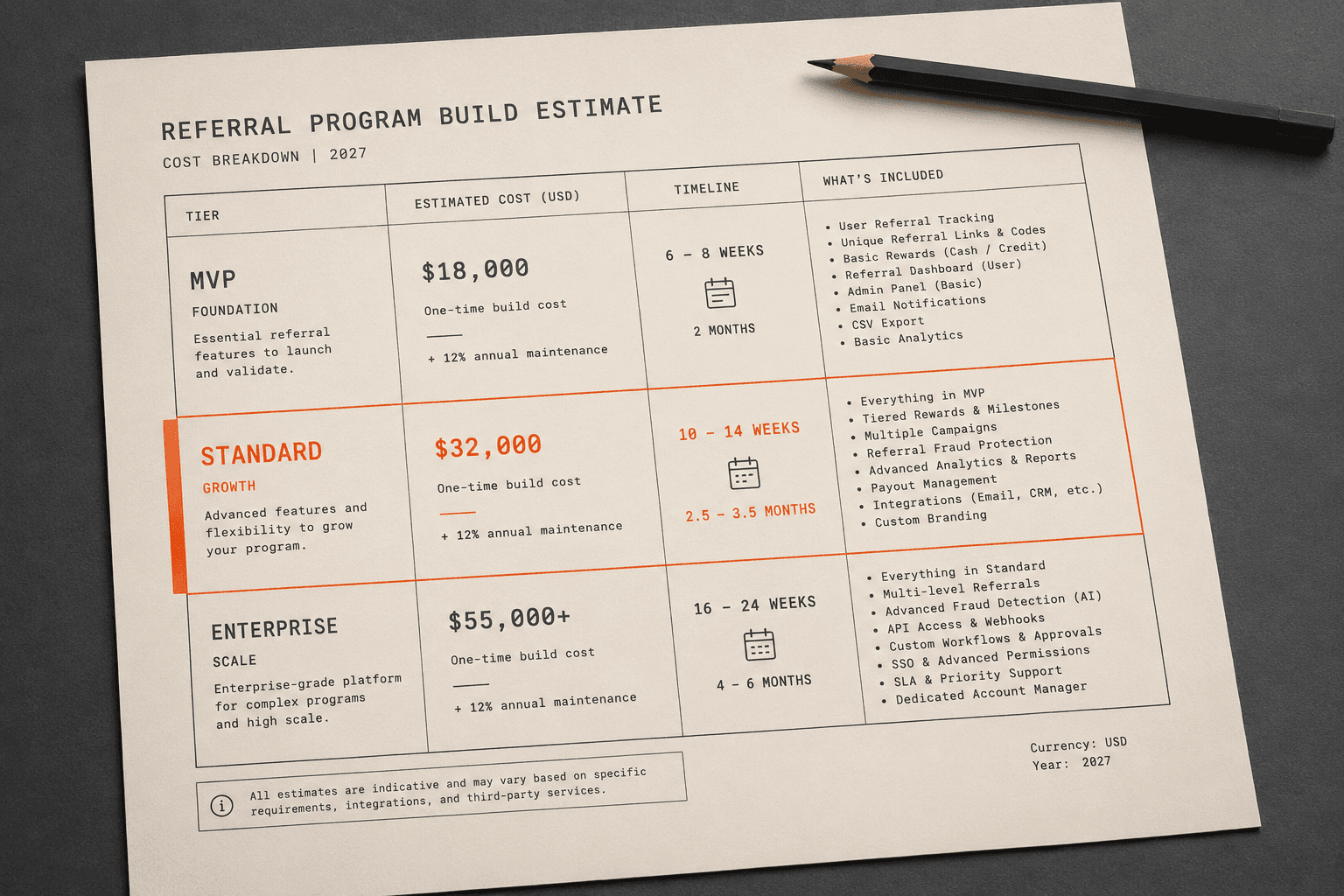
Article
Referral Program Software Development Cost: What to Budget in 2026
Custom referral program software costs $15,000-$90,000 depending on reward complexity, integration count, and whether you need white-label capabilities. Here is the full cost breakdown from real builds.
Read more
Article
Custom CRM Development: When to Build, What It Costs, and How It Works
HubSpot and Salesforce work well for standard pipelines. When your deals, compliance, or data model are genuinely different, custom CRM development is cheaper long-term. Here is what you need to know before you decide.
Read more
Article
How to Build a CRM Like HubSpot: Custom Build Guide for Niche Businesses
HubSpot costs $24,000-$60,000 per year for a 10-person team. The cost to build a custom CRM like HubSpot starts at $60,000-$100,000 once. Here is who should build one, what phases to ship, and where these projects fail.
Read more
Article
Expense Management Software Development: Build vs. Buy Guide for Business Operators
Custom expense management software development costs $120K-$280K and takes 12-24 weeks. Here's when Expensify, Concur, and Ramp stop working for your business, what to build instead, and what it actually costs by phase.
Read moreCommon questions
Start with the handoff that combines high manual effort, frequent transactions, and costly errors. For many teams that is ecommerce orders into ERP, CRM accounts into finance, or ERP fulfilment status back to the storefront. Measure the current volume, re-entry time, exception rate, and delay before choosing. The first connection should prove the ownership, monitoring, and support model that later interfaces will reuse.
Use one-way sync unless both systems have a legitimate reason to create or edit the same business object. A field-ownership matrix should name the source of truth for each shared field: for example, CRM may own sales activity while ERP owns credit status and payment terms. Bidirectional sync is appropriate only after conflict rules, loop prevention, timestamps, and human-review exceptions are defined.
Often, yes. The safe option may be a vendor-supported SOAP service, EDI, scheduled CSV or XML exchange over SFTP, a read replica, or another documented extension point. Direct writes to an undocumented production database and screen automation carry higher support and data-integrity risk, so we use them only after safer vendor-supported options have been ruled out and the operating constraints are explicit.
Each transaction needs a stable business or message key so a retry cannot create a duplicate order, invoice, or payment. Transient failures retry with backoff; records that still fail move to a review queue with the source payload, error, attempt history, and replay action. Reconciliation compares expected and accepted records and key financial or quantity totals so silent mismatches surface to an owner.
Testing should cover representative historical data, duplicates, missing references, out-of-order events, platform throttling, expired credentials, partial outages, schema changes, and month-end or peak-order volumes. Business owners then validate mapped values and exception workflows in a non-production environment. Cutover uses a defined freeze or change-capture plan, opening-balance reconciliation, rollback criteria, and a short period of heightened monitoring.
A focused first connection commonly fits RaftLabs' 6-to-10-week basic-build planning band after access and scope are ready. A multi-system layer with complex transformations, EDI partners, historical migration, or a difficult cutover can require 14-to-20 weeks or phased delivery. We confirm the timeline only after inspecting APIs, sample payloads, data ownership, volume, environments, and acceptance criteria.
RaftLabs uses its canonical delivery model rather than a universal market price. A focused first connection commonly falls in the $15,000-$35,000 basic-build band. A broader integration layer can grow into the $55,000-$100,000 full-build band, while enterprise or multi-module scope can be higher. System count, undocumented rules, data cleanup, EDI testing, security review, and cutover risk drive the final fixed scope.
Work with us
Which ERP handoff should disappear first?
Share the two systems, the records moving between them, and the manual work or errors you need to remove. We'll identify the first shippable connection and the evidence needed to scope it.
- Scope and cost agreed before work starts. No surprises. No obligation.
- Working prototype within 3 weeks of kickoff.
- Pay by milestone. You see progress before each invoice.
- 60-day post-launch warranty. Bug fixes, UI tweaks, and deployment support. No retainer.
- All conversations are NDA-protected.