Workflow Automation Services
Workflow automation services for the handoffs people miss.
A form arrives, an approval waits, or a record changes in one system and never reaches the next. RaftLabs makes workflow automation that connects those steps, applies your business rules, keeps exceptions visible, and tells the right person when judgment is still needed.
Bring the problem, the current workflow, or the existing code. We reply with a practical next step within one business day.
The brief
Start with what is not working.
Good software decisions begin with the constraint, not a list of features or a preferred technology.
01
Does a repeatable process still depend on someone remembering who should act next?
02
Do failures stay hidden until a customer, manager, or finance team notices the damage?
Plain answer
Workflow automation moves repeatable work across people and systems using triggers, rules, approvals, and alerts. RaftLabs creates these flows for operations teams, with safe retries and a clear route for exceptions. A focused first workflow starts at $15,000 and usually takes 8 to 12 weeks.
The process works until a handoff does not.
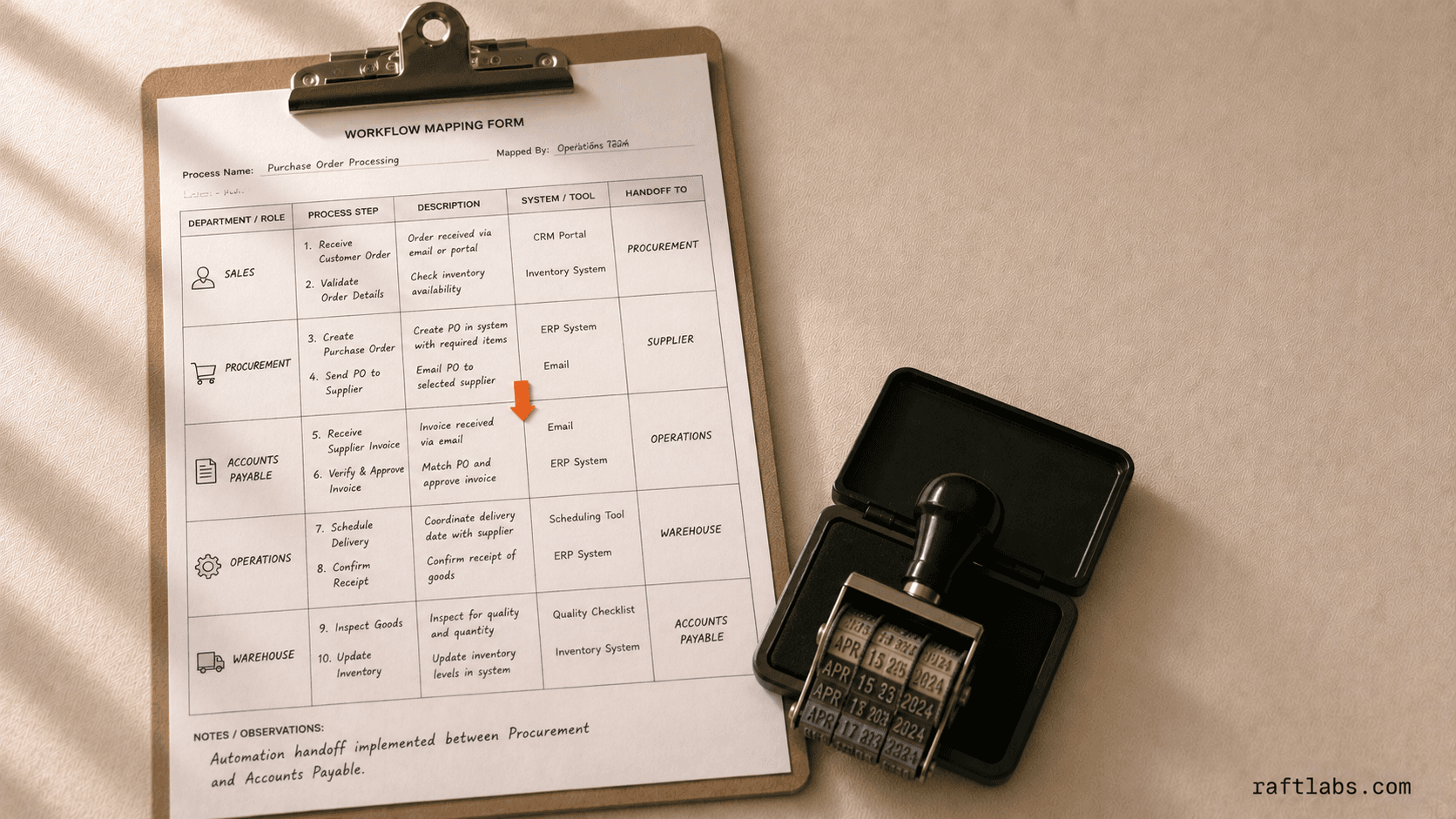
A sales rep changes a deal stage. Operations should create the order. Finance should receive the billing details. Nobody owns the gap between those systems, so a message gets sent and the process waits.
Workflow automation turns that handoff into a visible route. A trigger starts the process, rules decide what can continue, and exceptions reach a named person with enough context to act.
Proof
- order errors reported since launch after three channels fed one flow
- 0%
- RaftLabs Gula project record
- transactions processed in one day during real-world testing
- 20K+
- RaftLabs fuel-operations project record
- existing shipping accounts moved without service disruption
- 200+
- Client-reported UrShipper outcome
Automate a stable process with an expensive handoff.
The process needs a clear route before software can run it reliably.
A fit
The same process runs often enough that waiting, copying, or chasing creates a measurable cost.
Your team can describe the normal route and name the exceptions that need judgment.
The systems expose APIs, webhooks, files, or another dependable way to exchange data.
Not a fit
The process changes shape every few weeks.
Most cases need a different decision with no repeatable rule.
A native connector or a short no-code flow already solves the problem cleanly.
Scope
What a workflow can coordinate
- 01
Triggers and cross-system updates
A form submission, payment, status change, file, email, or scheduled event can start the flow. The workflow validates the input and updates each connected system without asking someone to copy the same record twice. - 02
Business rules and human approvals
Rules decide who acts, what can continue, and where an approval belongs. Amount, risk, account type, location, or missing data can change the route. Decisions and comments stay attached to the item instead of disappearing in email. - 03
Exceptions, retries, and ownership
Temporary failures retry safely. Missing data or a business exception goes to a named queue with the failed step and source record shown. A replay does not create a second order, invoice, or message. - 04
Monitoring and operating reports
Your team sees which runs completed, which are late, and which need help. Cycle time, manual touches, queue depth, and failure reasons show whether the automation is saving work or moving it somewhere harder to see.
Which automation layer fits the process?
The least complicated reliable option usually wins. Choose the layer based on the systems and the kind of judgment involved.
API workflow vs RPA vs AI-assisted workflow
| Decision | API workflow | RPA | AI-assisted workflow |
|---|---|---|---|
| How it works | Uses official APIs and webhooks | Controls screens and forms | Reads variable text or images inside a bounded flow |
| Best fit | Modern systems with stable integration access | Legacy software with no usable API | Documents, emails, or edge cases that need context |
| Main risk | Vendor API changes | A changed screen breaks the bot | Incorrect output without validation or limits |
| Human role | Approve defined decisions | Handle UI exceptions | Review uncertain or consequential results |
| Default choice | Use first when available | Use only when the UI is the practical route | Add only where rules cannot read the input |
For file-heavy work, start with document automation. For a decision queue, see approval workflow software. If the only route is through an application screen, RPA services own that layer.
How it works
How a workflow automation project runs
One live process is enough to prove the design and the economics.
- Phase 101
Map the live workflow
Follow one real case from trigger to outcome, including the manual handoffs and exceptions people usually work around. The map records owners and systems, not an idealized process nobody follows.
- Phase 202
Set rules and exceptions
Define what can move automatically, what needs approval, and who owns each unusual case. Success criteria name the cycle time, error rate, or manual touches the first release must change.
- Phase 303
Connect and test
Wire the systems together and test retries, duplicate events, missing data, and downtime. The happy path is the easy part. Recovery behavior determines whether the workflow can carry live work.
- Phase 404
Launch and measure
Monitor throughput, cycle time, failures, and manual touches. Expand only when the first workflow proves its value and the operating team can see how it behaves.
Where workflow automation fails
- Silent failure
- A stopped workflow must alert the person who can recover it. Otherwise automation turns a visible delay into a hidden one.
- Duplicate execution
- A retry can create two orders or invoices. Each consequential step needs a repeat-safe key and a recorded outcome.
- An exception queue nobody owns
- Every unusual case needs a named team, enough context, and a response target. A generic queue becomes the next inbox.
- Automation before process agreement
- Software will enforce whatever route is encoded. Resolve conflicting ownership and rules before making them faster.
Proof
Workflow automation in context
Scope and price
A focused workflow starts at $15,000.
Begin with one trigger, one measurable outcome, and two or three systems. Add more branches only after the first route is dependable.
A broader process with approvals, several branches, monitoring, and more integrations can grow toward $60,000 through later phases.
Starting investment
Starts at $15,000
A focused first release usually takes 8 to 12 weeks. Integration access, business rules, exceptions, and acceptance criteria are agreed before development starts.
Fixed-price phase
Once the first phase is scoped, its price is locked in writing. Any scope change is priced and agreed before the work changes.
Post-launch support
Eight weeks of support are included so real failures, slow queues, and missing cases can be corrected after the workflow starts carrying live work.
Work with us
Map the handoff that keeps breaking.
Bring one process, the systems involved, and a recent failure. We will tell you whether an existing automation tool is enough and what a custom first phase would include.
- Scope and cost agreed before work starts. No surprises. No obligation.
- Working prototype within 3 weeks of kickoff.
- Pay by milestone. You see progress before each invoice.
- 60-day post-launch warranty. Bug fixes, UI tweaks, and deployment support. No retainer.
- All conversations are NDA-protected.
Common questions
Workflow automation uses software to move a repeatable process through triggers, rules, system updates, human decisions, and exception routes. It replaces reminder emails and manual coordination. It is broader than document automation, which focuses on reading, creating, or routing files.
Workflow automation usually connects systems through APIs and webhooks. RPA controls an application through its user interface, much like a person clicking and typing. Use APIs when they are available. Use RPA when a stable legacy system has no practical integration route.
Use a no-code tool when the process is short, each system has a reliable connector, and failures are easy to recover. Custom work becomes useful when the flow has complex branches, high volume, sensitive data, strict response times, or exceptions that need their own operating queue.
When the work arrives as documents, messages, images, or inconsistent records that deterministic rules cannot interpret reliably. AI classifies, extracts, or drafts; business rules and APIs still validate, enforce policy, and perform the allowed actions. Every AI-assisted step needs confidence thresholds, human review for consequential results, audit trails, and recovery paths — the model proposes, the workflow controls.
A focused workflow connecting two or three systems starts around $15,000. A broader process with approvals, several branches, monitoring, and multiple integrations can grow toward $60,000. RaftLabs scopes and prices the first useful phase before development starts.
A focused first workflow usually takes 8 to 12 weeks. Access to system APIs, the number of exception paths, data quality, and approval rules affect the timeline. We start with one measurable process rather than automating several uncertain processes at once.