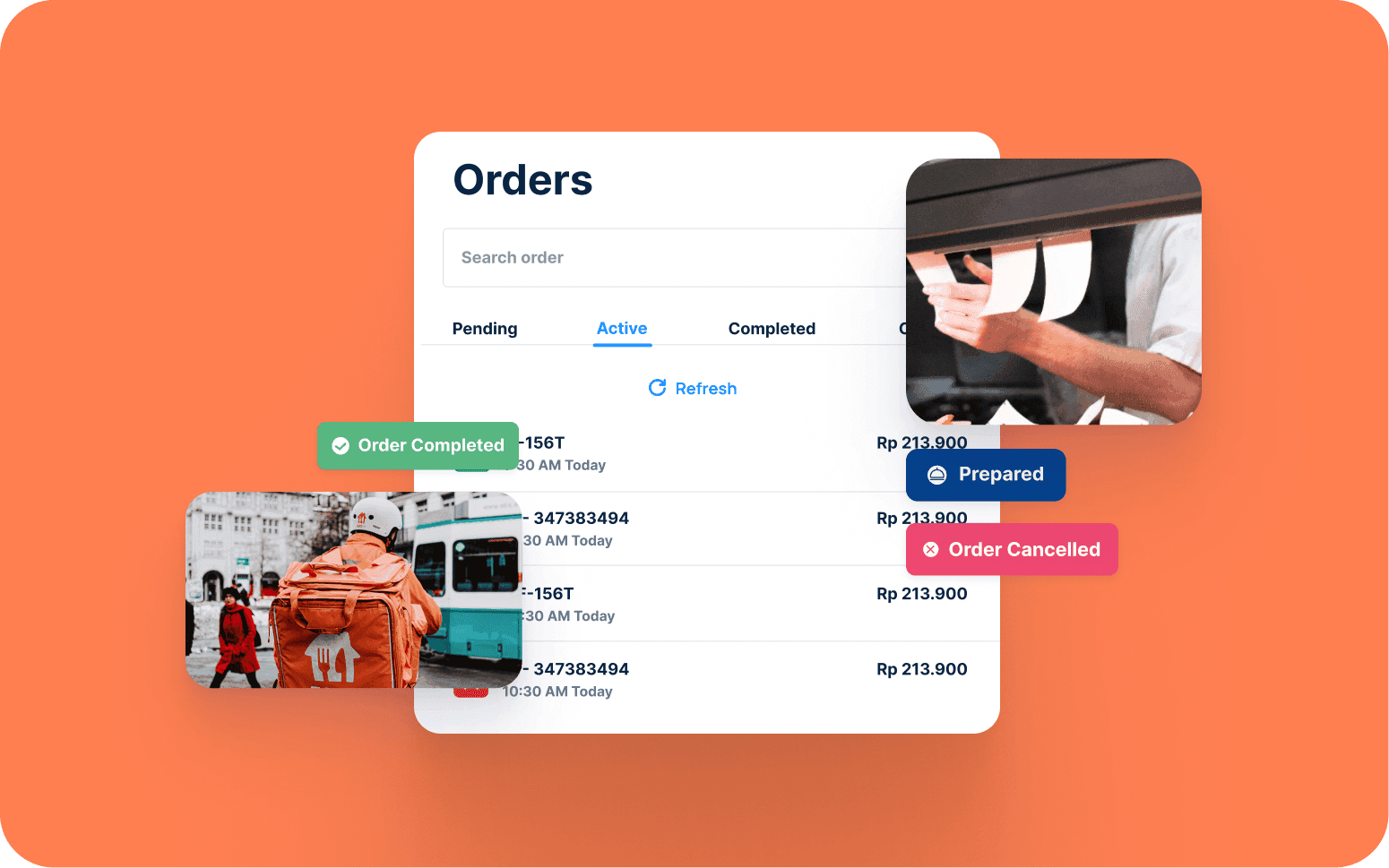
Centralised App for Food Order Management Across Multiple Locations
- 3x
- 12 weeks
Custom POS software for coffee shops and cafe groups that need fast transaction flow, complex modifier handling, and loyalty integration built into the POS, not bolted on as a separate app the barista has to check while a queue builds.
Built for how a busy cafe counter actually works. A barista should be able to build a large oat latte with an extra shot, light foam, and 60 degrees in three taps, not five screens. Loyalty points should earn and redeem at the same terminal, not require the customer to open a separate app.
Fast transaction flow built for coffee shop modifier complexity
Loyalty points earned and redeemed at the POS
Kitchen and barista display routing
End-of-day reporting by drink, barista, and location
Recognition
Generic POS that can't handle your modifier logic, size, milk type, temperature, extras, without the barista navigating five screens to build one drink?
Loyalty managed on a separate stamp card or app with no integration to the POS, staff manually checking a phone app while a queue builds at the counter?
In short
RaftLabs builds custom coffee shop POS software for cafes that need speed and loyalty at the counter. We deliver complex modifier tree handling, loyalty points earned and redeemed at the POS without extra steps, barista and kitchen display routing, offline resilience, and sales reporting by item and location. Most cafe POS builds ship in 12 to 14 weeks at a fixed cost with full source code ownership.
Companies we've built for








Most generic POS systems are designed for retail or table-service restaurants. They handle flat item lists well. They handle coffee badly, because coffee is a modifier problem. A flat white isn't one item. It is a base drink, a size, a milk type, a temperature, and potentially an extra shot, a syrup, or a dairy-free upcharge. Multiply that by 30 drinks on a menu and the number of possible combinations runs into the thousands.
When the POS can't handle that logic cleanly, baristas find workarounds, they memorise the cheapest way to ring something in, they use notes fields that don't print properly to the display, they slow down. At peak morning service, each extra tap is a longer queue.
The same problem applies to loyalty. A stamp card works when the coffee shop has 50 regular customers. A separate loyalty app works until you look at your counter during the 8am rush and see a barista staring at a customer's phone screen trying to find the scan button. Loyalty that's built into the POS terminal earns and redeems without any additional step, the customer pays, points apply, the transaction is complete.
Item selection with modifier trees built for coffee, size (short, tall, grande, custom oz), milk type (whole, oat, almond, soy, coconut, dairy-free upcharge), temperature (hot, iced, blended, custom degrees), extras (extra shot, decaf, half-caff, syrup flavour, sugar-free), and customisations (light foam, extra foam, no foam, upside-down), structured so the most common configuration is two taps and the unusual combinations are reachable without navigating sub-menus. Modifier groups are ordered by selection frequency so the layout matches how baristas actually build drinks, reducing tap count at peak service.
Card-present payments use the Square Terminal SDK or Stripe Terminal SDK for chip-and-contactless transactions, with the POS sending a payment intent to the Stripe Terminal or Square reader via the local network SDK and receiving a payment confirmation before order routing. This flow keeps card data entirely within PCI-compliant SDK scope, the POS application never handles raw card data. Split payment across cash, card, and loyalty balance handles the common case of a customer splitting between a gift card and credit card without requiring the barista to manually calculate the split amount. Order notes print cleanly to the barista display with the note text visually distinct from the modifier list. Void and refund workflows require manager PIN authorisation. Tax rate configuration by item category, food at one rate, beverages at another, retail merchandise at a third, applies the correct rate automatically without the barista selecting it.
Customer lookup at the POS by phone number entry or QR code scan from the loyalty app, no separate device, no second screen, and no manual check required by the barista. The lookup resolves in under a second via a local cache of recently active customers plus a real-time API call to the central customer database for less frequent visitors. Visit-based points accumulate at a defined rate (for example, 1 point per visit or 10 points per dollar spent), and spend-based thresholds automatically unlock rewards (a free drink at 100 points, a food item at 200 points).
Redemption at checkout displays the customer's current points balance and available rewards on the POS screen before the customer confirms payment, so the barista can prompt the customer about their eligible reward without the customer having to open a separate app. Tier status. Bronze, Silver, Gold, or your defined tier names, is shown at lookup so baristas can acknowledge loyal customers by name and offer tier-specific benefits (free size upgrade, priority preparation) without a separate check. Reward eligibility is flagged automatically by the POS so no staff judgement is required at the counter. Visit streaks (for example, every 7th visit is free) are tracked and displayed at the point of completion. The full loyalty record, visit history, points balance, tier status, redeemed rewards, and campaign eligibility, syncs to the central customer database for use in marketing campaigns, win-back offers, and birthday rewards sent via email or push notification.
Orders route to the correct KDS (kitchen display system) station at the moment of payment, espresso bar for hot drinks, cold-drinks station for iced and blended, food-prep station for baked goods and hot food, and drive-through or takeaway labelling for orders to go. Routing rules are configured per item category so a hot latte goes to the espresso display, an iced frappuccino goes to the cold-drinks display, and a toasted sandwich goes to the food display simultaneously, without the barista deciding which station handles it.
Order timer on each KDS ticket shows time since payment was taken, changing colour at your defined threshold (typically yellow at 3 minutes, red at 5 minutes for cafe service) to prompt the team to prioritise ageing orders. Item-level ready confirmation lets the espresso barista mark the drink as ready on the KDS, which triggers a customer notification (name call or digital display board update) and records the actual preparation time against the order. Priority flags highlight large group orders (configurable threshold, for example, 5 or more items) and special dietary requirements (dairy-free, nut allergy, coeliac) with a visual indicator so baristas handle them with appropriate care. Mobile orders from the app arrive on the KDS with an estimated pick-up time already calculated, so the barista knows when to start preparation to have the order ready at the right moment. Display layout is configurable per station so each barista sees only the line items relevant to their position, reducing visual noise during peak service.
POS processes transactions locally when internet connectivity drops using a SQLite local queue that records every transaction to device storage as the primary write, syncing to the cloud database when connectivity is restored. Cash transactions are recorded immediately with no dependency on network connectivity. Card-present transactions via the Stripe Terminal or Square Terminal SDK can also process in offline mode within the SDK's limits, the terminal stores the transaction locally and completes the authorisation when connectivity returns, within the SDK's defined offline transaction window and per-transaction limit.
Orders route to KDS stations via the local network (LAN) even when internet connectivity is unavailable, so barista display routing continues uninterrupted during an ISP outage. The POS and KDS communicate on the local network directly, with the internet connection required only for cloud sync, payment processing, and reporting, not for the core transaction and routing flow. The sync log on reconnection shows every transaction processed during the offline period with timestamp, items, payment method, and sync status, so the owner has a complete record of what occurred and what was reconciled. End-of-day cash reconciliation compares the physical cash count against the POS cash transaction total for the shift, flagging the variance and recording the cash-out amount, so the daily cash close is a 2-minute task rather than a 20-minute manual count. Labour scheduling with shift management assigns baristas to opening, morning rush, midday, and closing shifts with the scheduled hours visible to both the barista and the manager, and actual clock-in/out times recorded for payroll export.
Top-selling items by time of day, day of week, and location show exactly when and where each drink sells, the data that tells you whether to staff up the espresso bar at 8am or whether your Saturday 11am rush is actually a food sale opportunity. Hourly transaction volume heatmaps identify the 30-minute windows where queue time is longest so staffing decisions are based on actual throughput data, not intuition.
Inventory tracking records stock levels against par quantities for core ingredients (milk, coffee beans, syrup, cups) with par-level alerts triggered when stock falls below the defined minimum. Waste logging records discarded drinks by reason (made in error, quality issue, customer return) against the barista who logged the waste, giving the owner data to address training gaps without relying on verbal reports. Product margin by item accounts for variable costs including milk type (oat milk typically costs 3 to 4 times whole milk per litre) so the actual margin on an oat flat white is calculated rather than estimated. Payment method split shows the proportion of transactions across cash, card, contactless, mobile order, and loyalty redemption, useful for negotiating card processing rates when the data shows a high contactless volume. Barista performance metrics show transactions handled per shift, average transaction build time, void rate, and upsell rate (percentage of transactions with an added food item). Daily, weekly, and monthly summaries are generated automatically and delivered to the owner's email or dashboard without requiring access to the POS terminal, so performance data is available from anywhere.
Central menu management pushes changes to all locations simultaneously, price updates, seasonal item additions, sold-out flags, and promotional item activations applied from a head-office dashboard rather than requiring a manager to log into each terminal individually. Menu changes take effect at each terminal on the next menu refresh cycle, which is configurable (typically every 5 minutes during service) to avoid disrupting a transaction mid-build. Location-specific menu exceptions allow one location to carry an item that others don't, or to apply a location-level price override where operating costs differ.
Location-level sales reporting shows each site's daily revenue, transaction count, average transaction value, and top-selling items individually and in aggregate across the group. Cross-site stock management handles groups with a central bakery, commissary, or roastery supplying multiple cafes, stock transfers between sites are recorded with the sending and receiving location, and receiving location inventory is updated automatically on transfer confirmation. Square and Clover are the reference platforms for single-site operators evaluating whether to continue with an off-the-shelf system or move to a custom build: Square's multi-location functionality covers most needs up to around five to ten sites; beyond that, the reporting flexibility, custom loyalty mechanics, and subscription product support that a custom build provides tend to justify the investment. Staff management assigns baristas to locations with role-based permission levels, barista, shift manager, and manager, so a shift manager can apply a discretionary refund but can't access payroll or multi-location reporting. The architecture scales from two locations to twenty without requiring infrastructure changes.
Square and Lightspeed handle straightforward cafe menus well and are the right starting point for most single-site operators. Square in particular has a mature modifier system, a built-in loyalty add-on (Square Loyalty), and a KDS product (Square Kitchen Display System) that handles the majority of cafe configurations without custom development. Clover offers similar capability with more hardware flexibility. These platforms are the correct choice for most independent cafes.
Custom POS makes sense in a defined set of situations: your modifier logic is complex enough (for example, beverages with four or more modifier dimensions, conditional modifiers where a decaf option only appears for certain milk types, or upcharge rules that vary by size and milk combination) that the platform's modifier UI becomes a training problem for new staff. You have a loyalty programme with custom mechanics, visit streaks, tiered rewards, prepaid accounts, or subscription products, that the platform's loyalty add-on can't represent. you're running five or more locations and need central menu management with location-level exceptions, cross-site inventory tracking, and consolidated reporting that the platform's multi-location tools don't provide. You want a mobile ordering app with your own branding, estimated pick-up time, and loyalty integration that the platform's branded app doesn't offer. We scope the decision honestly, if an off-the-shelf platform fits your current and planned operation, we'll say so before you commit to a custom build.
The loyalty lookup is designed to add no perceptible time to the transaction. The customer lookup by phone number or QR code scan from the loyalty app happens in parallel with the barista finalising the order on the POS screen, by the time the order is built and ready for payment, the loyalty lookup is already resolved. The lookup uses a local cache of customers who have visited recently, so the most common case (a regular customer) resolves from local storage in under 100ms without a network round trip. The central database API call occurs in the background as a cache update.
If the customer doesn't identify themselves, the transaction completes normally with no additional step, the loyalty prompt is a single ask that adds no friction when the customer declines. If the customer does identify and has a redeemable reward, the POS displays the available reward and the customer confirms or declines at the payment screen. Points award and any redemption deduction both happen as a single atomic operation on the loyalty API when the payment is confirmed, so there's no scenario where payment succeeds but points don't record. The QR code in the loyalty app uses a time-limited JWT token (refreshed every 30 seconds) so it can't be screenshotted and reused by a different customer. All of this is invisible to the barista, the loyalty flow requires no barista decision beyond accepting the customer's phone number or QR code at the start of the transaction.
Yes. Coffee subscriptions and prepaid accounts are both features we build into custom POS systems. Subscriptions are billed via Stripe Billing on a recurring schedule, weekly or monthly, with the subscription status and daily/weekly allowance stored in the customer record. At the POS, the barista rings in the eligible drink, the system checks the customer's subscription status and remaining allowance for the day or week, and the charge resolves to zero or the subscription credit applies automatically. Allowance resets at midnight or on the configured billing cycle day.
Subscription products can be structured as a daily allowance (one coffee per day of any type within the subscription tier's drink list), an unlimited model (all filter coffees included, espresso-based drinks at a discount), or a credit-based model (a fixed amount of credit loaded monthly, used at the customer's discretion). Prepaid accounts work as a stored-value balance: the customer loads credit in defined increments (typically $20, $50, $100) either online or at the counter, and the POS deducts the transaction amount from the balance at each visit. The balance is visible to both the barista and the customer at lookup. Low-balance notifications via push or SMS prompt customers to reload before the account reaches zero. Subscription and prepaid account management, plan changes, pauses, cancellations, and balance adjustments, are handled through the customer admin panel without requiring the owner to process changes manually at the terminal.
A focused coffee shop POS covering modifier handling, Stripe Terminal or Square Terminal SDK card-present payments, loyalty integration, KDS routing, offline resilience via SQLite local queue, and end-of-day reporting typically ships in 12 to 14 weeks at a fixed cost. This scope delivers a production-ready system for a single-site or small multi-location operator.
A more complete build adding multi-location central menu management, subscription product billing via Stripe Billing, mobile ordering app for iOS and Android with estimated pick-up time, inventory tracking with par-level alerts and waste logging, labour scheduling with shift management, and accounting system integration (Xero or QuickBooks via their respective APIs) typically takes 16 to 20 weeks. Timeline depends primarily on modifier tree complexity, number of KDS stations and routing rules, whether native mobile apps are in scope, and the integration requirements with any existing loyalty or accounting systems. A straightforward migration from Square or Clover to a custom POS adds 2 to 3 weeks for data migration, staff training material preparation, and parallel running before the switchover. We scope the project in detail before pricing it and confirm the fixed cost before development starts.
What clients say
Three-year average engagement. Founders and operators describing the work in their own words. No marketing varnish.

 Indonesia
RaftLabs helped us build a platform that truly transformed how our customers order and engage with our brand across multiple locations.
01 / 02
Tell us how your counter runs today, your menu complexity, your current POS, and where the transaction flow breaks down. We'll scope the right system and give you a fixed cost.