- Platform
- Web and Desktop App
- Duration
- 24 weeks
- Industry
- Enterprise
- Read time
- 5 min

Short answer
RaftLabs built Worx Squad, a hybrid remote working platform for enterprise teams featuring immersive 3D meeting rooms and 2D virtual offices built with Konva.js, video and audio calls via WebRTC, task management, file sharing, and team engagement tools. The first version launched in 16 weeks and logged 3,000+ audio and video minutes in its first two beta weeks, with a 20% reduction in collaboration costs. Built as both a web app and Electron desktop application on React and AWS.
The shift to hybrid work left most companies running five separate tools (video calls in one app, tasks in another, files somewhere else, and team culture as a line item on the all-hands agenda). The problem was not the individual tools. It was that nothing felt like being in the same room.
Worx Squad's founder came to us with a clear brief: build a platform where distributed teams feel present, not just connected. That meant more than a video call button and a task list. It meant 3D meeting rooms with spatial audio, 2D virtual office spaces where you can see who is at their desk, and team engagement features that work without anyone having to force them.
We built the first version in 16 weeks. Within two weeks of beta launch, users had logged 3,000+ audio and video minutes on the platform.
before & after
What changed
- Teams communicated across three or four separate tools with no shared context, creating coordination overhead on every project
- No way to replicate the informal presence of office life: seeing who was available, dropping by a colleague's desk, spontaneous hallway conversations
- Project updates and task tracking happened in emails and message threads with no structured workflow
- In-office and remote employees had very different experiences of the same meeting or workday
- Building team culture remotely was treated as an event, not a daily practice
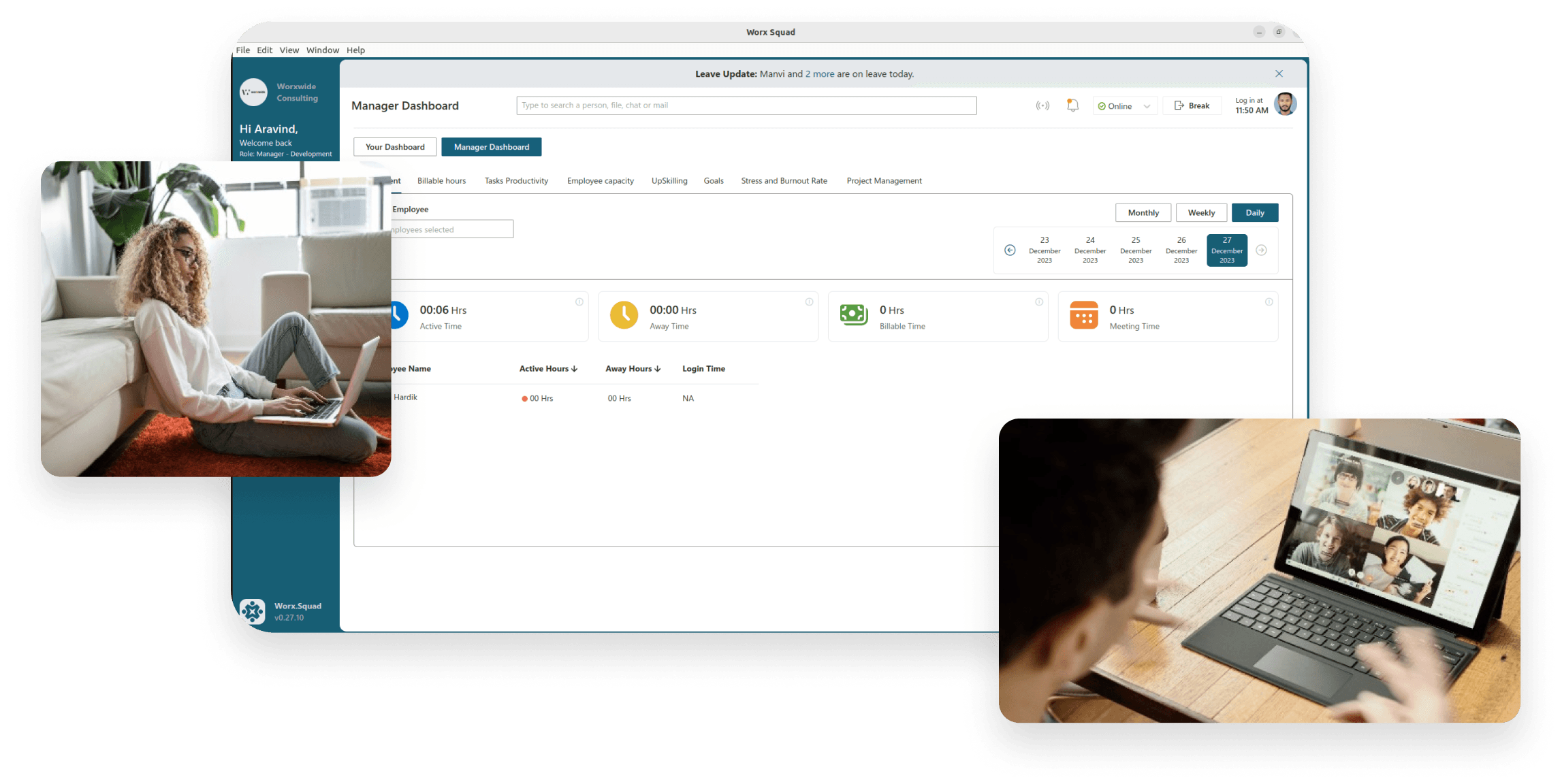
- Video calls, task management, file sharing, and team engagement all accessible from one platform with no context switching
- 2D virtual office spaces show who is present, who is in a meeting, and who is available for a quick call, giving teams the visual presence of an office floor, remotely
- Immersive 3D meeting rooms create a stronger sense of shared space during structured sessions than a standard video grid
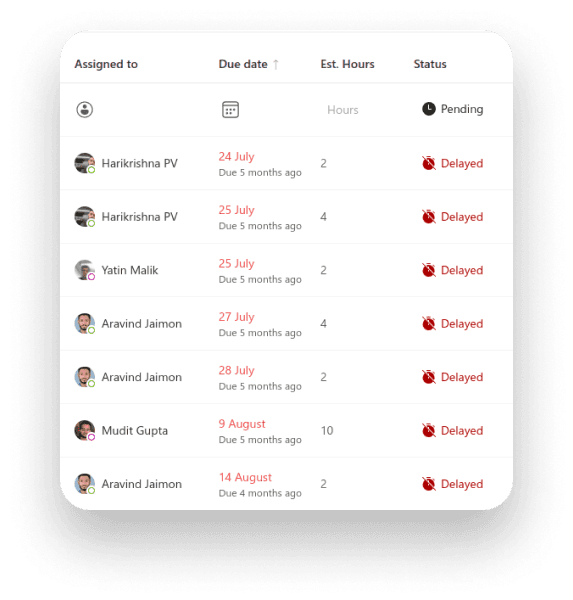
- Task assignment, tracking, and updates flow through the same platform as communication, so nothing is separated from its context
- Team recognition and wellbeing features build culture as part of daily work rather than a scheduled event
What we had to solve
- 01
Building 3D meeting rooms that ran smoothly on enterprise hardware without specialist GPUs
3D rendering in a browser is performance-intensive. Enterprise laptops are not gaming machines. Building immersive 3D meeting rooms that loaded quickly, ran smoothly during an actual video call, and did not drain the battery of a MacBook Air required careful optimization of the rendering pipeline. The 3D environment had to feel real enough to justify its existence. A technically impressive but laggy experience would have been worse than a plain video grid.
- 02
Designing virtual offices people would actually inhabit rather than ignore
A 2D virtual office space is only useful if people open it and leave it open. If it feels like a novelty that requires effort to maintain, it becomes one more thing to ignore. We built the virtual office layer with Konva.js to be lightweight and persistent, always visible at the edge of the workday, not something you launch for a specific purpose. The design challenge was making the office feel like ambient presence, not a feature you have to actively use to get value from.
outcomes
What we achieved
Hybrid teams were running on three or four disconnected tools with no shared space to replicate the informal presence of an office.
Remote and in-office employees experienced the same workday completely differently, with no shared virtual environment to bridge the gap.
Disconnected tools, duplicate subscriptions, and coordination overhead across communication and project management drove up costs for hybrid teams.
What clients say
Most clients stay.
Some say so on camera.
Three-year average engagement. Founders and operators describing the work in their own words. No marketing varnish.

 India
IndiaThanks to RL Remotely team for experimenting with a fresh remote work application for employee engagement and enterprise productivity.
Your hybrid team is losing productivity to tool sprawl and poor remote collaboration?
the build
What we built
Worx Squad is built around the idea that hybrid work needs presence, not just communication. Every feature is designed to reduce the friction of distributed collaboration.
Structured sessions feel more natural than a standard video grid
Meeting rooms with spatial audio and 3D rendering create a shared sense of presence during structured sessions. Participants appear as avatars in the space, making conversation feel more natural than a standard video grid. The rooms are optimized to run on standard enterprise hardware without dedicated graphics.
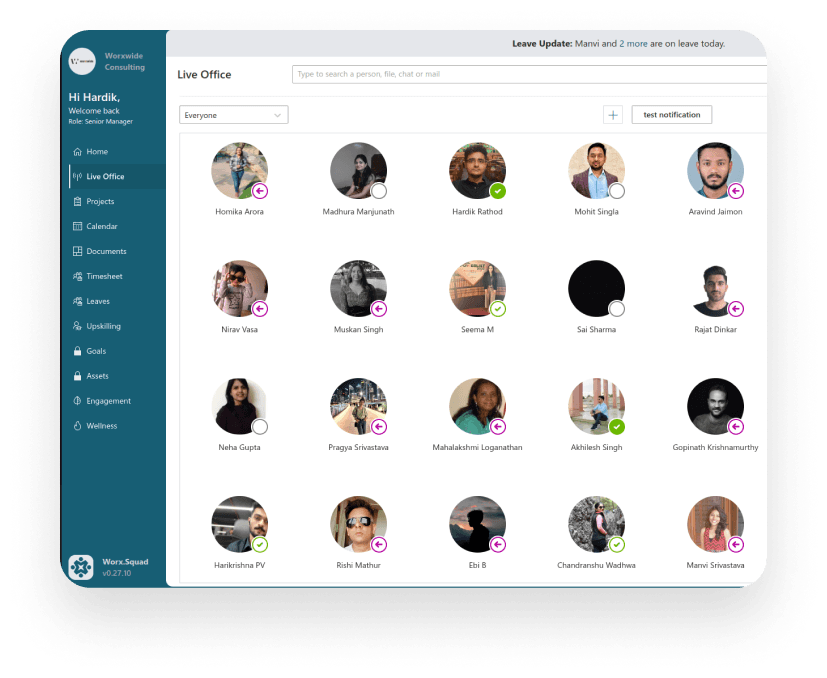
Teammates see who's available for a quick conversation, without booking a meeting
A persistent 2D office map shows who is at their desk, who is in a meeting, and who is available for a quick call. Built with Konva.js, the office floor is always visible as ambient presence, not a feature you launch, but a layer of the workday. Teammates can drop in for informal conversation the same way they would in an office.

Project context stays in one place, no version confusion from separate tools
Tasks are assigned, tracked, and updated within the same platform as communication, so project context never gets lost in a separate tool. Files are shared directly in conversations and linked to the tasks they belong to, eliminating the version confusion that comes from keeping project management and communication in separate systems.
Recognition and wellbeing are part of the daily workflow, not a scheduled separate event
Peer recognition, achievement milestones, and wellbeing resources are built into the daily workflow rather than scheduled as separate events. Teams can celebrate wins, acknowledge contributions, and access support without leaving the platform.

Engagement
How we worked together
- 01Weeks 1–2
Discovery and scoping
We map the problem before writing code. Two weeks of technical audit, stakeholder interviews, and prototype, so both teams align on scope and risk before sprint one. - 02Ongoing
Two-week Agile sprints
Each sprint ends with working software, not a status update. You review a real build, request changes, and approve before we move forward. No surprises at handover. - 03Ongoing
Daily async updates
Slack for daily progress, Asana for task visibility, weekly video calls for decisions. You have full visibility without needing to attend every meeting. - 04Final
Handover and warranty
Full code handover with deployment runbooks and documentation. Thirty-day warranty period for production issues at no extra cost.
stack
Why we chose this stack
- 01ReactThe web platform needed to render 2D virtual office spaces, 3D meeting rooms, and real-time communication interfaces simultaneously. React's component architecture let us build each experience as a composable module without the performance overhead of a monolithic UI.
- 02Konva.jsThe 2D virtual office floor (showing who is at their desk, who is in a meeting, who is available) needed canvas-based rendering for smooth real-time presence updates. Konva.js gave us a performant 2D rendering layer without building a custom canvas engine.
- 03AWSA platform handling real-time video, audio, task updates, and file sharing simultaneously for enterprise teams required cloud infrastructure that could scale per-session without provisioning capacity in advance. AWS handled that elasticity.
- 04ElectronEnterprise teams needed a desktop app that could run the virtual office alongside other applications without requiring a browser tab. Electron packaged the web app as a native desktop experience for both Windows and Mac with access to OS-level notifications.
Have further questions?
3D meeting rooms create a stronger sense of shared presence than a standard video grid, which can improve focus and make conversation feel less transactional during structured sessions. The trade-off is performance: 3D rendering in a browser is computationally heavier than standard video. For Worx Squad, we optimized the rendering pipeline so the rooms ran smoothly on standard enterprise laptops without dedicated graphics hardware. The result was an experience that justified its existence rather than being a technical demo.
A video call requires intent: you start it, someone joins, you finish it. A virtual office floor is ambient presence: it shows who is at their desk, who is in a meeting, and who is available, without anyone having to initiate anything. The value is in the casual visibility that replaces the informal collision of office life. In Worx Squad, this was built with Konva.js as a persistent canvas that stays open throughout the workday.
Enterprise teams benefit from the virtual office running as a persistent desktop application rather than a browser tab that gets closed. Electron packaged the web app as a native experience for Windows and Mac, with OS-level notifications, system tray presence, and the ability to run alongside other applications without competing for the browser. For a platform designed to be ambient (always open, not launched for a specific task), the desktop app experience matters.
Yes. The platform was built for hybrid teams but the virtual office and 3D meeting rooms are equally useful for fully remote teams. The presence indicators and drop-in conversation features address the same problem whether some people are in an office or none are. The task management and engagement features apply regardless of work model. The key requirement is that team members have reliable enough connectivity for video calls.
We delivered the first version (2D virtual office, 3D meeting rooms, video calls, task management, file sharing, and team engagement features) in 16 weeks. The full 24-week timeline included additional features added after the initial launch based on beta feedback. Platforms with fewer immersive features would typically take 12 to 16 weeks; adding complex 3D environments or deep calendar and HR integrations extends the timeline. Contact us to estimate based on your specific feature requirements.