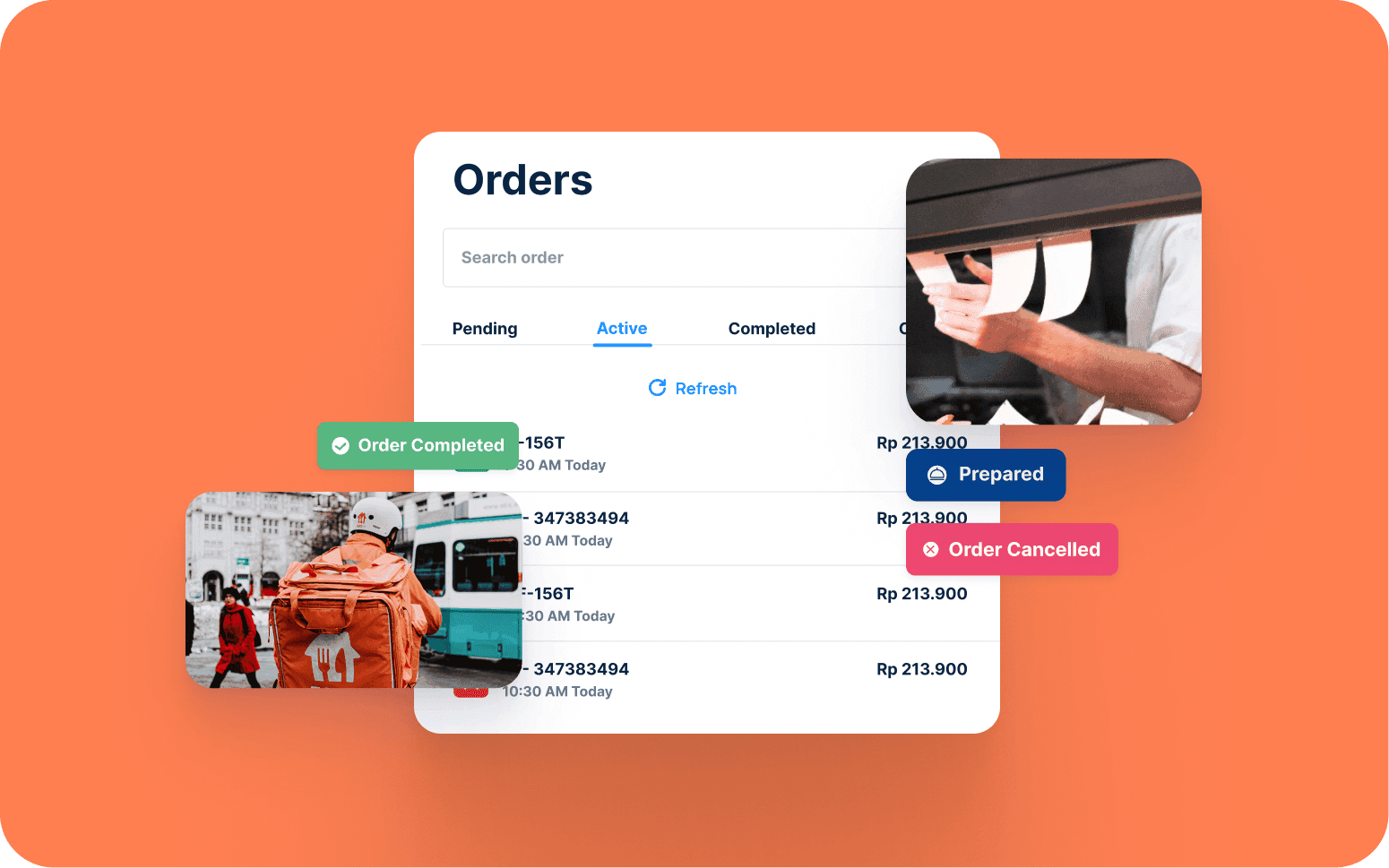
Centralised App for Food Order Management Across Multiple Locations
- 3x
- 12 weeks
A kitchen display system is the operational link between front-of-house orders and kitchen execution. When it's missing or poorly designed, ticket flow breaks down, courses come out in the wrong order, and table pacing falls apart during service.
We build KDS software for venues where a generic system either doesn't integrate with the existing POS or doesn't support the service model: tasting menu pacing, high-volume quick-service routing, multi-kitchen operations where each zone needs independent displays and routing rules.
Order routing by station so each display shows only the items that station is responsible for
Course pacing and fire timing with waiter-triggered firing and course hold functions
Prep time tracking with amber and red threshold alerts per station and per item
POS and online ordering integration with real-time order sync and void propagation
Recognition
Kitchen running on paper tickets during a busy service, with the hotline, grill, and expo all working from the same ticket pile and no visibility of what's been started, fired, or plated?
Courses coming out in the wrong sequence because the KDS fires all items simultaneously rather than pacing starters, mains, and desserts by course and cover count?
In short
RaftLabs builds custom kitchen display system software for restaurants, bars, and hospitality venues. A KDS is more than a digital ticket board: it needs to understand station routing, course sequencing, and fire timing to improve kitchen execution. Custom KDS software makes sense when a venue has multiple kitchen stations, a course-paced service model, or a POS that cannot route to independent displays. Most KDS projects ship in 10 to 14 weeks at a fixed cost with full source code ownership.
Companies we've built for








A kitchen display system that shows all items on every screen is a digital version of paper tickets. It gives the kitchen information, but it doesn't help them act on it correctly. The difference between a display and a system that improves kitchen execution is routing logic, course sequencing, and fire timing. A generic KDS tool displays; a well-built one manages the flow of work through the kitchen.
Most off-the-shelf KDS products are built for the common case: one kitchen area, items fired simultaneously, prep time tracking as a secondary feature. Venues with multiple stations, course-paced service, tasting menus, or multi-kitchen operations find that the common case produces the wrong behaviour on the pass: starters being held while desserts fire, grill and cold section sharing a screen, or a POS that doesn't integrate at all and requires manual ticket duplication. Custom KDS software is built around your kitchen layout, your station structure, and your service model.
Order items routed to the correct kitchen station based on item type and item category configuration: cold starters to garde manger, hot mains to hotline and grill, fried items to the fry station, salads and cold sides to the cold section, desserts to pastry, and assembled items to expo. Routing rules assign each menu category to one or more stations, so a dish with both a grilled protein and a cold garnish routes to two stations simultaneously with both halves tracked to the same ticket. Bump bar hardware integration lets station staff advance, hold, and recall tickets without touching a touchscreen. A physical bump bar connects to the display over USB or RS-232 and maps physical buttons to ticket state changes. Ticket colour coding by SLA elapsed time indicates urgency at a glance: green for tickets under 5 minutes, amber for tickets between 5 and 10 minutes, red for tickets exceeding 10 minutes so the expediter can see problem tickets without reading timestamps. Station completion triggers the expo view to show a ticket ready for collection from the pass. Routing rules are configurable in the management interface, so adding a station or reorganising the kitchen doesn't require developer involvement.
Course-based ticket firing so starters don't fire until the table is seated and ready, mains don't fire until starters are collected, and desserts hold until the main course is cleared. Waiter-triggered fire from the front-of-house terminal rather than automatic firing by elapsed time, so the kitchen works to the pace of the table rather than a timer. Course hold and rush functions at the ticket level for tables running ahead or behind. Tasting menu pacing with sequential course firing per cover so each guest's progression through the menu is tracked independently. The result: the kitchen is never ahead of the floor or behind it.
Target prep time set per menu item or per station, based on your kitchen's actual service data. Elapsed time displayed against target on the ticket so the station team can see at a glance where they stand. Tickets approaching the target threshold highlighted in amber; overdue tickets flagged in red so the expediter can intervene before a table complaint. Average prep time by item and by station reported at the end of each service period. Prep time data used for kitchen productivity review and menu engineering: identifying items that consistently exceed their target and understanding whether that is a recipe problem, a prep problem, or a volume problem.
Expo view consolidates completed items from all stations into a pass-ready display so the expediter has a single screen showing what is ready, what is in progress, and what is late. Cover-level completion status shows when all items for a table are finished across all stations. The expediter doesn't need to track this manually. Expo recall function brings back a dismissed ticket immediately if a plate is sent back to the kitchen. Rush and void functions at the expo level are communicated back to station displays in real time so the whole kitchen is working from the same information. Allergy and dietary flag display on the expo ticket for items where a dietary requirement was notified at order.
Orders from the POS flow to the KDS in real time at the point of order submission: no paper intermediary and no manual re-entry. Integration is built against the webhook and order event APIs of the major cloud POS platforms. Toast, Square, Oracle MICROS, and Revel Systems each expose different event schemas, and the KDS adapter normalises them into a consistent internal order format. Void propagation from POS to KDS targets under 500ms so the station display reflects the cancellation before the cook has started the item, tested against the POS platform's void event latency during integration. Order edit and void from the POS are reflected immediately on the KDS ticket, eliminating the verbal relay or crossed-out paper ticket. Online ordering platform orders are routed to the KDS with the same station logic as dine-in orders so the kitchen has one workflow regardless of order source. The recall function for bumped tickets lets the expediter bring back a dismissed ticket immediately if a plate is rejected at the pass, without needing to re-enter the order. Offline mode with local SQLite storage keeps the KDS operational if the POS network connection drops mid-service. Queued orders are held locally and synced when connectivity is restored. Kitchen throughput analytics report average ticket time, tickets per hour, and station-level throughput so the head chef can identify which station is the bottleneck during peak service periods. Modifier and special instruction display on the kitchen ticket so the station sees exactly what was ordered without interpretation. Integration approach confirmed during scoping based on your existing POS and any delivery platforms you operate.
Multiple kitchen zones: main kitchen, bar kitchen, outdoor grill. Each zone gets independent displays and routing rules. Each zone sees its own tickets and manages its own completion without needing to see what other zones are doing. Ghost kitchen or multi-brand operations with brand-based routing on shared kitchen infrastructure so each brand's orders appear on the correct display even when the physical kitchen is shared. Delivery platform orders routed separately from dine-in to a dedicated prep station when different prep workflows apply. Consolidated management view across all zones for the operations manager or head chef.
A receipt printer produces a paper ticket at the point the order is sent. The kitchen team works through the pile and discards tickets as items are completed. There is no visibility of what has been started, what is in progress, or what is overdue. A kitchen display system replaces that paper flow with a screen that shows active tickets, elapsed time against target, station completion status, and course firing state. The difference in service becomes visible during a busy night: a printer produces a pile that the expediter interprets; a KDS produces a managed workflow that the expediter monitors. Custom KDS software extends this further: it routes by station, paces by course, and integrates with the POS so the kitchen and floor are working from the same information.
When a server takes an order, the POS records each item against its course: starter, main, dessert. The main and dessert items are held in a pending state; starters are sent to the KDS immediately. When the server returns to the floor and judges that the table is ready for their mains, with starters cleared and guests ready, they trigger the main course fire from the POS terminal or a waiter device. That fire event sends the main items to the relevant station displays in real time. The same sequence applies to desserts. The technical requirement is that the POS and KDS share a course model for each table and that the fire event propagates in real time. We design the course data model and the fire event flow during project scoping based on your service model.
In most cases, yes. Cloud-based POS systems with open APIs, Square, Lightspeed, Toast, and others, can be integrated directly so orders flow to the KDS without middleware. Legacy or proprietary POS systems may require a middleware layer that listens for order events and translates them into the KDS format. We confirm the integration approach during project scoping. If the existing POS has no API and no integration path, we scope the KDS alongside a POS replacement so both systems are designed to work as a unit. If you are already planning a POS project, combining it with the KDS typically reduces total build time compared to building them separately.
A KDS covering station-based routing, course pacing, prep time tracking, expo view, and POS integration typically falls in a fixed-cost range confirmed after a scoping session. The main variables are the number of stations, the complexity of the course model, the number of POS and delivery platform integrations, and whether multi-kitchen or multi-venue routing is required. We provide a fixed cost and a delivery timeline after a single discovery session where we understand your kitchen layout, station structure, service model, and existing systems. Most KDS projects deliver in 10 to 14 weeks.
What clients say
Three-year average engagement. Founders and operators describing the work in their own words. No marketing varnish.

 Indonesia
RaftLabs helped us build a platform that truly transformed how our customers order and engage with our brand across multiple locations.
01 / 02
Tell us your kitchen layout, station structure, and service model. We will scope a display system built around how your kitchen actually runs.