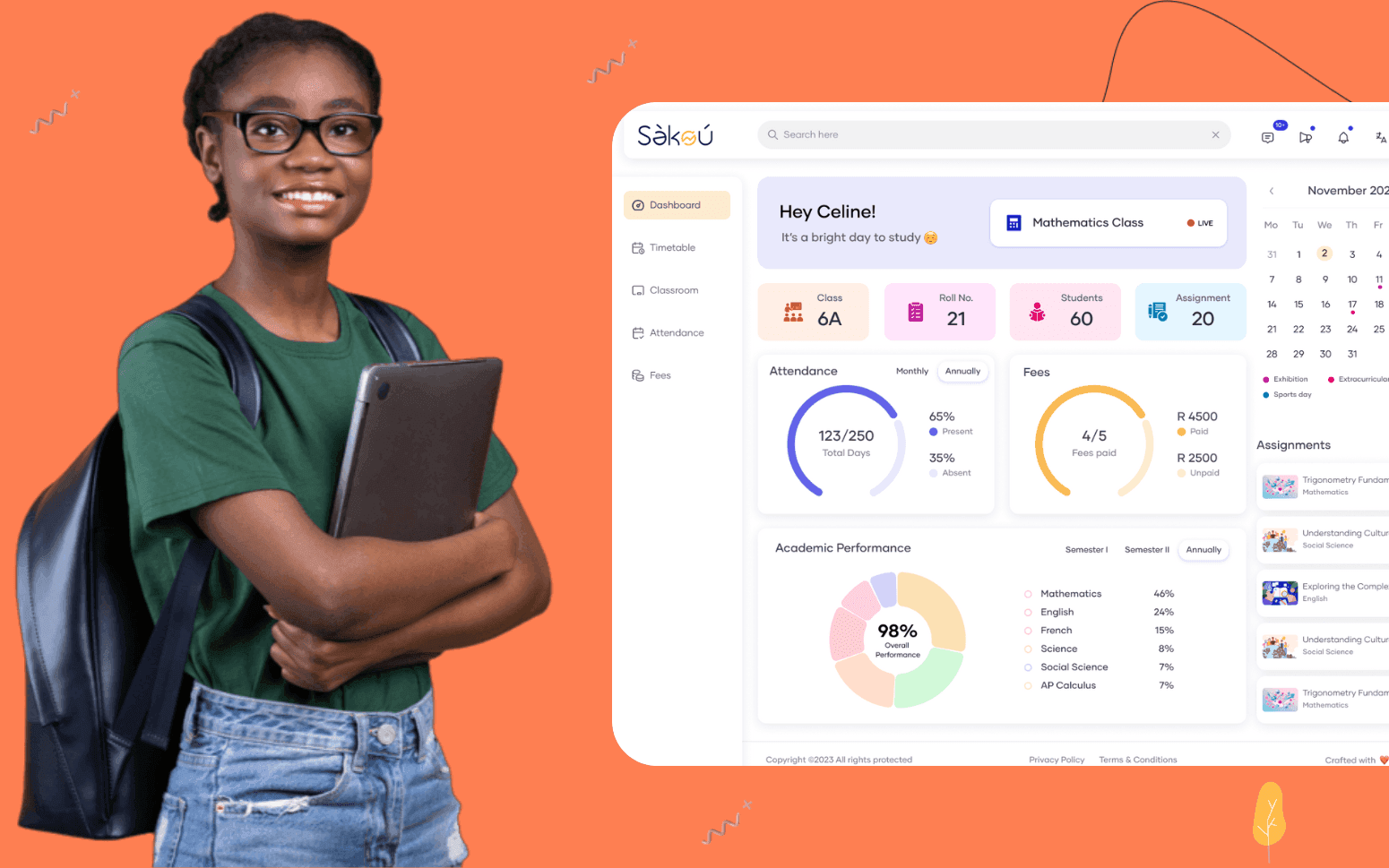
Purpose Built EdTech LMS SaaS Platform Disrupting African K-12 Schools
- 4000+
- 25%
- 16 weeks
Custom virtual classroom software for EdTech companies, online schools, and tutoring platforms. Live video, interactive whiteboards, breakout rooms, and recording built into your platform rather than bolted on through a Zoom embed with no connection to your student records.
Built for EdTech products where class attendance, recordings, and materials are disconnected from the student record and where the interactive features your platform needs can't be built on top of a generic video conferencing tool.
Live video classroom with audio controls, hand-raise queue, screen share, and attendance tracking
Interactive whiteboard with real-time annotation, equation editor, slide import, and teacher and student access modes
Breakout rooms with automatic or manual student group assignment and teacher visit mode
Class recording with transcript, LMS-linked playback, and attendance synced to student record
Recognition
Running live classes through Zoom with attendance, recordings, and class materials all disconnected from the student record?
Unable to build the interactive features your platform needs, polls, breakout rooms tied to student groups, live annotation, on a generic video conferencing tool?
In short
RaftLabs builds custom virtual classroom software covering multi-participant live video with teacher controls, interactive whiteboards with real-time annotation and slide import, breakout rooms with automatic or manual student assignment, automatic class recording with transcript and LMS-linked playback, in-class engagement tools including polls and quizzes, and scheduling and attendance integration with the LMS. Most virtual classroom projects deliver in 14-18 weeks at a fixed cost with full source code ownership.
Companies we've built for








Using Zoom or Google Meet for live classes is a practical first step for an EdTech product in early stage. But it creates a set of problems that compound as the platform grows. Attendance has to be recorded manually because the meeting tool doesn't know who the student is, only who joined the meeting. Recordings sit in a cloud folder with no connection to the course module they belong to. The interactive features your teachers want, assigning students to breakout rooms based on their learning group, annotating a diagram together in real time, running a quiz at a specific point in the lesson, are either unavailable or require workarounds that break the teaching flow.
The deeper problem is that a generic video conferencing tool can't be integrated into your platform's data model. Student progress data, attendance records, and class participation can't flow from the classroom into the LMS or SIS because the tool doesn't know your students. Every session is stateless.
Custom virtual classroom software fixes that. The classroom knows who each student is because it's part of your platform. Attendance is recorded against the student record automatically. Breakout rooms are configured from your existing student groups. Recordings are attached to the course module and visible in the learner's course history. Participation data from polls and quizzes flows into your analytics.
Multi-participant video sessions using WebRTC for peer-to-peer video delivery or a media server for larger classes where peer-to-peer isn't practical. Teacher controls for muting individual participants, muting all, and removing participants. Student hand-raise queue so teachers can manage questions in order without the session becoming chaotic. Screen share for presenting slides, demonstrating software, or showing a document to the class. Attendance tracking records each participant's join time, leave time, and total session duration against their student record automatically. No manual attendance register after the class ends.
Real-time collaborative whiteboard shared between teacher and students during the live session. Drawing tools including freehand pen, straight lines, shapes, and text boxes. Mathematical equation editor for STEM subjects where formulae need to be presented clearly. Slide import from PDF or PowerPoint so teachers can load their prepared lesson materials into the whiteboard and annotate over them. Teacher-controlled access modes: teacher-only annotation for demonstrations, student annotation enabled for collaborative exercises. Whiteboard state is saved automatically so the content can be reviewed after the class ends. The visual layer that replaces a physical classroom whiteboard for online instruction.
Breakout room creation by the teacher during a live session. The teacher can assign students manually or automatically based on pre-configured student groups from the LMS. Configurable session timer visible to all participants in each room. Broadcast message from teacher to all breakout rooms simultaneously for instructions or time warnings. Teacher visit mode lets the teacher join any breakout room without students in other rooms being aware. All-rooms close and return to main session at the teacher's command. Breakout room activity is available as part of the session record for review. Small-group learning formats that require zero preparation during the session when groups are pre-configured.
Automatic recording of every class session with video, audio, and whiteboard content captured. Transcript generation from the session audio, with speaker attribution where participants are identified. Chapter markers at configurable intervals or teacher-triggered timestamps for key teaching moments. Recording attaches to the relevant course module in the LMS automatically, no manual upload step. Student playback with progress tracking so the LMS knows whether a student watched a recording and how far they got. Speed controls and chapter navigation in the playback interface. Recording retention policy configured per institution or per course.
Poll creation by the teacher during the live session with multiple-choice or open text options. Real-time poll results visible to the teacher and optionally to students. Quiz delivery during a session with scored questions, time limits per question, and immediate result feedback. Student reactions, thumbs up, applause, confusion indicator, visible to the teacher without interrupting the session. Chat panel with teacher moderation controls: message approval, participant mute, and chat history retention. Participation scoring per student per session based on poll responses, quiz answers, reactions, and chat messages. The engagement layer that gives teachers a real-time signal on how students are following the lesson.
Class scheduling linked to the course timetable in the LMS so teachers and students see the live class in their course schedule, not in a separate calendar. One-click class launch from the course module page without requiring a separate login. Student attendance data written back to the LMS student record at session end. Recording attaches to the course module automatically on processing completion. Quiz and poll results are available in the LMS learner analytics. Class capacity limits are enforced from the LMS enrolment data so only enrolled students can join the session. The integration layer that makes the virtual classroom part of the learning platform rather than a tool running beside it.
Generic video conferencing tools make sense for an EdTech product in early stage where live classes aren't the core product and the platform has few students. Custom virtual classroom software makes sense when: live classes are a core part of the learning experience and the quality of the classroom affects student outcomes; you need attendance, participation, and recording data connected to the student record rather than stored in a separate tool; you need interactive features, configurable breakout rooms, in-class quizzes, subject-specific tools like equation editors, that generic tools don't support; or your platform serves enough concurrent students that per-host licensing costs from a commercial video platform become material. We assess your use case during scoping and tell you whether a custom build or a third-party integration is the right answer.
Live video reliability depends on the architecture. For small groups, up to 8–12 participants, WebRTC peer-to-peer works well with no media server required. For larger classes, we use a selective forwarding unit (SFU) media server, such as mediasoup, Janus, or LiveKit, to relay video streams centrally rather than requiring each participant to stream to every other participant. For very large sessions, webinar-style classes with hundreds of students, we build on top of a WebRTC cloud provider like Agora, Twilio, or Daily.co which handles the infrastructure scaling. The right architecture depends on your typical class size, maximum concurrent sessions, and whether students need to share video or only view the teacher. We scope the right approach for your use case during discovery.
Yes. Browser-based virtual classrooms using WebRTC work in Chrome, Firefox, Edge, and Safari without any download. Students click a join link and the classroom loads in the browser. No plugin, no app install, no admin rights required. For the best mobile experience, we recommend a progressive web app (PWA) that can be added to the home screen and provides a near-native experience without requiring App Store approval. Native iOS and Android apps are an option where the learning experience needs device features, camera for practical demonstrations, push notifications for class reminders, or offline content access, but they add to the build scope and the ongoing maintenance requirement. Most EdTech platforms start with a browser-first approach and add native apps when the business case is clear.
A core virtual classroom, live video for up to 30 participants, basic whiteboard, screen share, recording, and LMS scheduling integration, typically delivers in 12–14 weeks. A full platform with large-class SFU architecture, interactive whiteboard with equation editor, breakout rooms, in-class quizzes, transcript generation, and full LMS data integration typically runs 16–20 weeks. Timeline depends on maximum class size and architecture choice, the depth of LMS integration required, and whether a native mobile app is in scope alongside the browser experience. We scope every project before confirming the timeline and give you a fixed cost before development starts.
What clients say
Three-year average engagement. Founders and operators describing the work in their own words. No marketing varnish.

 Ivory Coast
RaftLabs has been an exceptional partner. From the start, they became more than just a service provider, they embraced our vision with their expertise and dedication.
01 / 02
Tell us your typical class size, what interactive features your teachers need, and how the classroom needs to connect to your LMS or student records. We will scope the right platform and give you a fixed cost.