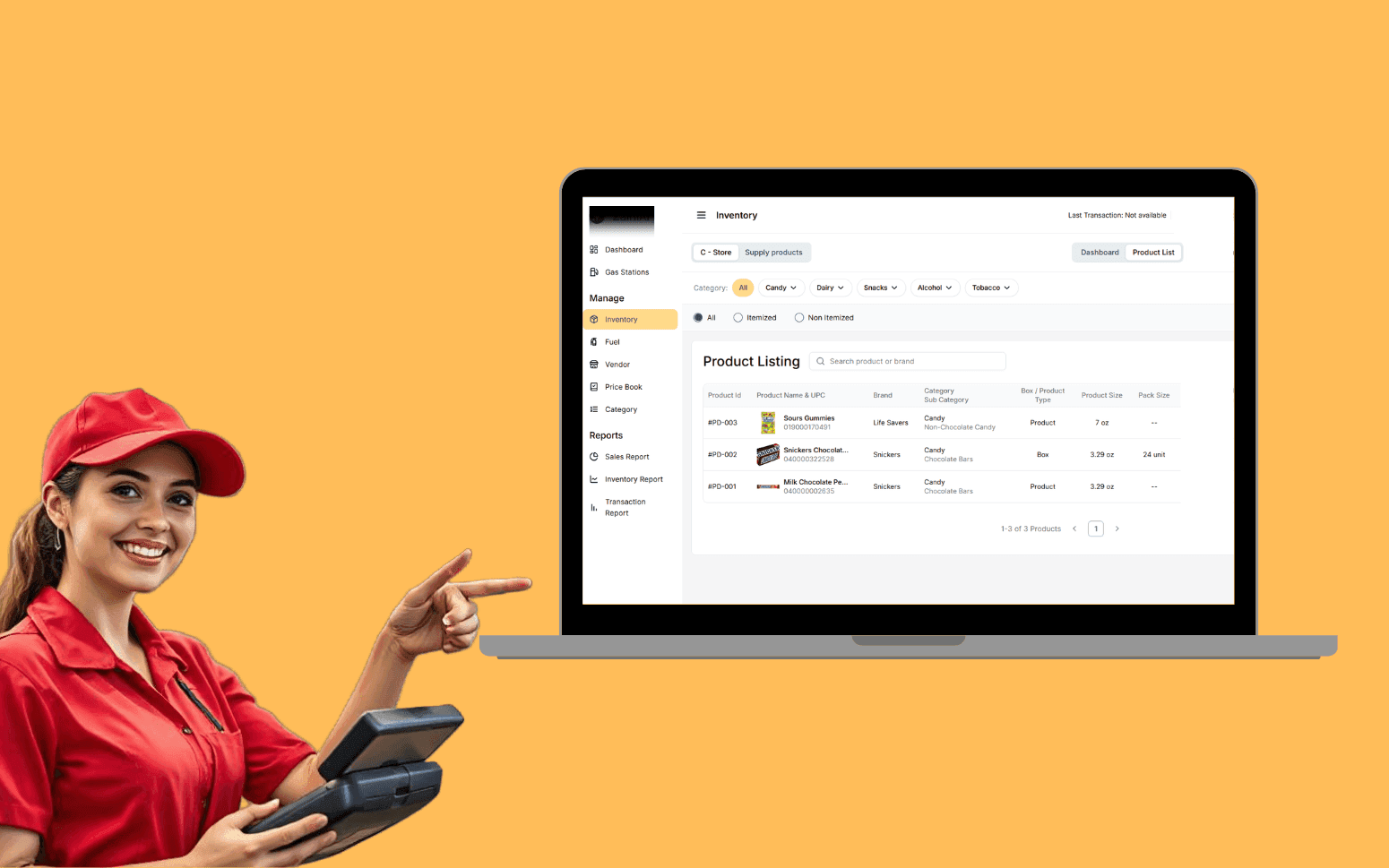
AI OCR Software Scales Gas Station Operations With 20K+ Transactions
- 20K+
- 40+
- 70%
Custom CRM and customer management software for plumbing companies that need full property history, service agreement tracking, and follow-up automation, not a generic sales CRM adapted for a trade business.
Generic CRMs track leads and deals. Plumbing customer management is about property records, installed equipment, service agreement status, and the follow-up that keeps customers coming back.
Customer and property records with full job history
Service agreement tracking and renewal management
Follow-up automation for unresolved issues and maintenance reminders
Customer lifetime value and churn reporting
Recognition
Customer history living in the head of whoever did the last job, no record of previous faults, installed fittings, or outstanding issues when a return visit is booked?
Service agreement customers getting the same one-off treatment as new enquiries because there's no system flagging their priority status or upcoming annual service?
In short
Custom plumbing customer management software centralises customer and property records, job history, service agreements, and communication logs in one system. It automates follow-up for unresolved issues, tracks service agreement renewals, and reports on customer retention and lifetime value. RaftLabs builds plumbing CRM software and delivers in 12-14 weeks at a fixed cost.
Companies we've built for








Plumbing work follows the property. When a customer calls about a leaking pipe, what matters is what was done there before, what pipes were fitted, what repairs were made, what was flagged as needing attention. A generic CRM stores contact details and call notes. It doesn't store the boiler service history, the last fault description, or the parts fitted three years ago.
We build customer management systems around the property record, not just the account. Every job is stored against the address. Any plumber or admin can pull up the full site history before a visit or a call, without asking the last technician what they did.
Service agreement customers are tracked separately. Upcoming renewals surface automatically. Annual service jobs are created on schedule. Priority status is visible on every booking.
Customer profile with full contact details, communication preferences, and account notes. All job history stored against the property address, fault descriptions, work completed, parts replaced (with part number and supplier), photos, and technician notes per visit. Equipment records per installation: equipment type, manufacturer, model number, serial number, installation date, warranty expiry date, and full service history with each service event dated and technician-attributed. Warranty tracking is built in at the equipment level, so when a part or installation is still under warranty, the office sees this immediately when a return call comes in, before sending a technician who will end up doing a warranty job that needs to be invoiced to the supplier. Customer lifetime value is calculated automatically from job history, aggregating all paid invoices per customer and per property, updated each time a job is completed and invoiced. Multiple properties under one customer account for landlords and property managers, with each property carrying its own job history and equipment record. Searchable by address, postcode, customer name, or phone number. Communication log with every call, email, and SMS recorded against the customer and property record.
Recurring maintenance contract management with a structured agreement record per customer: covered equipment list, service intervals, number of visits per year, pricing tier, and renewal date. The contract management layer tracks the full service schedule, each service visit due under the agreement is created as a job automatically, placed in the scheduling queue without manual entry, and linked back to the agreement so the office can confirm it is being fulfilled. Service interval alerts fire at configurable lead times (30, 60, 90 days before the next service is due) so customers are contacted in advance rather than chased after the interval lapses. Upcoming renewal flagged in the dashboard with days to expiry so the renewal conversation happens before the contract lapses. Agreement status is visible on every booking from that customer, priority flag shown on the dispatch board so agreement customers are handled differently from one-off calls. Coverage check on job creation: when a technician raises a job that includes work outside the contract scope, the system flags it for separate quotation rather than letting it get absorbed into the contract visit margin. Renewal rate reported by agreement type, agreement tier, and customer acquisition source so the business can see which contract products and sales channels produce the most retained customers.
Automated appointment reminders sent to customers via SMS and email at configurable intervals before their scheduled visit, 48 hours and 2 hours before is a common setup. SMS delivery goes through Twilio with delivery status tracking, so the office knows whether the reminder reached the customer rather than assuming it did. Email reminders are dispatched via SendGrid with open tracking. Parts-on-order jobs tracked through to part arrival and automatic rebook: when a part is received and logged, the system creates a follow-up task to contact the customer and rebook the job, no job falls through the gap between the initial visit and the return. Annual service reminder campaigns run automatically at the configured interval before service is due, so maintenance customers are contacted on schedule rather than only when they remember to call. Unaccepted quotes trigger a follow-up sequence at configurable intervals, typically a reminder at day 3, a second touch at day 7, and a soft close at day 14, with the sequence stopping automatically once the customer responds or the quote is marked closed. After each completed job, a post-visit NPS and review request goes out via SMS or email: NPS responses are recorded against the customer record, and positive responders are directed to your Google or Yelp review page to generate verified external reviews. The full follow-up log is recorded against the customer record so any staff member can see what automated and manual contact has been made.
Quote created on site via the mobile app or in the office from the customer record. Labour rates and parts pricing applied from pre-loaded rate cards so the technician doesn't have to remember pricing or call the office. The completed quote is sent to the customer by email with e-sign capture, no printing, no wet signature, no manual chasing for a paperwork return. Customers also access their quote and sign it through the customer portal, which keeps the acceptance step convenient and removes friction. Conversion tracking shows accepted, rejected, and pending status per quote with time-in-stage visibility so the office knows which quotes have been waiting too long for follow-up. Follow-up automation on unaccepted quotes runs at configurable intervals. Accepted quotes are converted to a job with all details carried through, no re-entry of scope, parts, or pricing. Quote history stored against the customer and property record gives technicians returning to a job the full context of what was previously quoted and what was accepted or declined, so return visits start from an informed position rather than from zero. QuickBooks integration syncs accepted quotes and completed job invoices to the accounts system automatically, keeping accounts receivable current without manual re-entry by admin staff.
Every inbound and outbound call, email, and SMS logged against the customer record, automatically for integrated channels (Twilio for SMS, SendGrid for email), or manually by staff for calls they handle outside the system. The full communication history is accessible to any staff member handling a customer query, so the office never has to ask "has anyone spoken to this customer?" or find the colleague who last dealt with them. Automated messages, booking confirmations, appointment reminders, technician ETA alerts, job completion summaries, and post-visit NPS requests, are logged alongside manual communications in the same timeline so the customer record reflects every touchpoint without staff manually recording automated activity. Complaints and escalations are flagged on the customer record with a resolution status and an assigned owner, so nothing sits unresolved without accountability. The customer portal gives customers access to their own communication history, booking records, and outstanding invoices, reducing inbound calls from customers chasing status updates. Communication history is exportable per customer as a full timestamped log, which is useful for dispute resolution, account reviews, and demonstrating service delivery to commercial customers who require written evidence.
Customer retention rate by period: percentage of one-off customers who booked again within 6 and 12 months, segmented by acquisition source (Google, referral, emergency call, service agreement upsell) so the business knows which channels produce loyal customers and which produce single-visit jobs. Customer lifetime value calculation aggregated from all paid invoices per customer, updated in real time as new jobs are completed and invoiced, and reportable by acquisition source and customer type. Repeat job frequency distribution showing how often your highest-value customers book, useful for identifying the booking cadence of your best segment and designing retention campaigns aimed at moving lower-frequency customers up. Service agreement renewal rate by agreement type, tier, and account manager, so the team can see which agreement products perform best and where renewal risk sits. Revenue segmented by customer type: agreement customers vs. one-off customers vs. commercial accounts, with trend lines by quarter. Churn identification: customers who haven't booked in longer than the median interval for their segment are flagged for a proactive outreach campaign rather than written off silently. QuickBooks sync keeps accounts receivable current without separate reconciliation. All reports export to CSV for analysis outside the system.
Each service agreement is stored as a record linked to the customer and property, holding the covered equipment list, service intervals, visit frequency, pricing tier, and renewal date. The system generates scheduled service jobs automatically from the agreement: if an agreement calls for two boiler services per year, two jobs appear in the scheduling queue on schedule without manual entry. Service interval alerts notify the office at configurable lead times, typically 60 and 30 days before the next service is due, so the customer is contacted in advance rather than discovering the interval has lapsed. A renewal alert fires when the agreement is within the configured renewal window, giving the team time to have the renewal conversation before the contract expires rather than chasing lapsed customers. Agreement status is visible on every booking from that customer, so the office immediately knows whether a visit is covered or requires a separate quote for out-of-scope work. For the customer, the customer portal shows their active agreement, upcoming service dates, and past service records against the contract. Renewal billing can be automated through direct debit or card-on-file integration with your accounts system.
Yes, and the integration is the point. Customer and property records in the CRM feed directly into the scheduling and dispatch system. When a job is booked, the customer's full property history, equipment records, preferred technician, warranty status, and service agreement standing are all visible on the booking and on the technician's mobile app before they arrive. Job records created in the scheduling system are written back to the customer record automatically, parts used, photos taken, technician notes, and job completion status all attach to the property history without any double entry. You manage one data set, not two parallel systems that diverge over time. If you already have a scheduling tool. ServiceTitan, Jobber, Simpro, we can integrate with it via API rather than replacing it, with the CRM acting as the customer and property record layer that feeds into your existing dispatch workflow. If you're building end-to-end, we build the CRM and scheduling layers together so the integration is internal, not a bridged connection between two separate systems.
The most common source of lost plumbing revenue is jobs that were identified but never followed up, a technician recommends a boiler service and the customer says "I'll think about it," and no one calls back. Follow-up automation puts a task in the system for every open issue and unaccepted quote, assigns it to a named staff member, and tracks it to completion. Maintenance reminders go out automatically at the configured interval before service is due. The result is that recommended work gets booked at a higher rate without the office making manual calls for every open item.
A customer management system with property records, service agreement tracking, follow-up automation, and reporting typically takes 12-14 weeks from project start to production. If it's being built alongside a scheduling and dispatch system, the combined project is scoped and delivered together, the integration is part of the build, not an add-on. If you already have a scheduling system and need the CRM to integrate with it, we scope the integration during discovery. Cost depends on the number of staff users, the volume of existing customer data to migrate, and the integration requirements. All projects are priced at fixed cost before development starts.
What clients say
Three-year average engagement. Founders and operators describing the work in their own words. No marketing varnish.

 USA
USAAll of the sprints were completed on schedule and on budget. We highly recommend RaftLabs!
01 / 02
Tell us what customer data you're losing today and what follow-up is falling through. We'll tell you what a custom system would do differently.