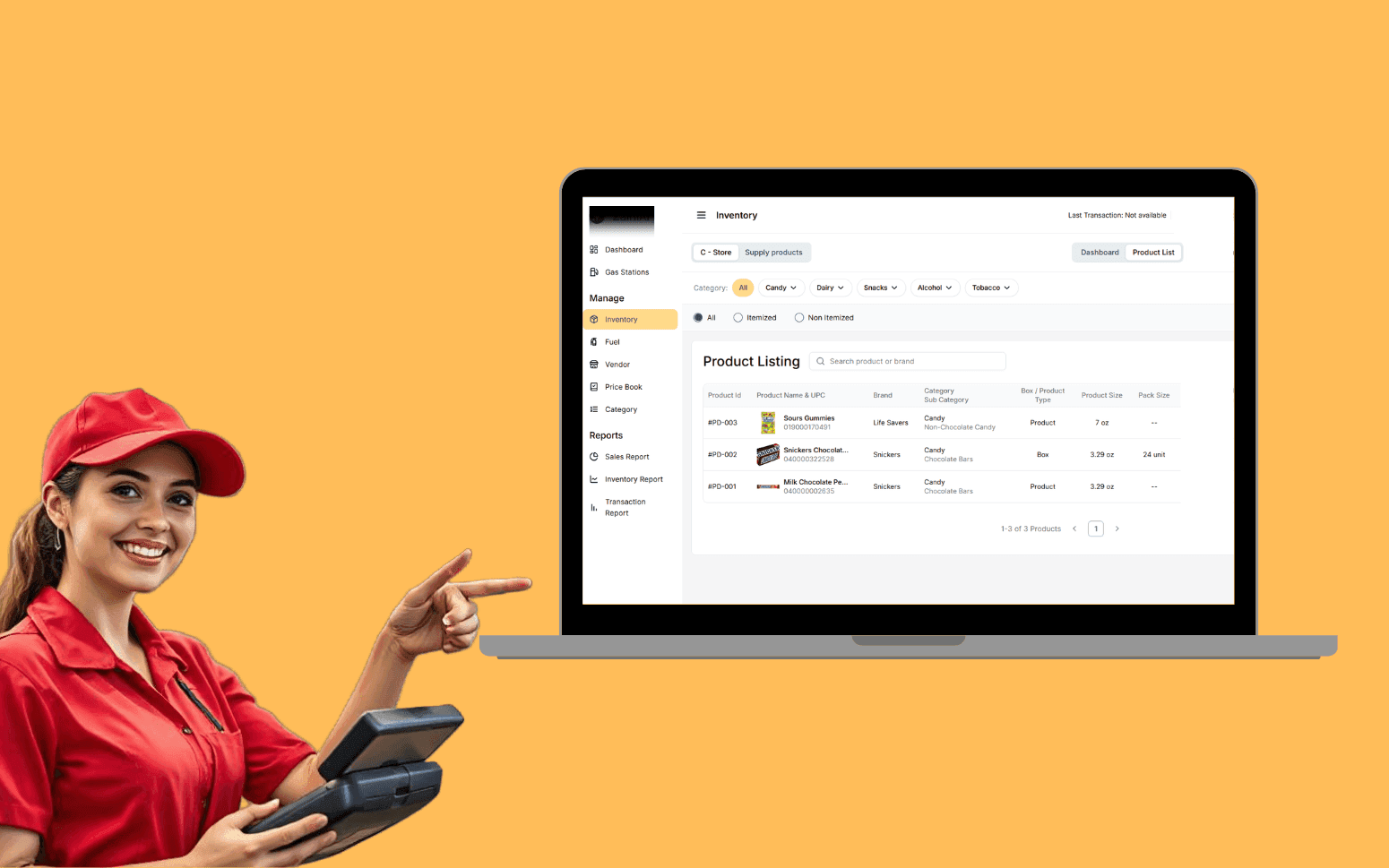
AI OCR Software Scales Gas Station Operations With 20K+ Transactions
- 20K+
- 40+
- 70%
A custom customer portal built for pest control companies, giving residential and commercial clients access to their service history, treatment reports, and upcoming visits without calling the office.
Admin time spent emailing treatment records and answering service history questions is a recurring overhead that scales with your customer count. A portal shifts that work to a self-serve interface without removing the personal contact that matters.
Self-serve treatment report and certificate download
Service history view with upcoming visits
Online issue reporting and service request submission
Commercial client multi-site dashboard
Recognition
Commercial clients calling to request service reports they should be able to access themselves, admin time spent emailing documents that a portal would serve on demand?
No digital touchpoint for customers between visits, no way for them to report a new pest issue, check their next scheduled visit, or download their treatment history without calling the office?
In short
RaftLabs builds custom customer portals for pest control companies, a self-serve web interface where residential and commercial clients can view their service history, download treatment records and compliance certificates, report new pest issues, check upcoming visits, and manage their service agreement. A custom pest control customer portal replaces admin calls and manual document delivery while giving commercial clients with multiple sites a single view of all their service activity. Projects typically deliver in 12-14 weeks at a fixed cost.
Companies we've built for








For residential pest control customers, a portal is a convenience, treatment history available without a phone call, next visit visible in a few clicks. For commercial clients, particularly those managing food production facilities, licensed premises, or multi-site retail, a portal is closer to a requirement. Environmental health officers expect documented evidence of pest control activity. Procurement teams want to see service records before renewing a contract. Facilities managers want to know which sites are overdue a visit without calling your office to ask.
The cost of not having a portal is measured in admin time: emailing reports one by one, answering questions about next visit dates, manually compiling service histories for renewal meetings. At low customer counts the overhead is manageable. As a pest control business grows, that overhead grows with it.
A custom portal connects to the same data your back-office system holds and presents it in a way that's useful to the customer. It doesn't replace the relationship, it removes the friction from the parts of that relationship where a phone call adds no value.
Customer logs in to view their complete service history, every visit, treatment type, chemical product used, areas treated, and technician notes. Each treatment record includes the specific pesticide applied with its EPA registration number, the application rate in ounces or grams per 1,000 square feet, the application method (crack-and-crevice, broadcast, bait station, or perimeter), and the target pest species. Including the EPA registration number isn't cosmetic, food businesses and licensed premises require documented evidence that only approved products were used at the registered label rate, and a portal that surfaces this removes a recurring admin request from the office. Each past visit is listed with date, service type, and outcome, with a PDF download of the full treatment record. Reports filterable by date range and service type so a commercial client can pull all visits within a specific period for an environmental health audit or contract renewal meeting without contacting the office. Treatment records are generated directly from mobile data captured by the technician on site using their field service application, so the document the customer downloads reflects exactly what was done, no manual preparation or transcription required after the job is complete.
Upcoming visits shown with date, time window, service type, and technician name so customers know what to expect and when. SMS and email reminders sent automatically ahead of each appointment via Twilio, a 72-hour reminder with the visit details and a 24-hour reminder the day before, reducing access failures where the customer isn't available when the technician arrives. Reminder preferences managed in the portal so each customer can choose SMS, email, or both, and opt out of individual reminder types without calling the office. Cancellation and reschedule request workflow built into the portal, customer submits the request, it routes to the office as a change notification with the relevant job details attached, and the customer receives confirmation when the change is processed. Recurring service contract management visible in the portal: the customer's current plan (monthly, quarterly, or annual), the services covered, the next scheduled visit date, and the contract renewal date are all accessible without them needing to locate the original contract document. Renewal reminder sent automatically before contract expiry with a portal link to confirm continuation.
Customer submits a new pest sighting via the portal, location within the property, pest type, severity description, and photo upload. Submission routes to the office as a priority job creation request, pre-populated with the customer details, site address, and the information captured in the form. Issue status visible in the portal after submission so the customer can see whether it is pending review, booked, or completed, reducing follow-up calls asking whether the report was received. Warranty claim submission is handled through the same issue reporting flow: if the customer believes the reported pest falls under their service agreement's warranty coverage for covered species, they can flag the submission as a warranty claim, and the system routes it to the warranty review queue separately from a standard new job request. Property map with treatment zone documentation is accessible in the portal for commercial customers: the map shows which areas of the site have been treated, which bait stations are active, and which zones require preparation before a visit. Technician notes and digital service report attached to each completed visit include the technician's signature and a customer acknowledgement step, on mobile, the customer or site contact signs off the report at the time of service, and the signed PDF is available in the portal within minutes of the visit being completed.
All compliance documents accessible in a single location, service certificates, pest control reports, risk assessments, COSHH records for chemicals used on site, and any site-specific recommendations. Documents are generated automatically from job completion data and appear in the document centre without any office action. A particularly common request from commercial clients in the United States is a wood-destroying organism (WDO) inspection report, also known as a termite clearance letter, required at real estate closings to confirm the property is free of wood-destroying insect activity. The portal generates WDO certificates from the relevant inspection records and makes them available for download immediately, eliminating the phone call and manual email process that currently delays real estate transactions. Commercial clients can download individual documents or export all records for a date range as a single package for audit submission to an environmental health officer or food safety inspector. Invoice and payment history is also accessible in the document centre: customers view past invoices, download PDFs, and make online payments via Stripe for outstanding balances without contacting the accounts team. Document access permissions configurable per user for multi-user commercial accounts so a facilities manager at one site only sees that site's records.
Commercial clients with multiple properties see all sites in a single view, service status per site, overdue visits flagged, upcoming visits listed, and report downloads accessible per site. Site-level drill-down gives the full visit history, treatment records with EPA registration numbers, active bait station map, and document access for any individual property. A referral programme tracker is available in the dashboard for commercial clients: referrals submitted, referral status, and any credit or discount applied to the account as a result of a successful referral are visible without contacting the account manager. Account-level summary shows contract coverage, total visit count, and any open issues across all sites so a facilities or procurement manager can assess the entire pest control programme at a glance before a quarterly review or contract renewal discussion. Multi-user access with site-level permissions so different contacts at the same company see only the sites relevant to them, a regional manager sees their region, a national facilities director sees everything. New users added by the account admin without requiring an office call. Communication log per site shows all notifications, technician messages, issue reports, and office responses in a threaded format linked to the relevant job records, giving the client a complete history of the service relationship at each location.
Full history of notifications, reports, and messages between the customer and the company, service confirmations, technician arrival notices via Twilio SMS, report deliveries, and issue responses, stored in the portal and accessible at any time. Customer can reply to open issues directly from the portal, with responses routed to the office inbox as a threaded conversation linked to the relevant job or issue record. Technician messages sent from the field, notes about access issues, recommendations for corrective action, or requests for the customer to address a conducive condition like a moisture problem or a structural gap, are stored in the communication log against the relevant visit record. Notification preferences managed in the portal for each communication type: a commercial facilities manager might want SMS for technician arrival notices but email for report deliveries, while a residential customer might prefer email only. Audit trail of all communications tied to the customer record, useful when a commercial client questions whether they were notified about a recommendation before a reinfestation occurred. Referral tracking within the communication log shows when a referral was submitted, the status of the referred customer's account, and any reward or credit the referring customer is entitled to, so the referral programme is visible to the customer without the office needing to manually update them.
Commercial customers with audit and compliance requirements get the most immediate benefit. Food businesses, licensed premises, care homes, and multi-site retail all face periodic checks where pest control records are reviewed. A portal lets those customers pull the exact documents they need without contacting your office. Residential customers benefit from the self-serve convenience, viewing their next visit date and downloading a treatment record without a phone call. The admin saving on your side is the same in both cases. For pest control companies with a large commercial book and regular client reporting requests, the reduction in inbound enquiries justifies the portal before any other benefit is counted.
The portal reads from the same data that your back-office or route management system writes to. Job completions, treatment records, certificates, and schedule data are available in the portal as soon as they're recorded, no manual transfer or duplicate data entry. The connection is typically via API, with the portal reading job and customer data from the back-office system and writing issue reports and schedule change requests back to it as new records. If you're building a portal alongside a new route management system, both are designed together so the data structure is consistent from the start. If you have an existing system, we assess what the integration requires before scoping the portal build.
Yes. Multi-site commercial accounts are a primary design case for the portal. A commercial client with five sites under one contract sees all five in a single dashboard, with service status, upcoming visits, and document access per site. Each site has its own visit history and compliance record. User access is configurable, a national facilities manager might see all sites while a site manager at one location only sees their own. Billing is presented at account level with the option to show a cost breakdown per site. The portal is built to match the structure of your commercial contracts rather than treating all customer accounts the same way.
A pest control customer portal covering service history, treatment report access, schedule view, issue reporting, and document centre typically delivers in 10-14 weeks. Adding a multi-site commercial dashboard, multi-user access control, and communication log extends the scope to 14-18 weeks. If the portal is built alongside a route management or back-office system, the two are designed together and the total timeline depends on the combined scope. We agree a fixed cost before development starts. We'll assess the integration requirements with any existing system before committing to a timeline, as that's the factor most likely to affect it.
What clients say
Three-year average engagement. Founders and operators describing the work in their own words. No marketing varnish.

 USA
USAAll of the sprints were completed on schedule and on budget. We highly recommend RaftLabs!
01 / 02
Tell us your customer mix, residential versus commercial, and the specific admin overhead you want to reduce. We'll tell you what we'd build and how long it would take.