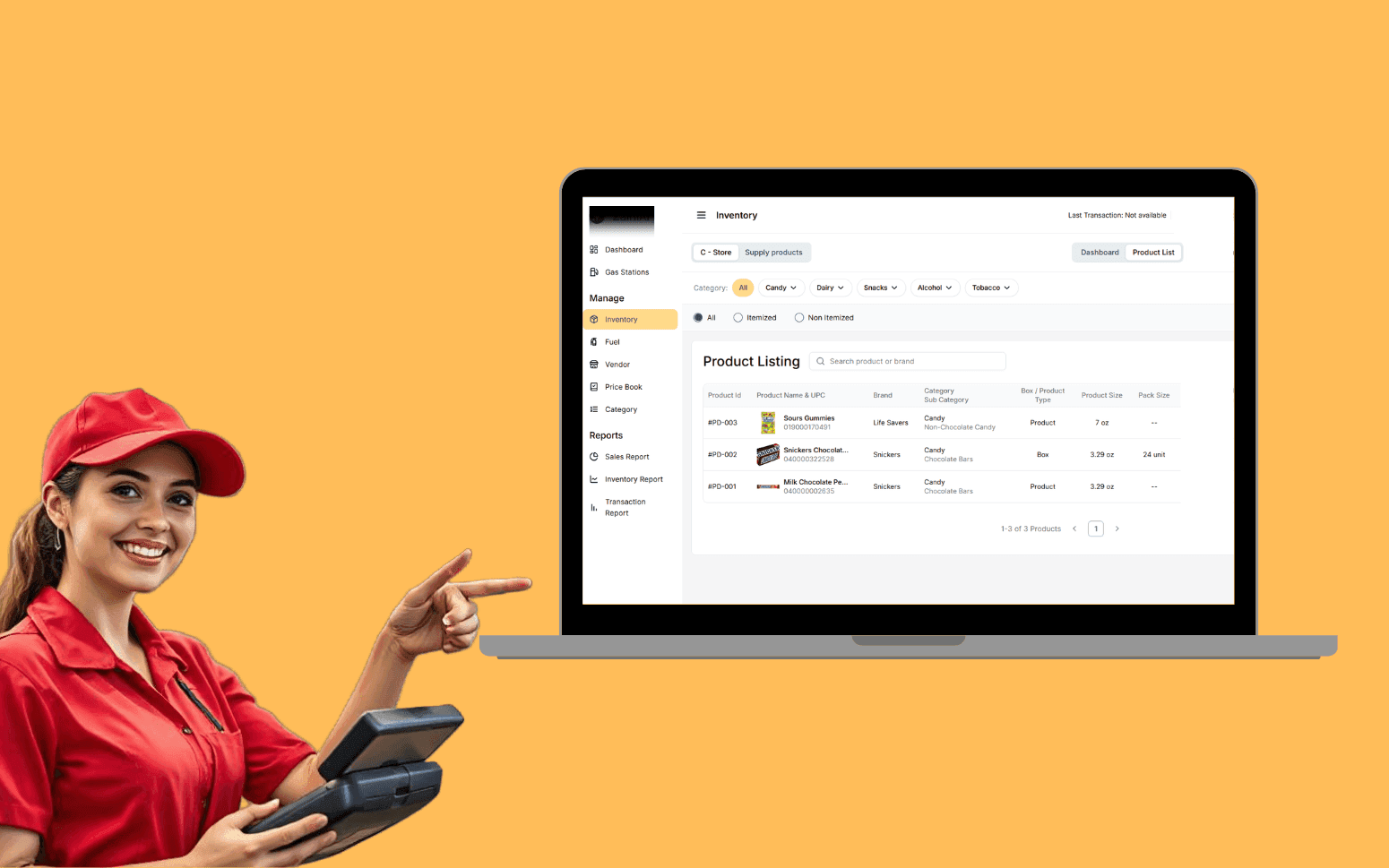
AI OCR Software Scales Gas Station Operations With 20K+ Transactions
- 20K+
- 40+
- 70%
Custom job management software for landscaping companies that run recurring maintenance routes alongside one-off projects, built for crew-based field operations, not a generic service business.
Spreadsheets can't group jobs by area, sequence them by drive time, or tell the office when a crew finishes a job. Custom software can do all three, and it doesn't fall apart when a crew member calls in sick.
Recurring route scheduling with geographic grouping
Crew dispatch with mobile job sheets
On-site job completion with photos and sign-off
Customer communication and invoicing automation
Recognition
Recurring maintenance routes planned weekly in spreadsheets because the current system can't group jobs by area and sequence them by drive time?
Job completion not recorded on site, crew finishing a job and the office not knowing until end of day, with no photos to send the customer or dispute if there's a complaint?
In short
Custom landscaping job management software handles recurring route scheduling with geographic grouping, crew dispatch with mobile job sheets, on-site job completion recording with photos and customer sign-off, and invoicing automation. It manages both maintenance contracts and one-off project work in one system. RaftLabs delivers in 12-14 weeks at a fixed cost.
Companies we've built for








Landscaping operations have two distinct workflows that most software treats as one. Recurring maintenance routes need geographic grouping, sequence optimisation, and schedule templates that repeat weekly or fortnightly without manual re-entry. One-off projects need full job tracking from quote through to completion sign-off.
Managing both in a spreadsheet means the coordinator rebuilds the route plan every week. A crew finishing a job has no way to record it in real time. The office finds out at the end of the day, or when the customer calls.
We build job management systems that handle both workflows. Routes are planned once and auto-generated for each period. Crews see their jobs on mobile, record completion on site with photos, and the office sees status in real time.
One-off and recurring job creation with service type, customer details, estimated duration, and crew size requirements. Recurring schedule templates for maintenance contracts, weekly, fortnightly, or monthly, auto-generating jobs for each period without manual re-entry. The scheduler applies a constraint satisfaction approach: crew skills, equipment availability, and vehicle capacity are modelled as constraints so the system only proposes schedules that are physically executable with the resources available that day.
Crew size and equipment requirements are set per job type. A mowing and edging visit for a commercial property requires a two-person crew with a ride-on mower and line trimmer; a hedge trimming job for the same property requires different equipment. These requirements are stored in the job template and matched against available crew and equipment at scheduling time, preventing the common error of dispatching a crew without the equipment the job needs.
Job priority and access notes, gate codes, key lockbox combinations, dog on property, parking restrictions, are visible on the schedule view and on the mobile job sheet. Schedule board is filterable by crew, date, and job type. Capacity view shows available hours per crew per week for forward planning, which the operations manager uses to confirm whether new contract capacity exists before committing to a customer. Overbooking protection prevents the total scheduled hours from exceeding each crew's available hours for the day.
Geographic job grouping clusters visits in the same area on the same day, reducing total drive time per crew per day. Route sequencing uses the Google Maps Distance Matrix API to calculate optimised job sequences for each crew, minimising total drive distance while respecting job time windows where customers have requested specific visit times. For operations with 10–50 jobs per crew per day, the OR-Tools library (Google's open-source constraint optimisation library) handles the Vehicle Routing Problem formulation, treating each crew as a vehicle with capacity constraints and each job as a stop with a time window.
Crew assignment considers skills, equipment on the vehicle, driver licence type (for trailer-towed equipment), and availability. When a crew member calls in sick on the morning of a route, the re-assignment logic re-runs the route with the substitute crew and recalculates the sequence to account for the change in starting location and equipment availability.
Daily route sheet is sent to the crew's mobile with the address sequence, drive time estimates, job details, and access notes. GPS vehicle tracking via device location services provides live crew position on the dispatch board, allowing the coordinator to see whether a crew is running on schedule. Geofencing alerts trigger automatically when a crew departs a job address before the estimated duration has elapsed, a signal that the job may be incomplete rather than ahead of schedule. Route changes pushed to the crew app in real time when the schedule is updated during the day, so the crew always has the current plan without a phone call.
Daily job list on mobile with customer name, address, access notes, and job instructions. The app is built for field conditions, large touch targets, minimal text entry, and offline operation via local SQLite storage (on iOS and Android) so the crew can complete jobs in areas with poor mobile coverage and sync when connectivity resumes. Offline sync queues all completed job records, photos, and signatures locally and pushes them to the server in the background when signal returns.
GPS stamp on arrival and departure is recorded automatically using device location services, the crew lead doesn't need to manually start or stop a timer. Geotag data is attached to every job record, giving the operations team the ability to verify site attendance for dispute resolution. Task completion checklist per job: items are marked as done in sequence, with required fields (such as photo evidence for a specific task) blocking completion until the field is satisfied.
Materials used are recorded against the job for cost tracking, pre-loaded material price lists mean the crew selects the item and quantity, not a cost figure. Before and after photo capture is attached directly to the job record with automatic geotagging and timestamp. Photos are stored at the job level and attached to the customer record, so they're available when a customer calls about a visit from three months ago. Customer signature is collected on the device screen for project completions and one-off jobs that require sign-off confirmation. Job completion updates the dispatch board in real time via websocket push, so the coordinator sees the job status change the moment the crew completes it.
Customer and property records with full job history, contract details, communication log, and all photos from every completed visit. Each property record includes site-specific notes, access instructions, known hazards, customer preferences, equipment restrictions, and any recurring issues noted during previous visits. This information is surfaced to the crew on the mobile job sheet so a crew attending a property for the first time has the same site knowledge as the regular crew.
Quote generation produces itemised PDF quotes from your service rate cards, delivered to the customer via the customer portal link or email with an online approval button. When the customer approves the quote through the portal, it converts to a job record and enters the scheduling queue without any manual re-entry. The customer portal also shows visit history with photos, upcoming scheduled visits, invoice history, and online payment capability, giving customers self-service access to the information they most commonly call or email to request.
Multiple properties under one account for commercial clients with several sites. Contract details, service scope, frequency, pricing, and renewal date, are stored at the property level for commercial accounts and at the account level for residential contracts. Preferred crew assignment is noted at the property level so the routing algorithm respects crew preferences for established customers where relationship continuity matters.
Equipment maintenance scheduling is tracked within the system: mowers, aerators, hedge trimmers, and vehicles have their own service records with interval-based maintenance reminders. When a piece of equipment is due for service, it is flagged on the scheduling board so it isn't assigned to a job until serviced, preventing the crew from arriving at a property with equipment that breaks down mid-job.
Job completion triggers invoice generation from the work record, labour, materials, and any additional items recorded during the job are pulled into the invoice automatically from the rate card. there's no manual re-entry between job record and invoice. Service contract billing automation generates and sends recurring invoices at the contracted interval (weekly, monthly, or per-visit) without manual action from the accounts team.
Invoice delivery by email or customer portal includes an online payment link powered by Stripe for card payments. Direct debit (ACH in the US, BECS in Australia, BACS in the UK) can be set up for maintenance contract customers so their monthly invoice is paid automatically without the customer needing to take action. This removes the chase cycle for the most reliable customer segment.
Integration to Xero or QuickBooks Online via their REST APIs creates invoices, records payments, and reconciles transactions automatically. The mapping is configured during setup so every job category, labour type, and material maps to the correct income account in your chart of accounts. No manual import or export. Outstanding invoice report shows the aged receivables position with days overdue per customer, overdue totals by age band (1–30, 31–60, 60+ days), and the outstanding balance by contract versus one-off jobs, the information an operations or finance manager needs to prioritise collection action on the highest-value overdue accounts first.
Schedule templates for different service seasons, spring clean-ups, summer maintenance visits, autumn leaf clearance, aeration and overseeding, and winter shutdown visits. Each season type has its own service checklist, pricing structure, and estimated duration per property size tier so quotes and scheduling are consistent across the season push.
Capacity planning view shows crew availability against projected job volume for the upcoming peak season. This is built from the existing maintenance contract list (known recurring work) and the historical conversion rate from service notification to one-off booking, giving the operations manager a staffing projection 6–8 weeks before the season begins, enough lead time to hire seasonal labour or subcontract overflow.
Customer communication for service resumption after winter runs as an automated outreach sequence: email or SMS notification to all active maintenance contract customers with a service start date, and a similar notification to inactive customers from the previous season with a rebook link. The rebook link takes customers to a quote approval portal rather than requiring a phone call back to the office. Seasonal job types with service-specific task checklists, a winter shutdown checklist is different from a spring start-up checklist, and pricing are configured once per service type and applied consistently across all properties of that type. Historical job volume by season and property type feeds the crew planning tool so each year's staffing model starts from data rather than the operations manager's memory of how last spring felt.
Jobber and LMN handle standard scheduling and invoicing well for most landscaping businesses. Custom software makes sense when your route logic, geographic grouping, sequence optimisation using OR-Tools or Google Maps Distance Matrix, multi-crew management with equipment constraints, is complex enough that the standard tool's routing can't keep up with your operation's volume or constraints.
It also makes sense when you have a combination of large commercial maintenance contracts with custom reporting requirements for each client, residential route work, and one-off project work that a single SaaS tool handles inconsistently. Commercial clients often require visit confirmation emails with photos and a PDF report after each service, a workflow that Jobber and LMN support partially but often requires workarounds.
A third case is integration requirements: if your accounting is in Xero with a customised chart of accounts structure, or if you need to integrate with a client's facilities management system for work order confirmation, a custom integration layer is often cleaner than working within a SaaS platform's API limitations. If a well-configured standard platform covers your needs, we say so during discovery. A paid discovery engagement for a landscaping software project takes 1–2 weeks and produces a scoping document whether we recommend custom or not. We don't push custom builds where they're not justified by the business case.
You set up a schedule template for each maintenance contract, the service frequency (weekly, fortnightly, monthly), preferred day of week, crew assignment, and any time window constraints the customer has requested. The system generates jobs automatically for each period without manual re-entry. On a weekly basis, the template engine creates the next week's jobs from all active contracts, applying the correct service date based on the template frequency.
At the start of each week, the coordinator reviews the auto-generated jobs, confirms any changes (a customer requested a different date, a property is inaccessible due to an event), and approves the week. The route optimisation then groups jobs geographically and sequences them to minimise total drive time using the Google Maps Distance Matrix API. Drive time estimates between each job are displayed on the dispatch board so the coordinator can identify routes that are over-capacity before the day starts.
If a job is cancelled mid-week or a new job is added, the affected route is recalculated and the updated sequence is pushed to the crew app via a push notification. The crew lead sees the change on their device without a phone call. The coordinator doesn't rebuild the plan from scratch each week, they spend time on exceptions (the jobs that changed) rather than reconstruction (re-entering every job that didn't change). For a business running 10–20 crews and 200–500 jobs per week, this shift in the coordinator's workload from construction to exception management is the primary operational justification for the custom system.
Yes. Commercial contracts and residential one-off jobs are both managed in the same scheduling system. The structural difference is that contract jobs are generated automatically from the recurring schedule template while one-off jobs are created manually per booking or from a quote that the customer approved. Both job types appear on the same dispatch board and crew app, so the coordinator sees everything in one place.
Commercial accounts can hold multiple site addresses under one account, with separate job records, service histories, and invoicing per property. A facilities manager at a commercial client with 12 sites receives one consolidated monthly invoice covering all 12 properties, with line items per property, the billing configuration is at the account level rather than the property level for this customer type.
Invoicing automation is configured differently per job type. Contract customers are billed monthly or per-visit automatically on the trigger events you define. Residential one-off customers receive an invoice when the job is marked complete on the mobile app. Commercial contract clients with net-30 payment terms receive invoices at month end with a due date 30 days out. The QuickBooks or Xero integration creates the invoice in your accounting system simultaneously so the finance team doesn't have to re-enter anything, the job management system and the accounting system stay in sync from the moment the job is completed.
A landscaping job management platform covering scheduling, route planning, a crew mobile app, customer management, and invoicing typically takes 12–14 weeks from project start to production. This breaks down as: discovery and scoping (weeks 1–2), design and back-end data model (weeks 2–4), scheduling and routing engine (weeks 3–7), mobile crew app (weeks 4–9), customer portal and invoicing (weeks 7–11), QuickBooks or Xero integration and testing (weeks 10–13), and crew onboarding and go-live (weeks 13–14).
Integration to your accounting system (QuickBooks Online or Xero via REST API) is included in this timeline. iOS and Android mobile apps for the crew are included. The customer quote approval and payment portal is included.
Complex commercial contract management with client-specific reporting formats, multi-depot operations with separate crew pools and vehicle tracking, or equipment maintenance tracking add 2–4 weeks to the schedule. We agree the full scope, the delivery milestones, and the fixed cost before development starts. The scope document specifies every screen, every integration, and every report so there are no additions mid-project that change the price or timeline without a separate change order discussion.
What clients say
Three-year average engagement. Founders and operators describing the work in their own words. No marketing varnish.

 USA
USAAll of the sprints were completed on schedule and on budget. We highly recommend RaftLabs!
01 / 02
Tell us how you plan routes and track crew today. We'll tell you what a custom system would change and how long it would take.