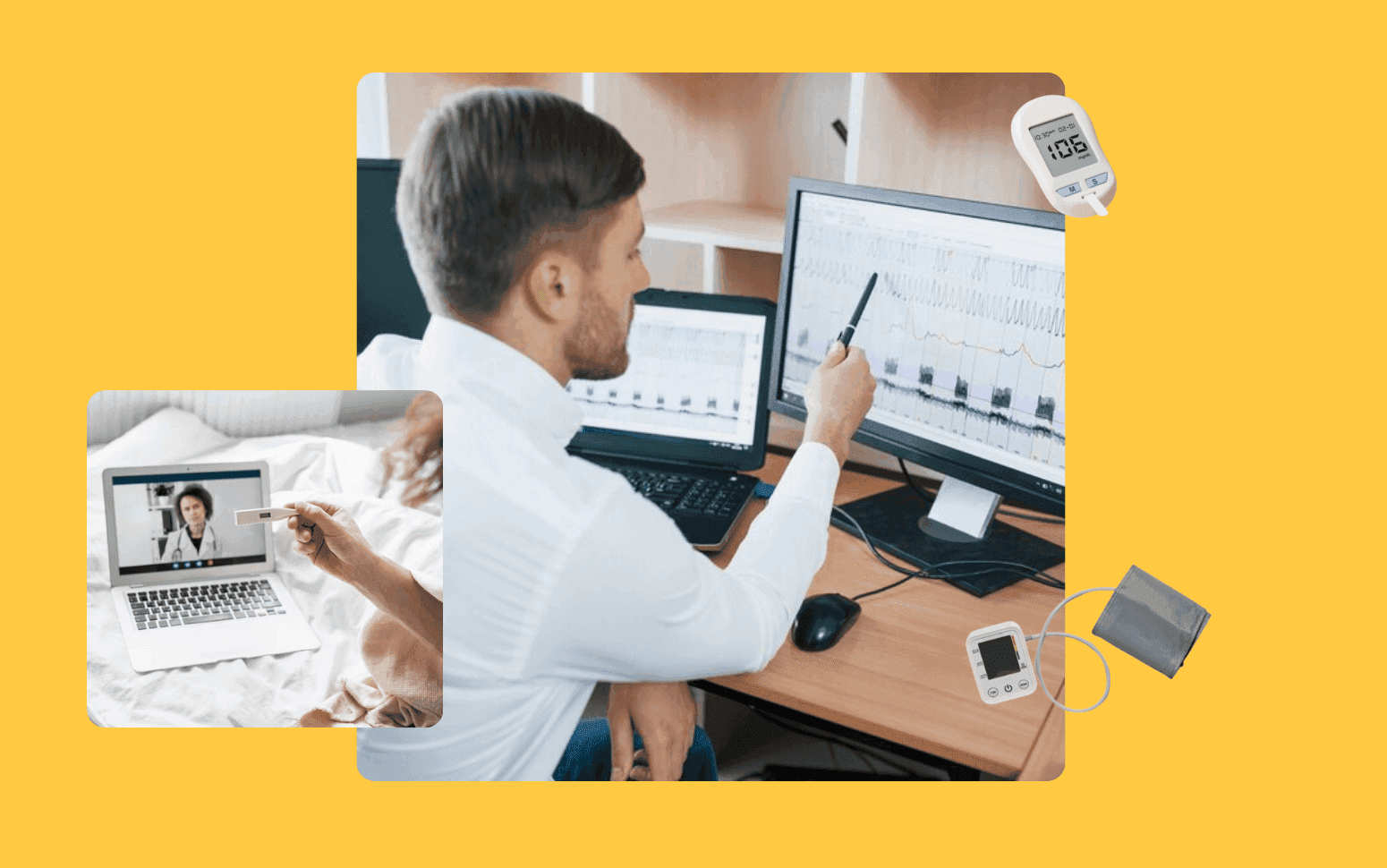
AI Remote Patient Monitoring Cuts Hospital Readmissions
- 30%
- 12 weeks
Automation for the administrative work that surrounds clinical care. Claims, prior auth, EHR data entry, patient communication, and compliance reporting, built HIPAA-compliant with full audit trails.
Clinical staff focus on patients. The structured, rule-based administrative work runs automatically.
Claims submission and prior authorisation automation for major payer portals
EHR data entry automation from intake forms, referrals, and external records
Patient communication workflows for reminders, recalls, and follow-up
HIPAA-compliant architecture with complete audit trails on every automated action
Recognition
Prior authorisation requests taking hours of staff time per week across your practice?
Claims rejection rate driven by manual data entry errors that cost your revenue cycle team time to fix?
In short
RaftLabs builds healthcare workflow automation systems for hospitals, clinics, medical groups, and healthcare operators. We automate claims processing and submission, prior authorisation, EHR data entry from intake documents, patient communication workflows, and compliance reporting. All builds use HIPAA-compliant architecture with full audit trails. Most projects deliver in 8-12 weeks at a fixed cost, with full source code ownership.
Companies we've built for








Every hour a practice administrator spends on prior auth submissions is an hour not spent on patient-facing work. Every claim rejected due to a data entry error creates rework and delays payment. Every patient reminder sent manually is a task that runs automatically with the right system in place.
Healthcare automation doesn't replace clinical judgment. It replaces the structured, rule-based administrative work that surrounds it. Claims processing, prior auth, EHR data entry, patient outreach, and compliance reporting all follow consistent rules. Automation handles them reliably, at scale, with a complete audit trail.
Automated claims preparation, payer portal submission, status monitoring, and rejection handling. Bots extract patient and encounter data from your EHR using FHIR R4 resources: Patient, Encounter, Observation, and Condition resources for clinical data, and Coverage resources for insurance information. The data maps to the payer-specific claim format. Claim submission uses HIPAA 5010 EDI (X12 837P for professional claims, 837I for institutional claims) via a clearinghouse connection to Change Healthcare, Availity, or Waystar, or direct payer portal submission where EDI is not available.
Status monitoring uses X12 276/277 eligibility and claim status inquiry transactions to check submission and adjudication status on a defined schedule. Rejected claims return with the X12 277 rejection code, mapped to a human-readable description, and route to your billing team's review queue with the rejection reason and a suggested correction pre-populated from the rejection code lookup table. For EHR systems that don't expose a claims API, UiPath or Microsoft Power Automate RPA handles the UI-based claim entry workflow, recording each interaction in the audit log. The result is a claims workflow that reduces average days in AR and drops submission error rates by removing the manual transcription steps between clinical documentation and claim submission, without requiring new billing headcount to absorb volume growth.
Automated prior authorization request submission for surgical procedures, specialty medications, advanced imaging, and durable medical equipment across payer portals. The automation uses two complementary approaches: CDS Hooks (Clinical Decision Support Hooks) for EHR-integrated coverage requirements discovery (CRD) at the point of order entry, and Documentation Templates and Rules (DTR) to automatically populate the authorization request with the clinical documentation the payer requires. For Epic and Cerner environments that support the Da Vinci CRD and DTR implementation guides, the authorization workflow sits inside the clinician's ordering workflow rather than a separate admin process.
For payers and EHR systems not yet supporting CRD/DTR, bots pull the patient demographics, ICD-10-CM diagnosis codes, CPT/HCPCS procedure codes, and supporting clinical documentation from your EHR, complete payer-specific authorization forms via portal automation using UiPath or RPA frameworks, and submit requests automatically. Status checking runs on a defined schedule, typically every 4 hours, with escalation to the clinical team when authorization is not received within expected timeframes and an urgent escalation path for time-sensitive procedures. The result is a workflow that takes prior auth from a 25-40 minute manual task per request down to a 3-5 minute exception-review process, with the bot handling all the data gathering and form completion.
Automated data entry from intake forms, referral letters, external records, and lab results into your EHR. For incoming HL7 v2 messages, including ADT A01 admissions, ADT A08 demographic updates, ORM O01 orders, and ORU R01 lab results, the integration engine (Mirth Connect or Azure Health Data Services) parses the message, maps the fields to your EHR's data model, and inserts the data without manual keying. Referral letters and external documents that arrive as PDF or scanned images go through OCR (AWS Textract or Google Document AI) to extract structured fields: patient identifiers, referring provider NPI, diagnosis codes, and requested service. The extracted data is then validated and entered into the EHR.
Cross-system patient record reconciliation applies probabilistic matching when patient records exist in multiple systems without a shared patient identifier. Matching algorithms compare last name (with Levenshtein distance tolerance for spelling variations), first name, date of birth, and zip code to identify likely matches. High-confidence matches merge automatically. Low-confidence matches route to a human review queue with the candidate records displayed side by side. For bulk data migration during practice acquisitions or EHR transitions, migration runs execute in incremental batches with validation checks after each batch: record count reconciliation, data completeness checks against mandatory fields, and sample validation of mapped values against the target system's code sets. Epic FHIR R4 bulk export ($export) handles large-scale data extraction from Epic environments supporting the SMART Backend Services authorization profile.
Automated patient communication workflows triggered by EHR events: appointment confirmations and reminders sent at 72 hours and 24 hours before the scheduled visit, recall notifications when a patient is due for a preventive service or follow-up, lab result release notifications, prescription refill reminders, and post-visit follow-up sequences. The trigger events come from HL7 v2 ADT and SIU (scheduling) messages emitted by your EHR, or from FHIR R4 Appointment and ServiceRequest resources via webhook subscriptions where your EHR supports FHIR R4 subscriptions.
Multi-channel delivery, covering SMS via Twilio or AWS SNS, email via SendGrid or Amazon SES, and patient portal in-app notification, routes based on the patient's stated communication preferences recorded in the EHR, with channel fallback rules when a preferred channel is unavailable. All outbound messages containing PHI go over secure channels. SMS messages are limited to appointment time and date without clinical detail, with a link to the secure patient portal for sensitive information. HIPAA-compliant patient communication requires explicit patient opt-in for each channel and limits PHI exposure to what the patient has consented to receive.
Recall notifications for preventive care generate by querying the EHR for patients due for a service based on age, diagnosis, and last service date: mammography screening at 40+, colorectal cancer screening at 45+, or HbA1c monitoring for diabetic patients every 3 months. The communication workflow sends the recall, tracks patient response (booked, declined, no response), and escalates unresponsive high-priority patients to a care coordinator.
Automation across the revenue cycle, from eligibility verification at scheduling through payment posting. Eligibility verification uses X12 270/271 transactions submitted to the payer via clearinghouse at the time of scheduling, and again 24-48 hours before the appointment, to confirm active coverage, co-pay amount, deductible status, and whether the provider is in-network. Exceptions, including inactive coverage, out-of-network status, or coverage requiring prior authorization for the planned service, get flagged to the scheduling team before the appointment so they can be resolved, not after the visit when the claim fails.
Post-visit billing automation maps the documented diagnosis codes (ICD-10-CM) and procedure codes (CPT or HCPCS) from the clinical note to a superbill, validates code combinations against CCI (Correct Coding Initiative) edits that would trigger claim rejection, and routes the claim for submission via HIPAA 5010 EDI 837P/837I. Electronic Remittance Advice (ERA) via X12 835 transactions handles automated payment posting: matched claims post automatically. Unmatched payments and contractual adjustments route to the billing team's review queue. Denial management automation categorizes denial codes (CO, PR, OA prefix codes in the 835) and triggers the appropriate remediation workflow. A CO-97 bundling denial triggers a CPT modifier review. A PR-1 deductible denial triggers a patient statement. The revenue cycle automation reduces the manual work between clinical documentation and deposited payment while keeping exception review in place for genuine edge cases.
Automated assembly of compliance reports from clinical and administrative systems: HEDIS quality measure reporting for payer value-based contracts, MIPS (Merit-based Incentive Payment System) performance data for CMS, payer-specific data submissions, state-mandated public health reporting, and HIPAA breach notification documentation. Data extracts from source systems, validates against the measure specification, and assembles into the required submission format automatically on a defined schedule.
Every automated action in the system generates a structured audit log entry: the actor (bot identifier and version), the action taken (read, write, submit, update), the data accessed (patient identifier, record type, field names), the timestamp, and the outcome. Audit logs store in append-only, tamper-evident storage, CloudTrail on AWS or Cloud Audit Logs on GCP, with a minimum 6-year retention period as required under HIPAA. Every automated claim submission, every prior auth request, and every patient record access by the automation system is documented and retrievable for a compliance audit or legal hold without manual reconstruction.
HIPAA compliance monitoring runs continuous checks against the architecture: access pattern anomaly detection to flag unusual data access volumes, encryption validation to confirm no PHI writes to unencrypted storage, and BAA coverage verification to confirm that any new third-party service introduced to the system is covered by a signed BAA before PHI routes to it. The compliance reporting layer gives your compliance team reviewed output, not raw data to assemble. That cuts the staff time required per reporting period from days to hours.
Healthcare automation must be designed with HIPAA compliance as a core architectural requirement from the start. The technical safeguard requirements under 45 CFR Part 164 that apply to human users of healthcare systems apply equally to automated bots that access PHI. We build automation systems with least-privilege access controls. Each bot is scoped to the minimum data access it needs for its specific task, using service accounts with narrow permission sets rather than shared admin credentials. Credential management uses secrets managers (AWS Secrets Manager or HashiCorp Vault) rather than environment variables or configuration files.
Every action a bot takes generates a structured audit log entry: what data was read, what was written, what was submitted, to which system, at what timestamp, and with what outcome. These logs store in append-only tamper-evident storage with 6+ year retention, the same standard that applies to manual PHI access logs. Data flows are documented explicitly: which system each piece of PHI originates from, where it travels, what transformations apply, and where it ends up. We deliver this data flow documentation as part of the project so your compliance team has what they need to review the automation against your existing HIPAA policies. BAAs with all infrastructure providers processing PHI are executed before any PHI enters the system.
We integrate with EHR systems via API where available and via UI automation where the system doesn't expose a usable API. Common systems: Epic (FHIR R4 via App Orchard, or Epic-proprietary web services for legacy versions), Cerner Millennium (FHIR R4 and Cerner-specific APIs), Athenahealth (Athenahealth API with OAuth 2.0), eClinicalWorks, NextGen, Greenway Health, and Kareo. For systems with FHIR R4 APIs, we use the API directly. It's more reliable, less brittle to UI changes, and produces a cleaner audit trail than screen scraping. SMART on FHIR OAuth 2.0 handles authorization for FHIR-enabled systems.
For legacy EHR platforms, including older versions of Epic, Cerner, or smaller specialty EMRs that predate FHIR, HL7 v2 interface engine integration (Mirth Connect, Azure Health Data Services, or similar) handles bidirectional data exchange via ADT, ORM, ORU, and SIU message types. Where HL7 interfaces aren't available and the API is too limited for the automation's data needs, UiPath RPA handles UI-level EHR interactions: navigating forms, extracting data, entering structured data, and completing workflows the EHR exposes only through its UI. UI automation is more brittle than API integration and requires maintenance when the EHR updates its interface, but it's often the only viable path for specific legacy system workflows. The integration approach for your EHR version and configuration is determined during the scoping session.
Claims submission automation reduces processing time from 8-12 minutes per claim for a manual billing workflow down to under 60 seconds for bot-handled preparation and submission. Submission error rates drop from 5-15% (typical for manual entry) toward under 1% for structured EDI 837 submissions. The error rate reduction directly reduces the time spent on denial management and resubmission, which is often where the larger time savings accumulate.
Prior authorization workflows that take 20-40 minutes of staff time per request, pulling the clinical data, navigating the payer portal, completing the form, and monitoring status, reduce to 3-5 minutes of exception review once the automation handles data gathering, form completion, and submission. For practices processing 50+ prior auth requests per week, that's 15-30 hours of staff time per week redirected from data entry to patient-facing work.
Revenue cycle teams typically report 30-50% reduction in time spent on routine billing tasks after automation: eligibility verification, claim submission, ERA payment posting, and denial categorization. Patient communication automation reduces the time per reminder from 1-3 minutes of manual outreach to near zero while improving no-show rates by 15-25% compared to no reminder workflow. The actual savings for your practice depend on your current process, claim volume, payer mix, and the specific workflows automated. We model these numbers during scoping using your current volumes and process times, so you have a concrete ROI estimate before committing to the project.
Every automation system we build has a clearly defined exception path, and the design of that path is as important as the automation itself. Cases that don't meet the straight-through processing criteria, including complex clinical scenarios where the automation can't gather sufficient documentation, unusual payer requirements outside the standard rule set, data quality issues where required fields are missing or inconsistent, or high-risk indicators that require a human decision, route to a human review queue rather than hold in the bot process indefinitely.
The review queue presents the exception case with context the bot has already assembled: the patient and encounter data, the specific criterion that triggered the exception, the automated check results, and a suggested resolution path based on similar cases the system has previously routed. Reviewers focus on the decision, not the data gathering. The bot has already done the low-value data collection work that consumes most of the time in manual processes.
Exception rates typically start at 15-25% of total volume for a new automation system as the ruleset calibrates against real cases. Over the first 30-60 days of operation, edge cases are reviewed, categorized, and either incorporated into the automation rules (for cases that turn out to be straightforward once the pattern is understood) or confirmed as genuine exception cases requiring human review. Exception rates typically stabilize at 5-15% of volume for well-calibrated systems, meaning 85-95% of cases run straight-through without manual intervention. The exception queue also generates the operational data needed to identify payer behavior patterns, documentation quality issues, and process improvement opportunities that are invisible in a fully manual workflow.
What clients say
Three-year average engagement. Founders and operators describing the work in their own words. No marketing varnish.

 USA
USAAll of the sprints were completed on schedule and on budget. We highly recommend RaftLabs!
01 / 02
Tell us the administrative process costing your team the most time. We'll tell you how we'd automate it and what it costs.