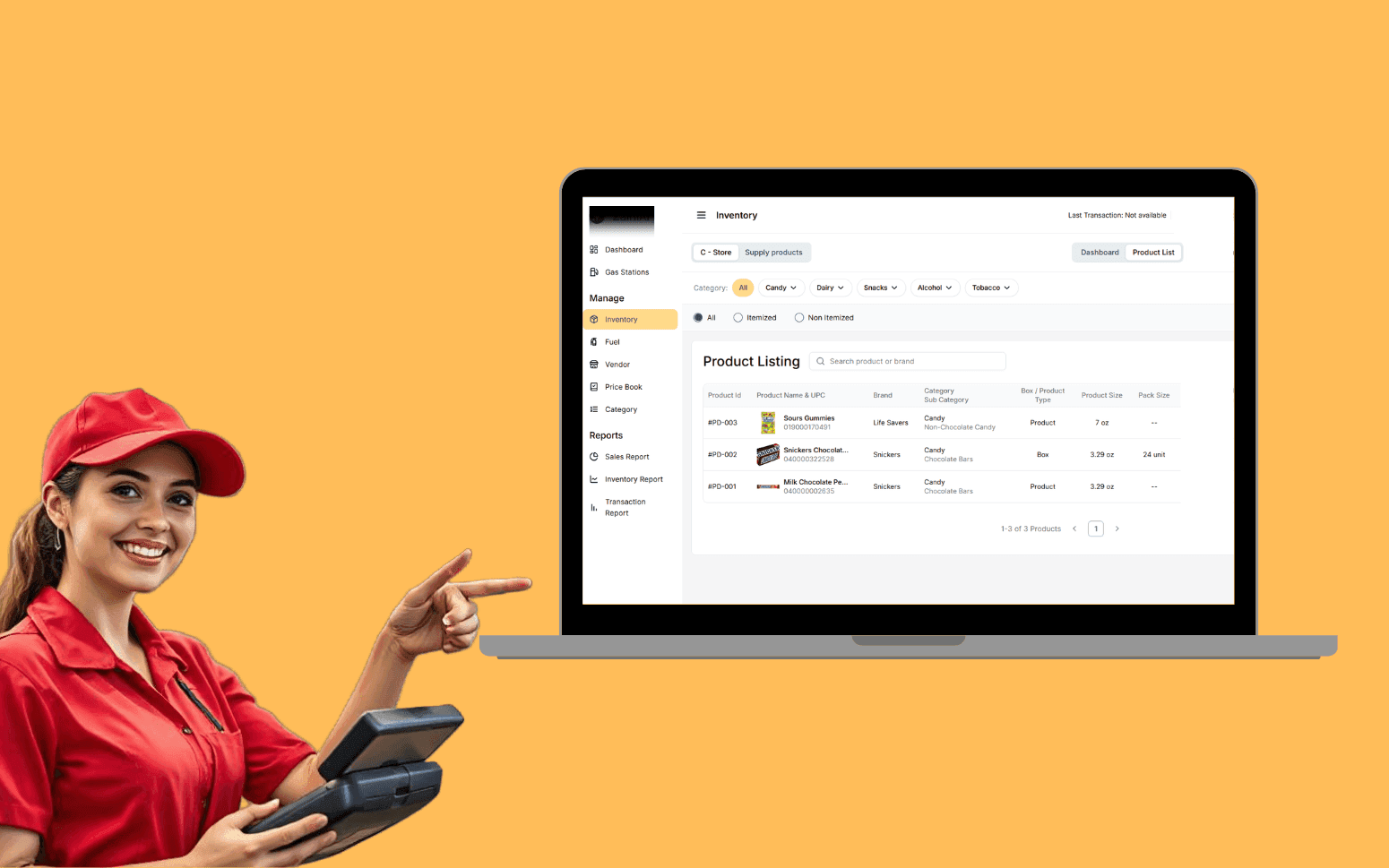
AI OCR Software Scales Gas Station Operations With 20K+ Transactions
- 20K+
- 40+
- 70%
Custom project management software for general contractors, project managers, and construction companies who need scheduling, document control, site reporting, and cost tracking in one place. Not a patchwork of spreadsheets and shared drives.
Built for how construction projects actually run. Gantt schedules, RFI workflows, controlled drawing revisions, daily progress logs, and budget tracking that updates in real time, not at month end.
Gantt scheduling with critical path, milestone tracking, and lookahead views
RFI and submittal workflows with response tracking and full audit trail
Drawing and document control with revision history and controlled issue
Budget vs actual cost tracking updated in real time as changes are logged
Recognition
Tracking active project status across multiple sites in spreadsheets that nobody trusts?
Drawing version control failing because the wrong revision was used on site and the rework is already done?
In short
RaftLabs builds custom construction project management software covering Gantt scheduling, resource allocation, RFI and submittal tracking, drawing version control, daily site reporting, and budget vs actual cost tracking. Most construction PM platforms ship in 10-14 weeks at a fixed cost with full source code ownership.
Companies we've built for








On most construction sites, the project manager knows what's happening because they called the foreman this morning. The programme is in a spreadsheet that one person maintains. The latest drawing is the one in someone's email. The cost forecast is accurate as of the numbers from last week.
That approach works until you're running three projects at once, or a subcontractor installs to the wrong revision of a drawing, or a client asks for a progress report and your last one is three weeks old.
Construction project management software gives your team a single system where the schedule, the documents, the RFIs, and the costs all live. Field supervisors log daily progress against the programme. Drawings are issued through controlled workflows so everyone sees the current revision. RFIs go through a tracked system rather than email chains. The cost picture updates as purchase orders are raised and variations are approved.
Gantt charts built for construction programmes: trade packages, structural milestones, concrete pour sequences, MEP rough-in, finish trades, and commissioning activities, each with start date, finish date, float, and predecessor/successor dependency links. Critical path calculation identifies which activities, if delayed, extend the project completion date, giving the project manager clear direction on where to focus acceleration effort and which float can be consumed without consequence.
Baseline schedule locked at contract award or project start, with every subsequent update measured against the baseline so variance is always visible. Two-week lookahead views for site supervisors and foremen give a short-horizon planning window with the detail that daily work requires, without the noise of a full programme. Milestone tracking with early warning when milestone dates are at risk based on predecessor activity progress. Programme updates driven by daily field progress logs: when a supervisor marks an activity at 60% complete in the mobile app, the Gantt reflects that immediately, not at the project manager's next weekly update. BIM model integration via Autodesk Forge (now Autodesk Platform Services) API allows 4D scheduling views where programme activities are linked to BIM model elements, so a schedule delay is visible in the model context rather than only as a bar extension on the Gantt. Reference platforms like Procore and Autodesk Construction Cloud offer scheduling in this way; a custom system allows you to define the workflow rules, notification logic, and reporting format that matches how your projects actually run.
Resource planning across your active project portfolio at the trade and crew level. Labour requirements are derived from the programme: each scheduled activity has a resource requirement (trade type, crew size, days on site) that feeds the resource histogram. The histogram shows total resource demand by trade across all active projects by week, set against your available workforce and subcontractor capacity. Conflicts, such as two projects both requiring the same formwork crew at peak demand, are surfaced three to four weeks ahead of when they will become a site delay, not on the Monday morning the crew is supposed to be in two places at once.
Subcontractor labour and direct labour are tracked separately with company name, trade, contract package, mobilisation date, demobilisation date, and peak crew requirements. Subcontractor bid management tracks invited subcontractors for each package, bid submission status, and bid amount. Comparative bid levelling aligns different subcontractor bids for the same scope onto a common comparison format, adjusting for scope inclusions and exclusions, so the lowest bid is not automatically the cheapest once scope gaps are normalised. Material procurement tracking logs purchase orders raised for each trade package against the programme's material delivery requirements, with early warning when a delivery date is at risk of missing the on-site need date. OSHA incident and near-miss reporting is recorded from the field mobile app with the date, location, trade, description, and corrective action, generating the incident log required for compliance reporting and insurance renewal.
RFI (Request for Information) workflow from initiation to close. Each RFI has a subject, trade category, contract reference, and a required response date. The RFI is assigned to the responsible consultant or design team member, who receives a notification and can respond with a written answer, a marked-up drawing, or a reference to a specification clause, all attached directly to the RFI record. Automatic reminders on overdue responses keep turnaround times within your contract's response window. When the response is received, the contractor can accept it, request clarification, or escalate. Every action on the RFI is timestamped and attributed, creating the audit trail that is the difference between a successful claim and a losing dispute.
Submittal workflow covers shop drawings, product data submissions, and material samples through the review, approval, approval with comments, and rejection/resubmission cycle. Submittals transmitted to the design team with a transmittal record showing what was sent and when. Review status tracked through the full cycle with resubmission rounds numbered and accessible. The current approved submittal version is always clear; superseded versions remain accessible in the record but are visually marked. Distribution lists per RFI and submittal mean the right people are notified without broadcasting to everyone on the project. Closed RFIs and approved submittals are searchable by keyword, trade, drawing reference, and date range, acting as the reference library that answers "what was the design intent on that detail" at practical completion without someone hunting through email chains.
Drawing register organised by discipline (architectural, structural, MEP, civil, landscape), contract package, and drawing number. Each drawing has a full revision history: issue A, B, C, 1, 2, 3 with issue date, reason for issue, and the transmittal record showing who received that revision. IFC (Industry Foundation Classes) file format support for BIM model coordination: IFC files uploaded, versioned, and distributed through the same controlled document workflow as 2D drawings, with model viewer integration via Autodesk Forge Viewer (now Autodesk Platform Services) for browser-based 3D model review without requiring desktop software.
New drawing revisions automatically supersede previous issues the moment the new revision is issued. Field workers accessing the drawing register always see only the current revision. Previous revisions are visually marked as superseded and require deliberate navigation to access, preventing accidental use. Outdated drawings already printed on site are addressed by a controlled distribution model: the system does not allow downloading a drawing without logging the download with timestamp and user, creating a record that is verifiable if the wrong revision is ever used.
Transmittal records show exactly who received each revision, on what date, by which distribution method. Document sets managed by discipline and package so structural subcontractors see only the structural drawings relevant to their scope and cannot access the full project documentation. Access controls configurable by company and by individual user. Change order management: variations to the contract scope go through a formal approval workflow before being added to the contract sum. A change order request records the scope change description, cost impact, and programme impact; the architect or client approves, rejects, or requests revision; approved change orders update the contract sum automatically and feed the cost tracker. This is the equivalent of the AIA G702/G703 pay application and change order process in a custom platform context.
Daily site report forms completed by foremen and supervisors from a mobile app with full offline capability: reports are completed on site and sync to the server when connectivity is restored, so a basement with no signal or a remote rural site without reliable mobile data does not break the reporting workflow. Reports capture: weather conditions with temperature and precipitation (logged automatically from a weather API where connectivity allows, manually where it does not), crew on site by trade and company with headcount, plant and equipment on site, work completed against specific programme activities, and any site instructions received or issues identified.
Photos taken in the mobile app are attached to specific drawing locations, programme activities, or issue records rather than uploaded as an undifferentiated gallery. This means a photo of a crack in a foundation wall is attached to the relevant structural drawing reference and the relevant RFI or issue record, not in a folder named "week 14 site photos" that takes half an hour to search at claim time. Field time and attendance using geofenced punch-in/punch-out records which operatives were on which site at what time, integrated with payroll data for direct labour. Weather logging from the daily report feeds the programme delay analysis. If you're claiming an extension of time for weather events, the daily report log is the evidence base.
Reports compiled automatically into weekly progress summaries formatted for client reporting: activities completed this week, activities planned next week, issues outstanding, instructions received, and photos of key progress milestones. The summary is generated from the daily report data rather than written from scratch each Friday, reducing the time a project manager spends on client reporting from an afternoon to a review.
Budget tracking structured around a schedule of values (SOV) that maps the contract sum across work packages, trade packages, and cost codes. The SOV is the basis for progress billing: each payment application (formatted to match AIA G702/G703 for US projects) reports the percentage complete per SOV line item, calculates the amount due for the current period, and accumulates the total billed to date against contract value. The G702/G703 format means your progress billing is in the format your clients' quantity surveyors and bank inspectors expect, without reformatting data from another system.
Committed costs (purchase orders raised but not yet invoiced), actual costs to date (invoices received and approved), and forecast final cost (actual plus committed plus estimate to complete) are visible in real time as each transaction is recorded. Purchase orders raised in the PM system are coded against the SOV line item and cost code at the time they are raised, so the budget picture updates immediately rather than at month-end when someone uploads the accounts payable file. Variation orders go through an approval workflow before being added to the contract value: scope change descriptions, cost impacts, and programme impacts recorded and approved by the relevant parties before the numbers change. Early warning on cost code overruns shows when actual plus committed costs exceed the budget line, with a configurable threshold alert before the overrun is confirmed. Cost reports by package, trade, and cost code are generated on demand without manual spreadsheet assembly: the financial picture your commercial manager needs to review project performance, available every day rather than produced in a weekly scramble.
Custom construction PM software is built around the specific way your projects are structured: your contract packages, your RFI numbering and routing conventions, your document discipline codes, your cost code structure, and your client reporting format. It typically covers programme management and Gantt scheduling with critical path, RFI and submittal tracking, drawing and document control with controlled revision history, daily site reporting from mobile apps with offline capability, budget vs actual cost tracking with a schedule of values, and change order management through an approval workflow.
BIM integration via Autodesk Forge (Autodesk Platform Services) API can be included for IFC file versioning and browser-based model viewing linked to document records. Integration with your accounting system (Xero, QuickBooks, Sage, SAP) means purchase orders and invoices flow between systems without manual re-entry. Reference platforms like Procore and Autodesk Construction Cloud handle common construction workflows well; the reason to build a custom system is when your contract structure, reporting obligations, or integration requirements do not fit the process those platforms enforce. A custom system is also appropriate when you want to embed PM capabilities into a broader platform, such as an owner's project management portal, a subcontractor management tool, or a field operations platform, where a third-party SaaS product's branding, permissions model, and pricing structure do not fit your product architecture.
Drawing version control is one of the highest-stakes features in construction PM software because a wrong-revision error in the field can result in rework that costs more than the entire software investment. We build systems where each drawing number has exactly one current revision displayed as the default view. Previous revisions are retained for record purposes and accessible to document controllers, but they are visually marked as superseded with a clear banner, and field workers on the mobile app cannot access a superseded revision without a deliberate navigation step that triggers a warning.
New revisions are issued through a controlled workflow: the new file is uploaded, assigned a revision code, reviewed by the document controller, issued to the distribution list via a formal transmittal record, and the previous revision is automatically marked superseded at the point of issue. The transmittal record shows exactly who received the new revision, when, and by what method. Field mobile apps pull the current revision directly from the document register in real time. There is no local document cache that can become out of date. BIM model coordination using IFC files follows the same revision workflow: each new IFC model upload goes through the same controlled issue and transmittal process as a 2D drawing, so the current federated model used for clash detection is always the most recently issued version.
Yes. Construction PM software integrates with accounting systems to eliminate dual data entry for purchase orders, supplier invoices, and cost data. The most common integrations are Xero (REST API with well-documented endpoints), QuickBooks Online (Intuit API), Sage 50/200/300 (Sage 50 has limited API access; Sage 200/300 have better connectivity), and MYOB (REST API for cloud versions). Purchase orders raised in the PM system against cost codes flow to the accounting system as bills or purchase orders in the accounting data model. Actual costs paid in the accounting system flow back to the PM system to update the actual cost figures without re-entry. The bidirectional sync cadence, real-time event-driven vs batch polling, is scoped based on your workflow needs.
ERP integrations with SAP or Microsoft Dynamics 365 are possible but involve more complex field mapping between the construction cost code structure and the ERP chart of accounts, and typically require middleware or the ERP's own integration platform (SAP BTP, Power Automate) rather than direct API calls. We scope the accounting integration specifically during discovery: the integration architecture, field mapping, sync direction, error handling, and any data transformation required are all confirmed before development starts so the cost is accurate and the scope is clear. If your accounting system does not have a public API, we assess CSV export/import as an interim approach while we scope the longer-term integration.
A focused construction PM platform covering scheduling, document control, RFI management, daily reporting, and basic cost tracking typically runs $35,000 to $75,000. A more complete platform with resource planning, full variation management, accounting integration, and client portal typically runs $75,000 to $150,000. Cost depends on the number of modules, the complexity of integrations, whether you need mobile apps for field crews, and the scale of your reporting requirements. We scope every project before pricing it. You get a fixed cost covering an agreed scope, not a time-and-materials estimate that grows through development.
What clients say
Three-year average engagement. Founders and operators describing the work in their own words. No marketing varnish.

 USA
USAAll of the sprints were completed on schedule and on budget. We highly recommend RaftLabs!
01 / 02
Tell us how your projects run today: the number of active sites, your current tools, and where the coordination breaks down. We'll scope the right system and give you a fixed cost.