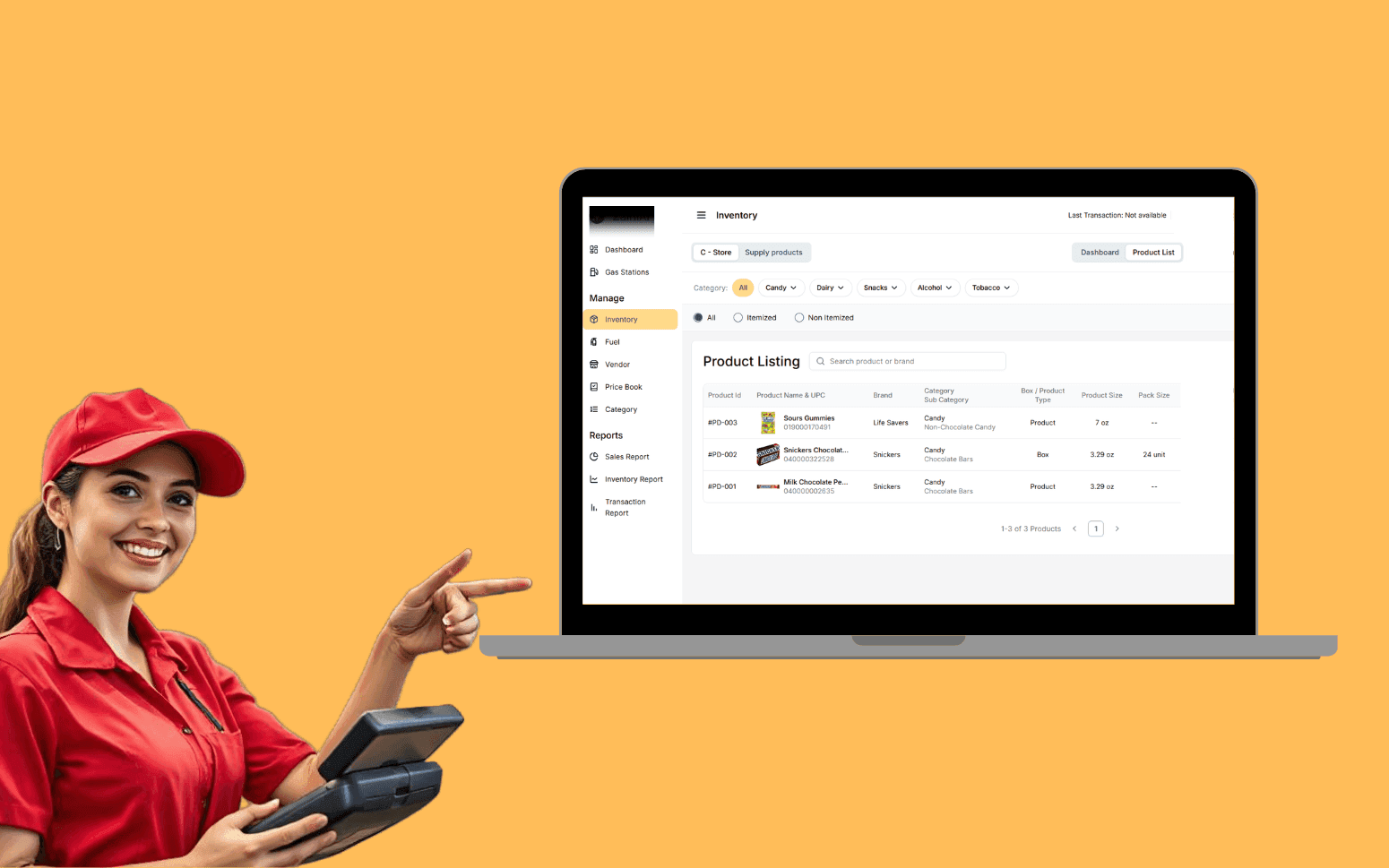
AI OCR Software Scales Gas Station Operations With 20K+ Transactions
- 20K+
- 40+
- 70%
Custom scheduling and operations software for cleaning companies that manage recurring cleans, multiple cleaners, and customers who expect reliable communication, built for how a cleaning operation actually runs.
The spreadsheet works until a cleaner calls in sick and the coordinator spends the morning on the phone re-routing cover instead of taking new bookings. Custom software handles the cover automatically.
Recurring job scheduling with cleaner assignment
Cover and absence management without manual re-routing
Customer booking portal and communication automation
Mobile check-in and job completion recording
Recognition
Recurring cleans scheduled in a spreadsheet that breaks every time a cleaner calls in sick, the coordinator spending the morning on the phone re-routing cover instead of taking new bookings?
Customers cancelling because communication is unreliable, no booking confirmation, no reminder, no notification when the cleaner is on the way?
In short
RaftLabs builds custom cleaning business scheduling software that manages recurring job schedules, automates cover when a cleaner calls in sick, sends booking confirmations and on-the-way notifications to customers, and gives cleaners a mobile app with daily schedules, checklists, and photo capture. Most projects replace the broken spreadsheet in 12 to 14 weeks at a fixed cost.
Companies we've built for








Cleaning businesses run on recurring schedules. The same customers, the same cleaners, the same days, until someone calls in sick. A spreadsheet doesn't have an answer to that. The coordinator has to work through the day's jobs manually, find a replacement with the right area and access to the property, and call the customer to explain the change.
Custom scheduling software handles absence automatically. A cleaner marks themselves unavailable, the system finds available cover in the right area, sends an offer via the app, and notifies the customer when cover is confirmed, all without coordinator phone calls.
Customer communication is the other failure point. Customers who receive no confirmation and no reminder cancel more. Customers who get a message when the cleaner is on the way trust the service. Both are automated, not manual.
One-off and recurring booking captures service type (standard clean, deep clean, move-in/move-out, commercial), duration, room count, property access notes, and any customer preferences. Recurring service patterns are configured at the customer level, weekly, bi-weekly, or monthly on specific days, and the schedule auto-generates future jobs for the entire pattern without manual re-entry each period. When a customer requests a schedule change (moving their bi-weekly Monday clean to Friday), the system updates all future occurrences, not just the next one.
Preferred cleaner assignment is stored on the customer record and applied automatically to every recurring job. Scheduling respects the preferred cleaner's availability: if the preferred cleaner is already at capacity for that slot, the system flags the conflict for coordinator resolution rather than silently reassigning. Schedule view by cleaner shows hours booked versus available hours for the week, making capacity gaps visible before they become under-staffing problems on the day. Coordinator view shows the day's jobs on a map-like board sorted by geographic zone so the distribution of work across the cleaner pool is immediately apparent.
New one-off bookings are checked against the preferred cleaner's schedule in real time. Job capacity per cleaner, maximum hours per day, minimum travel time between jobs, is configurable so the system doesn't book a cleaner for back-to-back jobs on opposite sides of the city. Schedule changes are pushed to the cleaner's app immediately via push notification so cleaners are never working from an outdated schedule they downloaded at the start of the day.
When a cleaner reports as unavailable, via the mobile app or the coordinator recording it on their behalf, the system immediately identifies every job assigned to that cleaner during the absence period, grouped by date and zone. The cover-finding algorithm searches the available cleaner pool filtered by: free at those times, assigned to the same geographic zone or within the configured travel radius, carrying the correct service type on their profile (a cleaner certified for commercial cleaning only isn't offered residential cover jobs), and not already at daily hour capacity.
Route optimisation via Google Maps Distance Matrix API calculates travel time between each cover cleaner's last confirmed job and the affected job location, ranking available cleaners by the one with the shortest route to minimise customer impact from a late arrival. A cover offer is sent to the top-ranked available cleaner via in-app push notification. If they accept within the configured response window (15 minutes by default), the assignment is confirmed. If they decline or don't respond, the offer moves to the next candidate automatically.
The customer is notified by SMS when cover is confirmed, with the cover cleaner's name and revised estimated arrival time. The original cleaner is marked absent for that job in the timesheet. If no internal cover can be found within a configurable time window, the coordinator receives an escalation alert listing the affected jobs and remaining available cleaners outside the automatic filter criteria, so they can make a manual decision. Absence frequency per cleaner is tracked over rolling 13-week and 52-week periods for operational review and performance management.
Self-service booking for new and existing customers removes the phone and email booking overhead. New customers enter service type, number of bedrooms and bathrooms, specific requirements (pet-friendly products, no bleach, key safe access code), and preferred date and time. The portal shows available slots based on real cleaner capacity in the customer's area rather than asking the customer to call back to confirm availability. Background check status via Checkr is displayed for each cleaner the customer may be matched with, giving customers confidence in who enters their home.
Instant booking confirmation by email and SMS includes job details, the assigned cleaner's name, and an iCal attachment for the customer's calendar. Existing recurring customers log in to manage their schedule without contacting the office: skip a visit with reason (holiday, guests staying), request a temporary date change, add a one-off deep clean before or after a regular visit, or update property access details. Skipped visits can optionally trigger an automatic make-good credit or scheduling of a replacement visit depending on the operator's policy.
New customer sign-up captures property details at first booking, bedroom and bathroom count, parking instructions, key/alarm codes stored encrypted, so subsequent bookings don't require re-entry. Tip management is handled through the customer portal: customers can add a tip at job completion that flows through the payment processor (Stripe) and is recorded against the cleaner's pay record for the period, feeding into payroll processing via ADP or Gusto integration at pay run time.
Daily schedule on mobile shows the cleaner's jobs in order with customer name, full property address, and turn-by-turn navigation (Google Maps deep link). Property access notes, key safe location and code, alarm code, gate code, preferred parking, are visible on arrival so the cleaner doesn't need to call the coordinator for information that should already be in the system. Cleaning supply inventory needed for the property is listed by job so the cleaner can verify they have the right products before departure.
Geofenced clock-in and clock-out captures arrival and departure time automatically when the cleaner's device enters or exits the geofence around the property address, with a manual override available for properties where GPS accuracy is insufficient. This replaces manual timesheet entry and gives the coordinator accurate job durations for billing verification and payroll. Timesheet data feeds directly into payroll processing via ADP Workforce Now or Gusto API integration at each pay run without manual data entry.
Task checklist by room is configured per service type, a standard clean checklist differs from a deep clean or a move-out clean. Cleaners mark items complete in sequence. The checklist structure means nothing gets missed and gives the coordinator evidence of what was completed if a customer raises a quality concern. Before and after photo capture is required on specific items (any pre-existing damage noted at arrival, final room photos at completion) with photos attached to the job record and visible to the coordinator. Job completion recorded in the app triggers the automated post-clean customer communication and invoice generation in real time. Background check integration via Checkr runs the initial screening and monitors for new records on a continuous basis.
Automated communication runs on triggers, not manual sending. Booking confirmation goes out by SMS and email within seconds of job creation, with job date, time, assigned cleaner name, and a link to the customer portal for any changes. Day-before reminder fires the evening before each visit, recurring visits included, so customers who have had the same Monday morning cleaner for six months still get a reminder they can act on if plans have changed.
Cleaner on-the-way notification triggers when the cleaner departs their previous job (or at a configurable fixed time before the booking) and includes the cleaner's first name, estimated arrival time based on current travel time from Google Maps, and a link to the customer's booking details. Customers who know the cleaner is on the way cancel less and answer the door rather than leaving an access code note.
Post-clean summary is sent within 30 minutes of job completion, including the checklist items completed, any notes the cleaner recorded, and the completion photos for the rooms marked as photographed. If the customer raises an issue in the post-clean feedback (rating below a threshold or a specific complaint), a follow-up message from the coordinator queue is triggered automatically so the issue is addressed before it becomes a churn event or a negative review.
All automated messages are logged against the customer record with send timestamp, delivery status (delivered, failed, bounced), and message content. Communication timing windows are configurable per message type so customers aren't sent a next-day reminder at 11pm. Message content is configurable by the operations team without code changes, tone, wording, and the information included in each message type can be updated as the business's communication standards evolve.
Invoice generation triggers automatically on job completion, no manual step between the cleaner marking the job done and the customer receiving the invoice. The invoice line items are populated from the job record: service type, duration, additional services completed, supply charges, and any applicable tax. For recurring customers with a fixed monthly subscription, Stripe Subscriptions handles the charge automatically at the billing cycle date without generating an individual invoice per visit, the customer sees a consolidated monthly charge with a breakdown of visits included.
For pay-per-visit customers, the invoice includes an online payment link (Stripe Payment Intent) so the customer can pay by card directly from the email without creating an account. For customers with an unpaid balance, automated payment reminders are sent at configurable intervals (3 days, 7 days, 14 days after the due date) with escalating urgency in the message. After a configurable number of failed contacts, the coordinator receives an outstanding balance alert to handle the account manually.
Supply inventory tracking records the consumables used per job type and flags when stock at a depot or van location falls below the reorder threshold, preventing a cleaner arriving without the products they need. Xero and QuickBooks Online integration via their respective REST APIs reconciles invoices, payments, and credits automatically so the accounts team isn't manually reconciling the cleaning system's records against the accounting software. Payroll data, hours worked, tips received, deductions, flows to ADP or Gusto at each pay run via API, eliminating the spreadsheet export that sits between most scheduling software and payroll systems.
Jobber and ZenMaid handle scheduling, invoicing, and basic customer communication well for most cleaning businesses at the stage where someone is manually reviewing the schedule each morning and making judgment calls about cover. Custom software makes sense when the scale or complexity of your operation exceeds what manual workarounds can handle.
Specific triggers: absence cover automation across a large cleaner pool with zone assignment and Google Maps route scoring isn't something Jobber or ZenMaid handle automatically, they flag the problem for the coordinator to solve manually. If your team spends 30+ minutes every absence day re-routing cover by phone, that's the cost the automation eliminates. A customer booking portal under your own brand that integrates with your existing website and presents your cleaners' Checkr background check status isn't available in white-label form from either platform. Payroll integration to ADP or Gusto via API (not CSV export) isn't a standard feature.
Custom software also makes sense if you're building a franchise model where each franchisee runs their own cleaning operation through a shared platform, or if you're building a marketplace that connects cleaning businesses with residential customers. In those cases, the software is your product and needs to be owned, not rented. If Jobber or ZenMaid genuinely fits your operation as it runs today, we will say so in discovery rather than pitch a custom build you don't need.
When a cleaner reports as unavailable through the mobile app, the system immediately runs the cover search algorithm rather than waiting for the coordinator to notice the gap. The algorithm filters the available cleaner pool by four criteria: availability during the affected time slots (no overlap with their confirmed jobs), geographic zone match or within the configurable travel radius, service type match on their profile (a commercial-only cleaner isn't offered residential cover), and daily hour capacity not already exhausted. Google Maps Distance Matrix API ranks matching cleaners by travel time from their last confirmed job to the affected property.
A push notification is sent to the top-ranked available cleaner with the job details: customer name, address, service type, and time. The cleaner has a configurable response window (default 15 minutes) to accept or decline. If they decline or don't respond, the offer automatically goes to the next ranked cleaner. This continues until cover is confirmed or the available pool is exhausted. The coordinator receives no notification until either cover is confirmed (for their records) or the pool is exhausted without a match (for manual resolution).
When cover is confirmed, the customer is automatically notified by SMS with the cover cleaner's name and revised estimated arrival time. The original cleaner's timesheet records the absence for payroll purposes. The coordinator can see the full cover search history, every offer sent, accepted, and declined, for the affected jobs in the job record. Absence frequency per cleaner is tracked over rolling periods so the operations manager has data to work with during performance reviews.
Yes. Residential and commercial accounts are managed within the same scheduling system with different configuration per account type. Residential accounts hold individual customer and property details, primary contact, property address, bedroom and bathroom count, preferred cleaner, access notes, recurring schedule, billing method. Commercial accounts are structured differently: one billing entity (the company) with multiple site addresses underneath it, each site with its own recurring schedule, assigned cleaning team, and service specification (frequency, service type, rooms and areas in scope).
Commercial cleaning invoicing typically differs from residential: commercial clients are often invoiced monthly with a purchase order reference number on the invoice, payment terms of 30 days, and all sites consolidated on a single invoice. Residential clients are typically charged per visit by direct debit or per-visit card payment. The invoicing configuration is set at the account type level rather than requiring per-customer manual configuration.
For commercial accounts with multiple sites and a team of dedicated cleaners assigned per building, the schedule board shows the team assigned to each site rather than an individual cleaner. Absence cover for a commercial site team member looks for a cleaner who has commercial cleaning on their profile and the clearances (building access, ID check, NDAs) that the commercial client's site requires, criteria that differ from residential cover. The coordinator sees both residential and commercial accounts on the same dispatch board with account type indicators so the operational differences are visible at a glance without switching between separate views.
A cleaning scheduling platform with recurring job management, absence cover automation with Google Maps route scoring, a customer booking portal with Stripe payment processing, a cleaner mobile app with geofenced clock-in and task checklists, and automated invoicing with Xero or QuickBooks integration typically takes 12-14 weeks from project kick-off to production. That includes discovery (2 weeks), design and prototype review (2 weeks), development (7 weeks), testing with your team and a group of cleaners in a staging environment (2 weeks), and production deployment with your team onboarded.
The complexity drivers that extend beyond 14 weeks: native iOS and Android apps (as opposed to a mobile-responsive web app) add 4-6 weeks; background check integration with Checkr adds 1-2 weeks; ADP or Gusto payroll integration adds 1-2 weeks; and a large data migration from an existing scheduling system or spreadsheet database adds 1-3 weeks depending on data volume and quality.
If you have an existing customer base in a spreadsheet or in Jobber/ZenMaid, data migration is planned as a defined phase in the project. We agree the migration scope (which customer records, which recurring schedules, which historical job records are worth importing), specify the data quality standards, and test the migrated data in staging before go-live. All projects are priced at a fixed cost for the agreed specification before development starts. Scope changes requested during the build are handled as formal change requests with a cost and timeline impact estimate, not absorbed silently.
What clients say
Three-year average engagement. Founders and operators describing the work in their own words. No marketing varnish.

 USA
USAAll of the sprints were completed on schedule and on budget. We highly recommend RaftLabs!
01 / 02
Tell us how you manage recurring schedules and what breaks when a cleaner is absent. We'll tell you what a custom system would handle differently.