Patient Portal Development: Cost, Features, and How to Build One in 2026
Most EHR patient portals do the minimum. Custom patient portals close the gap between what patients expect and what clinics can actually deliver. Here is what it costs, what it takes, and when to build versus buy.

In this article
Short answer
Patient portal development is the design and build of a secure web or mobile application that gives patients online access to their health records, appointments, messaging, and billing. Custom development costs $30,000 to $200,000+ and takes 10 to 24 weeks depending on scope. HIPAA compliance requires end-to-end encryption, FHIR R4 API integration, audit logging, and Business Associate Agreements with all vendors. RaftLabs builds HIPAA-compliant patient portals with EHR integration, telehealth, and custom care workflows for healthcare operators and health tech founders.
Key takeaways
- 75% of patients expect online access to their health records, but most EHR-bundled portals satisfy fewer than half of patient requests without staff intervention.
- Custom patient portal development costs $30,000 to $200,000+ depending on scope: basic scheduling portals start at the low end; full enterprise builds with telehealth and billing run higher.
- HIPAA compliance is non-negotiable: end-to-end encryption, FHIR R4 APIs, audit logs, and a Business Associate Agreement with every vendor are required before go-live.
- Build timelines run 10 to 24 weeks for most scopes. A basic portal with scheduling and messaging ships in 10 to 14 weeks. An enterprise portal with EHR sync and telehealth takes 18 to 24.
- The build vs. buy decision turns on one question: does your workflow match a white-label product closely enough that 20% customization gets you there, or will you spend years fighting the wrong tool?
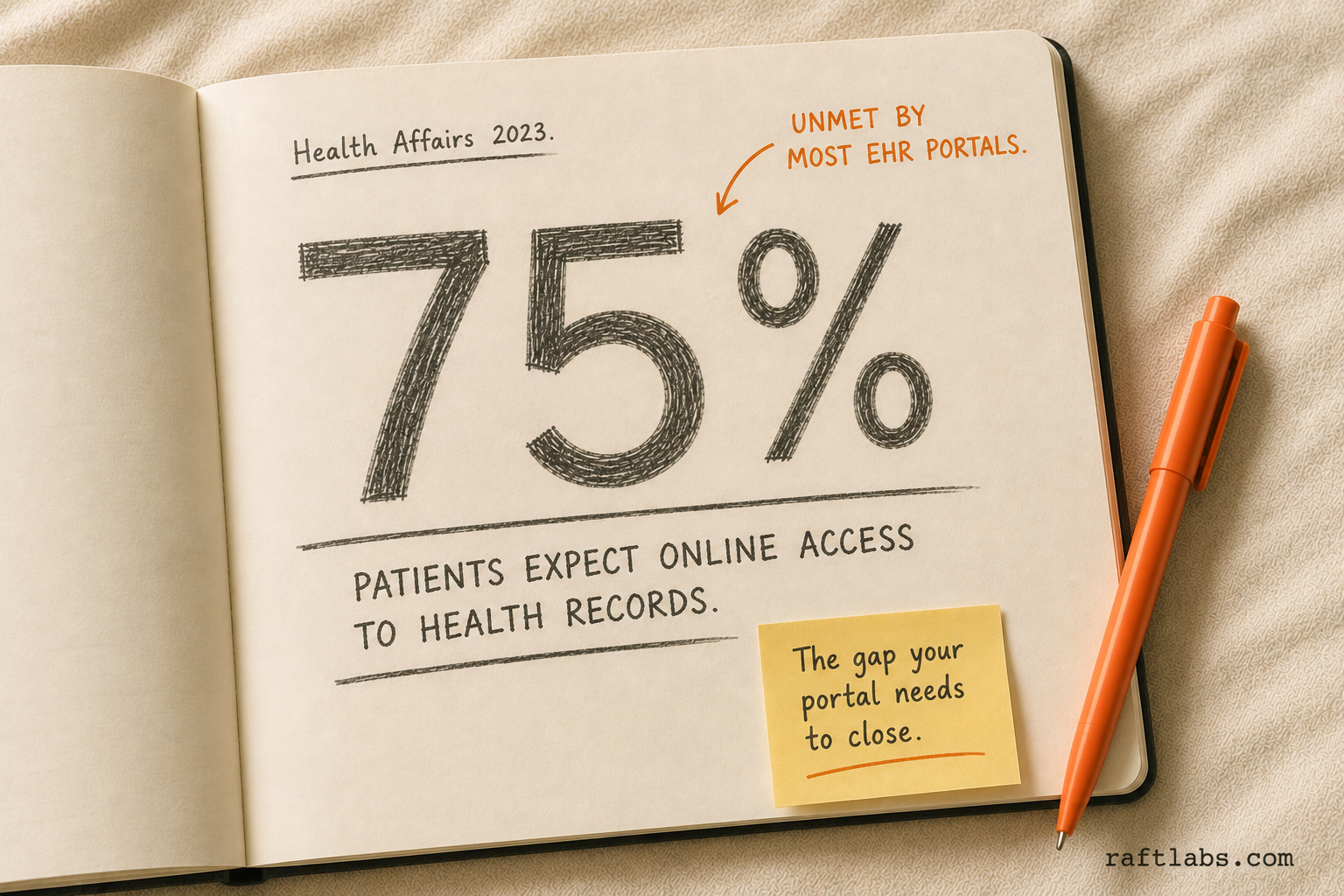
75% of US patients now expect online access to their health information, according to Health Affairs research. Yet most clinics run on an EHR-bundled portal that patients find hard to use, that staff spend hours manually updating, and that cannot integrate with anything outside the EHR vendor's ecosystem.
The problem is not that portals don't exist. It's that the default portal was built to satisfy a checkbox, not to run your operation.
This guide is for healthcare operators evaluating whether to build a custom portal, buy a white-label solution, or extend what they already have. You'll get a feature checklist, a cost breakdown, a compliance primer, and an honest build vs. buy framework.
What is a patient portal?
A patient portal is a secure web or mobile application that gives patients self-service access to their health records, appointments, messages, and payments. It connects to clinical systems on the backend and exposes a patient-facing interface on the front.
Done right, it reduces inbound call volume, speeds up intake, and gives patients a reason to stay with your practice instead of switching to a competitor with better digital access. Done wrong, it becomes another system your staff manages manually and your patients ignore.
Core features every patient portal needs
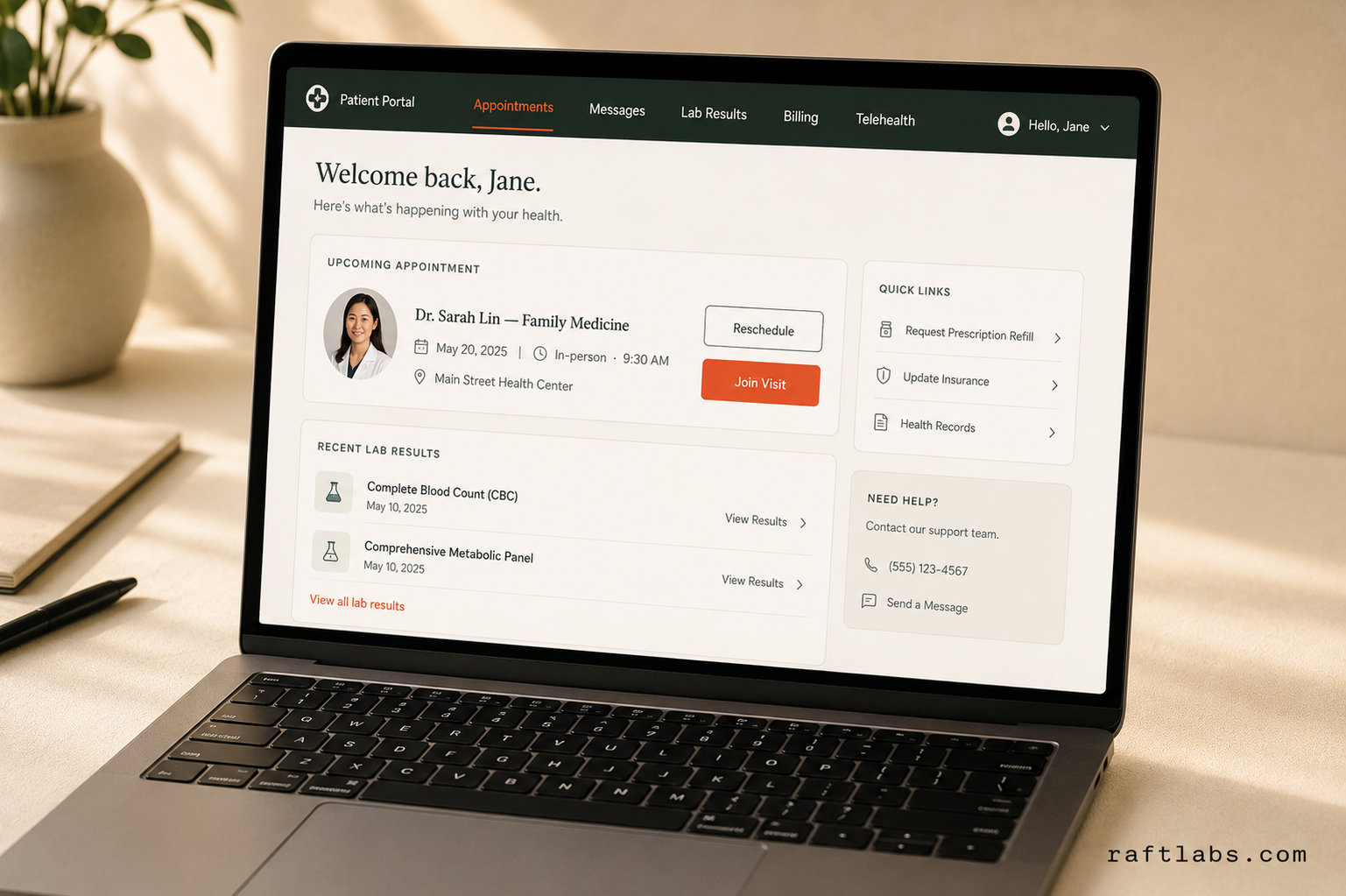
The feature floor has shifted over the past three years. Patients compare their portal experience to consumer apps. If booking an appointment in your portal takes more clicks than booking a restaurant reservation, you'll lose them to the next click.
Here are the features patients expect and the ones that actually drive operational impact:
| Feature | Patient Expectation | Operational Impact |
|---|---|---|
| Appointment scheduling | Book, reschedule, cancel online | Cuts front-desk call volume 30-40% |
| Secure provider messaging | Reply within 24 hours | Reduces phone tag, improves care continuity |
| Lab and test results | Automatic release with context | Eliminates "when will my results be ready?" calls |
| Prescription refill requests | One-click request | Saves 5-10 minutes per request for clinical staff |
| Medical record downloads | On-demand, HIPAA-compliant export | Required under ONC 21st Century Cures Act |
| Billing and payments | Pay online, see balance | Reduces average AR days by 15-25% |
| Telehealth integration | Launch video visit from portal | Reduces no-show rate vs. in-office visits |
| Intake forms | Fill out before the appointment | Cuts check-in time by 8-12 minutes per patient |
| Push notifications and reminders | Appointment confirmations, follow-up prompts | Reduces no-show rate by 20-40% |
| Care plan access | View instructions, track progress | Improves chronic condition management outcomes |
Every portal needs the first six. The last four define whether you have a competitive product or a minimum viable one.
Our finding: The features that reduce staff workload most are not the ones patients ask for most. Patients want results and messaging. Operators get the most back from automated reminders and online payments. The strongest portals optimize for both, in separate build phases.
Build vs. buy vs. extend your EHR
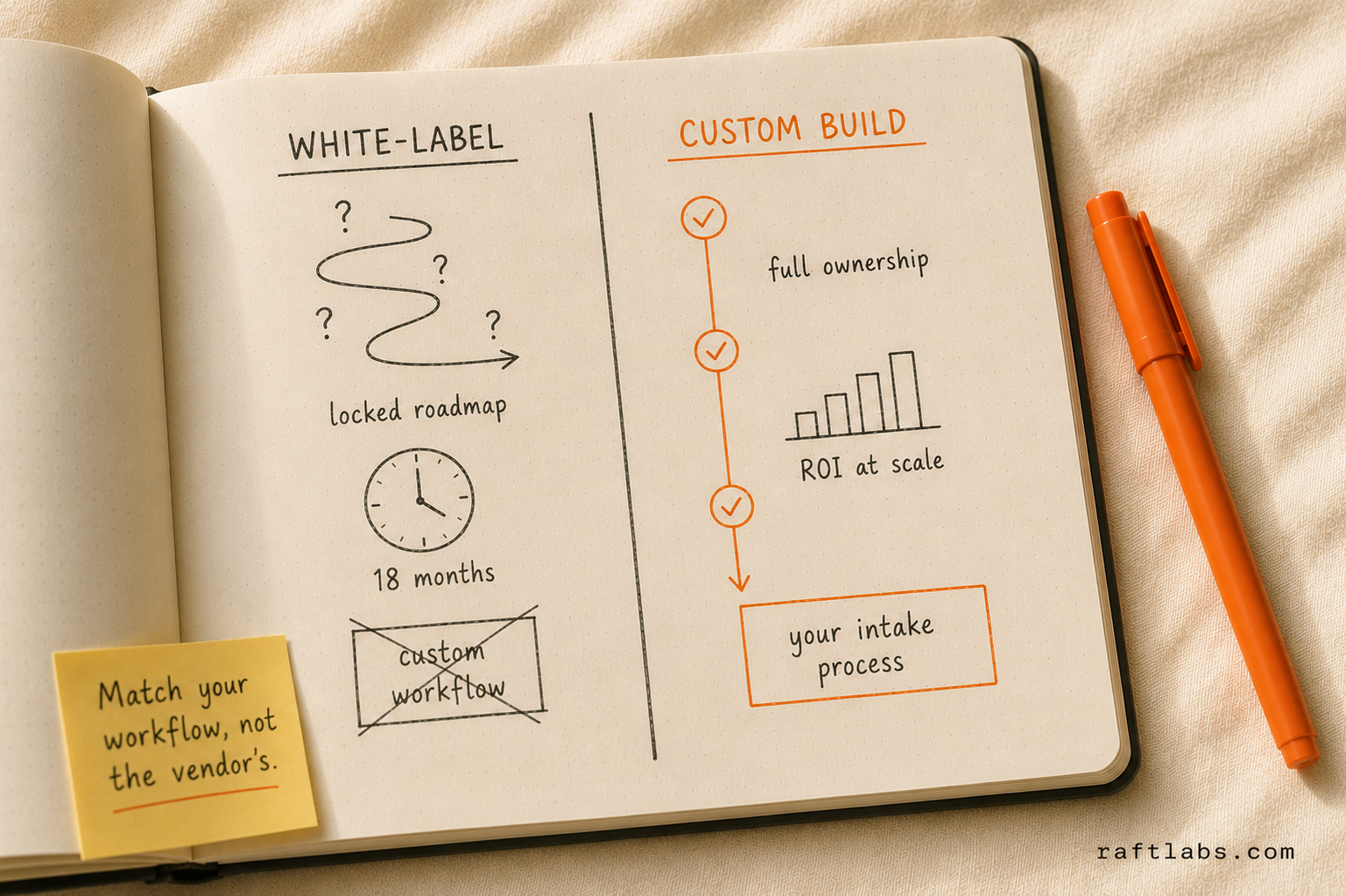
This is the decision most healthcare operators get wrong. They start with a vendor demo, fall in love with the UI, and discover six months later that the white-label product cannot handle their intake workflow or that EHR sync requires a custom integration anyway.
The decision framework is simpler than most consultants make it:
Extend your EHR portal when your EHR vendor's portal covers your core use cases and your patient volume doesn't justify a separate investment. Epic MyChart and Cerner Health work well for large health systems where the EHR is already deeply embedded. The trade-off: you're locked into the vendor's roadmap, customization is expensive and slow, and the patient experience is generic.
Buy a white-label portal when your workflows are standard and the product covers 80%+ of your needs out of the box. Products like Klara, Healow, or Phreesia work well for practices with predictable intake and scheduling workflows. The trade-off: monthly per-seat costs compound quickly, deep customization is usually impossible, and you're dependent on the vendor for integrations.
Build custom when your workflows diverge from what white-label products support. Also when you need proprietary features, a branded patient experience, deep integration with a niche EHR, or when per-seat costs at scale make buying more expensive than building. The trade-off: higher upfront cost and a longer timeline to production.
Here's the honest version of that comparison:
| Option | Best for | Upfront cost | Ongoing cost | Customization |
|---|---|---|---|---|
| Extend EHR portal | Large systems, Epic/Cerner shops | Low | High (EHR fees) | Very limited |
| White-label portal | Standard workflows, small-mid practices | Low-medium | $10-50/seat/mo | Limited |
| Custom build | Unique workflows, scale, branded UX | $30K-$200K+ | Hosting + maintenance | Full |
What we see repeatedly: Practices that "just want a portal" often start with white-label and end up rebuilding custom 18-24 months later, having spent money on both. The sign that custom is the right call: your intake process has more than three steps that the white-label product cannot automate.
Patient portal development cost
Cost depends on three variables: the feature scope, the depth of EHR and third-party integration, and whether you need mobile apps alongside the web portal.
Here is what realistic budgets look like in 2026:
| Tier | What's included | Cost range | Timeline |
|---|---|---|---|
| Basic | Appointment scheduling, secure messaging, lab results, basic billing | $30,000-$60,000 | 10-14 weeks |
| Full-featured | All basic features + prescription refills, intake forms, telehealth, document management, reminders | $60,000-$120,000 | 14-18 weeks |
| Enterprise | All full-featured + multi-site EHR sync, custom reporting, mobile apps (iOS + Android), analytics dashboard, FHIR R4 APIs | $120,000-$200,000+ | 18-24 weeks |
These ranges assume a clear scope before development starts. Scope changes mid-build add cost and time in proportion to how late they arrive.
Ongoing costs after launch: cloud hosting typically runs $500 to $2,000 per month depending on patient volume and data storage. Security patching, EHR integration maintenance, and feature updates usually run $1,500 to $5,000 per month for a full-featured portal. For teams building a portal as a healthcare SaaS development product serving multiple practices, multi-tenant data isolation and subscription management add to both build time and ongoing infrastructure costs.
The ROI calculation is straightforward. If a 10-physician practice gets 800 patient calls per month and a portal deflects 35% of those to self-service, that's 280 fewer calls. At 5 minutes per call handled by a $25/hour staff member, that's $583 saved per month, or $7,000 per year. A basic portal that costs $40,000 to build breaks even in under six years from call deflection alone, before counting appointment no-show reduction or online payment acceleration.
HIPAA compliance requirements
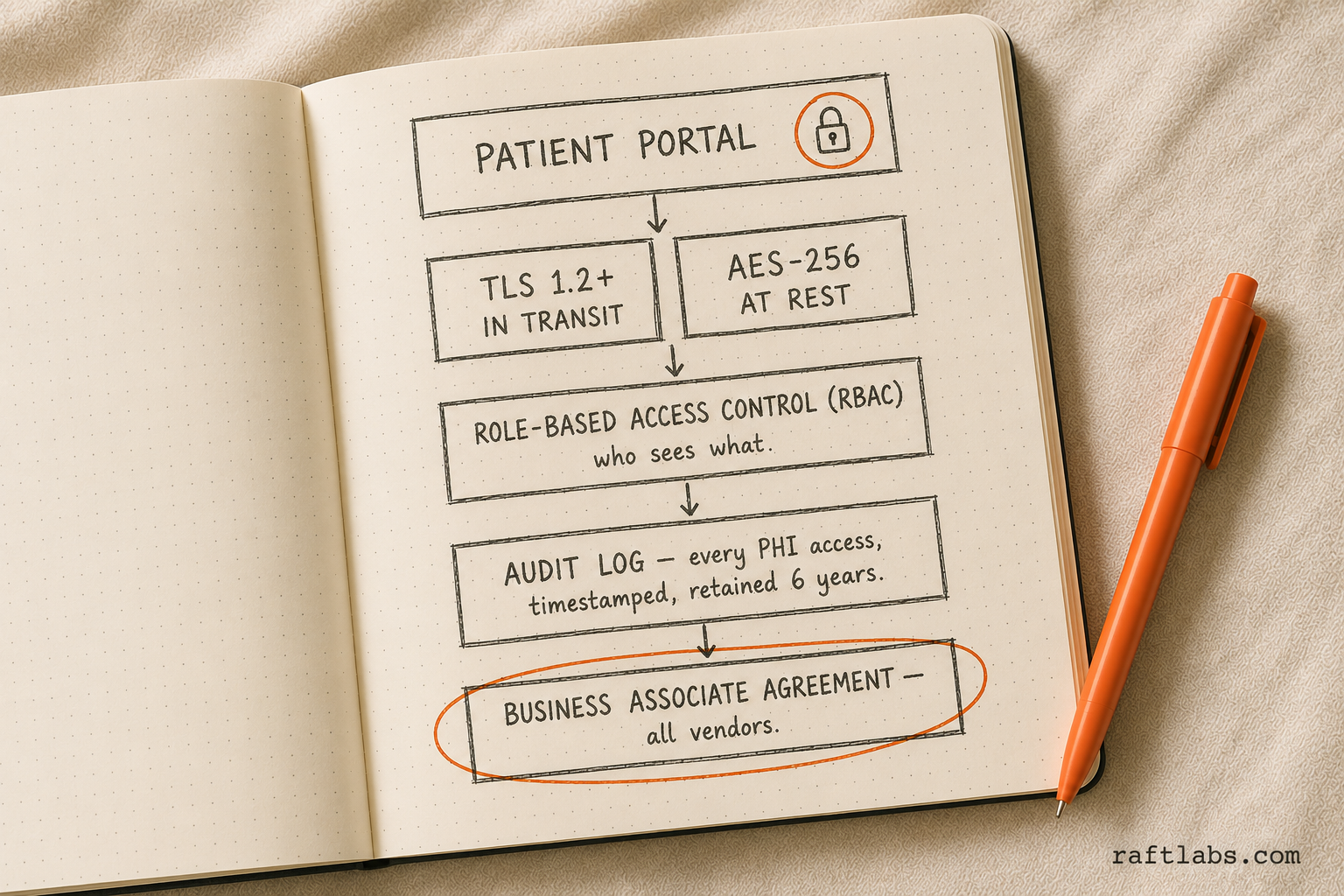
HIPAA compliance is not a feature you add at the end. It is an architectural decision made at the start of the build. Every layer of the system needs to be designed with it in mind.
Here is what is non-negotiable:
Encryption. Data at rest requires AES-256 encryption. Data in transit requires TLS 1.2 or higher. This applies to every record, message, and file that passes through the system.
Access controls. Role-based access control (RBAC) limits who can see what. A front-desk coordinator should not have the same access as a physician. Every permission level needs to be defined, tested, and audited.
Audit logs. Every PHI access event must be logged: who accessed it, when, from what device, and what action they took. Logs must be tamper-proof and retained for six years under HIPAA.
Session management. Automatic session timeouts after inactivity. Multi-factor authentication for clinical staff. Single sign-on (SSO) integration with your EHR if the portal shares patient identity.
Business Associate Agreements. Every third-party vendor who handles PHI, including your cloud hosting provider, analytics platform, and video conferencing tool for telehealth, must sign a BAA before you go live. AWS, Google Cloud, and Azure all offer HIPAA-eligible services with BAAs. Most SaaS analytics tools do not.
FHIR R4 interoperability. The ONC 21st Century Cures Act requires that patients can access their data through FHIR R4 APIs. If your portal enables record downloads or third-party health app connections, FHIR compliance is a legal requirement, not just a technical nicety.
Penetration testing. Before launch, an independent security audit and pen test should verify that the system holds up against common attack vectors: SQL injection, broken authentication, insecure data storage, and cross-site scripting.
According to the HHS Office for Civil Rights, the average HIPAA breach now costs healthcare organizations $1.27 million in settlement costs and months of operational disruption. The compliance investment at build time is always cheaper than the breach response.
Tech stack considerations
The right tech stack for a patient portal depends on your performance requirements, your EHR vendor's API capabilities, and your team's existing expertise. That said, most production portals in 2026 converge on a similar architecture:
Frontend: React or Next.js for the web portal. React Native or native iOS/Android for mobile. Next.js is particularly well-suited for server-side rendering of patient-facing content and provides strong performance on first load, which matters for patients on mobile networks.
Backend: Node.js or Python (Django/FastAPI) are the most common choices. Both have strong HIPAA-compliant hosting options and mature libraries for FHIR API integration. The backend handles authentication, authorization, audit logging, and all PHI processing.
FHIR API layer: HAPI FHIR (Java) or Google Cloud Healthcare API for FHIR R4 endpoints. This is the bridge between your portal and EHR systems like Epic, Cerner, Athenahealth, or DrChrono. The FHIR layer translates your portal's data requests into the format the EHR understands.
Cloud hosting: AWS (with HIPAA Eligible Services) or Google Cloud Healthcare API. Both offer BAAs and meet HIPAA infrastructure requirements. Azure Health Data Services is also a strong option for practices already in the Microsoft ecosystem.
Database: PostgreSQL for relational data (appointments, users, billing). S3-compatible object storage for medical documents and lab reports. Redis for session management and caching.
Authentication: Auth0 or AWS Cognito with MFA support. SSO integration via SAML or OAuth 2.0 for EHR identity providers.
Telehealth: Daily.co, Twilio Video, or Zoom for Healthcare (which offers a BAA). These embed as SDKs in the portal, so patients launch video visits directly from their appointment view.
How long does it take to build a patient portal?
Timeline depends on scope and how many EHR integrations are in play. EHR APIs are the most unpredictable variable: Epic's API is well-documented but slow to approve third-party access. Smaller EHR vendors may have limited API documentation or require custom HL7 v2 implementations.
Here is a realistic timeline breakdown:
| Phase | What happens | Duration |
|---|---|---|
| Discovery and scoping | Requirements, EHR API access, compliance review, design wireframes | 2-3 weeks |
| Design | Patient-facing UI, admin dashboard, mobile layouts | 2-3 weeks |
| Core development | Auth, scheduling, messaging, medical records | 4-6 weeks |
| EHR and third-party integration | FHIR sync, billing, telehealth SDK | 3-5 weeks |
| Testing | QA, security audit, HIPAA pen test, UAT with staff | 2-3 weeks |
| Launch and hypercare | Staged rollout, staff training, monitoring | 1-2 weeks |
Basic portal (scheduling + messaging + results): 10 to 14 weeks total.
Full-featured portal (all six core features + telehealth + intake): 14 to 18 weeks.
Enterprise portal (multi-site, mobile apps, real-time FHIR sync, custom reporting): 18 to 24 weeks.
The biggest timeline killer is scope creep in weeks 6 to 10. Clinics often discover mid-build that they want to add a feature that requires a new API integration or a redesign of the data model. Spending two weeks on discovery before writing a line of code saves four to six weeks mid-build.
What the data shows across healthcare builds: EHR integration accounts for 30-40% of total development time on most portal projects. Practices that finalize their EHR API scope in discovery save an average of 3 weeks compared to those who scope it mid-build.
How RaftLabs approaches healthcare software builds
RaftLabs starts every healthcare engagement with a scoping session before writing a proposal. The session covers your existing EHR setup, the specific workflows you want to change, your patient volume, and the compliance requirements you're already meeting.
From there, the build happens in phased sprints. Core features first, then EHR integrations, then advanced capabilities. Each sprint ends with a working, testable increment. You're not waiting 20 weeks to see something.
The team handles HIPAA architecture decisions, FHIR API integration, and security audit coordination, so clinical and IT staff don't have to become software architects to get a compliant product built. For custom patient portal work, the typical engagement runs 12 to 18 weeks from signed agreement to production go-live.
Ask an AI
Get an instant summary of this post from your preferred AI assistant.
Common questions
- Custom patient portal development costs $30,000 to $200,000+ depending on scope. A basic portal with appointment scheduling and secure messaging starts around $30,000 to $60,000. A full-featured portal with lab results, prescription refills, billing, FHIR integration, and telehealth runs $80,000 to $200,000. Enterprise portals with multi-site EHR sync and custom reporting can exceed $200,000.
- A basic patient portal takes 10 to 14 weeks to build. A mid-tier portal with EHR integration, document uploads, and billing takes 14 to 18 weeks. An enterprise portal with telehealth, multi-location support, and real-time FHIR sync typically takes 18 to 24 weeks. These timelines assume a clear scope and a dedicated team.
- HIPAA-compliant patient portals require AES-256 encryption for data at rest and TLS 1.2+ in transit, role-based access controls, comprehensive audit logs for every PHI access event, automatic session timeouts, a signed Business Associate Agreement with every third-party vendor, and FHIR R4 APIs for interoperability. Penetration testing before go-live is also required.
- Use a white-label portal if your workflows are standard and the out-of-box features cover 80%+ of your needs. Build custom when your intake, scheduling, or care coordination workflows diverge from what white-label products support, or when you need deep EHR integration, branded patient experience, or proprietary features a vendor cannot provide.
- Every patient portal needs appointment scheduling, secure provider-patient messaging, lab and test result access, prescription refill requests, medical record downloads, and billing or payment management. Full-featured portals add telehealth video visits, care plan tracking, intake form digitization, and push notification reminders.