Updated March 2026
How to build an employee training app
A step-by-step guide to building a mobile learning app that cuts training costs, improves retention, and works for distributed teams.

In this article
Short answer
Building an employee training app requires three panels (admin, trainer, trainee), content management, progress tracking, and cross-platform access. RaftLabs built a system for 5,000+ healthcare staff in 18 weeks. A basic app costs $40K-$120K vs $30/user/month for off-the-shelf LMS tools.
Key takeaways
- In-person training costs stack up fast: venue, instructor fees, printed materials, and a full day pulled from productive work. A mobile training app eliminates most of that overhead.
- The global Learning Management Systems market reached $357 billion. Microlearning (short mobile modules) boosts employee engagement and productivity by 130% versus scheduled in-person sessions.
- A basic custom training app with admin panel, trainee portal, and progress tracking costs $40,000-$120,000. Off-the-shelf LMS tools cost less upfront but rarely fit complex enterprise workflows.
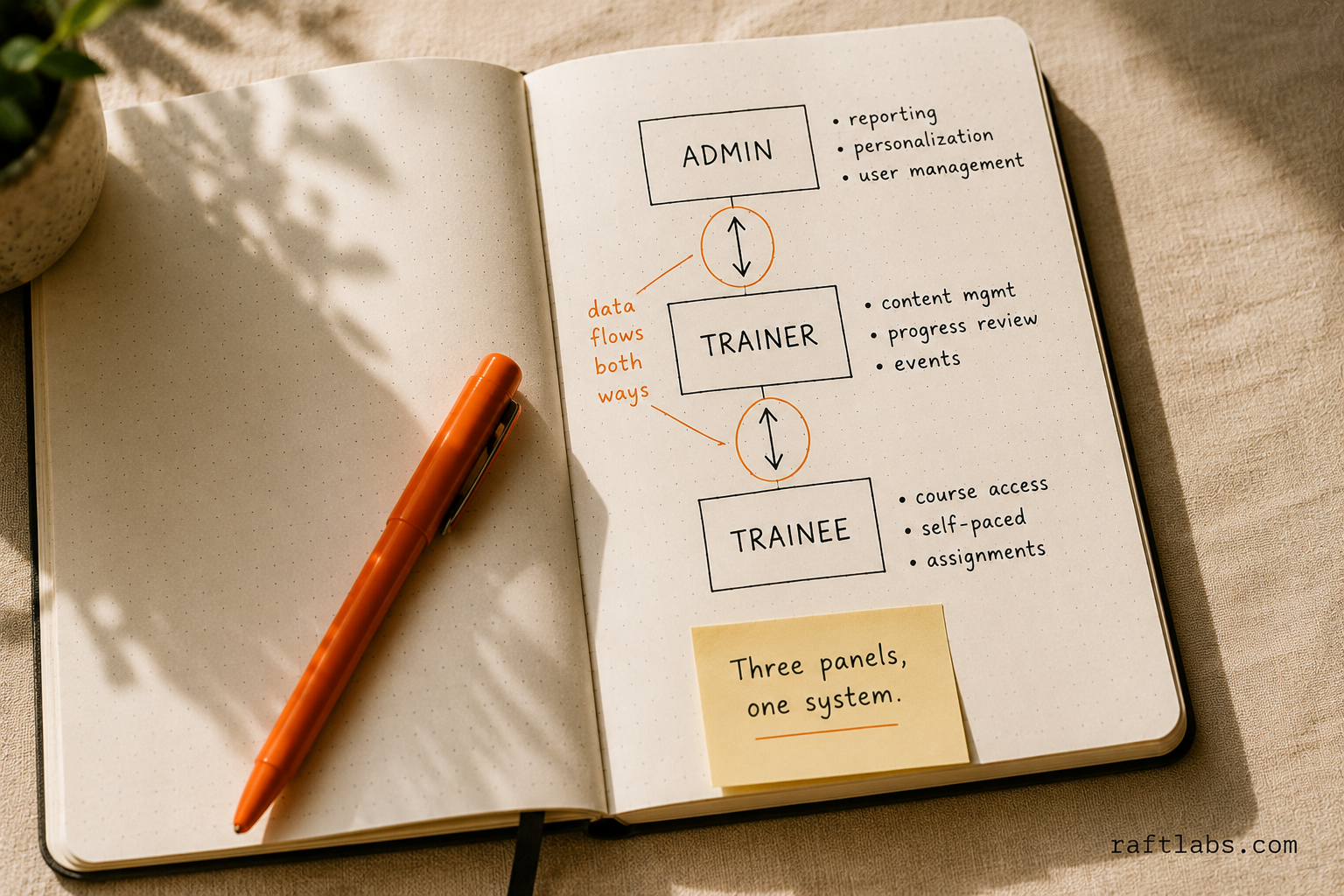
- Three panels drive the core experience: admin (reporting and personalization), trainer (content management and progress review), and trainee (course access and self-paced learning).
- Custom builds make sense when your workflows are non-standard, your roles are complex, or you need deep integration with existing HR or operations systems.
In-person training costs money every time: venue, instructor, travel, printed materials, and a full day pulled from productive work. A mobile training app removes most of that overhead and delivers content on any device, whenever employees have a free moment.
The Global Learning Management Systems market reached $357 billion after continuous growth since 2009, according to Statista. Smartphone adoption accelerated that growth by making mobile-first learning the default for distributed teams.
The practical challenge for L&D managers: employees are busy. They don't have time for full-day sessions. Training apps solve this by breaking content into short modules that fit existing work schedules, which drives higher completion rates than in-person-only programs.
Build vs. buy: when does custom make sense?
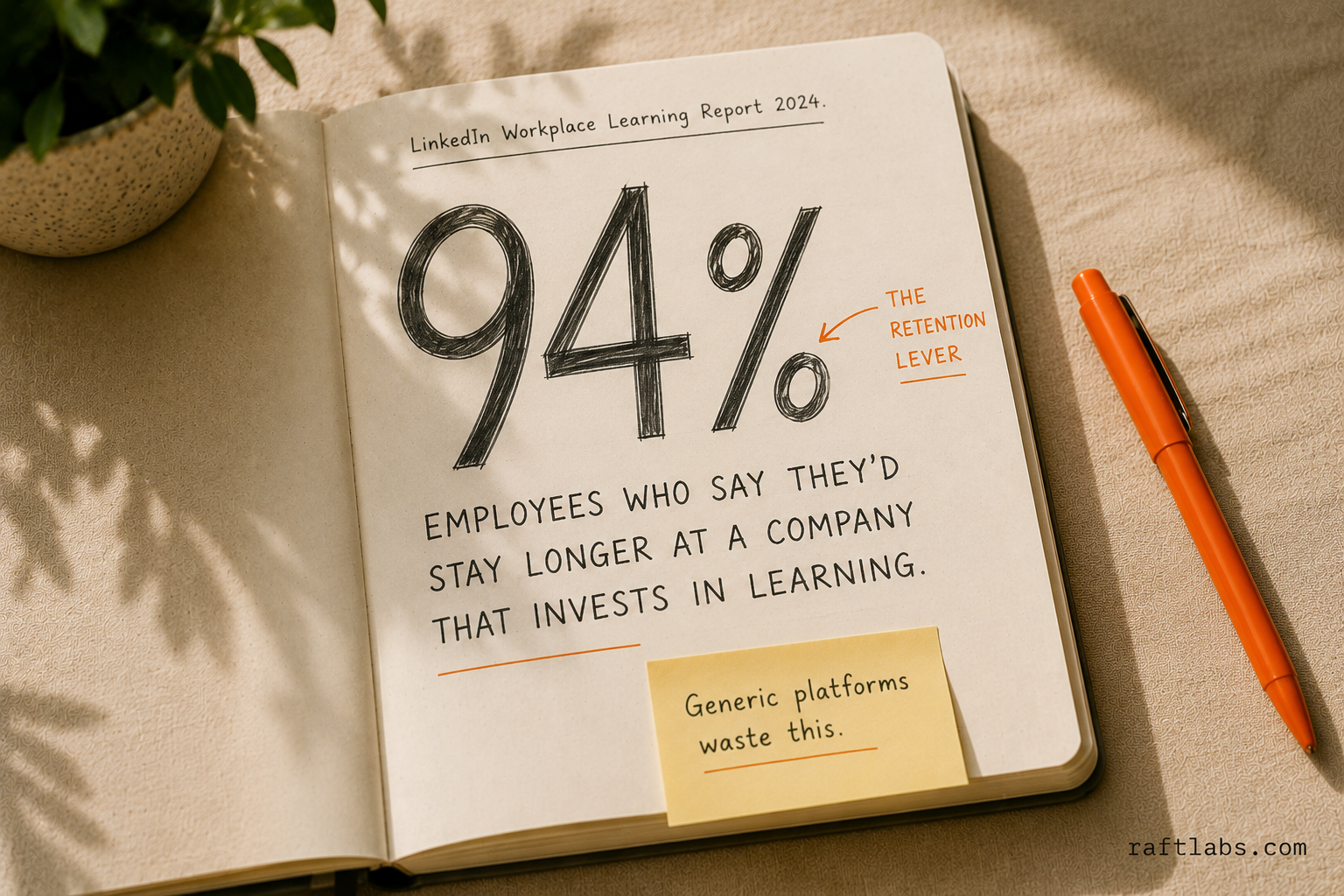
According to LinkedIn's 2024 Workplace Learning Report, 94% of employees say they'd stay longer at a company that invests in their learning and development. The problem is that most off-the-shelf platforms make that investment look generic to employees.
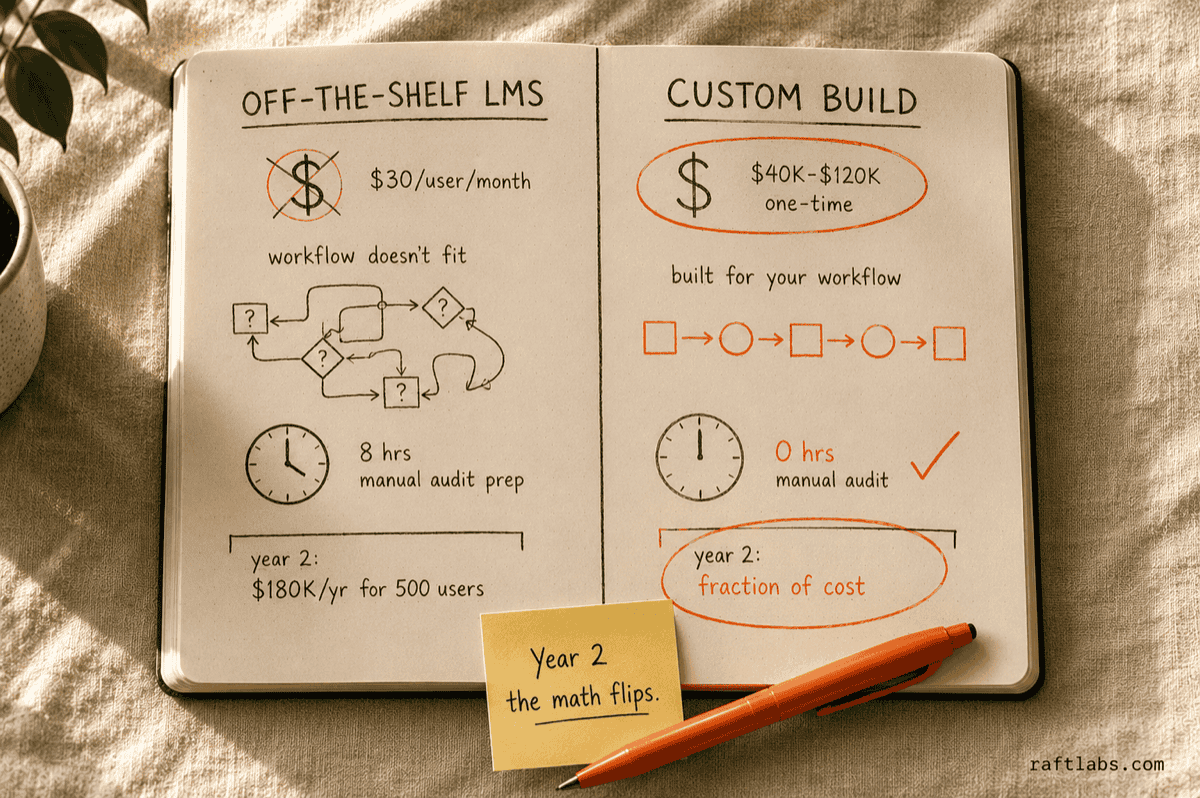
Off-the-shelf platforms like Docebo, TalentLMS, and Lessonly are fast to deploy and cost $5-$50 per user per month. For companies with standard workflows and fewer than 200 employees, that's often the right call.
Build custom when the math changes. A 500-person operation paying $30/user/month spends $180,000 a year on a platform that still doesn't fit. Custom apps typically run $40K-$120K to build, then a fraction of that annually to maintain. By year two, the economics flip.
Custom also wins on control. You own the content structure, reporting logic, and the integration layer. The app fits your operations rather than forcing your operations to fit the app. For companies with unique compliance requirements, complex role structures, or deep HR system dependencies, a generic platform hits its ceiling fast.
Cost efficiency
In-person training carries real overhead: venue, catering, accommodation, instructor fees, printed materials. A mobile app removes most of that. Employees download it once and access all content through their device. For new hire onboarding, the app shows exactly what's needed at each stage, cutting out the outside service providers that used to handle basic task education.
Studies show significantly higher retention at companies with strong learning cultures compared to those without structured programs. Effective onboarding alone drives measurable improvement in first-year retention. Those outcomes make the $40K-$120K build cost look different when set against annual recruiting and replacement costs.
Access from anywhere
Sales reps on the road, shift workers at distributed sites, remote employees across time zones: all of them need training that travels with them. Studies show microlearning boosts employee engagement and productivity by 130%. A mobile app puts self-contained learning resources in their pocket, available any time.
One failure mode to watch: apps with great content but poor mobile UX see 40-60% lower completion rates. If the reading experience is clunky on a phone, employees stop. Field workers in logistics, manufacturing, and retail also need offline mode - they can't always count on a reliable signal. Build offline support from day one, not as an afterthought.
Learning at their own pace
Employees can choose when they learn and how they progress. They pick their pace, access supplementary resources without leaving the platform, and avoid duplicating research from external sources. Bite-sized modules suit shorter attention spans. Retention improves because learners control the experience rather than being pushed through a fixed schedule.
Personalization
A single training track doesn't fit a 200-person operation where roles, skill levels, and shift patterns differ. Custom training apps let admins push role-specific content to each group, so a warehouse associate sees safety procedures while an account manager sees product knowledge. Analytics show which content gets skipped and which gets completed, so you update what isn't working instead of guessing.
The compliance case for custom builds
"Learning and development has shifted from a nice-to-have to a strategic business function. Companies that treat it as compliance overhead will lose talent to those that treat it as competitive advantage."
Josh Bersin, Founder, Bersin by Deloitte, speaking at HR Tech Conference (2023)
Financial services, healthcare, and manufacturing companies don't have a choice about training - it's mandatory and audited. A broker-dealer needs to log who completed which compliance module and when. A hospital needs proof that every nurse completed the updated medication protocol before their next shift. A manufacturing plant needs documented safety certifications for every floor worker.
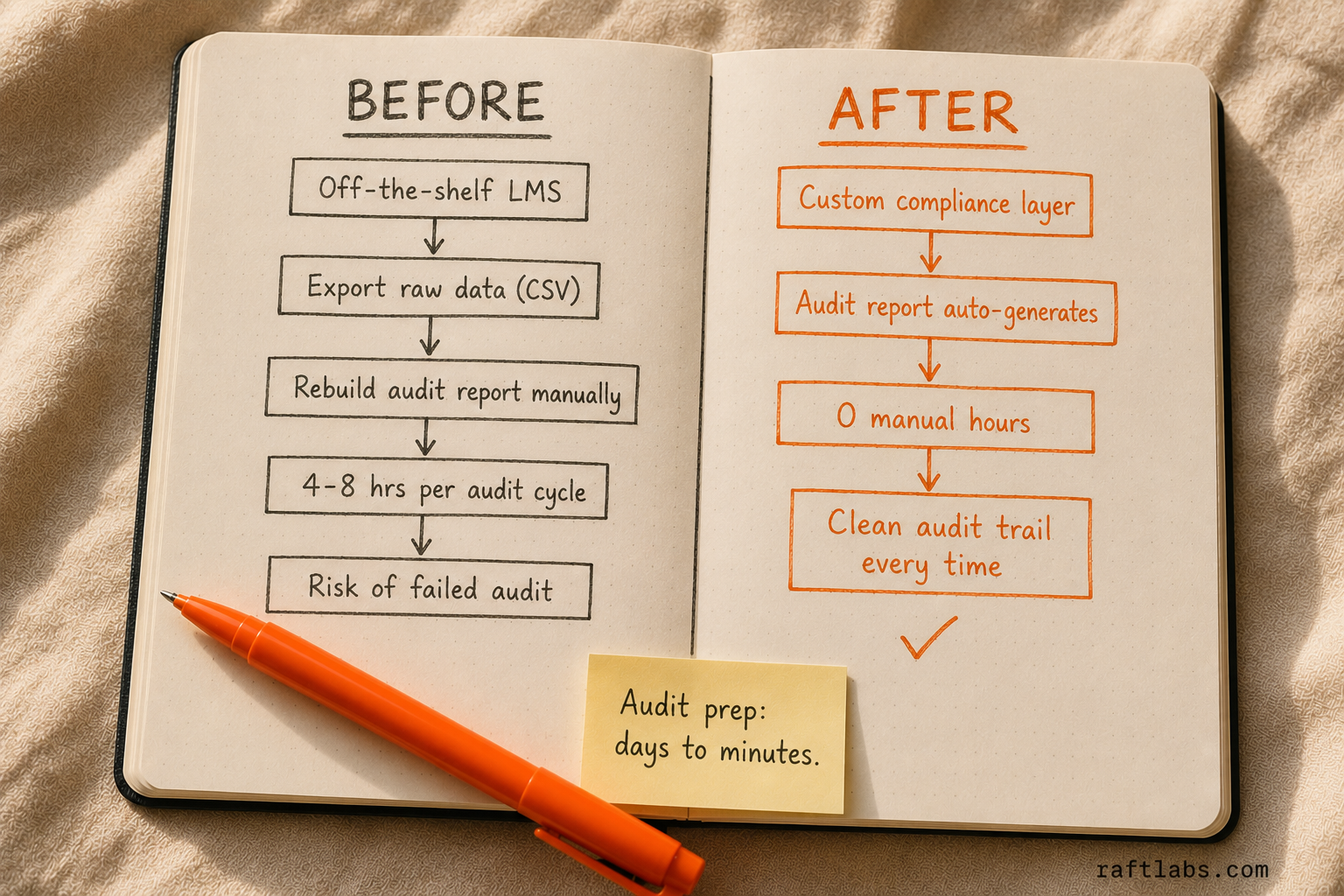
Off-the-shelf LMS platforms can track completions, but they rarely connect cleanly to the specific audit trail format regulators require. HR directors and compliance officers at these companies often export raw data and rebuild the report manually before every audit. That's hours of work per audit cycle.
A custom app with compliance tracking built into the reporting layer solves this. The audit report generates automatically. The time savings add up fast - and the risk of a failed audit is eliminated.
Core features of an employee training app
Research by the Association for Talent Development found that companies with formalized training programs achieve 218% higher income per employee than those without. The features below are what make that formalization work at scale.
Admin panel
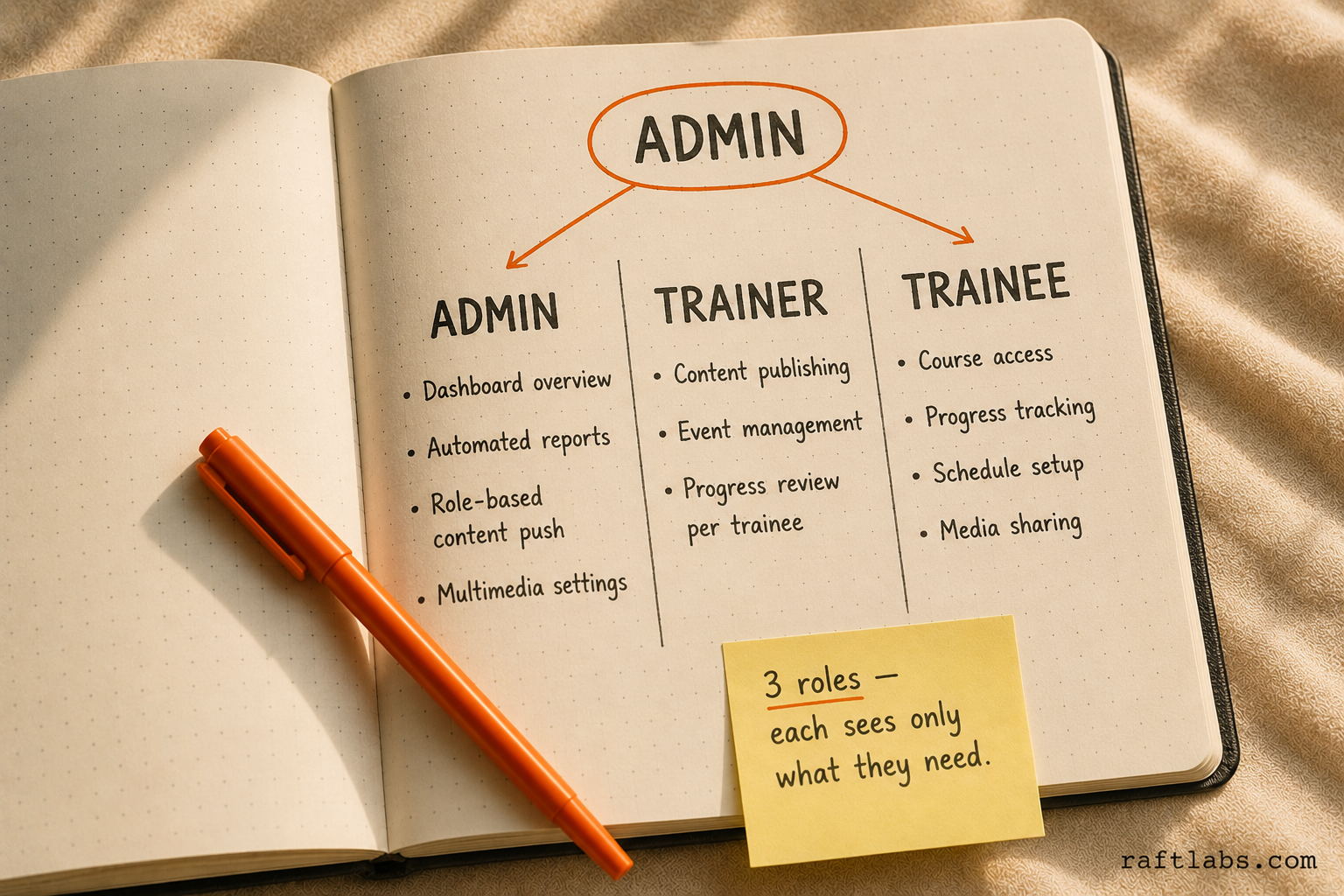
Administrators control all application settings. The admin panel needs a dashboard that shows key data at a glance: active users, programs in progress, and completion rates. Three functional capabilities drive the admin experience:
Automated reporting: track and monitor employee performance, and let employees see their own progress without admin intervention.
Personalization tools: admins can push role-specific content to different teams, surfacing issues that block productivity and giving staff a path to resolve them.
Multimedia and interactivity: admins decide whether training modules can embed videos, audio clips, and images. All three formats keep modules engaging and serve different learning styles.
Trainer panel
Trainers create and manage course material, mark attendance, view per-person reports, and track progress across all trainees in their program. The trainer panel needs three core capabilities:
Content management: trainers publish and update course material, and send notifications to trainees when content changes or improvements are made.
Event management: trainers initiate discussions, seminars, and virtual conferences so trainees can engage with current developments in their field.
Progress review: trainers view each trainee's progress report and identify where additional support is needed to confirm full comprehension.
Trainee panel
Trainees access courses with basic permissions: view material, submit assignments, take tests, and check progress reports. Six features make this experience work:
Secure login with password reset to protect account access.
Program selection so users can choose from multiple available courses based on their training needs.
Progress tracking through the activity feed and dashboard, showing advancement toward course completion.
Schedule setup to block time for sessions and match availability to available program slots.
Time tracking to measure hours spent and evaluate productivity against training goals.
Media sharing so learners can exchange videos, PDFs, and documents with peers and trainers.
Additional features worth adding
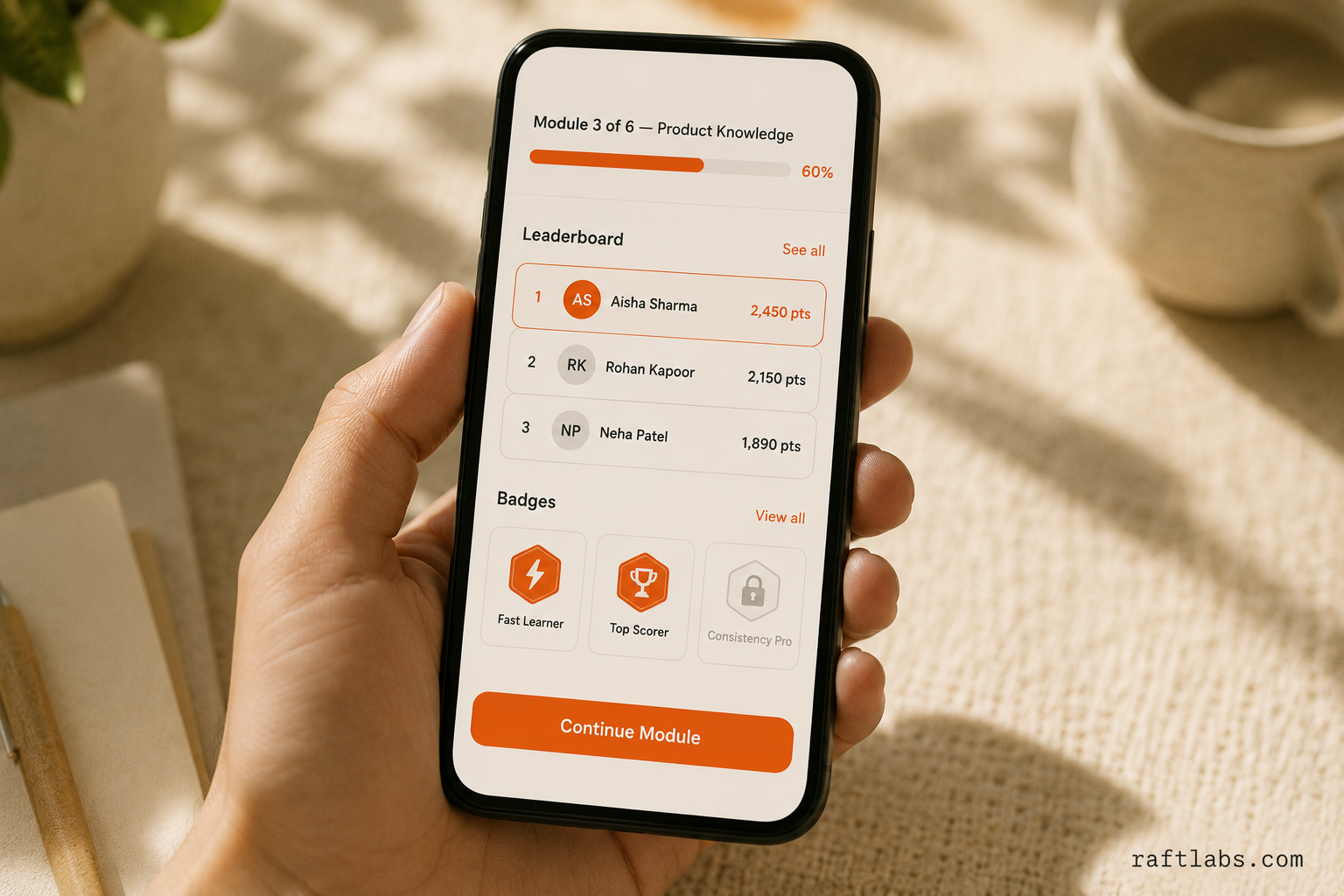
Gamification
Points, leaderboards, and badges give learners a reason to push through modules faster. Making learning competitive and rewarding increases active participation and speeds up completion rates.
Peer learning
Community forums let learners engage with peers working through the same material. Shared questions get answered faster, and peer explanations often land better than formal content for certain concepts.
Chatbot integration
A chatbot handles deadline reminders, checks assignment completion, and flags basic mistakes in real time. Learners get help at every stage without waiting for a trainer to respond.
One-on-one consultation
Discussion forums and static content don't cover every situation. A video conferencing feature lets employees have one-on-one sessions with trainers when they need direct guidance. Chat and email options add further flexibility.
Offline access
Mobile-first or responsive design lets trainees complete assignments from any device, at any time. An iOS/Android app is the cleanest option for employees who work away from a desktop. For field workers - logistics crews, manufacturing floor staff, retail associates - offline mode isn't optional. Build it in from the start or expect your completion rates to drop.
Interactive quizzes
Quizzes on each topic let learners self-check comprehension without waiting for formal assessments. Quiz results also help identify which topics need more instructional depth.
What to sort out before you start building
Start with an outline
Functionality creep is a real risk. Before building, have your team document exactly how you plan to use the application. Define what the core experience needs to do, and hold that line before adding secondary features.
Cross-platform development
A training platform that only works on desktop excludes a large portion of your workforce. Build for tablets and phones from the start. Employees should be able to access training from wherever they are.
Active learning, not passive reading
Go beyond static content. Online tests, discussion forums, gamification, and interactive quizzes reduce training costs while keeping users engaged and connecting content to real-world application.
Room to evolve
Corporate training software needs room to grow. Invest in a system built to adapt as your workforce, workflows, and compliance requirements change. Rigid platforms create expensive rework cycles.
Clear communication with your development team
Share requirements clearly and stay in contact throughout the build. Transparent communication keeps progress on track and prevents misinterpretations from compounding into larger issues.
Tech stack
A training app needs a web server, a database, and a framework layer. RaftLabs works with Firebase, Hasura, AWS, NestJS, React Native, Flutter, and React JS. Our team builds from scratch using the stack that fits your infrastructure.
Outsourcing development
If you outsource, choose a firm with prior experience in the domain. Review portfolios, understand their expertise, and get pricing upfront so there are no surprises. Check whether the firm provides post-launch maintenance, because the app will need updates after it ships.
How RaftLabs can help
Training drives employee growth, and the right system needs to fit your organization's specific structure, not just a generic template.
We built a system that helps 5,000+ front-line staff connect with a healthcare company's vision through activities, communication updates, and ongoing training.
Find out how we did it in 18 weeks.
RaftLabs has delivered custom software across mobile and web platforms for over a decade. We scope the build around what your team actually needs, then ship it.
Ask an AI
Get an instant summary of this post from your preferred AI assistant.
Common questions
- A basic training app with admin panel, trainee portal, progress tracking, and content delivery takes 10-16 weeks. Adding gamification, video conferencing, and offline access extends the timeline to 20-28 weeks.
- Admin dashboard, content management, automated reporting, trainee progress tracking, multimedia support, and cross-platform access (iOS and Android) are the core features. Gamification and chatbots are strong additions for engagement.
- A custom training app typically costs $40K-$120K depending on feature set, platform targets, and integrations. Off-the-shelf LMS tools cost less upfront but rarely fit complex enterprise workflows without heavy customization.
- React Native or Flutter for cross-platform mobile, Node.js or NestJS for backend, PostgreSQL or Firebase for data storage, AWS or GCP for hosting. RaftLabs uses this stack and can add AI-based personalization layers.
- Use an off-the-shelf LMS if your workflows are standard. Build custom if you have unique compliance requirements, complex role structures, or need tight integration with existing HR or operations systems.