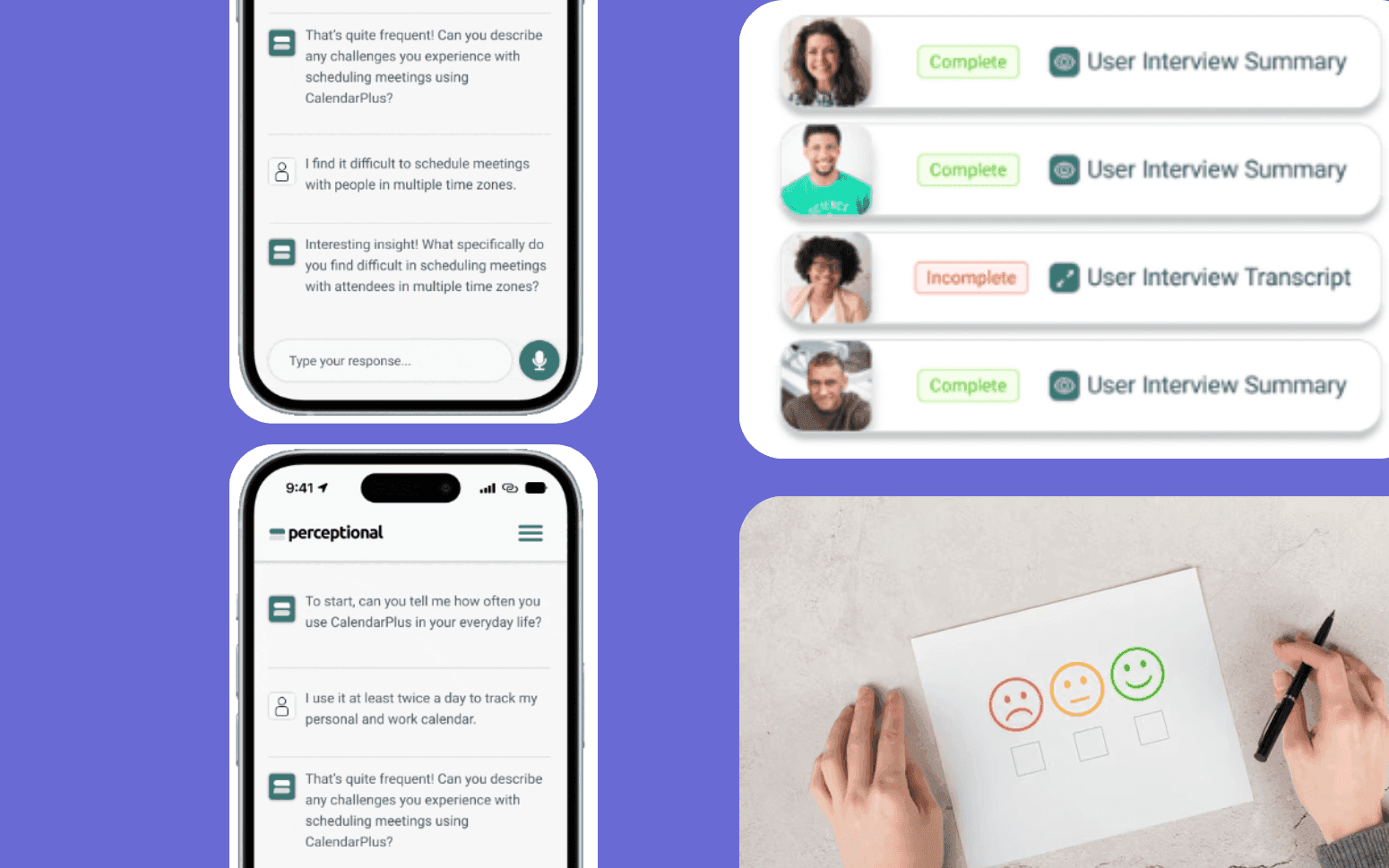
Building a Conversational AI Chatbot for a Professional Services Firm
- 40%
- 12 weeks
Timekeepers reconstructing billable hours at day's end lose money on every matter. Conflict checks run by searching through spreadsheets miss relationships. And when a deadline tracking system lives in a shared calendar, one deleted event creates serious exposure.
We build custom practice management software for law firms and legal operations teams. Matter management, time capture, billing, conflict checks, and trust accounting in one system built around how your practice actually runs.
Matter management with task tracking, deadline management, and legal calendar rules
Time capture integrated into the matter workflow so entries are recorded when work happens
Conflict check workflows that search across all matters, clients, parties, and relationships
Trust accounting with IOLTA compliance, client fund ledger, and three-way reconciliation
Recognition
Timekeepers reconstructing their billable time at end of day because there's no quick time capture integrated into their workflow?
Conflict checks run manually by searching through spreadsheets or email instead of a structured database?
Deadline tracking split across individual calendars with no firm-wide visibility on upcoming critical dates?
Trust account reconciliation done monthly in spreadsheets with no real-time client ledger view?
In short
Law firm practice management software manages the full lifecycle of a matter from intake through billing and closure, tracking tasks, deadlines, time entries, and documents in one place, running conflict checks on new matters, and handling trust accounting with IOLTA compliance. RaftLabs builds custom law firm practice management software for firms that need more control over matter workflows, billing structures, and conflict check requirements than off-the-shelf platforms provide, with most systems delivered in 16 to 20 weeks at a fixed cost.
Companies we've built for








Off-the-shelf practice management platforms are built for the average firm. If you have custom billing arrangements, practice-area-specific matter workflows, or unusual trust accounting requirements, you spend significant time configuring a platform that wasn't designed for your situation, then working around the parts that can't be configured.
The deeper problem is that generic platforms aren't built for your practice area. A litigation firm has very different deadline management needs from a transactional firm. A criminal defence practice has different billing arrangements from a large commercial firm. When the software doesn't match the work, adoption suffers and the system becomes a parallel process alongside the spreadsheets people trust.
A custom practice management system is built around your matter types, your billing structures, your conflict check requirements, and your trust accounting obligations. It fits the way your timekeepers and billing team work, which means they use it consistently. Consistent use is what makes the data reliable.
Each matter has its own workspace with tasks, deadlines, documents, time entries, and communications linked to it. Deadlines are calculated using legal calendar rules so court filing dates and notice periods account for weekends, court holidays, and jurisdiction-specific rules. Firm-wide deadline calendars give management visibility on upcoming critical dates across all matters and all timekeepers. Task assignments send notifications and track completion without a separate project management tool.
Client intake automation starts the matter workflow from the first contact: a structured intake form captures the client's details, the matter description, and the relationship parties involved, triggering the conflict check before any work is opened. Court rules-based deadline calculation uses jurisdiction-specific calendar rules, federal rules, state civil procedure rules, or local court rules, to compute derivative deadlines from anchor dates. Entering a complaint filing date automatically calculates answer due dates, scheduling order deadlines, and discovery cutoffs based on the applicable rules set. The deadline calendar integrates with Outlook and Google Calendar via CalDAV so timekeepers see deadlines in whichever calendar tool they use. Clio and MyCase API integration is available for firms that want to layer the custom workflow over their existing platform data rather than replacing the platform entirely, we build the custom module that Clio's API can't provide and leave the rest of the matter data in Clio.
Time entries are captured at the moment work is done through desktop, mobile, or a timer integrated into the matter workspace. Each entry is linked to the matter, the timekeeper, and the activity code. Billing rates are applied per client, matter, or timekeeper based on the fee agreement. At billing time, draft invoices are generated from the time log, reviewed for accuracy, and approved before issuance. Write-offs and write-downs are tracked at the entry level so realization analysis is accurate.
AI-assisted time capture works similarly to tools like Smokeball or Copilot Legal, the system monitors active matter documents and emails during the workday and suggests time entries based on observed activity, which the timekeeper confirms or adjusts rather than reconstructing from memory. LEDES 1998B XML is the standard e-billing format required by corporate clients who use legal spend management platforms (Onit, Legal Tracker, BrightFlag). Invoice export in LEDES 1998B format maps each time entry to its UTBMS task code (L1xx series for litigation, P1xx for project work) and activity code (A1xx series), and validates the file against the LEDES schema before export. Filevine API integration enables billing data sync between the practice management system and Filevine's case management layer for firms that run Filevine for case workflows but need a separate billing module. For contingency matters, time is tracked at cost-to-date but billing is deferred, the system maintains a separate billable record that activates on settlement or verdict.
New client and matter intake triggers a structured conflict check against all existing matters, clients, adverse parties, related entities, and referral sources. The system searches across every relationship recorded in the database, not just current active matters. Potential conflicts are presented for review and sign-off by the responsible partner before the matter is opened. Conflict check results and approvals are stored against the matter file for risk management purposes.
Conflict check automation uses entity resolution with fuzzy matching to find relationships that exact-string search misses: a search for "Johnson & Associates LLC" also returns matches for "Johnson and Associates" and "Johnson Associates" ranked by similarity score. Corporate entity relationships, parent companies, subsidiaries, holding companies, named principals, are tracked in the relationship database so a conflict search on a corporate client checks related entities automatically. Adverse party names from recent matters are indexed and searchable so checking a new matter's opposing parties returns potential conflicts with current client relationships across all practice areas. The conflict report documents every search term run, every result returned, and the partner's disposition of each hit, cleared, disclosed and waived, or matter declined. This audit trail is the firm's protection in the event of a later malpractice claim based on a conflict. MyCase API and Clio API integrations allow matter and client data to be pulled from those platforms into the conflict database for firms that maintain some matters outside the custom system.
Matter documents are stored in the system with version history and access controls. Check-in and check-out prevent simultaneous edits from creating conflicting versions. Document templates for standard letters, agreements, and filings are available at the matter level and pre-populated with client and matter data. Email integration captures correspondence directly to the matter file so communications aren't siloed in individual inboxes.
iManage Work and NetDocuments are the two enterprise document management platforms most commonly used by mid-size and large law firms, both have API connectors that allow the practice management system to reference documents stored in iManage or NetDocuments rather than maintaining a separate document store. For firms not using a dedicated DMS, the practice management system includes its own document store with full version history, check-in/check-out locking, and role-based access control at the matter and document level. E-discovery integration with Relativity or Everlaw allows the practice management system to transfer document collections identified for production directly to the e-discovery platform without manual export. Document templates use a merge field model: firm letterhead, client name, matter number, opposing counsel, and court name fields are populated from the matter record automatically, reducing document prep time for standard correspondence and filings. Outlook add-in and Gmail integration captures emails sent or received on a matter to the matter file with a single click.
Client trust funds are managed through a dedicated trust ledger with individual client sub-accounts. Receipts and disbursements are recorded against the correct client ledger. Three-way reconciliation between the bank statement, the trust ledger, and individual client balances is run automatically and flagged when it doesn't balance. IOLTA reporting is generated on the schedule required by your state bar. Negative client balances are blocked at the transaction level.
IOLTA (Interest on Lawyers' Trust Accounts) compliance is enforced at the transaction level: the system maintains a separate trust ledger that can't be commingled with the firm's operating account. Each client's trust balance is tracked in their sub-account, and the total of all sub-account balances must equal the bank account balance at all times, this is the three-way reconciliation. COLTAF (Colorado Lawyer Trust Account Foundation) and similar state-specific trust account programs follow the same accounting model but have different reporting requirements. The system generates the monthly reconciliation report in the format required by your state bar, most states require the general ledger, the client sub-ledger, and the bank statement reconciliation to be produced simultaneously. Overdraft prevention is enforced at the ledger level: a disbursement that would make any client's sub-account balance go negative is blocked before it posts. Real-time alerts notify the responsible partner and billing administrator when a trust account receipt, disbursement, or reconciliation discrepancy occurs, rather than surfacing the issue at the monthly reconciliation.
Realization rate by timekeeper, practice group, and client shows where time is being written off and why. WIP aging reports show unbilled time by matter so billing bottlenecks are visible before they affect cash flow. Matter profitability combines fees billed, costs incurred, and time invested so partners can assess which matter types and clients are profitable. Utilization reports show billable versus non-billable hours by timekeeper for the compensation period.
Realization rate analysis breaks down into two components: working realization (the percentage of recorded billable hours that are billed to the client) and billing realization (the percentage of billed amounts that are actually collected). Both rates matter, a timekeeper with high working realization but poor billing realization may be overbilling clients who then dispute and reduce invoices. WIP aging shows unbilled work by matter grouped by age: work older than 90 days unbilled is rarely collected at full value. The report flags high-WIP matters to billing partners so they can move to invoice before the work ages further. Matter profitability calculation uses the actual time recorded (including time written off) multiplied by the standard billing rate, minus actual fees billed, minus recoverable costs, to produce a true margin per matter. Over time, this data shows which practice areas and client types generate acceptable margins and which are systematically unprofitable. Utilization and billable hours reports are the data source for annual compensation reviews for associates and senior associates.
Yes. Billing rates are configured at the client level, the matter level, or the timekeeper level, with the most specific rule taking precedence. Standard rate schedules are maintained by the billing administrator and updated when rates change. Blended rates, capped fees, and contingency matters are handled as billing type configurations on the matter. Flat fee matters track time separately from billing so profitability analysis still works even when the client is billed a fixed amount.
Rate hierarchy works as follows: the system first checks for a matter-specific rate for the timekeeper, then a client-specific rate for the timekeeper, then the timekeeper's standard billing rate. This means a corporate client can have a negotiated blended rate that applies to all timekeepers on all their matters, while a specific high-value matter for the same client can have a different rate schedule agreed for that engagement. LEDES 1998B export validates that all rate codes and UTBMS task and activity codes are correctly populated before the file is generated, so the e-billing platform doesn't reject invoices on format errors. For clients using alternative fee arrangements, capped fees, success fees, or fixed-fee-per-phase arrangements, the billing configuration on the matter type handles the calculation rules so the invoice is generated correctly without manual adjustment.
Yes. Invoice export in LEDES 98B format is a standard feature for matters where the client uses an e-billing platform. Activity codes and task codes follow the UTBMS standard code set. If a client's e-billing platform requires a specific format variation, we configure the export template accordingly. LEDES file validation runs before export so format errors are caught before the file is submitted to the client's system.
LEDES 1998B XML is the version most commonly required by corporate legal department e-billing platforms, it uses the pipe-delimited format with mandatory fields for invoice date, firm ID, client matter ID, law firm matter ID, invoice total, and each line item's date, timekeeper ID, UTBMS task code, activity code, hours, rate, and amount. The UTBMS code sets are maintained as a lookup table in the system so billing administrators can select the correct code from a dropdown rather than typing codes manually. If your client uses a platform that requires a format variation from the published LEDES 1998B specification, we configure the export template to match what the platform actually accepts.
Trust accounting records are maintained with the controls required for state bar compliance: individual client ledgers, three-way reconciliation, and a complete audit trail of every transaction. The system prevents common compliance errors such as disbursements that would make a client's ledger go negative. Monthly reconciliation reports are generated in the format required by your state bar. Overdraft alerts are sent in real time rather than discovered at month-end reconciliation.
IOLTA compliance requires that the trust ledger balance equals the sum of all individual client sub-account balances, and that both equal the bank account balance after adjusting for outstanding items. The three-way reconciliation computes all three figures and reports the variance, a non-zero variance triggers an alert and blocks new disbursements until the discrepancy is resolved. The transaction audit log records the timestamp, amount, payee or payor, client matter reference, and the user who posted each transaction. This log is immutable, once a transaction is posted it can't be deleted, only reversed with a new offsetting entry, which also appears in the audit log. State bar auditors typically ask to see the three-way reconciliation reports and the audit log for the period under examination, both are generated in PDF format at the click of a button. For firms in states with COLTAF or similar mandatory IOLTA program requirements, the reporting format is configured to match that program's submission template.
A practice management system covering matter management, time capture, billing, and conflict checks for a firm of 20 to 50 timekeepers typically takes 16 to 20 weeks from requirements sign-off to go-live. Trust accounting adds four to six weeks due to the data migration and reconciliation validation required. We migrate historical matter and client data from your existing system so timekeepers aren't starting from a blank slate on day one.
The data migration is almost always the longest preparation task. Matter and client data from Clio, MyCase, or a legacy system needs to be extracted, cleaned, and mapped to the new data model before import. Historical time entries, invoices, and trust transactions are particularly important to migrate correctly, the conflict check database is only reliable if it includes closed matters and former clients, not just current active matters. The migration validation process confirms that matter counts, client counts, and trust account balances match before go-live. For firms migrating from a system with poor data quality (duplicate client records, inconsistent matter numbering, unreconciled trust balances), a data remediation phase before migration may extend the timeline. We include data migration planning and one migration rehearsal in the implementation scope.
What clients say
Three-year average engagement. Founders and operators describing the work in their own words. No marketing varnish.

 USA
USAAll of the sprints were completed on schedule and on budget. We highly recommend RaftLabs!
01 / 02
Tell us about your firm's matter types, billing arrangements, and the problems your current system creates. We'll scope a solution built for your practice.