Workflow Automation Services
Workflow automation services for the handoffs people miss.
A form arrives, an approval waits, or a record changes in one system and never reaches the next. RaftLabs makes workflow automation that connects those steps, applies your business rules, keeps exceptions visible, and tells the right person when judgment is still needed.
Bring the problem, the current workflow, or the existing code. We reply with a practical next step within one business day.
The brief
Start with what is not working.
Good software decisions begin with the constraint, not a list of features or a preferred technology.
Does a repeatable process still depend on someone remembering who should act next?
Do failures stay hidden until a customer, manager, or finance team notices the damage?
Plain answer
Workflow automation moves repeatable work across people and systems using triggers, rules, approvals, and alerts. RaftLabs creates these flows for operations teams, with safe retries and a clear route for exceptions. A focused first workflow starts at $15,000 and usually takes 8 to 12 weeks.
The process works until a handoff does not.
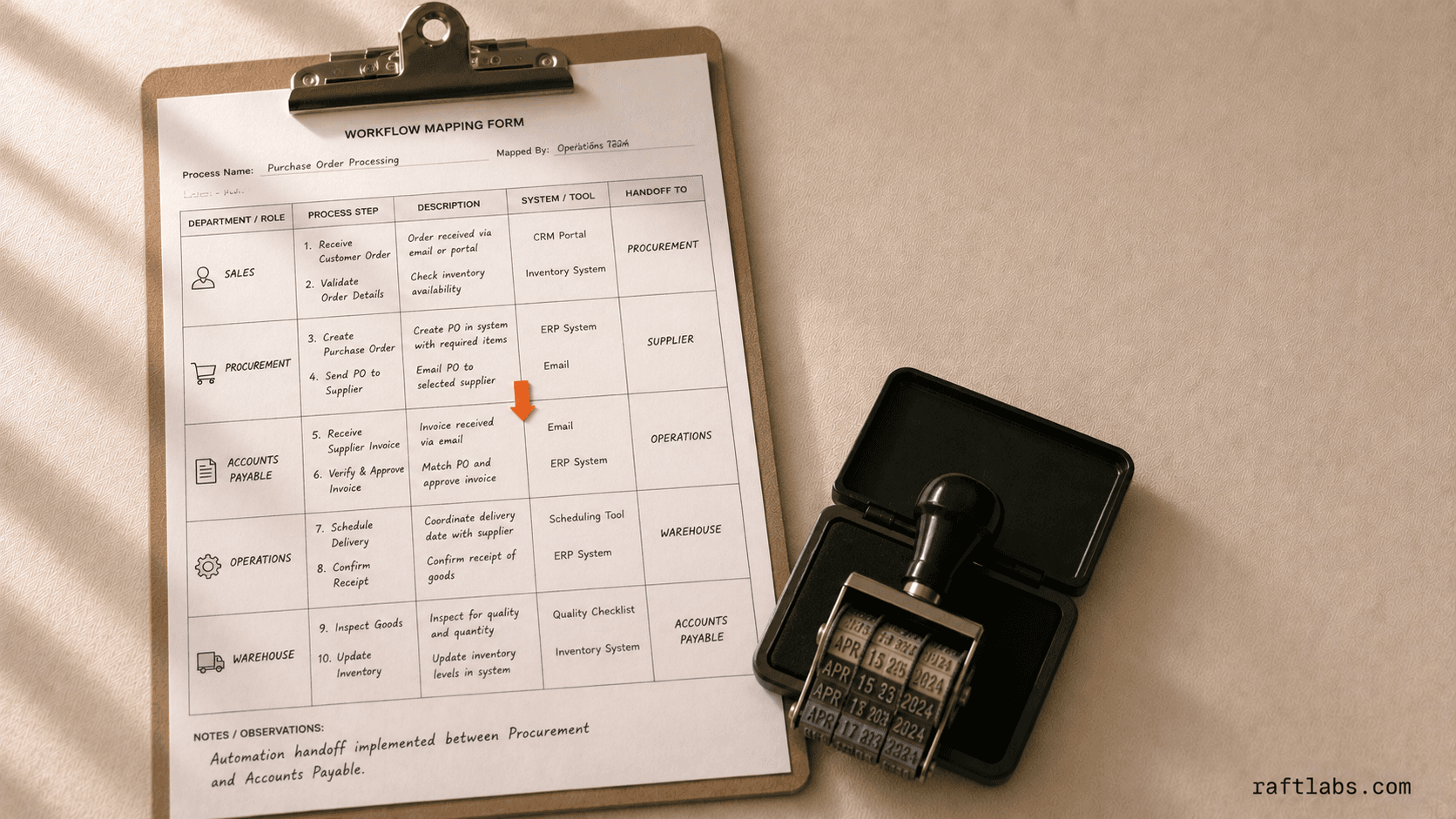
A sales rep changes a deal stage. Operations should create the order. Finance should receive the billing details. Nobody owns the gap between those systems, so a message gets sent and the process waits.
Workflow automation turns that handoff into a visible route. A trigger starts the process, rules decide what can continue, and exceptions reach a named person with enough context to act.
Proof
- order errors reported since launch after three channels fed one flow
- 0%
- RaftLabs Gula project record
- transactions processed in one day during real-world testing
- 20K+
- RaftLabs fuel-operations project record
- existing shipping accounts moved without service disruption
- 200+
- Client-reported UrShipper outcome
Automate a stable process with an expensive handoff.
The process needs a clear route before software can run it reliably.
The same process runs often enough that waiting, copying, or chasing creates a measurable cost.
Your team can describe the normal route and name the exceptions that need judgment.
The systems expose APIs, webhooks, files, or another dependable way to exchange data.
The process changes shape every few weeks.
Most cases need a different decision with no repeatable rule.
A native connector or a short no-code flow already solves the problem cleanly.
Scope
What a workflow can coordinate
- 01
Triggers and cross-system updates
A form submission, payment, status change, file, email, or scheduled event can start the flow. The workflow validates the input and updates each connected system without asking someone to copy the same record twice. - 02
Business rules and human approvals
Rules decide who acts, what can continue, and where an approval belongs. Amount, risk, account type, location, or missing data can change the route. Decisions and comments stay attached to the item instead of disappearing in email. - 03
Exceptions, retries, and ownership
Temporary failures retry safely. Missing data or a business exception goes to a named queue with the failed step and source record shown. A replay does not create a second order, invoice, or message. - 04
Monitoring and operating reports
Your team sees which runs completed, which are late, and which need help. Cycle time, manual touches, queue depth, and failure reasons show whether the automation is saving work or moving it somewhere harder to see.
Which automation layer fits the process?
The least complicated reliable option usually wins. Choose the layer based on the systems and the kind of judgment involved.
API workflow vs RPA vs AI-assisted workflow
| Decision | API workflow | RPA | AI-assisted workflow |
|---|---|---|---|
| How it works | Uses official APIs and webhooks | Controls screens and forms | Reads variable text or images inside a bounded flow |
| Best fit | Modern systems with stable integration access | Legacy software with no usable API | Documents, emails, or edge cases that need context |
| Main risk | Vendor API changes | A changed screen breaks the bot | Incorrect output without validation or limits |
| Human role | Approve defined decisions | Handle UI exceptions | Review uncertain or consequential results |
| Default choice | Use first when available | Use only when the UI is the practical route | Add only where rules cannot read the input |
For file-heavy work, start with document automation. For a decision queue, see approval workflow software. If the only route is through an application screen, RPA services own that layer.
Five patterns that keep repeating
The mechanics are the same everywhere: a trigger starts the work, rules decide what can continue, approvals and exceptions land with a named owner, and the result is recorded against the authoritative record. What changes between industries is the boundary: who may approve, what consent applies, and what evidence the system must keep. These are the five patterns we build most often.
Auto repair: updates that keep the customer and the repair order in sync
In a shop, the repair order is the source of truth. Updates should come from its state, not from an adviser remembering to call. Approved events (intake, inspection ready, estimate changed, customer decision required, parts delay, work complete, collection) trigger the message, and each send confirms the current state first, so stale or out-of-order messages do not go out.
The boundary is the estimate decision. Customers review the vehicle, photos, findings, estimate version, terms, choices, and expiry through a secure link, and the workflow records what they viewed and selected. Partial, changed, ambiguous, or disputed decisions route to an adviser, not to another automated message. Consent, contact preference, and identity are settled before any message goes out, and operational updates stay separate from marketing.
A focused release covers:
Repair-state triggers with duplicate, stale-message, and out-of-order protection.
Secure inspection and estimate review, including digital vehicle inspection approval from an SMS or email link.
Consent, preference, and identity rules: operational communication separated from marketing, opt-out visible, no repair details in insecure notifications.
An adviser queue that shows delivery failure, missing response, changed estimate, customer question, overdue decision, and repair-state conflict in one owned place. The decisive test: if a customer replies after the sender goes off shift, who sees the reply?
Integration and messaging operations: approved repair-order, CRM, identity, payment, or review systems connected through supported interfaces, with monitoring, retries, and named owners.
Most shops should buy this from their shop-management system or a specialist product when it covers the channels, consent, evidence, approvals, and write-back. Custom work fits a valuable recurring path those products cannot cover cleanly, and it should extend the repair order, not duplicate it.
Business process management: when one workflow is not enough
Workflow automation handles a bounded sequence. Business process management becomes useful when several related processes share a durable case: the same parties, documents, rules, roles, deadlines, and reporting. If one approval or handoff solves the problem, the smaller workflow is the right scope.
The boundary question is buy versus build. Buy or configure an established BPM platform (Appian, Pega, Nintex, or a similar suite) when its modelling, case, rules, connectors, security, administration, and commercial model fit. Build a focused case application only when a valuable process family has a distinctive data or user model that platform configuration cannot support cleanly. A platform built before the process family exists rarely earns its governance overhead.
A focused release covers:
The case and state model: identity, parties, attributes, states, transitions, owners, deadlines, relationships, outcomes, and authoritative sources.
Workflow and rule execution: sequential, parallel, conditional, delegated, escalated, cancelled, and reopened paths, with versioned rules and effective dates so an edit cannot silently reinterpret closed cases.
Tasks, documents, and collaboration: each user gets the context, evidence, decision, due date, and next step their role needs, without making email the unofficial workflow.
Exceptions, search, and reporting: exceptions as first-class states with owners, plus governed case search, workload, ageing, bottleneck, outcome, and audit views.
Administration and operation: roles, delegations, rules, taxonomies, retention, queues, monitoring, incidents, recovery, and releases, with rollback rather than editing production rules without evidence.
Field service: dispatch, mobile work, and the invoice handoff
A field job moves through request, dispatch, mobile execution, completion evidence, and the invoice handoff. The automation needs one shared job state across those systems and a place for failures to surface. The classic failure: the technician finished the job while three systems still thought it was open.
The boundary is dispatch judgment. Automation can recommend or assign technicians under approved rules (skills, territory, availability, priority, travel, parts, customer windows, contractual response times, auto-routing by location), but dispatchers need reasons, overrides, conflict warnings, and an exception queue for work the system cannot place. Scheduling decides when work should happen; dispatch decides who executes it and manages the live handoff. A calendar can schedule. Only a dispatch engine rebalances the day when a priority job lands mid-afternoon.
A focused release covers:
Request, asset, and service context: capture the customer, site, asset, contract, priority, access, safety, history, and required skill so dispatch receives useful work rather than another unstructured message.
Schedule, dispatch, and exception control: apply approved rules, show reasons, allow authorised overrides, warn about conflicts.
Mobile work and completion evidence: send current instructions, support explicit offline states (cached, queued, synced, failed, conflicted), capture arrival, work, time, parts, signatures, and completion, and keep failed sync visible.
Invoice handoff and operational reporting: calculate under approved price and contract rules, reconcile job inputs, connect accounting or billing, expose rejected events, and report cycle time by meaningful service cohort.
Most teams should configure a field-service platform first. Build custom automation when cross-system handoffs or operating rules create a measurable constraint that configuration cannot cover.
Medspa: follow-up automation with consent and restraint
A booking event is not permission to market. Each message needs a clear reason and a defined stop: welcome, operational follow-up, rebooking, lapsed-client, review, or renewal. The automation must show why someone qualified, which consent applied, and why the journey stopped.
The boundary is clinical. Treatment history can be sensitive health data, so it cannot freely drive marketing segments. The medspa, its privacy professionals, and counsel decide permitted use, consent, disclosure, retention, and audience rules. Qualified owners approve treatment language, expected results, risks, candidacy, claims, and when a message must route to a clinician. Consent, privacy, advertising, and clinical-communication responsibility stay with the medspa, never with the software.
A focused release covers:
Source events and identity: one booking, membership, or CRM integration, minimum required fields, identity matching, duplicate handling, and data-quality alerts.
Eligibility and suppression: client-approved audience criteria, consent state, channel preference, quiet periods, existing booking, recent complaint, manual hold, global suppression, and reason codes visible to staff.
Approved content and delivery: versioned email and SMS templates, send windows, delivery status, bounce and STOP processing, and a route for clinical or service questions.
Measurement and control: journey state, approved conversions, attribution caveats, complaints, opt-outs, failures, staff overrides, audit history, and role access.
Channel choice is a permission question, not a technology one. Plain SMS needs a documented patient-preference decision with a risk warning, and protected health information stays minimal in marketing messages. Configure the current CRM or campaign platform when it fits; build custom orchestration only when several systems must agree on identity, eligibility, permission, and state.
Nonprofit: one grant, with evidence preserved during the work
Nonprofit work fails at year-end reconstruction: programme held activity evidence, finance held expenses, development held the funder narrative, and nobody formed a traceable whole. Automation should preserve evidence during the work, attaching coding, receipts, approvals, and explanations to the record as it happens.
The boundary is professional judgment. Software can record approved restrictions, budgets, coding, allocation inputs, approvals, and rule versions, then export entries to the accounting system. It cannot decide allowability, accounting treatment, tax filing, governance validity, or regulatory compliance. Those stay with qualified owners and advisers.
A focused release covers:
Grant and programme records: link funders, awards, terms, restrictions, budgets, periods, programmes, activities, owners, deliverables, and reports, preserving approved versions.
Expense evidence and review: collect coding inputs, receipts, time or allocation evidence, approvals, and explanations; apply client-approved routing and thresholds; hand approved data to accounting for reconciliation.
Reporting and governance support: assemble draft funder, management, board, audit, or regulatory packs from reviewed sources; support declarations, meetings, resolutions, tasks, and records within counsel-approved procedures.
Integration, privacy, and operations: connect accounting, CRM, fundraising, document, identity, HR, or programme systems where access permits, with restricted sensitive data, change logging, and documented support ownership.
Start with one grant or programme, not a nonprofit operating suite. Combining programmes, fundraising, finance, volunteers, boards, and casework into one first release multiplies professional responsibility faster than it removes work. Use commercial tools when configuration fits; build a bounded workflow when a material handoff still runs on spreadsheets and duplicate entry. For small changes, staff should be able to adjust rules and templates themselves rather than depend on a vendor for every edit.
How it works
How a workflow automation project runs
One live process is enough to prove the design and the economics.
- Phase 101
Map the live workflow
Follow one real case from trigger to outcome, including the manual handoffs and exceptions people usually work around. The map records owners and systems, not an idealized process nobody follows.
- Phase 202
Set rules and exceptions
Define what can move automatically, what needs approval, and who owns each unusual case. Success criteria name the cycle time, error rate, or manual touches the first release must change.
- Phase 303
Connect and test
Wire the systems together and test retries, duplicate events, missing data, and downtime. The happy path is the easy part. Recovery behavior determines whether the workflow can carry live work.
- Phase 404
Launch and measure
Monitor throughput, cycle time, failures, and manual touches. Expand only when the first workflow proves its value and the operating team can see how it behaves.
Where workflow automation fails
- Silent failure
- A stopped workflow must alert the person who can recover it. Otherwise automation turns a visible delay into a hidden one.
- Duplicate execution
- A retry can create two orders or invoices. Each consequential step needs a repeat-safe key and a recorded outcome.
- An exception queue nobody owns
- Every unusual case needs a named team, enough context, and a response target. A generic queue becomes the next inbox.
- Automation before process agreement
- Software will enforce whatever route is encoded. Resolve conflicting ownership and rules before making them faster.
Proof
Workflow automation in context
Automation services, by the job they do.
Start from the workflow: support tickets that answer themselves, processes mapped before they are automated.
Scope and price
A focused workflow starts at $15,000.
Begin with one trigger, one measurable outcome, and two or three systems. Add more branches only after the first route is dependable.
A broader process with approvals, several branches, monitoring, and more integrations can grow toward $60,000 through later phases.
Starting investment
Starts at $15,000
A focused first release usually takes 8 to 12 weeks. Integration access, business rules, exceptions, and acceptance criteria are agreed before development starts.
Fixed-price phase
Once the first phase is scoped, its price is locked in writing. Any scope change is priced and agreed before the work changes.
Post-launch support
Eight weeks of support are included so real failures, slow queues, and missing cases can be corrected after the workflow starts carrying live work.
Work with us
Map the handoff that keeps breaking.
Bring one process, the systems involved, and a recent failure. We will tell you whether an existing automation tool is enough and what a custom first phase would include.
- Scope and cost agreed before work starts. No surprises. No obligation.
- Working prototype within 3 weeks of kickoff.
- Pay by milestone. You see progress before each invoice.
- 60-day post-launch warranty. Bug fixes, UI tweaks, and deployment support. No retainer.
- All conversations are NDA-protected.
Common questions
Workflow automation uses software to move a repeatable process through triggers, rules, system updates, human decisions, and exception routes. It replaces reminder emails and manual coordination. It is broader than document automation, which focuses on reading, creating, or routing files.
Workflow automation usually connects systems through APIs and webhooks. RPA controls an application through its user interface, much like a person clicking and typing. Use APIs when they are available. Use RPA when a stable legacy system has no practical integration route.
Use a no-code tool when the process is short, each system has a reliable connector, and failures are easy to recover. Custom work becomes useful when the flow has complex branches, high volume, sensitive data, strict response times, or exceptions that need their own operating queue.
When the work arrives as documents, messages, images, or inconsistent records that deterministic rules cannot interpret reliably. AI classifies, extracts, or drafts; business rules and APIs still validate, enforce policy, and perform the allowed actions. Every AI-assisted step needs confidence thresholds, human review for consequential results, audit trails, and recovery paths — the model proposes, the workflow controls.
A focused workflow connecting two or three systems starts around $15,000. A broader process with approvals, several branches, monitoring, and multiple integrations can grow toward $60,000. RaftLabs scopes and prices the first useful phase before development starts.
A focused first workflow usually takes 8 to 12 weeks. Access to system APIs, the number of exception paths, data quality, and approval rules affect the timeline. We start with one measurable process rather than automating several uncertain processes at once.
It can send intake, inspection, estimate, approval, parts-delay, repair, collection, and reminder messages; present approved photos or documents; capture customer decisions; notify advisers; and write the result back to the repair order. Each trigger and status must come from an authoritative source.
Yes, when the identity, consent, terms, pricing display, expiry, partial approval, changed estimates, attachments, and the authoritative repair-order update are defined. The workflow records what the customer saw and selected, then routes ambiguous or disputed cases to an adviser.
Use native messaging or a specialist product when it supports the required channels, consent, evidence, approvals, and integration. Custom work fits a valuable recurring path those products cannot cover cleanly. It should extend the repair-order system, not duplicate it.
Keep every customer conversation in a single shared inbox with a named owner. If a customer replies to a message sent by an adviser who is now off shift, the reply must still reach someone who can act. Map only approved events, confirm current state before each send, and prevent duplicates, stale messages, and out-of-order updates.
Present the authorised vehicle, work, photos, findings, estimate version, terms, choices, and expiry through a secure link. Share photos and video of worn parts instead of describing them, and record what the customer viewed and selected. Route partial, changed, ambiguous, or disputed decisions to an adviser: the estimate closes faster when the customer sees the evidence, not a line item.
BPM software models and runs related processes around shared cases, data, rules, roles, tasks, documents, deadlines, exceptions, and reporting. It is broader than automating one approval. A case may move through several coordinated workflows while retaining one record, owner, history, and outcome.
Workflow automation handles a bounded sequence or integration. BPM becomes useful when several workflows share a durable case, rules, documents, permissions, deadlines, and reporting. If one approval or handoff solves the problem, the smaller workflow is the right scope. A platform built before the process family exists rarely earns its governance overhead.
Buy or configure an established platform when its modelling, case, rules, connectors, security, administration, and commercial model fit. Custom work is justified when a valuable process family has a distinctive data or user model that platform configuration cannot support cleanly.
A focused workflow can capture requests, identify customer and asset context, check skills and availability, help dispatch work, send job details, collect mobile updates, record time and parts, route approval, create an invoice handoff, and report exceptions. Route optimisation, inventory, contracts, IoT, payments, and customer portals are separate scope choices.
It can recommend or assign under approved rules using skills, territory, availability, priority, travel, parts, customer windows, and contractual response times. Dispatchers need reasons, overrides, conflict warnings, and an exception queue. Dynamic schedules change when jobs run late or emergencies arrive, so automation must support human control rather than promise a perfect plan.
Technicians receive the minimum job, customer, asset, instruction, and safety context needed, and can record arrival, work, time, parts, evidence, signatures, and completion. Explicit offline states queue updates and reveal failures or conflicts. Device security, shared phones, stale instructions, large media, and older operating systems affect scope.
Scheduling decides when work should happen; dispatch decides who executes it and manages the live handoff: assignment, routing, arrival, status, closeout. A calendar can schedule. Only a dispatch engine rebalances the day when a priority job lands mid-afternoon.
One: buying a residential tool for a facilities job. Two: paying against unverified vendor invoices instead of validating them against work actually completed. Three: running dispatch without asset history and maintenance schedules. Four: skipping safety or compliance capture. Each one leaks money or creates rework the platform was supposed to remove.
Compare total cost of ownership across a full year, not sticker prices. Per-user pricing grows with every hire; flat unlimited-user pricing does not. Ask about additional licences, feature add-ons, processing and messaging charges, setup and migration, contract renewals, seat-reduction rules, cancellation charges, and data export.
A focused system may connect approved booking or membership events to welcome, operational follow-up, rebooking, lapsed-client, review, and renewal journeys. It should preserve consent evidence, preferences, suppressions, content versions, sends, failures, and complaints. Qualified client owners decide whether each audience, claim, channel, and message is lawful and appropriate.
That depends on the data, purpose, consent, jurisdiction, organisation, and channel. Treatment information can be sensitive health data, and a booking event may reveal more than the campaign needs. We build an approved minimum-data design; the medspa, privacy professionals, and counsel determine permitted use, consent, disclosure, retention, and audience rules.
Use a secure platform where possible; plain SMS needs a documented patient-preference decision with a risk warning. Keep protected health information minimal in marketing messages. A booking event is not automatic permission to market. Consent state, channel preference, quiet periods, and suppression must be visible to staff.
Automate review invitations with centralised monitoring, response workflows, and location-level reporting. Keep replies professional, brief, and general: never confirm the reviewer is a patient, and never include protected health information in a reply.
It can record client-approved restrictions, budgets, coding dimensions, allocation inputs, approvals, and exception queues, then integrate or export entries to the accountable accounting system. Finance, auditors, tax advisers, counsel, grant managers, and funders determine classification, allowability, allocation methodology, release, recognition, reporting, and correction. Software preserves rule versions and evidence rather than inferring treatment.
The system can collect approved data and evidence, map fields, validate completeness, route review, and generate draft packages or exports. It does not certify a report, audit evidence, tax filing, financial statement, or grant compliance. Authorised officers and qualified advisers approve definitions, calculations, narratives, submissions, signatures, retention, and responses to funders or regulators.
A bounded module may handle agendas, packs, secure access, declarations, approvals, resolutions, records, tasks, and retention. The organisation and counsel define authority, notice, quorum, voting, conflicts, recusals, signatures, confidentiality, minutes, public-disclosure duties, and record status. Digital records support governance; they do not by themselves make a meeting, vote, resolution, or filing valid.
Not if the agreement is written well. Demand use-case demos, full pricing in writing, training included, and documented exit and migration options before signing. Red flags: vague cost answers, training sold separately, and heavy reliance on third-party connectors. Staff should be able to change routine rules and templates without calling the vendor.