Crane Hire Management Software
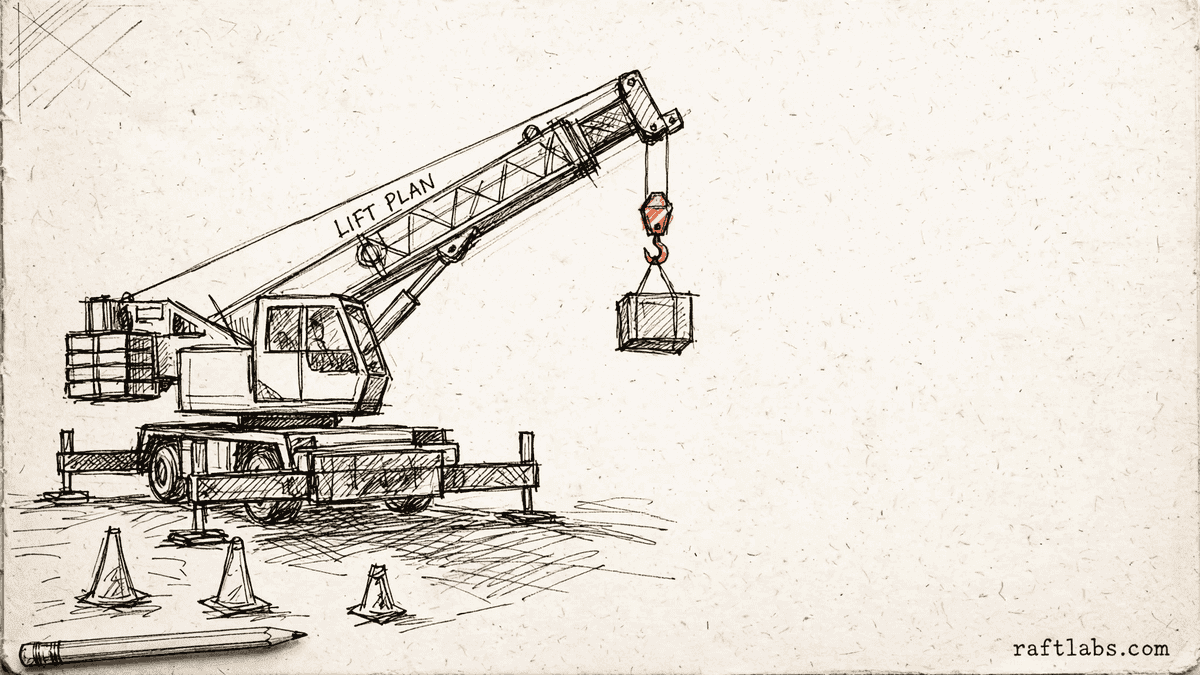
Crane hire software for one job: crane, crew, and contract together.
The crane is on a whiteboard, the crew is on a phone call, and the hours are on a paper run sheet. We turn that into one job record, so the right crane and the right crew turn up, and signed hours become the invoice and the pay run without retyping.
Bring one stuck hire job. Leave with a build, buy, repair, or wait recommendation.
Trusted by





















The brief
Start with what is not working.
Good software decisions begin with the constraint, not a list of features or a preferred technology.
The crane, the operator, and the rigger are booked in three separate places.
Nobody can say at a glance which cranes are free, in service, or out of certificate.
Signed hours sit on paper run sheets for days, so invoices and pay go out late.
Plain answer
Crane rental software brings the crane, the operator, the rigger, and the hire contract into one job record. It shows which cranes are free, which certificates are current, and what the lift needs, then carries signed hours into the invoice and into payroll, so dispatch stops running on whiteboards and paper run sheets.
What to remember
- Use this when the crane, the crew, and the contract for one job live in separate places.
- The first release should complete one hire job end to end, from booking to invoice and pay, not collect disconnected features.
- The code, cloud accounts, data, and operating notes should stay usable by another capable team.
- Quote the team's own screens as their own scope: dispatch, certificate tracking, run sheets, invoicing, and payroll handoff are a second product, not a single admin-panel line.
- Buy a maintained hire product when it fits your fleet and crew rules; own software when wet and dry hire, lift planning, or multi-yard working does not fit it.
The first decision is not what to build.
It is whether software is the right answer at all. We use four possible recommendations before discussing a development scope.
- 01
Buy
Choose a maintained hire product when it handles the core workflow and the remaining gaps can be solved with configuration, a connector, or a small process change. Paying for software you do not have to maintain is often the better trade.
- 02
Repair
Keep the existing product when users still get value from it and the code can be understood safely. Start with evidence: where the code lives, how the data is organized, what is tested, which outside services it depends on, who can access what, and how updates go live.
- 03
Build
Own the system when the workflow shapes margin, customer experience, speed, or a product customers pay for. Start with one complete path and the system connections that path cannot work without.
- 04
Wait
Do not turn a changing policy into permanent software. Stabilise the rules, name the workflow owner, and measure the cost of the current process before paying for a product.
Not sure which path is yours? Bring it to a 30-minute call. Leave with the answer in writing.
Fit
Crane hire software should earn its maintenance burden.
A feature request is not enough. The case is real when the same constraint shows up in time, errors, margin, or customer experience.
Crane, operator, and rigger for one job are booked in separate places and clashes are found too late.
Certificates, tickets, and service dates are tracked by hand and expiry dates get missed.
Signed hours take days to become an invoice and a pay run, and the two often disagree.
A maintained hire product fits with reasonable configuration and process change.
The team wants software to settle an unresolved hire or pricing policy.
The brief is a feature list with no job, transaction, or business result attached.
Not sure which side you are on? Use the first call to make that decision. A useful answer may be to buy, connect, repair, or wait.
Start with the job, not the software.
A crane hire problem usually starts as a booking problem. The crane is promised from a whiteboard. The operator is promised on a phone call. The contract sits in a folder. The key question is whether that friction repeats, can be measured, and costs enough to justify owning the fix.
Take a dispatcher who takes a call for a lift on Thursday. The whiteboard says the crane is free. It does not say the crane is due a service, its certificate runs out on Wednesday, or its operator is already on another job across town. The crew finds out on Thursday morning, with the customer waiting and no crane that can legally do the work.
A second product hides inside the first. Customers see a crane arrive on time; your team lives in another world: dispatch, certificate checks, run sheets, invoices, and pay. Quotes that squeeze all of that into an "admin panel" line item are where budgets most often break. On a real platform, your team's screens are routinely the most underestimated part of the work, so we quote them as their own job, with their own users, from the start.
Crane rental software makes sense when one owned job record can remove that constraint better than a product, connector, or process change. The first release should take the smallest useful path from booking to invoice and pay. It should not replace every tool at once. For the wider fleet, our equipment rental software page covers general hire working.
We start where it hurts.
The interface is only one part of the job. The real scope includes the rules, the data, the connections to your other systems, what happens when things fail, who can see and change what, and who runs it after release.
One booking for crane, operator, and rigger
A hire job books the whole package together. The crane, the operator, the rigger, and any support gear are checked at the same time, so a job is only promised when every part of it is truly free.
Fleet availability you can trust at a glance
Every crane shows as free, booked, in service, or out of certificate, across every yard. Dispatch stops guessing from a whiteboard that was last true yesterday.
Lift details on the job, not in someone's head
Load weight, reach, ballast, and jib setup recorded on the job itself. The crew arrives with the right gear, and the office can see why that crane and that setup were chosen.
Certificates and tickets that warn before they expire
Inspection certificates for each crane and licences for each operator and rigger, with warnings well before expiry and a hard stop on booking when something is out of date.
Signed hours that become the invoice and the pay
Hours signed on site flow straight into the customer invoice and into payroll. No retyping from paper run sheets, and no gap between what the customer is billed and what the crew is paid. Crews on the move are covered by our field service management software approach to work away from the office.
Which one is yours?
Bring it to a 30-minute call. Leave with a build, buy, repair, or wait recommendation in writing. Free, whether or not we ever work together.
The job record
What one hire job record holds.
One record from first call to final invoice. Each part below updates the same job, so no part has to be re-entered somewhere else.
Contract and price
Wet hire with crew or dry hire without, the agreed rate, travel and standby terms, and who carries what risk. The price on the job is the price on the invoice.
Crane and crew
The crane assigned, its service and certificate state, and the operator and rigger with their tickets checked. A change to any one of them shows on the whole job at once.
Lift plan in plain terms
What is being lifted, how heavy it is, how far it has to go, and the ballast and jib setup that makes it safe. Written so the customer, the dispatcher, and the crew all read the same plan.
Hours, invoice, and pay
Hours worked, signed by the customer, then billed and paid from the same figures. What was agreed, what was done, and what was charged finally agree with each other.
Proof
The fifth attempt became a product customers could keep using.
UrShipper had already worked with four development vendors. Its founder describes the communication and decisions during the recovery.
The case study documents a 14-week recovery, five carrier connections, a Shopify fulfilment workflow, and client-reported results. It is one comparable project, not a promise that every inherited codebase can follow the same plan.
Read the UrShipper case studyWhich hire job is costing you the most right now?
Bring it to a 30-minute call. Leave with a build, buy, repair, or wait recommendation in writing. Free, whether or not we ever work together.
Let the work pick the shape.
The way people work should decide the form of custom software. Start with where the user works, which device they have, whether the signal drops, what data they need, and how fast the system must respond. Those facts tell us what belongs in the first release.
Web app
Work done across roles and locations. Each user gets the same current information in a browser: no installs, no versions, no device limits. When in doubt, this is usually the right first surface.
Mobile app
Work away from a desk: job details, lift notes, and signed hours captured on site.
Desktop app
Local hardware, large files, work without a browser.
Browser extension
One task inside a system that otherwise works.
Connected devices
IoT and wearables, when the physical setting demands them.
One product may need several surfaces. Each one should support the same complete workflow, not start another feature list.
How it works
Close one expensive risk before opening the next.
Each stage answers a buyer question and leaves behind a decision you can inspect. The next stage only opens when the expensive uncertainty in the current one is small enough to accept.
- 01Understand
Trace the real workflow
Where is the cost or failure actually coming from?
Follow one dispatcher and one hire job from first call to final invoice. Include the workarounds, manual judgement, duplicate entry, waiting, and failure paths that a tidy process diagram usually misses.
Decision produced
A map of the workflow, exceptions, owners, systems, and the baseline cost or delay worth changing.Risk closed
Paying to automate the visible symptom while the expensive constraint remains. - 02Shape
Choose the first useful release
What needs to exist together for one useful result to work?
Choose the shape from the way the work happens, not from a preferred technology. Name the user, the device, the data, the system connections, who can access what, the exceptions, and the result the first release must complete.
Decision produced
The right mix of web, mobile, desktop, browser extension, connected device, wearable, or behind-the-scenes connection work, with the first-release boundary and a clear definition of done.Risk closed
A small-looking feature list that quietly depends on several interfaces, systems, and owners. - 03Prove
Review working software
Will it hold up outside a controlled demo?
Review the product against the agreed workflow, not a tour of finished screens. Record changed assumptions and test what happens when data is missing, access is wrong, or a connected system fails.
Decision produced
Working checkpoints tested with realistic data, real user types, system connections, recovery plans, and the people who will use or run the system.Risk closed
Discovering the important gaps during migration or after customers depend on the release. - 04Transfer
Release, measure, and hand over
Did the new workflow improve the original constraint, and can another capable team operate it?
Move a controlled set of users or records first. Compare time, errors, completion, or another agreed measure with the starting point before adding the next workflow.
Decision produced
A controlled release, comparison with the baseline, operating notes, account ownership map, and a recommendation for what should happen next.Risk closed
Measuring development activity instead of the business result, or depending on the original vendor to keep the system running.
What stays out of the black box
These are operating conditions to put in the engagement, not claims to take on faith.
The scope names one complete workflow
The user, the trigger, the decisions, the data, the exceptions, and what 'done' looks like. A screen list is not enough.
Progress is visible in working software
Reviews against the product at agreed checkpoints, while there is still time to act.
A scope change has a price before it has code
A new workflow or system connection shows its effect on cost and timing before anyone approves it.
Ownership exists throughout, not only at handover
Code, cloud, data, and provider access stay visible and under your control from day one.
The work is checkable without being technical
Checkpoints are working software you use yourself, reported in plain language.
Related software.
Start from the closest fit. Each area below connects to the hire workflow.
What it costs
Every project starts at $10000.
The first phase turns the costliest patched workflow into a scoped build with written acceptance criteria.
Starting investment
Starts at $10000
Workflow complexity, systems to connect, data migration, and user roles set the scope. After a 30-minute call, you get a written build, buy, repair, or wait recommendation plus first-phase direction. Free, whether or not you build with us.
Not ready to talk? Start here.
Four useful next paths: decide whether to own the software, estimate the cost range, understand what moves the price, or inspect a comparable recovery.
Run the build-vs-buy calculator
Compare the cost and operating trade-offs before turning a workflow into a development brief.
Estimate the cost range
Get a working cost range for your scope before you talk to any vendor.
Read the cost guide
See the scope factors that move price, timing, team shape, and long-term maintenance.
Inspect a product recovery
See what changed when UrShipper moved from four failed vendor attempts to a controlled migration.
Build or buy
| Buy an existing product | Build custom software | |
|---|---|---|
| Best fit | Handles your hire workflow with reasonable setup, and its pricing makes sense | The way you run crane, crew, and contract together is itself the advantage |
| Manual work | Configuration and process changes can remove the constraint | Repeated manual work across whiteboard, run sheets, and phone calls has a measurable cost |
| Connections | Existing connections work with reasonable setup | A critical connection to your accounting or payroll cannot be done cleanly any other way |
| Platform route | Configure an established hire platform when its fleet, crew, and pricing model fits | Own custom software only when the differentiating process, client product, system network, or cost of constraint justifies build and support |
Work with us
Bring one stuck hire job. Leave with a decision.
In a 30-minute call, we will help you decide whether to buy, connect, repair, build, or wait. If custom software is not the sensible next move, that is still a useful answer.
- One named workflow owner and one complete hire path for the first phase.
- Scope, price, what 'done' looks like, and exclusions agreed before paid work starts.
- Code, cloud, data, and provider access remain under your control.
- Post-launch warranty cover for defects in the agreed scope.
Common questions
Crane rental software holds one record for each hire job: the crane, the operator, the rigger, the contract terms, the lift details, and the hours worked. Its job is to show which cranes and crew are free, what each job needs, and what happens next, so the office stops running the fleet from a whiteboard, a spreadsheet, and memory.
Wet hire means the crane comes with an operator, and often a rigger as well. The hire company carries the crew, their tickets, and much of the operating risk. Dry hire means the crane alone goes out and the customer supplies their own licensed operator. The software has to price and record the two kinds differently, because the crew, the paperwork, and who is responsible are not the same.
A job is not confirmed until the crane, the operator, the rigger, and any support gear are all free at the same time. If the crane is booked, in service, or out of certificate, the job cannot be promised. If the operator is already on another job or a ticket has expired, the booking flags it there and then, not on the morning of the lift.
Each job records what the lift actually needs in plain terms: the load weight, how far it has to reach, the ballast or counterweight the crane needs to carry that load safely, and the jib setup for the height and reach. Those details sit on the job record, so the crew that turns up brings the right gear and the office can see why that crane was chosen.
Every crane carries its inspection and test certificates on its record, and every operator and rigger carries their licences and tickets on theirs. The system warns well before anything expires and blocks a booking when a certificate or ticket is out of date, so an expired document is found in the office, not on site.
The crew record their hours on the job and the customer signs them off. Those signed hours then flow in two directions without retyping: into the customer invoice at the agreed hire rate, and into payroll for the operator and rigger. If the hours are wrong, they are fixed once, on the job, and both sides change together.
Buy an existing hire product when it handles your fleet, crew, and contract workflow with reasonable setup and its pricing makes sense. Have software made for you when the way you work is itself the difference: wet and dry hire priced side by side, lift details on every job, or several yards sharing one fleet view that maintained products cannot show cleanly. If your hire rules are still changing every week, settle them first.
No. Your accounting system still holds the books. The job record sends it clean invoices and pay figures that already match the signed hours, so finance stops retyping run sheets and chasing differences between what was billed and what was paid. See also our equipment rental software page for the wider hire fleet picture.
The job record shows the change in one place: the crane marked out of service, the job moved or paused, the customer told, and the crew stood down or sent elsewhere. Because the crane, the crew, and the contract sit together, one change updates the whole picture instead of three separate lists that no longer agree.
The first paid phase may cover a bounded audit, a proof of concept, a recovery plan, or a small first release. The final price depends on how deep the hire workflow goes, how many yards and cranes it serves, what it needs to connect to, whether data needs moving over, whether phones or tablets are involved, and the condition of existing code. The agreed phase is priced in writing before it starts.
Timing depends on scope: a bounded audit or proof of concept is a smaller engagement, while a system covering several yards, fleet and crew records, and connections to accounting and payroll takes longer. The schedule is set once the first hire path and what 'done' looks like are clear.
Yes. Takeover is a common first engagement, and it always starts with an audit: where the code lives, how your data is organized, what is tested, which outside services it depends on, who can access what, and how updates go live. Code that is understandable and fit for the next release stays; only the parts blocking reliability get replaced.
You judge what you can see, not the code. Every checkpoint is working software you click through yourself, tested against the hire workflow agreed at the start. Progress is reported in plain language: what changed, what's next, and what it costs. Because you own the code, the accounts, and the operating notes throughout, nothing about the work is locked inside our heads. Our job is to make the work checkable; your job is to check it against your business.
You own the code built for you and control where it lives, the cloud accounts, the data, analytics, and third-party subscriptions. Outside services and open-source pieces keep their own licence terms. The operating notes and handover material stay current so another capable team can take over.
Every launch includes post-launch warranty cover for defects in the agreed scope, release support, and small screen corrections. After that, work can continue as another fixed phase or an ongoing product engagement. The code and accounts stay under your control either way.