Fence Contractor Management Software
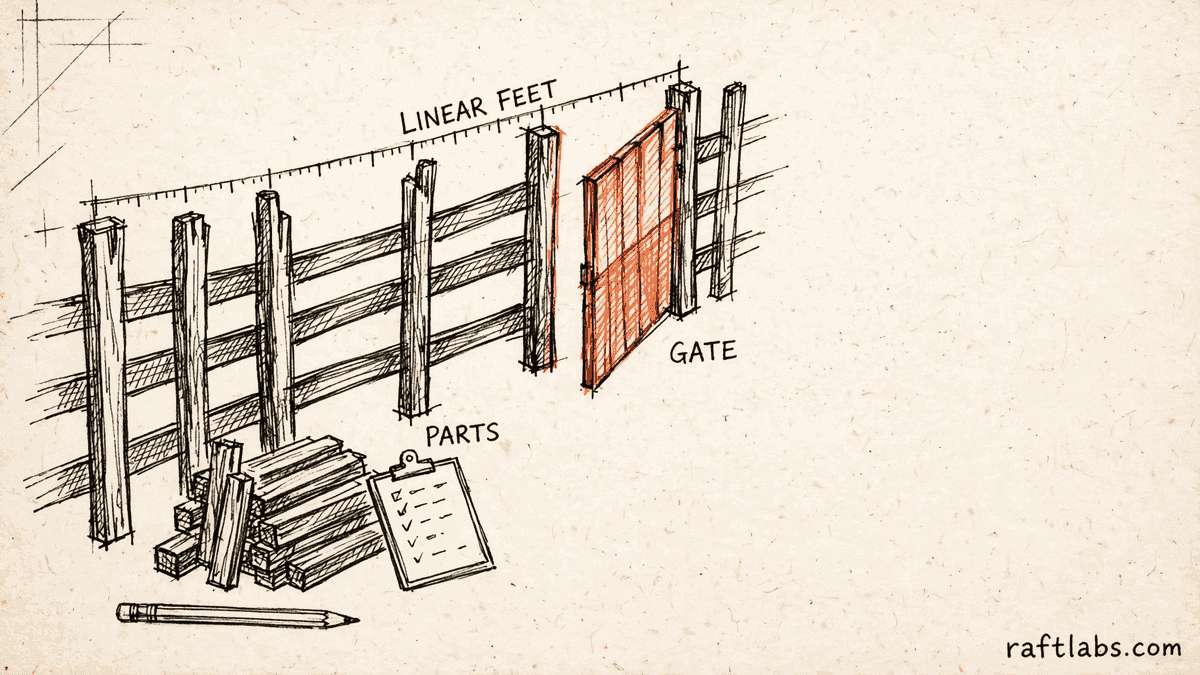
Fence contractor software for work priced by the foot, not by the hour.
Your leads sit in a spreadsheet, estimates sit on paper pads, and the schedule sits in a third app. We turn that patchwork into one system that prices by the linear foot, counts gates and materials for you, and keeps the office and the crew on the same job record.
Bring one stuck workflow. Leave with a build, buy, repair, or wait recommendation.
Trusted by
























The brief
Start with what is not working.
Good software decisions begin with the constraint, not a list of features or a preferred technology.
Estimates are priced from memory, so two salespeople quote the same fence two different ways.
The crew schedule, the invoice, and the lead list live in three different places.
A gate added mid-job never reaches the invoice, and the company absorbs the cost.
Plain answer
Fence contractor software is a system made for fence companies. It prices jobs by the linear foot, adds gates, posts, and materials from set lists, and keeps leads, estimates, crew schedules, and invoices in one place, so the office and the crew work from the same job record.
What to remember
- Use this when the same pricing and scheduling problems repeat on every job.
- The first release should cover one complete path, from first call to final invoice.
- Pricing rules for each fence style, height, and gate type should live in the system, not in one person's memory.
- The code, accounts, data, and operating notes should stay usable by another capable team.
Fit
Custom software should earn its keep.
A wish list is not enough. The case is real when the same problems show up in lost bids, wrong materials, and unpaid extras.
Your estimators price the same fence differently, and margin depends on who wrote the quote.
Leads, estimates, schedules, and invoices live in separate tools that staff copy between by hand.
Your company can name one person who owns the workflow and say what 'done' looks like for the first release.
A ready-made product already prices by the foot, counts your materials, and fits how your crews work.
The real problem is an unsettled pricing policy that changes from job to job.
The brief is a feature list with no job, customer, or result attached to it.
Not sure which side you are on? Use the first call to make that decision. A useful answer may be to buy, connect, repair, or wait.
Start with the job, not the software.
A fence company rarely has one software problem. It has four small ones that meet in the middle of every job. The leads live in a spreadsheet. The estimates live on paper pads in a truck. The schedule lives in one app, and the invoices live in another. Each tool does its own part well enough. The cost sits in the gaps between them, where a person copies, remembers, or chases.
Fence work exposes those gaps faster than most trades. A price depends on the length of the run, the style and height, the ground it crosses, and how many gates and corners it has. When that pricing lives in one estimator's memory, the company has a single point of failure with a tape measure. When a homeowner adds a gate during the install and nobody writes it down, the company gives the gate away.
A second product hides inside the first. Homeowners see the estimate and the invoice. Your team lives in the other screens: approving prices, fixing schedules, ordering materials, recording changes, and chasing payment. Quotes that squeeze all of that into one small line are where budgets break, so we scope your team's screens as their own job, with their own users, from the start.
Custom fence contractor software makes sense when one system can hold the whole job, from the first call to the final invoice, better than the patchwork does. The first release should cover one complete path. It should not try to replace every tool in the office at once.
Start where the money leaks.
The screens are only part of the job. The real scope is your pricing rules, your parts lists, who can see and change what, and what happens when a job changes halfway through.
Estimates priced by the linear foot
Set a price per foot for every style and height you sell. The estimator enters each run, adds gates and corners as priced items, and sends a quote that matches how the last one was priced. Good, better, and best options let the homeowner choose a material without a second visit.
Parts lists that update on their own
Each fence style carries a saved list of the parts one section needs. Change the length or add a gate, and the order list and the truck list change with it. The office orders what the job needs, and the crew loads what the office ordered.
Leads and open bids in one view
Every enquiry lands in one list with its estimate and its status. Open bids show their age, so follow-up happens while the homeowner is still deciding, not after a competitor has already started. Nothing waits in one person's inbox.
Crew schedules without the morning calls
Each crew sees its day on a phone: address, start time, style, length, gates, and the parts list. Move a job and every affected crew sees the change at once. Weather delays and permit holds stop being a round of phone calls.
Change orders that reach the invoice
Added gates, extra length, and changed materials are recorded on the job and approved by the homeowner before the work starts. The approved change appears on the final invoice without anyone retyping it or remembering it.
Which one is yours?
Bring it to a 30-minute call. Leave with a build, buy, repair, or wait recommendation in writing. Free, whether or not we ever work together.
The work
One record for every kind of fence job.
Residential installs, commercial perimeters, and small repairs stress a system in different ways. The same rule applies to all three: one job record that every screen reads from.
Residential installs
Fast quotes matter most here. Measure the run, price the options, take the deposit, and put the install on the calendar before the homeowner calls the next company. Photos of the finished fence attach to the job record for warranty questions later.
Commercial and shared-property work
Bigger jobs bring written requirements, permits, staged approvals, and several crews working in sequence. The job record holds the documents, the approvals, and the cost of the work done so far, so the office can answer questions without hunting through email.
Repairs and gate work
Small jobs die in paperwork when they follow the same path as a full install. A short record with a photo, a fixed price, and a same-week slot keeps repair work profitable instead of treating it as a favour.
The office side
Approvals, price changes, refunds, and who did what sit in screens your team uses all day. These screens get their own scope and their own users, because they are where mistakes and disputes are settled.
Homeowner updates
Customers get a clear estimate to approve, a note when the crew is booked, and an invoice that matches the approved changes. Fewer status calls reach the office, and the homeowner never sees a number that differs from the quote they signed.
Proof
The fifth attempt became a product customers could keep using.
UrShipper had already worked with four development vendors. Its founder describes the communication and decisions during the recovery.
The case study documents a 14-week recovery, five carrier connections, a Shopify fulfilment workflow, and client-reported results. It is one comparable project, not a promise that every inherited codebase can follow the same plan.
Read the UrShipper case studyWhich part of the patchwork costs you the most?
Bring it to a 30-minute call. Leave with a build, buy, repair, or wait recommendation in writing. Free, whether or not we ever work together.
How it works
Close one expensive risk before opening the next.
Each stage answers a buyer question and leaves behind a decision you can inspect. The next stage only opens when the expensive uncertainty in the current one is small enough to accept.
- 01Understand
Trace one real job
Where do the price, the materials, and the schedule actually go wrong?
Follow one job and one crew from start to finish. Include the paper estimate, the copied spreadsheet row, the texted schedule change, and the extra gate nobody billed for. A tidy diagram usually misses exactly those parts.
Decision produced
A map of one job from first call to final invoice, with the workarounds, the hand-offs, and the cost of each gap.Risk closed
Paying to automate the visible symptom while the expensive gap stays where it was. - 02Shape
Choose the first useful release
What needs to exist together for one complete job to run through the system?
Choose the shape from the way the work happens. Name who uses it, where they use it, which records it needs, and which result the first release must complete: a priced estimate, a booked crew, or a paid invoice.
Decision produced
The first-release boundary: the users, the pricing rules, the parts lists, the connections, and a clear definition of done.Risk closed
A small-looking feature list that quietly depends on several screens, rules, and owners. - 03Prove
Review working software
Does it price a real fence the way your best estimator does?
Review the software against real jobs, not a tour of finished screens. Price a job with a slope, two gates, and a mid-job change, and compare the result with the quote your team would have written by hand.
Decision produced
Working checkpoints tested with your own fence styles, your own prices, and your own recent jobs.Risk closed
Discovering the pricing gaps after crews already depend on the system. - 04Transfer
Release, measure, and hand over
Did the new system close the gap it was bought for, and can another capable team run it?
Start with one crew or one kind of job. Compare estimate accuracy, missed extras, and time from job done to invoice sent against the old way before adding the next workflow.
Decision produced
A controlled release, a comparison with the starting point, operating notes, and an account ownership map.Risk closed
Measuring activity instead of the business result, or depending on the original vendor to keep the system running.
What it costs
Every project starts at $10000.
The first phase turns the costliest patched workflow into a scoped first release with what 'done' looks like agreed in writing.
Starting investment
Starts at $10000
Workflow complexity, systems to connect, data migration, and user roles set the scope. After a 30-minute call, you get a written build, buy, repair, or wait recommendation plus first-phase direction. Free, whether or not you build with us.
Not ready to talk? Start here.
Four useful next paths: see the wider custom software picture, the web and phone surfaces a fence system usually needs, or the customer records at its centre.
See the full custom software picture
How to decide between buying, repairing, and owning software, and what the first release should cover.
Plan the office screens
The browser-based screens your office team uses for estimates, schedules, approvals, and invoices.
Plan the crew screens
The phone screens crews use at the property: the job, the parts list, photos, and change approvals.
Put customer records in order
One record for every lead, estimate, job, and payment, shaped around how your company sells.
Work with us
Bring one stuck workflow. Leave with a decision.
In a 30-minute call, we will help you decide whether to buy, connect, repair, build, or wait. If custom software is not the sensible next move, that is still a useful answer.
- One named workflow owner and one complete path for the first phase.
- Scope, price, what 'done' looks like, and exclusions agreed before paid work starts.
- Code, cloud, data, and provider access remain under your control.
- Post-launch warranty cover for defects in the agreed scope.
Common questions
It is a system made for the way fence companies work. A fence job is priced by the length of the run, sold with choices of material and style, and built by a crew that needs the right posts, panels, and gates on the truck. Generic tools treat that job like any other appointment. Fence contractor software prices by the linear foot, which means the total length of the fence line, and keeps the estimate, the schedule, and the invoice on one record.
Yes. You set a price per foot for each style and height you sell, such as wood privacy, vinyl, aluminum, or chain link. The estimator enters the length of each run, and the system works out the price. Gates, corners, and end posts are added as their own items with their own prices, so a wide driveway gate is never priced like a standard walk gate.
Each fence style gets a saved parts list. The list says what one section of that fence needs: posts, rails, pickets or panels, brackets, concrete, and screws. When the length or the gate count changes, the parts list updates on its own. Your crew loads what the list says, and the office orders against the same list, so nobody orders from memory or from a photo of a whiteboard.
The system can include measuring from satellite photos of the property. You trace the fence line on the photo, and the length fills in the estimate. That gives the homeowner a fast first price and saves a trip for jobs that go nowhere. A site visit still confirms slopes, buried lines, and access before the final quote, because a photo cannot show everything that changes a price.
The crew leader records the change on the job record, with the added parts and the added price. The homeowner approves the change on a phone before the extra work starts. The approved change flows into the final invoice on its own. Nothing depends on someone remembering a conversation at the fence line three weeks later.
Yes. Each crew sees its jobs on a phone: the address, the start time, the fence style and length, the gate count, and the parts list for the truck. When a job moves, the change appears on the crew's schedule at once. The office stops spending the morning on confirmation calls and texts.
It can, when your accounting system allows other software to connect to it. We agree on which system holds what: the fence system holds jobs and estimates, the accounting system holds invoices, payments, and the books. Your bookkeeper approves how the two match up before anything goes live, and test invoices are checked before real ones flow across.
Every project starts at $10000. The first phase covers one complete path, such as estimating through invoicing, with the scope and the price agreed in writing before paid work starts. The final price depends on how many fence styles and pricing rules you carry, how many kinds of users the system serves, what it needs to connect to, and whether your records need moving over from spreadsheets or another tool.
You judge what you can see, not the code. Every checkpoint is working software you click through yourself, tested against the workflow agreed at the start. Progress is reported in plain language: what changed, what is next, and what it costs. Because you own the code, the accounts, and the operating notes throughout, nothing about the work is locked inside our heads. Our job is to make the work checkable; your job is to check it against your business.
You own the software made for you and control where it lives, the accounts, the customer records, and the job history. Outside services and ready-made parts keep their own licence terms. The operating notes and handover material stay current so another capable team can take over.
Buy an existing product when it prices the way you price, handles your fence styles and gates, and its monthly cost makes sense. Have one made when your pricing rules, your mix of residential and commercial work, or your crew structure is the thing the ready-made tools keep getting wrong. If your rules are still changing every week, settle them first and decide after.