Painting Contractor Software
Painting contractor software for estimates that hold up on the job.
Your estimates, follow-ups, crew schedule, and job costs live in separate tools, and the gaps between them are where margin leaks. We turn the painting workflow worth owning into one system your office and your crews both use.
Bring one stuck workflow. Leave with a build, buy, repair, or wait recommendation.
Trusted by























The brief
Start with what is not working.
Good software decisions begin with the constraint, not a list of features or a preferred technology.
Estimates go out, then sit unchased because follow-up lives in memory and sticky notes.
The crew shows up with the wrong color or sheen because the spec lived in a free-text note.
Your dispatcher runs the week from a whiteboard next to a scheduling tool that cannot see every crew at once.
Plain answer
Painting contractor software runs a painting business from first call to final payment. It prices jobs room by room using production rates, sends branded proposals, chases unanswered estimates, schedules crews, tracks color specs per surface, and compares actual labor and materials against the estimate so you know which jobs made money.
What to remember
- Match the tool to your bottleneck: slow estimates point one way, slow follow-up another, messy scheduling a third.
- Room-by-room estimating with production rates is what makes a painting price hold up; a generic quote tool cannot do that math.
- Follow-up decides whether estimates turn into booked jobs, and it has to run on its own, not from memory.
- Color and product specs must be structured fields per surface, not free-text notes, or the wrong paint reaches the job.
- The simplest tool your team opens every day beats the powerful one they avoid.
Fit
Custom painting software should earn its maintenance burden.
A feature request is not enough. The case is real when the same constraint shows up in unchased estimates, wrong specs, double-booked crews, or jobs that lose money quietly.
Estimates, follow-up, scheduling, and job costs live in separate tools and the gaps between them cost margin.
Your estimating logic is proprietary: specialty coatings, commercial surface types, or pricing rules no maintained price book can hold.
The company can name a workflow owner and what 'done' looks like for the first release.
A maintained painting tool handles the workflow with reasonable setup and its pricing makes sense.
The phone is not ringing. Software organizes leads; it does not create demand.
The brief is a feature list with no crew, job, or business result attached.
Not sure which side you are on? Use the first call to make that decision. A useful answer may be to buy, connect, repair, or wait.
Start with the job, not the software.
A painting business rarely fails on the brush. It fails in the gaps between tools. The estimate lives in one system, the follow-up in someone's memory, the schedule on a whiteboard, and the job cost in a spreadsheet nobody opens until year end. Each tool works on its own. Together, they leak.
Take a company with several crews across more than one market. The estimator prices a house room by room in a painting tool. The dispatcher schedules it in a second tool. The crew leader gets the color spec as a free-text note, and the note says white. Which white, which product, which sheen: the crew guesses, the paint counter guesses, and the repaint comes out of your margin.
A second product hides inside the first. Homeowners see one proposal; your team lives in another: approvals, exceptions, change orders, managing users, and a record of who did what. Quotes that squeeze all of that into an "admin panel" line item are where budgets most often break. On a real platform, your team's screens are routinely the most underestimated part of the build, so we quote them as their own job, with their own users, from the start.
Painting contractor software makes sense when one owned system can remove that constraint better than a product, a connector, or a process change. The first release should take the smallest useful path from first call to final payment. It should not replace every tool at once. Our build vs buy guide sets out where the major maintained tools cap out, and what a first custom release should cover, so this page can stay focused on the decision in front of you.
We start where it hurts.
The interface is only one part of the job. The real scope includes the pricing rules, the spec data, the connections to your other systems, what happens when a crew is double-booked, who can see and change what, and who runs it after release.
Estimates that hold up on the job
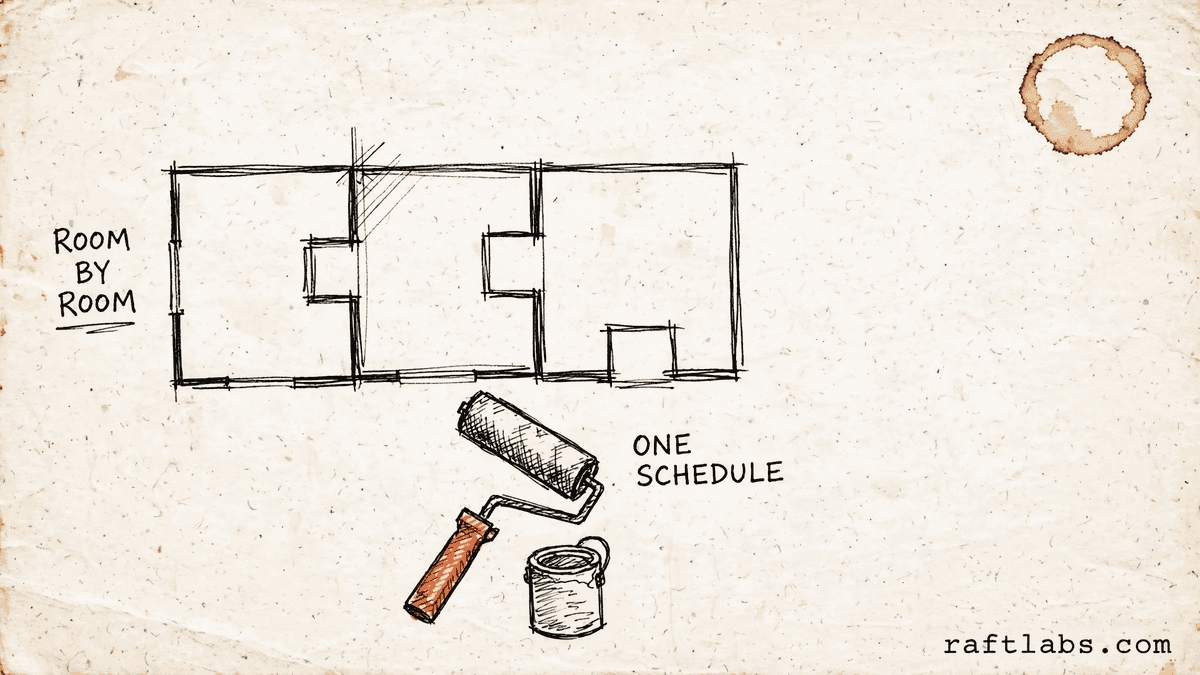
Room-by-room pricing from surface measurements, paint coverage rates, and production rates per surface type, with totals that roll up per room and per job. The price you quote is the price the crew can work to.
Follow-up that runs on its own
Unanswered estimates get chased by text and email on a schedule you set, and every open estimate sits on one list. No lead depends on someone remembering to call back.
One schedule every crew can see
A multi-crew calendar with conflict detection, daily task assignments inside each job, and a mobile view the crew leader can check on site. The dispatcher stops running the week from a whiteboard.
Specs the crew cannot misread
A structured spec sheet for every surface in every room: product, exact color code, sheen, coats, and primer. The crew gets every field filled in, and the wrong paint stops reaching the job.
Job costs you learn before year end
Actual labor hours and actual materials recorded against the estimate, closed out per job. You find out which jobs made money while there is still time to fix the pricing.
Which one is yours?
Bring it to a 30-minute call. Leave with a build, buy, repair, or wait recommendation in writing. Free, whether or not we ever work together.
Buy first
The maintained tools, honestly.
Most painting companies should buy before they build. Here is where each maintained tool is strongest, and where each one caps out, so you can match the tool to your bottleneck instead of your feature list.
PaintScout: estimating depth
Built only for painting contractors. Room-by-room estimates, surface types, paint types and finishes, and a sales pipeline that follows how painting companies actually sell: new lead, estimate booked, estimate sent, estimate accepted, project scheduled, in production, complete, paid. Its weakness is breadth: it is an estimating and sales tool first, and heavy crew dispatching or multi-trade work will push you toward a second system.
DripJobs: follow-up automation
Built by a painting contractor who kept losing work to slow follow-up. Ready-made text and email sequences chase estimates by pipeline stage, with tiered package pricing so homeowners can compare options and upgrade themselves, two-way texting, and crew management in the same system. Its estimating is template-based rather than fine-grained, so bid math depth is the trade-off.
Jobber: scheduling and dispatch
A field-service platform painters use for quoting, scheduling, dispatch, invoicing, and payments in one place, with a mature mobile app and a clean connection to QuickBooks. Its estimating does not know paint coverage rates or surface-type production rates, so estimators bring their own pricing math. Best when coordinating crews is the bottleneck rather than the bid itself.
When to own instead
Own custom software when the maintained tools cap out. That means more crews than the scheduling tool can show at once, specialty coatings or commercial surface types no price book can hold, franchise locations that need one standard estimating catalog, or color specs that keep getting lost between tools. Our build vs buy guide works through each ceiling in detail.
Proof
The fifth attempt became a product customers could keep using.
UrShipper had already worked with four development vendors. Its founder describes the communication and decisions during the recovery.
The case study documents a 14-week recovery, five carrier connections, a Shopify fulfilment workflow, and client-reported results. It is one comparable project, not a promise that every inherited codebase can follow the same plan.
Read the UrShipper case studyWhich workflow is costing you the most right now?
Bring it to a 30-minute call. Leave with a build, buy, repair, or wait recommendation in writing. Free, whether or not we ever work together.
How it works
Close one expensive risk before opening the next.
Each stage answers a buyer question and leaves behind a decision you can inspect. The next stage only opens when the expensive uncertainty in the current one is small enough to accept.
- 01Understand
Trace one real job
Where is the margin actually leaking?
Follow one estimate from the first call through pricing, follow-up, scheduling, the crew on site, and the final invoice. Include the workarounds, the re-entered data, the waiting, and the failure paths that a tidy process diagram usually misses.
Decision produced
A map of one job from first call to final payment, with the exceptions, owners, systems, and the baseline cost or delay worth changing.Risk closed
Paying to automate the visible symptom while the expensive constraint remains. - 02Shape
Choose the first useful release
What needs to exist together for one useful result to work?
Choose the shape from the way the work happens, not from a preferred technology. Name the user, the device, the data, the system connections, who can access what, the exceptions, and the result the first release must complete.
Decision produced
The right mix of web, mobile, and behind-the-scenes connection work, with the first-release boundary and a clear definition of done.Risk closed
A small-looking feature list that quietly depends on several interfaces, systems, and owners. - 03Prove
Review working software
Will it hold up outside a controlled demo?
Review the product against the agreed workflow, not a tour of finished screens. Price a real job room by room, schedule a real week of crews, and check that the spec sheet matches what the crew sees on site.
Decision produced
Working checkpoints tested with realistic data, real user types, system connections, recovery plans, and the people who will use or run the system.Risk closed
Discovering the important gaps during migration or after customers depend on the release. - 04Transfer
Release, measure, and hand over
Did the new workflow improve the original constraint, and can another capable team operate it?
Move a controlled set of crews or jobs first. Compare time, errors, completion, or another agreed measure with the starting point before adding the next workflow.
Decision produced
A controlled release, comparison with the baseline, operating notes, account ownership map, and a recommendation for what should happen next.Risk closed
Measuring development activity instead of the business result, or depending on the original vendor to keep the system running.
What it costs
Every project starts at $10000.
The first phase turns the costliest patched workflow into a scoped build with written acceptance criteria.
Starting investment
Starts at $10000
Workflow complexity, systems to connect, data migration, and user roles set the scope. After a 30-minute call, you get a written build, buy, repair, or wait recommendation plus first-phase direction. Free, whether or not you build with us.
Not ready to talk? Start here.
Four useful next paths: decide whether to own the software, work through where the maintained tools cap out, estimate the cost range, or inspect a comparable recovery.
Run the build-vs-buy calculator
Compare the cost and operating trade-offs before turning a workflow into a development brief.
Estimate the cost range
Get a working cost range for your scope before you talk to any vendor.
Read the painting build vs buy guide
See where PaintScout, Jobber, and Estimate Rocket cap out, what a first custom release covers, and what it costs.
Inspect a product recovery
See what changed when UrShipper moved from four failed vendor attempts to a controlled migration.
Work with us
Bring one stuck workflow. Leave with a decision.
In a 30-minute call, we will help you decide whether to buy, connect, repair, build, or wait. If custom software is not the sensible next move, that is still a useful answer.
- One named workflow owner and one complete path for the first phase.
- Scope, price, what 'done' looks like, and exclusions agreed before paid work starts.
- Code, cloud, data, and provider access remain under your control.
- Post-launch warranty cover for defects in the agreed scope.
Common questions
Painting contractor software runs a painting business from first call to final payment. It keeps leads and customer records in one place, prices jobs room by room using production rates, sends branded proposals, chases unanswered estimates, schedules crews, tracks color and product specs per surface, and records what each job actually cost. The painting-specific part matters: a generic field-service tool can schedule a visit, but it does not know paint coverage rates, sheen levels, or how long a surface takes to prep and paint.
It depends on where your business loses money. PaintScout is strongest at painting-specific estimating: room-by-room pricing, surface types, and production rates in one place. DripJobs is strongest at follow-up: ready-made text and email sequences that chase estimates without someone remembering to do it. Jobber is strongest at scheduling and dispatch across crews, with quoting, invoicing, and payments in the same system. There is no single best tool. Match the tool to your bottleneck, and check the total price including add-ons and per-user fees before you commit.
Follow-up has to run on its own. The pattern that loses work is simple: a good lead comes in, a job runs long, the phone keeps ringing, and by the time someone remembers the estimate, the homeowner has hired someone else. A system that sends a text or email a set number of days after an estimate goes out, and flags unanswered estimates on one list, closes that gap. If you are choosing a tool, ask to see the follow-up sequence run, not just the feature list. If you are scoping custom software, automated follow-up is one of the first things worth owning.
Buy an existing tool when it handles your workflow with reasonable setup and its pricing makes sense. PaintScout, DripJobs, and Jobber each cover a large part of a painting business well. Own custom software when the way you work breaks the maintained tools: more crews than the scheduling tool can show at once, specialty coatings or commercial surface types no price book can hold, franchise locations that need one standard estimating catalog, or color specs that keep getting lost between tools. Our build vs buy guide for painting contractor software sets out where each major tool caps out and what a first custom release should cover.
It means the price is built from the surfaces in each room, not from a square-footage guess. The estimator enters wall height and width, ceiling area, linear feet of trim, and door counts. The system works out surface area per room, applies the paint coverage rate and a waste allowance, and prices labor from production rates per surface type, adjusted for prep-heavy surfaces. Totals roll up per room and per job, so you can see which room carries the cost and defend the price to the homeowner.
Because the color spec lives in a free-text note. A note that says white does not say which white, which product line, or which sheen, and the person at the paint counter has to guess. A structured spec records, for every surface in every room, the product, the exact color code, the sheen level, the number of coats, and the primer requirement. The crew gets a spec sheet where every field is filled in for every surface. There is no ambiguity left to guess at.
It should show every crew, every job, and every day in one view, with conflict detection so a crew already assigned to a full-day job cannot be double-booked. That is the test to run in a demo: put ten crews and thirty active jobs on the calendar and ask to see next Tuesday. A tool that only shows one crew at a time will push your dispatcher back to a whiteboard. Multi-day jobs need daily task assignments inside the job, so the crew leader knows what happens Monday, Tuesday, and Friday without a phone call.
You need job costing: actual labor hours and actual materials recorded against the estimate, closed out per job. The estimate says what the job should cost; the closeout says what it did cost. Without that comparison, pricing problems only show up at year end, when it is too late to fix them. Ask any tool whether it compares estimated against actual gallons per product and hours per room, and whether that report is one click or a spreadsheet you have to build yourself.
Maintained tools are usually priced monthly, either flat per company or per user, with some features sold as add-ons. DripJobs lists plans from $97 a month on its own site; confirm current pricing on the vendor site before you buy, because add-ons for texting, AI follow-up, and job costing change the total. Per-user pricing adds up fast as the crew grows, so work out the total for your actual team size, not the headline price for one user. A first custom phase at RaftLabs starts at $10000, with scope, price, and what done looks like agreed in writing before paid work starts.
That is the question that decides whether the software pays for itself. The best tool is the one your team opens every day, and a simple tool people use beats a powerful one they avoid. Test it the way the crew will use it: from a phone, on a job site, with gloves off and paint on hands. Can the crew leader see the day's jobs, the spec sheet, and the photos for one room without calling the office? If the mobile app hides the fields the office relies on, the crew will go back to group text, and the system will quietly stop being true.
Painting-specific tools are a strength until the business diversifies. If you add carpentry, deck work, or another trade, a tool built only for painting may not follow you. A general tool follows you anywhere but never learns painting math. The honest check is your next three years: if painting stays the core business and the constraint is estimating depth, follow-up, or crew scheduling, a painting tool or a custom system built around painting is the right shape. If the business is becoming a general contractor, plan for a system that handles several trades from the start.
No. Software organizes the leads you already have; it does not create demand. If the phone is not ringing, a CRM is an expensive address book. If leads are coming in and a few are lost because follow-up lives on sticky notes, software helps you close more of them. Fix demand first, then buy the system that stops the leaks.
The first paid phase may cover a bounded audit, a proof of concept, or a small first release. The final price depends on how deep the workflow goes, how many crews and locations it serves, what it needs to connect to, whether your estimating logic is proprietary, and whether phones or tablets are involved. The agreed phase is priced in writing before it starts. Our build vs buy guide sets out typical scopes for a first release, a profitability layer, and a franchise layer.
You judge what you can see, not the code. Every checkpoint is working software you click through yourself, tested against the workflow agreed at the start: price a real job room by room, schedule a real week of crews, and check that the spec sheet matches what the crew sees on site. Progress is reported in plain language: what changed, what is next, and what it costs. Because you own the code, the accounts, and the operating notes throughout, nothing about the work is locked inside our heads. Our job is to make the work checkable; your job is to check it against your business.
For a small, well-defined task with someone technical managing it, freelancers are often cheaper. The pattern that goes wrong is a non-technical buyer coordinating several freelancers becoming the project manager, the tester, and the person who discovers the pieces do not fit. A custom software company earns its fee when the work needs coordination across screens, rules, data, and connections: one accountable party, one phase price, and checkpoints against the whole workflow. If your need is one screen or one fix, hire the freelancer.
You own the code built for you and control where it lives, the cloud accounts, the data, analytics, and third-party subscriptions. Outside services and open-source pieces keep their own licence terms. The operating notes and handover material stay current so another capable team can take over.