- Platform
- Android & iOS
- Duration
- 20 weeks
- Industry
- Entertainment & Events
- Read time
- 5 min read

Event organizers running associations, literary festivals, or multi-day conferences face the same coordination overhead: a ticketing tool, a separate communication platform, a spreadsheet for speaker management, and a third-party survey for feedback. Every attendee update becomes a multi-channel production. Every sponsor placement requires manual configuration in a platform not designed for it.
EventRaft consolidates that. We built it as a native iOS and Android platform where the full event lifecycle (registration, schedules, real-time announcements, networking, and post-session feedback) runs from one place. Organizers move faster; attendees stay informed without checking multiple apps. 50,000 users joined in the first six months, 95% reported satisfaction, and event management overhead dropped 25%.
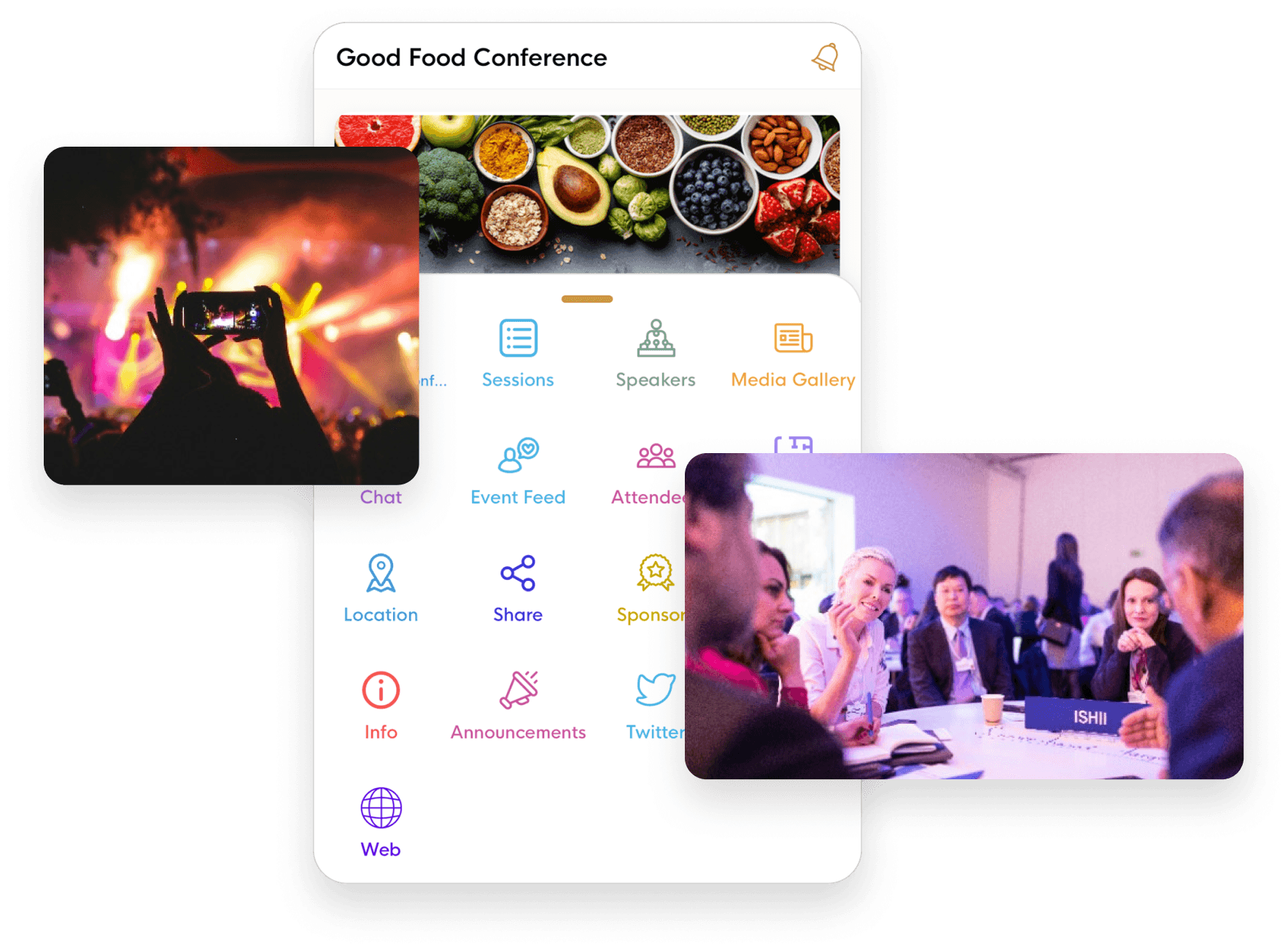
With real time updates and notifications, content management was a breeze. Helped us save tonnes of time.
before & after
What changed
- Event organizers used separate tools for ticketing, communication, scheduling, and feedback, and switching between platforms consumed hours of setup and maintenance time before any attendee arrived
- Attendee communication relied on email blasts and manual updates; session changes or venue updates reached people hours late or not at all
- Branding and sponsor visibility was constrained by generic platform templates: organizers could not match their event's visual identity or give sponsors meaningful placement
- Session and speaker information was static; attendees could not build personal schedules or flag which sessions they planned to attend
- Post-event data was fragmented across tools, making it hard to measure what worked and plan improvements for next time
- Attendees scan a QR code and the event loads on their phone: no app store search, no account creation required at the door
- Session schedules, speaker profiles, venue details, and hotel information update in the app; organizers push a change once and it reaches everyone immediately
- Organizers configure branding, sponsor placements, and in-app banners without developer support; each event reflects the organizer's visual identity
- Attendees build personal schedules, follow specific speakers, and receive push notifications targeted to the sessions they chose
- Session ratings and post-event analytics show organizers which sessions landed and where to invest for the next event
What we had to solve
- 01
Building one platform that handles the full event lifecycle without becoming harder to use than the tools it replaced
An all-in-one platform is only valuable if organizers can navigate it under the pressure of an event running in real time. Most event software sprawls because every feature request gets added without pruning. The architectural discipline was choosing which organizer tasks to handle directly and which to leave out. Registration, schedules, real-time announcements, branding, sponsor placements, and post-session ratings made the cut. The underlying risk was building something that solved the coordination problem on paper but became its own UX overhead when the event went live.
- 02
Keeping attendees engaged during the event, not just at check-in
Most event apps are used once: at registration. After that, attendees open the schedule, then close the app. Getting people back during the event required push notifications targeted at personal schedules, real-time activity feeds, and session networking features that made the app useful between sessions, not just for arriving. The infrastructure had to handle simultaneous push notifications to thousands of attendees at session transitions without delivery delays that would make the feature pointless.
outcomes
What we achieved
Event organizers used three to five separate tools for registration, communication, scheduling, and feedback. No single platform handled the full event lifecycle.
Most event apps focused on static schedules. Attendees had no tools for personalizing their experience, networking, or giving real-time session feedback.
Organizers switching between multiple platforms to manage a single event lost hours of coordination time before and during the event.
What clients say
What our clients say.
Three-year average engagement. Founders and operators describing the work in their own words. No marketing varnish.
With real time updates and notifications, content management was a breeze. Helped us save tonnes of time.
Your events are running on disconnected tools and attendees are not staying engaged?
the build
What we built
EventRaft is built around a single constraint: every feature has to be usable by an organizer managing a live event with one hand on the microphone.
Attendees are in without an app store search — even during the 20-minute rush before doors open
Attendees scan a QR code and the event installs into their phone. No app store search, no email confirmation loop, no account creation required at the door. For literary fests, conferences, and association events where registration volume spikes in the 20 minutes before doors open, removing the friction at sign-up changes the floor experience for both attendees and staff.
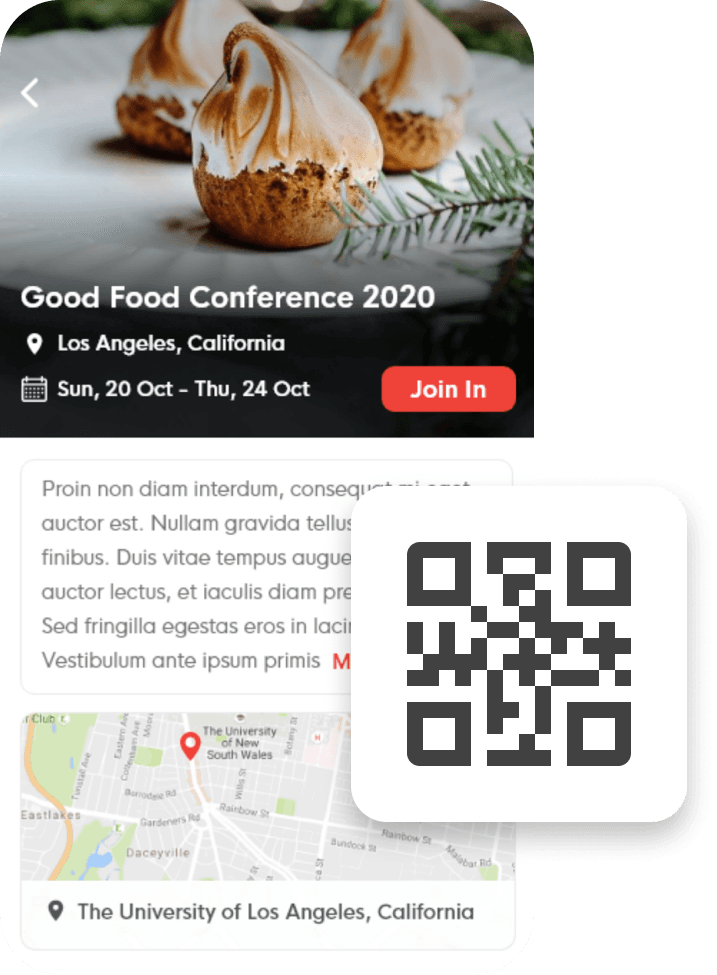
Attendees get notified before their chosen sessions — drop-off from missed talks reduced
Attendees build their own schedules, mark the speakers they want to follow, and receive push notifications before their chosen sessions start. Multi-track conferences where attendees miss sessions they planned to attend lose engagement quickly; targeted notifications tied to personal schedules reduce that drop-off without broadcasting to everyone.
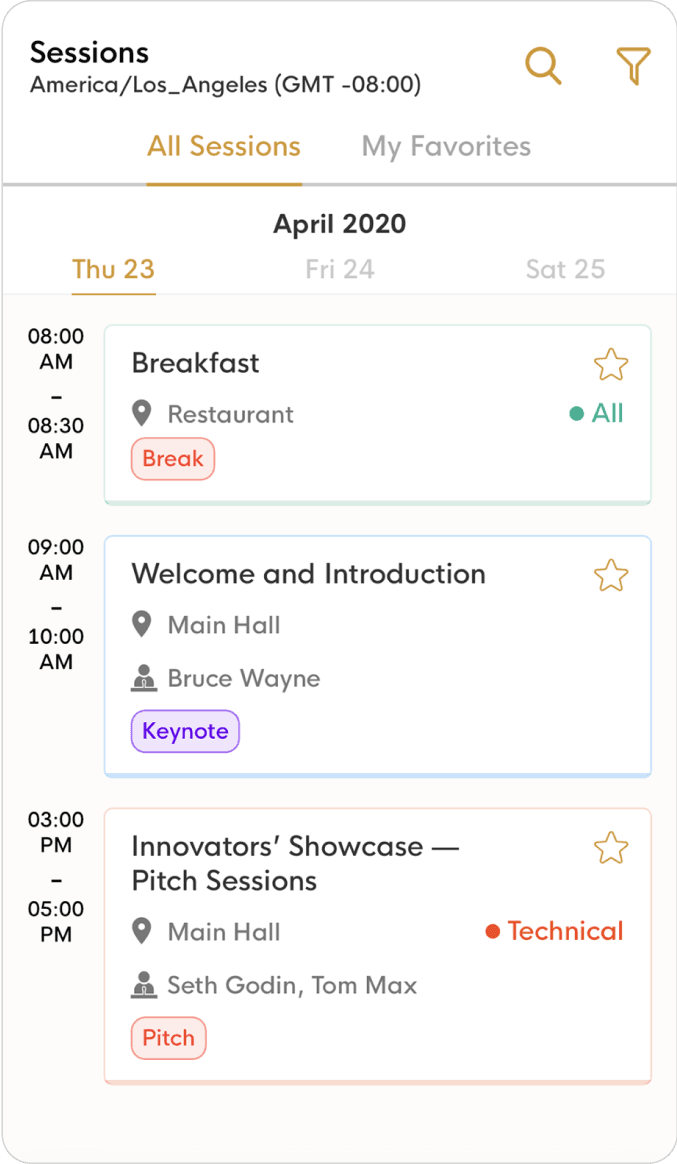
Schedule change reaches every attendee's phone immediately — one action, not a scramble
Organizers push session changes, venue updates, and schedule additions directly through the dashboard. The update reaches every attendee's phone immediately without an email blast or a sign at the registration desk. For events where venue changes or speaker substitutions happen day-of, the communication infrastructure changes from reactive scramble to a single action.
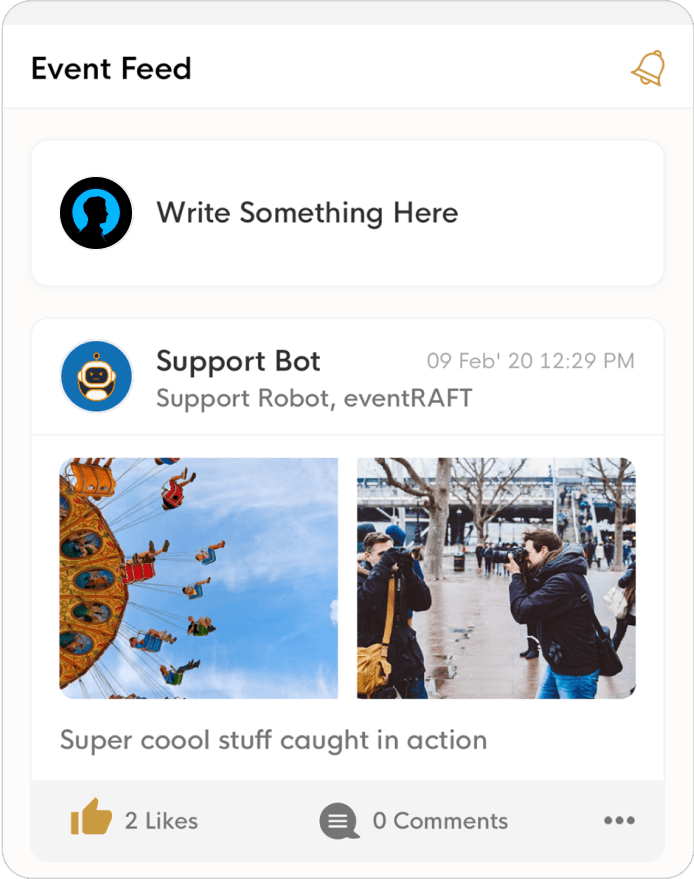
Post-event planning moves from gut feel to quantified feedback per session
Attendees rate sessions and leave brief reviews in the app. Organizers see aggregated feedback per session from the dashboard: which speakers drew the best ratings, which time slots underperformed, which session formats attendees preferred. Post-event planning moves from gut feel to quantified feedback.
Engagement
How we worked together
- 01Weeks 1–2
Discovery and scoping
We map the problem before writing code. Two weeks of technical audit, stakeholder interviews, and prototype — so both teams align on scope and risk before sprint one.
- 02Ongoing
Two-week Agile sprints
Each sprint ends with working software, not a status update. You review a real build, request changes, and approve before we move forward. No surprises at handover.
- 03Ongoing
Daily async updates
Slack for daily progress, Asana for task visibility, weekly video calls for decisions. You have full visibility without needing to attend every meeting.
- 04Final
Handover and warranty
Full code handover with deployment runbooks and documentation. Thirty-day warranty period for production issues at no extra cost.
stack
Why we chose this stack
- 01KotlinPush notifications, QR code scanning, and real-time chat all required direct hardware access on Android. Native Kotlin delivered reliable performance for each of those features at the 50,000-user scale without the inconsistencies cross-platform frameworks introduce.
- 02SwiftThe same reasoning applied on iOS. A native Swift build gave us full access to Apple's notification, camera, and networking APIs with the per-device performance that a real-time event app requires.
- 03MongoDBEvent data models vary significantly between organizers: different session types, custom registration fields, sponsor configurations, and venue structures. A document model handled that schema variability without database migration overhead every time a new event type was onboarded.
- 04AWSEvent platforms spike hard at registration opens and schedule drops. Auto-scaling handled those peaks without provisioning for peak capacity year-round, which would have made the infrastructure cost prohibitive for most organizer budgets.
Common questions about EventRaft
Each event is configured independently from the organizer dashboard. Organizers upload their color palette, logo, and banner images; the app reflects that branding for every attendee in that event. Sponsor placements (banner positions, featured listings, in-app promotional slots) are assigned from the same dashboard without requiring any development work. Sponsors get visibility that matches what they were sold; organizers maintain it themselves without a support ticket.
Yes. The session management layer supports multi-track events where dozens of sessions run simultaneously across different rooms. Attendees filter by track, mark sessions to their personal schedule, and receive push notifications only for the sessions they chose. Organizers manage all tracks from a single view and push updates to specific tracks or the full attendee list. The AWS infrastructure scales automatically for the registration and notification spikes that large conferences generate.
Organizers see session attendance counts, check-in timestamps, personal schedule composition per attendee segment, session ratings by speaker and format, and notification open rates. The data is available in the dashboard immediately after the event closes. For associations running annual events, year-over-year session comparison data helps allocate speaker budget and room assignments based on what actually drew attendance.
EventRaft handles registration and on-site check-in. For events that sell tickets through an external platform, the QR code check-in can be linked to existing ticket records so the EventRaft entry is tied to a verified purchase. For events where registration is free or managed by the organizer directly, EventRaft handles the full flow without a separate ticketing dependency. The right integration approach depends on whether your ticketing provider supports API connections.
We built EventRaft (native Android and iOS apps, QR code registration, personalized schedules with push notifications, real-time announcements, sponsor branding configuration, session ratings, and organizer analytics) in 20 weeks. The native-first decision extended the build compared to a cross-platform approach but produced an app that performed reliably for 50,000 users across both platforms. A cross-platform version using React Native or Flutter would be faster and appropriate for most organizer budgets. Contact us to estimate based on your event type, feature requirements, and target audience.