Pet Cremation Management Software
Pet cremation software for one pet, one tag, one clear record.
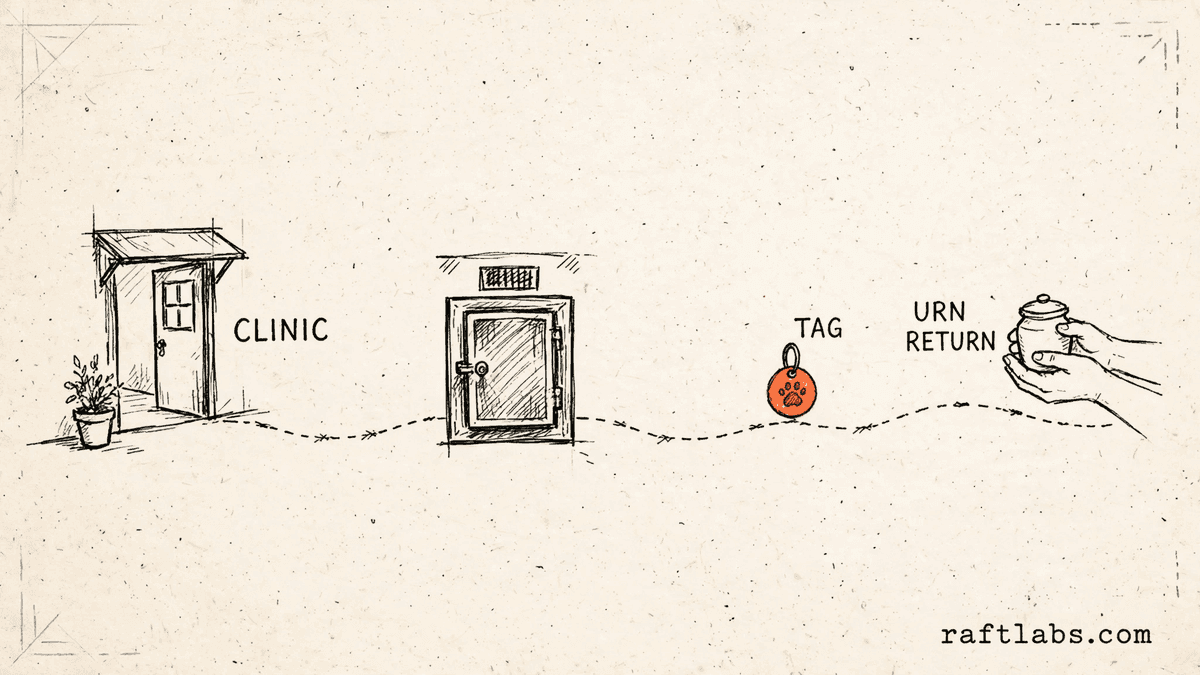
Your team tracks pets on paper tags, a whiteboard, and phone calls between clinics. We turn that path, from pickup to return, into software where each pet has one record, each step is scanned, and families and clinics can see the status without calling you.
Bring one stuck workflow. Leave with a build, buy, repair, or wait recommendation.
Trusted by




















The brief
Start with what is not working.
Good software decisions begin with the constraint, not a list of features or a preferred technology.
A paper tag and a clipboard log are the only proof of which pet went where.
Clinics call for status, staff walk to a shelf to check, then call back.
Private and communal cases, urns, and keepsakes are tracked in separate lists that do not match.
Plain answer
RaftLabs builds pet cremation software around one pet, one tag, and one record that follows the pet from pickup to return. Vet clinics submit cases in their own portal, staff scan each step, and families get calm status updates. Scope, ownership, and price are agreed in writing before work begins.
What to remember
- Use this when a lost tag, a missed scan, or a wrong return would harm a family and your name.
- The first release should complete one full path, from clinic intake to the return of remains.
- Each pet needs one tag number that is never reused, and a record of who handled each step and when.
- Quote the team's own screens as their own scope: floor views, clinic accounts, billing, and reports are a second product, not a single admin-panel line.
- Buy a ready product when it fits your stations and clinics. Build when your way of working is the part that does not fit.
Fit
Custom software should earn its place on your floor.
A long feature list is not enough. The case is real when the same weak point shows up in lost time, repeated calls, or risk to a family.
One pet passes through many hands, and the only link between those hands is a paper tag and memory.
Clinics send you cases every week, and your office retypes their forms and fields their status calls.
You can name the person who owns this workflow and what done looks like for the first release.
A ready product already matches your stations, your clinics, and your billing, with a cost that makes sense.
Your steps are still changing each month, so software would freeze a process that is not settled yet.
The brief is a feature list with no single path, from intake to return, named first.
Not sure which side you are on? Use the first call to make that decision. A useful answer may be to buy, connect, repair, or wait.
Start with the handoffs, not the software.
A pet cremation business is a chain of handoffs. A clinic holds the pet. A driver collects it. Your team receives it, holds it, carries out any special service the family asked for, cremates or aquamates it, processes the remains, packs the urn and keepsakes, and sends it back. At each handoff, someone has to be sure this is the right pet, with the right service, going to the right family.
Paper handles that badly at volume. A tag can be hard to read. A form can miss the paw print the family paid for. A whiteboard says a case is done when it is still on a shelf. None of this is carelessness. It is what happens when the record lives in five places at once and none of them agree.
A second product hides inside the first. Families and clinics see one side: submit a case, follow the status, receive the remains. Your team lives in the other side: floor views by station, clinic accounts, driver runs, billing, and reports. Quotes that squeeze all of that into one admin panel line are where budgets break, so we quote your team screens as their own job, with their own users, from the start.
Custom pet cremation software makes sense when one owned record can hold that whole path together better than a ready product, a spreadsheet, or a process change. The first release should take one complete path, from a clinic submitting a case to the family receiving the remains back. It should not try to replace every tool you use at once.
We start where it hurts.
The screen is only one part of the job. The real scope includes the tag, the steps on your floor, who can see and change what, what happens when a scan is missed, and who runs the system after release.
Tagged tracking from pickup to return
One tag number for each pet, never reused. Staff scan the tag at each station, and each scan records who did it and when. The record shows where the pet is now and every step it has already passed through.
A clinic portal for intake and status
Each vet clinic gets its own login to submit a case once and follow its own cases. Your office stops retyping forms, and clinic staff stop calling for updates they can read themselves.
Private and communal cases kept apart
The service type is set at intake and controls what can happen next. A private case holds one pet only. Communal cases follow their own path. A mismatch shows up before the work starts.
Family updates that stay calm and plain
Families get a short update at the steps you choose, by text, email, or a private page. The wording is plain. No family has to call your office to ask where things stand, and no family gets more messages than they want.
Driver runs, packing checks, and certificates
Drivers work from a run list and capture a signature at each stop. Packing follows a checklist, so the urn, keepsakes, and certificate are confirmed before the case can move to return. The certificate is made from the same record, with no retyping.
Which one is yours?
Bring it to a 30-minute call. Leave with a build, buy, repair, or wait recommendation in writing. Free, whether or not we ever work together.
Workflows
Built around the way a case actually moves.
Some steps only exist in this trade. The same rule applies to each one: keep the record in one place, make the next step clear, and show the proof when someone asks.
Holding and special services
Cases waiting in holding stay visible, with the time they have been there. Special services the family asked for, such as paw prints or fur clippings, sit on the record as required steps. The case cannot move on until each one is marked done.
Cremation and aquamation steps
Each case is assigned to a machine and a place in the run, or to your aquamation steps where you offer them. The record holds the operator, the start and end times, and the tag numbers in that run, so a question about one case can be answered from the record.
Billing, reports, and second sites
Bill the family directly or bill the clinic, from the same record that holds the work. Reports show cases by clinic, unpaid bills, and completed services. A second site can follow the same steps, with its own staff and its own floor view. For the wider booking and client side of a pet business, see our pet services booking system software.
Proof
The fifth attempt became a product customers could keep using.
UrShipper had already worked with four development vendors. Its founder describes the communication and decisions during the recovery.
The case study documents a 14-week recovery, five carrier connections, a Shopify fulfilment workflow, and client-reported results. It is one comparable project, not a promise that every inherited codebase can follow the same plan.
Read the UrShipper case studyWhich handoff worries you the most right now?
Bring it to a 30-minute call. Leave with a build, buy, repair, or wait recommendation in writing. Free, whether or not we ever work together.
How it works
Close one expensive risk before opening the next.
Each stage answers a buyer question and leaves behind a decision you can inspect. The next stage only opens when the expensive uncertainty in the current one is small enough to accept.
- 01Understand
Trace one real case
Where does the record break down today?
Follow one pet and one case from start to finish, with the people who do the work. Include the forms, the tag, the holding shelf, the run sheet, and the calls clinics and families make when they cannot see the status.
Decision produced
A map of one case from clinic intake to return, with each handoff, form, tag, and phone call marked, and the weakest points named.Risk closed
Paying to automate the visible symptom while the handoff that causes errors stays on paper. - 02Shape
Choose the first useful release
What needs to exist together for one full path to work?
Choose the path from the way your floor works, not from a feature list. Name each user, each station, the tag and scans, who can see and change what, the steps that must be done before the next one, and the result the first release must complete.
Decision produced
One complete path, from clinic intake to return, with the users, steps, scans, and messages it needs, and a clear statement of what done looks like.Risk closed
A small-looking feature list that quietly depends on clinic logins, driver tools, and family messages that were never scoped. - 03Prove
Review working software
Will it hold up with a real case on a busy day?
Review the product against a real case, not a tour of finished screens. Test what happens when a scan is missed, a tag number is entered twice, a keepsake is not ready, or a clinic submits a case with missing details.
Decision produced
Working checkpoints tested with your own case types, your own stations, and the people who will use the system each day.Risk closed
Finding the gaps only after clinics and families depend on the new system. - 04Transfer
Release, measure, and hand over
Did the new path cut errors and calls, and can another capable team run it?
Start with one site or one group of clinics. Compare status calls, retyping, and missed steps with the starting point before adding the next workflow. The general approach behind this is the same one we use for custom software development.
Decision produced
A controlled release, a comparison with the starting point, operating notes, an account ownership map, and a recommendation for what should happen next.Risk closed
Counting screens shipped instead of errors avoided, or depending on the first vendor to keep the system running.
What it costs
Every project starts at $10K.
The first phase turns the costliest patched workflow into a scoped build with written acceptance criteria.
Starting investment
Starts at $10K
Workflow complexity, systems to connect, data migration, and user roles set the scope. After a 30-minute call, you get a written build, buy, repair, or wait recommendation plus first-phase direction. Free, whether or not you build with us.
Not ready to talk? Start here.
Four useful next paths: check the wider custom software picture, see the booking side of a pet business, read what moves a price, or inspect a comparable recovery.
Custom software development
See when owning software makes sense at all, and how a first release is scoped and priced.
Pet services booking systems
The booking and client side of a pet business, for the services families book before aftercare begins.
Read the cost guide
See the scope factors that move price, timing, team shape, and long-term maintenance.
Inspect a product recovery
See what changed when UrShipper moved from four failed vendor attempts to a controlled migration.
Work with us
Bring one stuck workflow. Leave with a decision.
In a 30-minute call, we will help you decide whether to buy, connect, repair, build, or wait. If custom software is not the sensible next move, that is still a useful answer.
- One named workflow owner and one complete path for the first phase.
- Scope, price, what done looks like, and exclusions agreed before paid work starts.
- Code, cloud, data, and provider access remain under your control.
- Post-launch warranty cover for defects in the agreed scope.
Frequently asked questions
Straight answers to what buyers ask before they scope. Still stuck? .
It holds one record for each pet, from the first request to the return of the remains. The record holds the pet and family details, the clinic that sent the case, the service chosen, the tag number, each step and who did it, the urn and keepsakes, and the billing state. Staff, clinics, and families each see the part that is theirs to see, instead of working from paper tags, a whiteboard, and phone calls.
At intake, the pet gets one tag number that is never used again for another pet. Staff scan that tag at each step: pickup, arrival, holding, any special service such as a paw print, the cremation itself, processing, packing, and return. Each scan writes who did it and when. If a family or a clinic asks what happened, you show the record instead of trying to rebuild the day from memory.
It does not replace careful work on the floor. It makes that work visible and hard to skip. A tag number cannot be used twice. A private case can hold one pet only. The steps that must happen before cremation, such as a paw print or a fur clipping, must be marked done before the case can move on. Before an urn is sealed and sent out, staff check the tag number against the record. Those checks are where mix-ups are stopped.
Yes. Each clinic gets its own login. Clinic staff enter the pet and family details, the service chosen, and any special requests once, at their end. They can then see the status of their own cases only. Your team stops retyping forms that arrive by phone, fax, or email, and clinics stop calling your office for updates they can read themselves.
Yes, if you choose to offer it. A family can get a calm update at the main steps, by text, email, or a private page: the pet is in your care, the cremation is done, and the remains are ready or on the way back. You choose which steps send a message, and the wording stays plain and quiet. Families who would rather not get updates can opt out.
The service type is set on the record at intake and it controls what the software allows next. A private case is set up for one pet only, so a second pet cannot be added to it by mistake. Communal cases follow their own path, with their own steps and their own return rules. If a case is placed in the wrong group, the mismatch shows up before the work starts, not after.
Yes, when aquamation is part of your service. The record uses the steps your team actually follows, so an aquamation case can have its own stations, such as drying, in place of the cremation steps. The tag, the scans, the clinic login, and the family updates work the same way. Tell us which services you offer during scoping, so the first release follows your floor, not a generic one.
Yes. The record lists what the family chose: the urn, paw prints, fur clippings, and other keepsakes. Staff confirm each item as it is prepared and packed, and the case cannot move to return until the list is complete. A certificate of cremation can be made from the same record, with the pet details and dates already filled in, so the office does not retype them.
Yes. A driver can work from a run list for the day: which clinics to visit, which pets to collect, and which remains to return. At each stop, the driver scans the tag and captures a signature from the clinic staff member who hands over or receives the pet. That signature and time become part of the same custody record.
Buy a ready product when it matches your stations, your clinic network, and the way you bill, and when its monthly cost makes sense at your volume. Build your own when the fit breaks down: your steps differ, you run more than one site, you need a clinic portal in your own name, or you need the record to connect to your billing or clinic systems in a way the ready product will not allow. If your process is still changing each month, wait and settle it first.
The first paid phase may cover a bounded review of your current process, a small test build, or a small first release. The final price depends on how many steps and sites you run, how many kinds of users it serves, whether clinics and families get their own logins, what it needs to connect to, and whether paper records need moving over. The agreed phase is priced in writing before it starts.
Timing depends on scope. One complete path, from clinic intake to return, for one site is a smaller job than the same path across several sites with driver runs and family updates. The schedule is set once the first path and what done looks like are clear, and you review working software at agreed checkpoints along the way.
Yes. Most first jobs start from paper tags, spreadsheets, or an older tool that no longer fits. We start by following one real case through your building, noting each handoff, each form, and each place where information is written twice. Records that are sound are moved over. Steps that cause errors are the ones we change first.
Access is set by role. Floor staff see the cases and stations they work on. Office staff see billing and reports. A clinic sees only its own cases. A family sees only its own pet and only the updates you choose to share. Each change to a record shows who made it and when, so a question months later still has an answer.
You judge what you can see, not the code. Each checkpoint is working software you use yourself, tested against a real case from your own floor: a clinic submits a case, your team scans it through each step, and a family gets its update. Progress is reported in plain language: what changed, what is next, and what it costs. You own the code and the accounts throughout, so nothing is locked inside our heads.
You own the code built for you and control where it lives, the cloud accounts, the data, and the third-party accounts. Outside services and open-source parts keep their own licence terms. The operating notes stay current so another capable team can take over if you ever choose to move.