Generator Maintenance Software
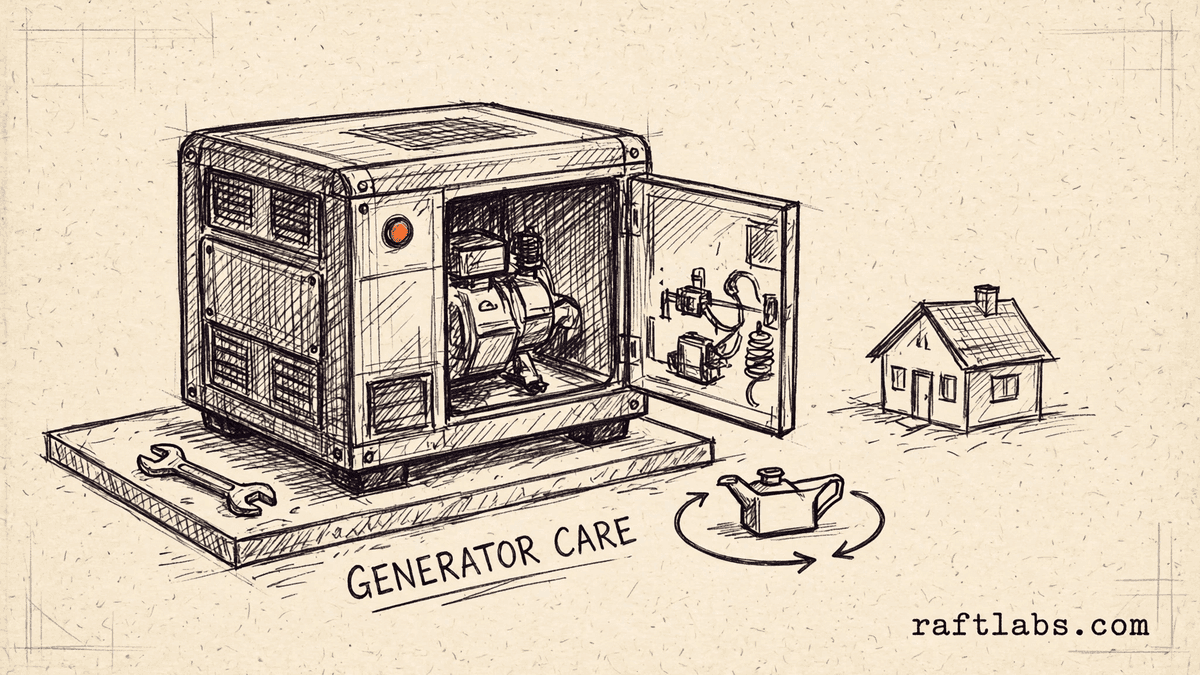
Generator maintenance software for every unit you installed and still have to service.
The installed list lives in a spreadsheet, the service contracts in a filing cabinet, and the last visit for a unit in a technician's notebook. We turn that into one system built around your generators, so no maintenance visit slips, no contract renews unnoticed, and an outage does not start with guesswork.
Bring one stuck workflow. Leave with a build, buy, repair, or wait recommendation.
Trusted by























The brief
Start with what is not working.
Good software decisions begin with the constraint, not a list of features or a preferred technology.
A maintenance visit slips because the contract renewed quietly and nobody flagged the unit as due.
When a customer calls during an outage, nobody can say when their generator last ran or was last serviced.
The service history for one unit is spread across invoices, paper checklists, and three technicians' memories.
Plain answer
Generator maintenance software holds every installed generator, its service contract, its planned maintenance schedule, and its full visit history in one place. RaftLabs builds that system for standby generator service companies whose unit records live in spreadsheets and paper files. Scope and price are agreed in writing first.
What to remember
- Use this when you cannot list every installed unit, its contract, and its next due visit from one screen.
- The first release should take one unit from installation record to completed maintenance visit, not collect disconnected features.
- Maintenance schedules, warranty dates, and contract renewals should all read from the same unit record.
- Quote your own team's screens as their own scope: dispatch, contract renewals, and visit proof are a second product, not a single admin-panel line.
- Hire freelancers for one small, well-defined task; use one accountable party when the work needs coordination across screens, rules, data, and system connections.
Fit
Custom software should earn its place in a service business.
A feature request is not enough. The case is real when the same problem shows up in missed visits, lapsed contracts, or an outage handled from memory.
You service enough installed units that no one person can hold the due list, the contracts, and the histories in their head.
Your maintenance schedules, contract terms, and checklists are settled enough to write down by model and fuel type.
The company can name one person who owns the workflow and what 'done' looks like for the first release.
A maintained field service tool fits once someone sets up the unit records and schedules properly.
The team wants software to settle contract terms or maintenance intervals that are still argued about case by case.
The brief is a feature list with no single unit path, user, or business result attached.
Not sure which side you are on? Use the first call to make that decision. A useful answer may be to buy, connect, repair, or wait.
Start with the installed unit, not the software.
A generator service business sells a promise: when the power goes out, this unit will start. Keeping that promise is paperwork long before it is spanners. Every installed unit has a make, a model, a serial number, a fuel type, and a transfer switch. It has a maintenance schedule set by that model. It has a contract with a renewal date, and warranty dates that matter the day something fails.
Most companies hold those facts in separate places. The installed list is a spreadsheet that stopped being updated two installers ago. Contracts renew on direct debit and nobody connects the renewal to the visits it should trigger. A customer calls during an outage and cannot tell you when the unit last ran, and honestly, neither can you, because the last checklist is in a van.
A second product hides inside the first. Customers see a contract and a promise that someone will come. Your team lives in the other half: which units are due, which contracts renewed, who is on callout, and what parts each model usually needs. Quotes that squeeze all of that into an "admin panel" line item are where budgets break, so we quote your team's screens as their own job from the start.
Custom generator maintenance software makes sense when one owned system can hold every unit and its obligations better than the patchwork does. The first release should take one unit from installation record to completed, proven maintenance visit. It should not try to replace every tool you own at once.
We start where the service work slips.
The screen is only one part of the job. The real scope includes your maintenance schedules by model, your contract and renewal rules, the parts each model takes, who can see and change what, and who runs it after release.
One record for every installed unit
Make, model, serial number, fuel type, transfer switch, install date, and site address, recorded once at installation. Every visit, repair, and callout after that lands on the same record, so the history of a unit is never split across invoices and notebooks again.
Maintenance schedules that flag themselves
Oil, filters, coolant, battery checks, and exercise cycles scheduled by model and by the terms of each contract. Due and overdue visits appear on one list without anyone rebuilding it from the contract file each month.
Contracts and renewals tied to the work
A service contract sits on the units it covers, with its renewal date visible. A renewal creates the visits it pays for. If the contract lapses, the units stop appearing as covered before a technician is sent out on a callout nobody will pay for.
Outage callouts in one queue
When the power fails, calls are logged against unit records in one queue. Dispatch sees contract status, last service date, and reported faults together, and sends technicians with the unit history and the parts that model usually needs.
Visit proof the customer can see
Technicians complete the inspection checklist for that model on site, with parts used and faults found recorded against the serial number. The customer gets a visit record they can file, and you have the evidence a warranty claim or a dispute will ask for.
Which one is yours?
Bring it to a 30-minute call. Leave with a build, buy, repair, or wait recommendation in writing. Free, whether or not we ever work together.
The work behind the promise
Built for how generator service actually arrives.
The work is not steady. Months of routine maintenance can be wiped out by one storm night when every customer calls at once. The system has to hold up on that night, not just on a quiet Tuesday.
Ready before storm season
Pull every unit due in the next ninety days, every unit with no logged exercise cycle, and every contract expiring before the season. Book the risky units first, while there is still time to order parts and spread the visits across your technicians.
Parts by model, not by memory
Each model carries the filters, plugs, belts, and batteries it takes, so a visit can be prepared from the record instead of from what a technician remembers in the yard. Vans leave with the right parts, and repeat trips for a standard filter stop eating margin.
A field view technicians will use
On site, the technician needs the unit history, the checklist for that model, and space to record what was found, on a phone. That is the surface we design first for field work, in the same spirit as our mobile app development work: short, clear, and usable standing next to a generator.
Proof
The fifth attempt became a product customers could keep using.
UrShipper had already worked with four development vendors. Its founder describes the communication and decisions during the recovery.
The case study documents a 14-week recovery, five carrier connections, a Shopify fulfilment workflow, and client-reported results. It is one comparable project, not a promise that every inherited codebase can follow the same plan.
Read the UrShipper case studyWhich part of the service operation is costing you the most right now?
Bring it to a 30-minute call. Leave with a build, buy, repair, or wait recommendation in writing. Free, whether or not we ever work together.
How it works
Close one expensive risk before opening the next.
Each stage answers a buyer question and leaves behind a decision you can inspect. The next stage only opens when the expensive uncertainty in the current one is small enough to accept.
- 01Understand
Trace one real unit
Where do visits, contracts, and histories actually get lost?
Follow one generator from the day it was installed to its most recent callout. Include the contract renewal nobody acted on, the checklist that stayed in the van, and the customer who could not say when the unit last ran.
Decision produced
A map of one unit from installation to its latest visit, with the missing records, quiet renewals, and memory-based steps named, and the cost of each worth changing.Risk closed
Paying to automate the visible symptom while the gap between contracts and schedules stays open. - 02Shape
Choose the first useful release
What needs to exist together for one unit to be fully looked after?
Choose the path from the way your service work runs, not from a feature catalogue. Name the unit record, the maintenance schedule by model, who approves what, and the result the first release must complete. This is the same scoping discipline we use across custom software development.
Decision produced
The first-release boundary: one complete path, the users it serves, the schedules and contract rules it encodes, and a clear definition of done.Risk closed
A small-looking feature list that quietly depends on model schedules, contract terms, and three people's habits. - 03Prove
Review working software
Will it find the unit that is about to be missed?
Review the product against your own units, not a tour of finished screens. Pull up a unit you serviced last year and check every date against your files. Record changed assumptions while there is still time to act on them.
Decision produced
Working checkpoints tested with your real installed units, your contracts, your checklists, and the people who will use the system every day.Risk closed
Discovering the gaps during storm season, when the call queue is full and there is no time to fix records. - 04Transfer
Release, measure, and hand over
Did the new system improve the original problem, and can another capable team operate it?
Move one contract group or one technician onto the system first. Compare missed visits, renewal handling, and callout response with the old way before adding the next workflow. The office side usually runs as a web application your whole team shares.
Decision produced
A controlled release, comparison with the starting point, operating notes, an account ownership map, and a recommendation for what should happen next.Risk closed
Measuring activity instead of results, or depending on the original vendor to keep the system running.
What it costs
Every project starts at $10K.
The first phase turns the costliest patched workflow into a scoped build with written acceptance criteria.
Starting investment
Starts at $10K
Workflow complexity, systems to connect, data migration, and user roles set the scope. After a 30-minute call, you get a written build, buy, repair, or wait recommendation plus first-phase direction. Free, whether or not you build with us.
Not ready to talk? Start here.
Useful next paths: see the wider custom software picture, compare general field service tooling, read what moves software cost, or inspect a comparable recovery.
See custom software development
How we scope, price, and hand over owned software when standard tools stop fitting a business.
Compare field service management
General field service software covers dispatch and job tracking. Generator service adds unit records, contract-driven maintenance, and outage callouts on top.
Read the cost guide
See the scope factors that move price, timing, team shape, and long-term maintenance.
Inspect a product recovery
See what changed when UrShipper moved from four failed vendor attempts to a controlled migration.
Work with us
Bring one stuck workflow. Leave with a decision.
In a 30-minute call, we will help you decide whether to buy, connect, repair, build, or wait. If custom software is not the sensible next move, that is still a useful answer.
- One named workflow owner and one complete path for the first phase.
- Scope, price, what 'done' looks like, and exclusions agreed before paid work starts.
- Code, cloud, data, and provider access remain under your control.
- Post-launch warranty cover for defects in the agreed scope.
Frequently asked questions
Straight answers to what buyers ask before they scope. Still stuck? .
It should hold one record per installed unit and let every step read from it: make, model, serial number, fuel type, and transfer switch from the installation, the planned maintenance schedule for that model, the service contract and its renewal date, warranty dates, parts used, inspection checklists, and every visit and callout in order. When a customer calls, the person answering should see the unit and its history without hunting through files.
The contract and the schedule sit on the same unit record, so a renewal creates the next round of due visits instead of sitting in a folder. Units coming due appear on one list, sorted by date, and a visit that passes its due date without being booked is flagged until someone acts on it. Nobody has to remember which contracts renewed last month for the work to get scheduled.
Each unit gets one record at installation, and every maintenance visit, repair, part fitted, and callout is added to that record as it happens. Search by customer, address, serial number, or model and you get the whole history: what was checked, what was replaced, what the technician found, and what is due next. That is the answer you need when a customer asks when their generator last ran or why it failed to start.
During an outage every customer calls at once, and the system has to hold that list in one place. Each call is logged against the unit record, so the dispatcher can see who has a contract, when the unit was last serviced, and what fault was reported last time. Callouts can then be ordered by contract status and reported fault, and technicians sent with the unit history and the likely parts for that model already on the job.
The technician completes the inspection checklist for that model on the job: oil, filters, coolant, battery, exercise cycle, and any faults found, with the date, the unit serial number, and the parts used attached. The completed record sits on the unit history and can be sent to the customer as proof of the visit. Paper checklists get lost or filed late; a record completed on site is there when the customer, or a warranty claim, asks for it.
Because every schedule reads from the unit record, you can pull one list of units due in the next thirty, sixty, or ninety days and work through it before the season starts. The same view shows units whose exercise cycle has not been logged and units that have not had a visit in the longest time, so the risky ones get booked first instead of being found during the first storm.
Load bank tests are recorded as their own visit type on the unit record, with the result and any follow-up work noted, so you can show when a unit was last tested under load and what it showed. Warranty dates for the unit and for major parts sit on the same record, and the system flags work that falls inside a warranty period before you bill the customer for it or miss a claim deadline.
The first paid phase may cover a bounded audit, a proof of concept, or a small first release that takes one unit from installation record to completed visit. The final price depends on how deep the workflow goes, how many kinds of users it serves, what it needs to connect to, whether your installed list and service history need moving over, and whether technicians need phones or tablets on site. Timing depends on that same scope, and the schedule is set once the first path and what 'done' looks like are clear. The agreed phase is priced in writing before it starts.
You judge what you can see, not the code. Every checkpoint is working software you click through yourself, tested against the workflow agreed at the start: pull up one of your real units, check its history, and book its next visit. Progress is reported in plain language: what changed, what is next, and what it costs. Our job is to make the work checkable; your job is to check it against your business.
You own the code built for you and control where it lives, the cloud accounts, the data, analytics, and third-party subscriptions. Outside services and open-source pieces keep their own licence terms. The operating notes and handover material stay current so another capable team can take over.