ADAS Calibration Checker
Tick the work you have done and the systems on the vehicle in front of you. See the calibration categories to plan for and what prep is still missing. The vehicle maker's service information for the specific vehicle, by its VIN, is the final authority. This checker is a planning list, not a procedure. Nothing you enter here ever leaves your browser.
- No signup required
- 100% free
- Your vehicle, your documentation
A planning list, not a procedure
Your job
Plan the job from the vehicle in front of you
Answer from the vehicle in front of you and your own documentation. Tick the work performed and the systems present on that vehicle, then confirm each prep item once it is ready. Nothing is ticked for you. The vehicle maker's service information for the specific vehicle, by its VIN, is the final authority. This checker is a planning list, not a procedure.
Work performed
Tick all that apply to this job. 0 of 4 ticked.
Systems present on the vehicle
Tick the systems listed in the spec of the vehicle in front of you. 0 of 4 ticked.
Equipment and prep
Tick each item once it is ready. 0 of 4 done.
Results
Your pre-job readiness list
Loading your saved selections.
Every category here comes from the work and the systems you selected, using a generic planning mapping the shop maintains. This checker ships with no vehicle-specific calibration data and no maker procedure text. The vehicle maker's service information for the specific vehicle, by its VIN, is the final authority, and the maker documentation for the specific vehicle governs every job. This checker is a planning list, not a procedure.
Planning calibration work across many jobs by hand?
Software can hold every job, its systems, and its prep list in one place, so the planning is ready before the vehicle is in the bay. Tell us how your team plans this work today.
An ADAS calibration checker builds a pre-job planning list from the work performed and the systems on the vehicle. You tick the work, the systems present, and the prep you have ready. It then groups the calibration categories to plan for by system and lists any prep still missing.
01 The planning
How the planning list is built
Three plain steps turn your own selections into a readiness list grouped by system.
Work and systems
You tick the work performed and the systems present, both taken from the vehicle in front of you and its own spec. Nothing is ticked for you, and nothing is added from any vehicle record.
Planning categories
For each system you ticked, the checker looks up the work you ticked in the planning mapping and lists the categories to plan for under that system: static, dynamic, or both.
Missing prep
The prep items you have not yet ticked are listed as missing prep. Tick an item once it is ready and it leaves that list. The list comes only from your own ticks.
The checker holds no procedure of its own. It cannot tell you the settings, the distances, or the steps for the vehicle in front of you. Those answers sit in the maker documentation for that specific vehicle. What the checker does is plan, carefully and out loud, from the selections you make.
02 Getting ready
Before the job starts
Four plain prep jobs, confirmed before the job starts, keep the bay and the equipment ready.
- 01
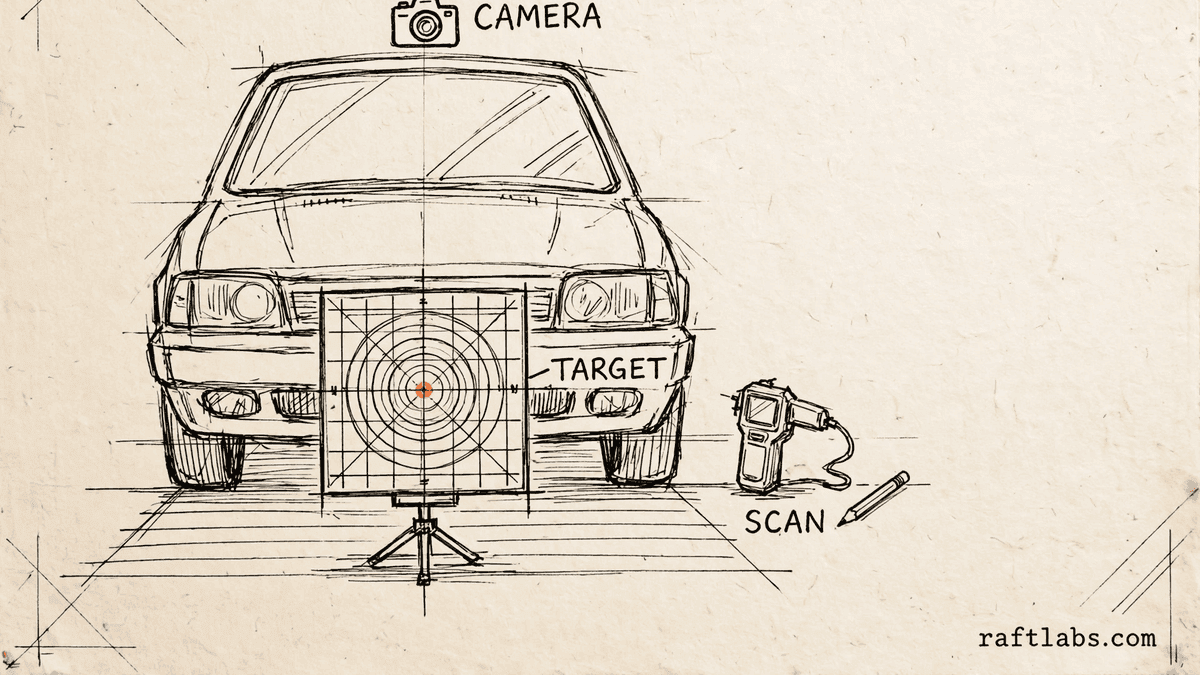
Calibration target board available
The board the shop uses for static planning is on hand and ready before the job starts, so the bay is not held up looking for it. - 02
Level floor space available
A level area with enough clear space around the vehicle is free before the job starts, so the vehicle can be set up without moving other work first. - 03
Scan tool available
The scan tool the shop uses is on hand, charged, and free before the job starts, so the work is not waiting on shared equipment. - 04
Alignment check arranged
The alignment check for this job is booked or arranged before the job starts, so that step is not left to be sorted out partway through.
How it works
For each system the user selects, the checker looks up the work the user selected in a generic planning mapping the shop maintains, and lists the calibration categories to plan for under that system: static, dynamic, or both. The missing prep list is the set of prep items the user has not yet ticked. This checker ships with no vehicle-specific calibration data and no maker procedure text, and the mapping holds planning categories only. The vehicle maker's service information for the specific vehicle, by its VIN, is the final authority. The maker documentation for the specific vehicle governs every job. This checker is a planning list, not a procedure.
Related tools
- 01
Agritourism
Agritourism Pricing Calculator
Capacity, ticket sales, extras, and season passes, worked out for one season. - 02
Curling club
Bonspiel Bracket Generator
A draw by draw bonspiel schedule from your own teams, your own sheets, and your own draw times. - 03
Valet parking
Valet Staffing Calculator
Peak vehicles, your own handling rate, and your pay rate, turned into a staffing plan.
Frequently asked questions
Straight answers to what buyers ask before they scope. Still stuck? .
- It builds a pre-job planning list from your own selections. You tick the work performed, the systems present on the vehicle in front of you, and the prep you have ready. The checker then groups the calibration categories to plan for by system and lists any prep still missing. It is a planning list, not a procedure.
- From a generic planning mapping held in the checker and maintained by the shop, linked to the work and the systems you selected. Windscreen replacement, for example, maps to static planning for the forward camera. The mapping holds categories only. The vehicle maker's service information for the specific vehicle, by its VIN, is the final authority.
- No. This checker ships with no vehicle-specific calibration data and no maker procedure text. It does not hold settings, distances, or steps for any vehicle. The maker documentation for the specific vehicle governs every job, so the steps for the vehicle in front of you come from that documentation, not from this list.
- They are the two planning categories the shop plans around. Static planning is about the bay, the target board, and the level floor space. Dynamic planning is about road time and the scan tool. The results show which categories to plan for under each system you selected. What each category involves for a specific vehicle comes from the maker documentation for that vehicle.
- It shows the prep items you have not yet ticked: the calibration target board, the level floor space, the scan tool, and the alignment check. Work through that list before the job starts and tick each item once it is ready. The list comes only from your own ticks, so an item stays on it until you confirm it yourself.
- Yes, in your own browser. Your work selections, system selections, and prep ticks are stored on this device only, so the list is still here when you come back to it. Nothing you enter is sent anywhere. Clear your browser data and the selections clear with it.
Stay on topic
More for auto glass teams
The tools give you a range. A call gives you a number.
30-minute scoping call. We will walk through how your team handles auto glass jobs, calibration planning, and records today, and you leave with a clear plan for the software that runs it.