Makerspace Management Software
Makerspace management software that keeps machines and members on one record.
Your members book machines in one place, keep their training records in another, and get billed for machine time from a third. We build software that puts the booking, the training check, the door access, and the usage charge on one member record your team can trust.
Bring one stuck workflow. Leave with a build, buy, repair, or wait recommendation.
Trusted by





















The brief
Start with what is not working.
Good software decisions begin with the constraint, not a list of features or a preferred technology.
Bookings, training records, door access, and machine billing live in separate tools that never agree.
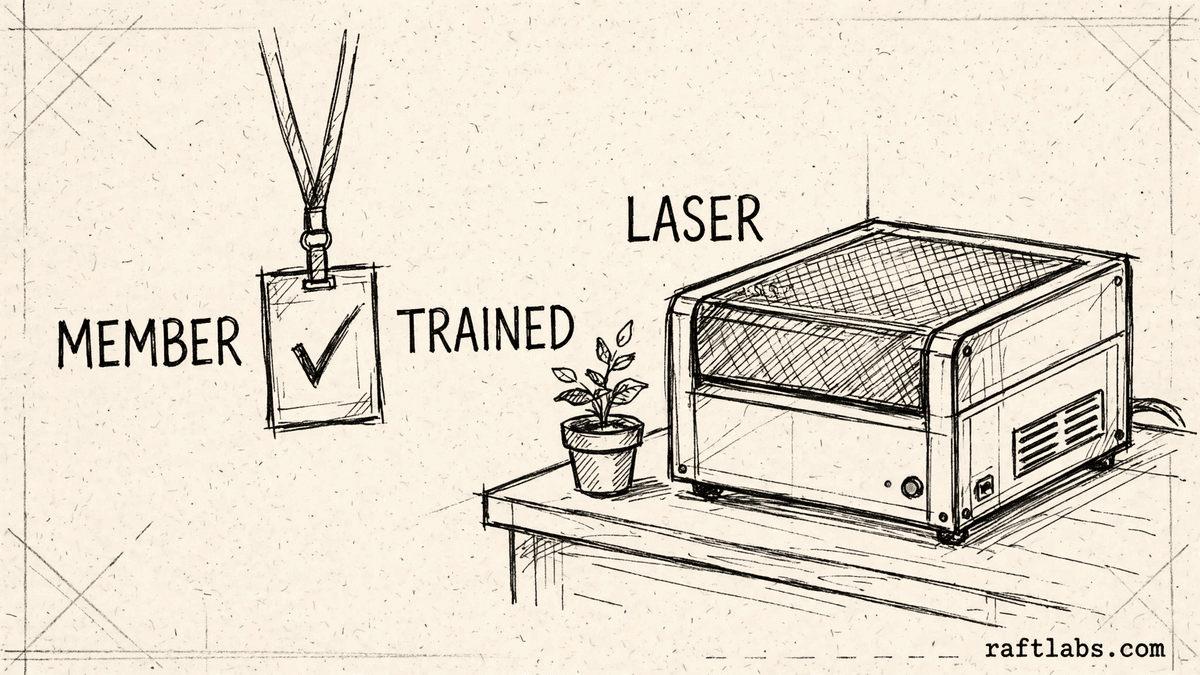
A member who never finished training can still book the laser cutter, because nothing checks.
Machine time gets billed from memory and sticky notes, so usage charges are always disputed.
Plain answer
Makerspace management software puts members, machine bookings, training records, building access, and usage billing on one record. RaftLabs builds it around how your space already runs, so only members trained on a machine can book it, use it, and get billed for the time they use.
What to remember
- Use this when members and machines are managed apart and the gaps show up as safety risk and lost billing.
- The first release should carry one machine from training check to booking to billed use, not collect disconnected features.
- Only a member with current training on a machine should be able to book it or switch it on.
- The code, cloud accounts, data, and operating notes should stay usable by another capable team.
- Hire freelancers for one small, well-defined task; use one accountable agency party when the work needs coordination across screens, rules, data, and connections.
Fit
Custom software should earn its maintenance burden.
A feature request is not enough. The case is real when the same constraint shows up in time, errors, margin, or safety risk.
Members and machines are managed in separate tools, and staff patch the gaps between bookings, training, access, and billing by hand.
Your machines can hurt someone, so who is cleared to use each one has to be checked by the system, not remembered by staff.
The organisation can name a workflow owner and what 'done' looks like for the first release.
A maintained product fits your machines, training rules, and billing with reasonable configuration and process change.
The team wants software to settle an unresolved argument about how the space should be run.
The brief is a feature list with no member, machine, or business result attached.
Not sure which side you are on? Use the first call to make that decision. A useful answer may be to buy, connect, repair, or wait.
Start with the member and the machine, not the software.
A makerspace problem usually starts as a safety and money problem. A member books a laser cutter in one tool. Their training record sits in a spreadsheet. The door code is shared in a message. Machine time gets written on paper and billed later, if it gets billed at all. Nobody can see the whole picture for one member on one machine.
That gap is not just untidy. A laser cutter, a CNC mill, or a table saw can injure someone who was never trained on it. When the booking tool never checks the training record, the only thing standing between an untrained member and a dangerous machine is a staff member remembering a face. And when use is not logged, the space pays for power, parts, and wear while the member who caused them pays nothing.
A second product hides inside the first. Members see bookings and a bill; your team lives in the other half: approving sign-ups, signing off training, taking broken machines out of service, and settling billing disputes. Quotes that squeeze all of that into an "admin panel" line item are where budgets most often break, so we quote your team's screens as their own job, with their own users, from the start.
Custom makerspace management software makes sense when one owned system can hold the member and the machine together better than a product, a connector, or a process change. The first release should take one machine from training check to booking to billed use. It should not replace every tool at once.
We start where it hurts.
The booking screen is only one part of the job. The real scope includes the training rules, the access controls, the machine connections, the billing, and who runs it after release.
Bookings that never check training
Tie every machine booking to the member training record, so a member can only reserve machines they are cleared to use, and an expired induction closes the booking before it happens.
Machines anyone can switch on
Start connected machines with a phone or keycard that checks the booking and the training record first. The machine gets power only for a cleared member, and the session is logged from start to finish.
Machine time billed from memory
Price each logged session at the rate on the member plan and put it on the same invoice as the membership fee, with every session listed, so charges stop being argued from memory.
Access that outlives the membership
Let door access follow the member record, so active, trained members can use the space outside staffed hours, and a lapsed plan or expired training closes access on its own.
Broken machines still taking bookings
Take a machine out of service in one place, and it stops being offered, existing bookings get flagged, and members see the repair state instead of arriving to a dead machine.
Which one is yours?
Bring it to a 30-minute call. Leave with a build, buy, repair, or wait recommendation in writing. Free, whether or not we ever work together.
The machines
One record for every kind of machine.
A laser cutter, a printer farm, and a woodshop differ in risk and in price. On the record they need the same things: the right training, a booking, a logged session, and a charge that matches.
Laser cutters and CNC machines
These carry the highest risk, so they carry the strictest checks: current induction on that machine type, a booking before power, and a session log that shows who ran what and for how long.
3D printers
Bookings run by the job, not just the hour. The record holds the booking, the member, the time used, and the material charge, so long prints stop blocking machines nobody is paying for.
Woodshop and metal shop
Power tools run on training and supervision rules. The record shows who is cleared for each tool, which sessions need staff present, and which members are limited to staffed hours.
Workshops and training sessions
Courses run as bookable sessions with places and waitlists. Completion lands on the member record the same day, and that record is what unlocks the machine, with no list copied by hand.
Workstations and rooms
Benches, electronics stations, and project rooms book alongside the machines, with the same member record behind them, so staff see the whole visit in one place.
Repairs and maintenance
A machine taken out of service leaves the booking calendar at once. Its repair history stays on the machine record, so repeat faults are visible instead of rediscovered.
Proof
The fifth attempt became a product customers could keep using.
UrShipper had already worked with four development vendors. Its founder describes the communication and decisions during the recovery.
The case study documents a 14-week recovery, five carrier connections, a Shopify fulfilment workflow, and client-reported results. It is one comparable project, not a promise that every inherited codebase can follow the same plan.
Read the UrShipper case studyWhich workflow is costing you the most right now?
Bring it to a 30-minute call. Leave with a build, buy, repair, or wait recommendation in writing. Free, whether or not we ever work together.
How it works
Close one expensive risk before opening the next.
Each stage answers a buyer question and leaves behind a decision you can inspect. The next stage only opens when the expensive uncertainty in the current one is small enough to accept.
- 01Understand
Trace one member on one machine
Where does the record actually break down?
Follow one member and one machine from the day the member joins to the day a machine session lands on an invoice. Include the spreadsheet of training records, the shared door code, and the usage that never got billed.
Decision produced
A map of one member path from sign-up to training to booked, billed machine use: the handoffs, the checks that happen, and the checks that only happen if a staff member remembers.Risk closed
Paying to automate the visible symptom while the expensive constraint remains. - 02Shape
Choose the first useful release
What needs to exist together for one machine to run safely?
Choose the shape from the way the work happens, not from a preferred technology. Name the users, the machines, the training rules, the access controls, who can access what, the exceptions, and the result the first release must complete.
Decision produced
The first-release boundary: member records, training checks, booking, access, and billing for one machine group, with a clear definition of done.Risk closed
A small-looking feature list that quietly depends on door controls, machine connections, and several owners. - 03Prove
Review working software
Will it hold up with a real member at a real machine?
Review the product against the agreed workflow, not a tour of finished screens. Run an untrained booking attempt, an expired induction, a machine taken out of service, and a disputed usage charge, and record what the system does in each case.
Decision produced
Working checkpoints tested with real member records, real training states, real machines, and the staff who run the space.Risk closed
Discovering the important gaps after members depend on the release. - 04Transfer
Release, measure, and hand over
Did sessions get safer and billing get cleaner, and can another capable team operate it?
Move one machine group or one location first. Compare unbilled sessions, blocked bookings, and billing disputes with the starting point before adding the next machine group.
Decision produced
A controlled release, comparison with the starting point, operating notes, account ownership map, and a recommendation for what should happen next.Risk closed
Measuring development activity instead of the business result, or depending on the original vendor to keep the system running.
What it costs
Every project starts at $10K.
The first phase turns the costliest patched workflow into a scoped build with written acceptance criteria.
Starting investment
Starts at $10K
Workflow complexity, systems to connect, data migration, and user roles set the scope. After a 30-minute call, you get a written build, buy, repair, or wait recommendation plus first-phase direction. Free, whether or not you build with us.
Not ready to talk? Start here.
Four useful next paths: decide whether to own the software, estimate the cost range, understand what moves the price, or inspect a comparable recovery.
Run the build-vs-buy calculator
Compare the cost and operating trade-offs before turning a workflow into a development brief.
Estimate the cost range
Get a working cost range for your scope before you talk to any vendor.
Read the cost guide
See the scope factors that move price, timing, team shape, and long-term maintenance.
Inspect a product recovery
See what changed when UrShipper moved from four failed vendor attempts to a controlled migration.
Work with us
Bring one stuck workflow. Leave with a decision.
In a 30-minute call, we will help you decide whether to buy, connect, repair, build, or wait. If custom software is not the sensible next move, that is still a useful answer.
- One named workflow owner and one complete path for the first phase.
- Scope, price, what 'done' looks like, and exclusions agreed before paid work starts.
- Code, cloud, data, and provider access remain under your control.
- Post-launch warranty cover for defects in the agreed scope.
Frequently asked questions
Straight answers to what buyers ask before they scope. Still stuck? .
It is the system a makerspace or fab lab uses to run the whole member and machine operation: membership plans and sign-ups, machine and room bookings, training and induction records, building and machine access, usage billing, workshops, and payments. Custom makerspace management software is built around your machines, your training rules, and your member plans, for when a general booking tool no longer fits.
Buy an existing product when it handles your bookings, training checks, and billing with reasonable setup and its pricing makes sense. Build custom when your training rules, machine access, and billing model do not fit the product, when staff patch the gaps by hand every week, or when a critical connection to your door or machine controls cannot be done cleanly any other way. If your membership model and machine list are still changing every week, wait and settle them first.
Each machine carries the training a member must hold before using it. The member record shows which inductions and courses that member has completed, who signed them off, and when they expire. When a member tries to book a machine, the system checks that record first. No current training means no booking, and the member sees which course to take instead of a bare refusal.
Yes, where the machine or its power supply can be controlled. The member starts the machine with a phone or a keycard, and the system checks the booking and the training record before the machine gets power. Use is logged from switch-on to switch-off, the machine does not run unattended, and that same log becomes the usage charge. Machines that cannot be connected this way stay on booking checks and staff review, and the scope says plainly which machines are which.
The machine log records who used it and for how long. The system prices that time at the rate on the member plan, adds any material charges, and puts the total on the member invoice with the membership fee and any bookings. The member can see each session that makes up the charge, so a disputed bill is answered from the log instead of from memory.
Access follows the member record. An active member with current training can enter outside staffed hours with a phone or keycard, book machines, and use the ones they are cleared for. A lapsed membership or an expired induction closes that access on its own. Every entry and every machine session is logged, so the space can run unstaffed hours without losing sight of who was in and what ran.
Staff take the machine out of service on the same record members book from. The machine stops taking bookings, members with existing bookings get told, and the repair state stays visible until the machine is cleared to run again. Nobody discovers a broken laser cutter by arriving for a booking that should never have been offered.
Yes. Training courses and workshops run as bookable sessions with places, waitlists, and fees where you charge them. When a member completes a course, the trainer marks it on the member record, and that record is what unlocks the machine. There is no separate training list for staff to copy across by hand, which is where gating usually breaks down.
Yes, if locations are modelled from the start. Each site carries its own machines, training sessions, and opening rules, while a member keeps one record and one plan. A member cleared on a machine type at one site can be recognised at another, or kept site by site, depending on your rules. Usage and billing still settle on the one member account.
For a small, well-defined task with someone technical managing it, freelancers are often cheaper. The pattern that goes wrong is a non-technical buyer coordinating several freelancers becoming the project manager, the tester, and the person who discovers the pieces do not fit. A software company earns its fee when the work needs coordination across screens, rules, data, and connections: one accountable party, one phase price, and checkpoints against the whole workflow. If your need is one screen or one fix, hire the freelancer.
The first paid phase may cover a bounded audit, a proof of concept, a recovery plan, or a small first release. The final price depends on how many machines and locations it covers, how the training and access rules work, what it needs to connect to, whether member records need moving over, and whether door or machine controls are involved. The agreed phase is priced in writing before it starts.
Timing depends on scope: a bounded audit or proof of concept is a smaller engagement, while a system covering several machines, door access, and billing takes longer. The schedule is set once the first workflow and what 'done' looks like are clear.
Yes. Takeover is a common first engagement, and it always starts with an audit: where the code lives, how your data is organized, what is tested, which outside services it depends on, who can access what, and how updates go live. Code that is understandable and fit for the next release stays; only the parts blocking reliability get replaced. If you already paid another vendor and have nothing working, the audit tells you what you actually have before you spend more.
Security starts with the data, the people, who can see and change what, the systems it connects to, and where it runs. For a makerspace that includes member records, payment details, door access logs, and machine use logs. The scope can include access controls, separate testing and live environments, protected passwords and keys, activity logs, backups, and recovery plans. We write down which protections are included and which evidence your team must provide.
We need one person who owns the workflow, access to the relevant users and systems, timely answers on business rules, and someone who can accept or reject each milestone. A weekly working session is usually enough once the scope is stable. Your team should not have to manage developers day to day. The team that scopes your project is the team that does the work: no handoff to another vendor after you sign, and you can talk to the people doing the work directly.
Ask for the quote to name everyone who will use the system, including your own team. Every platform has two products: what members see, and what your people use all day: approving training, managing machines, handling billing disputes, and a record of who did what. When that second product is quoted as an 'admin panel' on a single line, it becomes the overrun. Our quotes treat your team's screens as their own scope, with their own users. Then the phase names the workflow, what 'done' looks like, the price, and the exclusions, all before paid work starts.
You judge what you can see, not the code. Every checkpoint is working software you click through yourself, tested against the workflow agreed at the start: take one member from sign-up to training to a booked, billed machine session and see if anything falls off the record. Progress is reported in plain language: what changed, what is next, and what it costs. Because you own the code, the accounts, and the operating notes throughout, nothing about the work is locked inside our heads.
You own the code built for you and control where it lives, the cloud accounts, the data, analytics, and third-party subscriptions. Outside services and open-source pieces keep their own licence terms. The operating notes and handover material stay current so another capable team can take over.
Every launch includes post-launch warranty cover for defects in the agreed scope, release support, and small screen corrections. After that, work can continue as another fixed phase or an ongoing product engagement. The code and accounts stay under your control either way.