Short answer
RaftLabs built Makeover, an AI before-and-after preview tool for service businesses in dental, aesthetics, hair, interior design, and 40+ other transformation categories. Makeover generates photorealistic previews using the client's own photo in under 60 seconds (compared to 30 to 45 minutes for manual editing). The tool increased consultation-to-booking conversion by 35% for practices using it. Previews are saved to client records and can be sent via email or SMS as follow-up. Built in 12 weeks using Next.js, Replicate for GPU-based image inference, AWS S3 for secure image storage, and Node.js for the inference job queue.
The situation
The undecided consultation is the most expensive moment in any transformation service business. A client sits across from a practitioner, genuinely interested, but unwilling to commit because they cannot picture the result on their own face, their own hair, or their own space.
Stock before-and-after photos help, but they feature someone else. Makeover generates the preview using the client's own photo. The result lands differently: it is personal, it is theirs, and it closes the gap between "I'm interested" and "let's book."
Dental practices, aesthetic clinics, hair salons, and interior designers in 40+ transformation categories use Makeover to show what the outcome looks like before the client says yes. The client reported that consultation-to-booking conversion increased 35% for practices using it.
That set the quality bar for the build: the preview had to be realistic enough to trust at consultation distance, which meant category-specific models trained on real before-and-after pairs rather than one general image model.
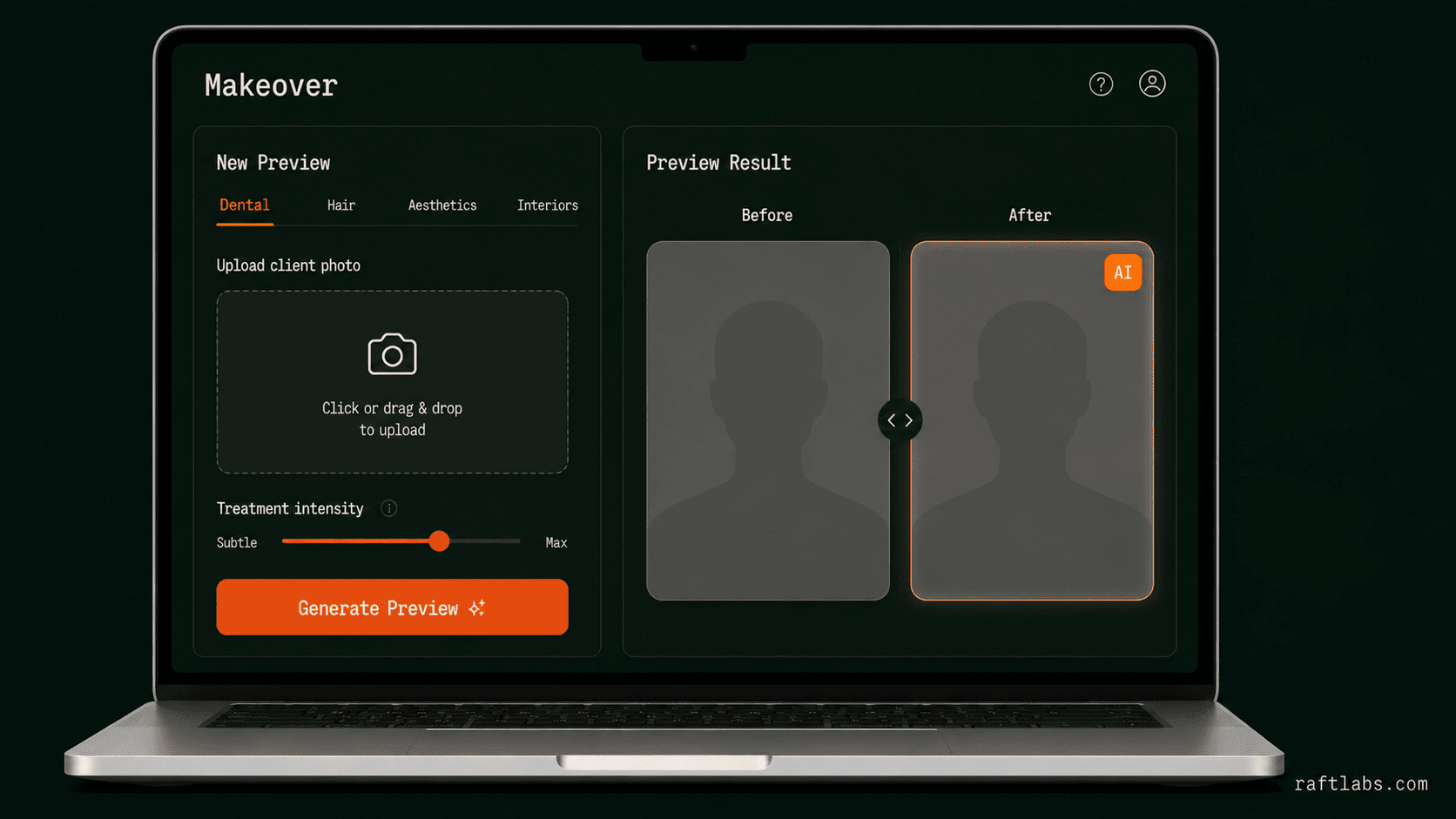
Engagement
The Makeover engagement
- Product
- Makeover, an AI before-and-after preview platform for transformation services: dental, aesthetics, hair, interiors, and 40+ categories
- What we built
- Category-specific AI models trained on real before-and-after pairs, a sub-60-second preview flow for active consultations, multi-variation previews, client records, and personalized follow-up for undecided clients
- Stack
- Category-specific image models, job queue architecture, Replicate GPU infrastructure
- Status
- Live across 40+ service categories. The client reported 35% higher consultation-to-booking conversion
Before and after
What changed
- Service businesses showed stock before-and-after photos of models, and clients could not see themselves in the outcome, so hesitation remained
- Consultation-to-booking conversion of 40 to 55% left significant qualified interest leaving without committing
- Creating a personalized preview required a skilled photo editor and 30 to 45 minutes per client. Too expensive to do at scale, so most practices skipped it entirely
- Clients who left a consultation undecided had no personalized follow-up to bring them back
- Practitioners had no way to show multiple treatment options in the same consultation without extensive manual work
- Clients see a photorealistic preview using their own photo in under 60 seconds during the consultation
- Practitioners show two or three variations (lighter vs. heavier treatment, one approach vs. another) in the same session so clients choose rather than guess
- Previews are saved to the client record and linked to their profile for comparison at future visits
- Clients who leave without booking receive a follow-up message with their personalized preview attached
- 40+ service categories supported with category-specific AI models trained on real transformation pairs
What we had to solve
Getting previews realistic enough that clients trust them without overselling
An AI preview that looks obviously artificial does more damage than no preview at all: it signals that the practice is using technology it does not fully control. The output had to look realistic at consultation viewing distance on a tablet, which meant training category-specific models on real before-and-after pairs rather than using a general image generation approach. Dental whitening, hair color, aesthetic contouring, and interior finishes each needed their own model. Getting the quality bar right for each category was the core research challenge.
Generating the preview fast enough for use during an active consultation
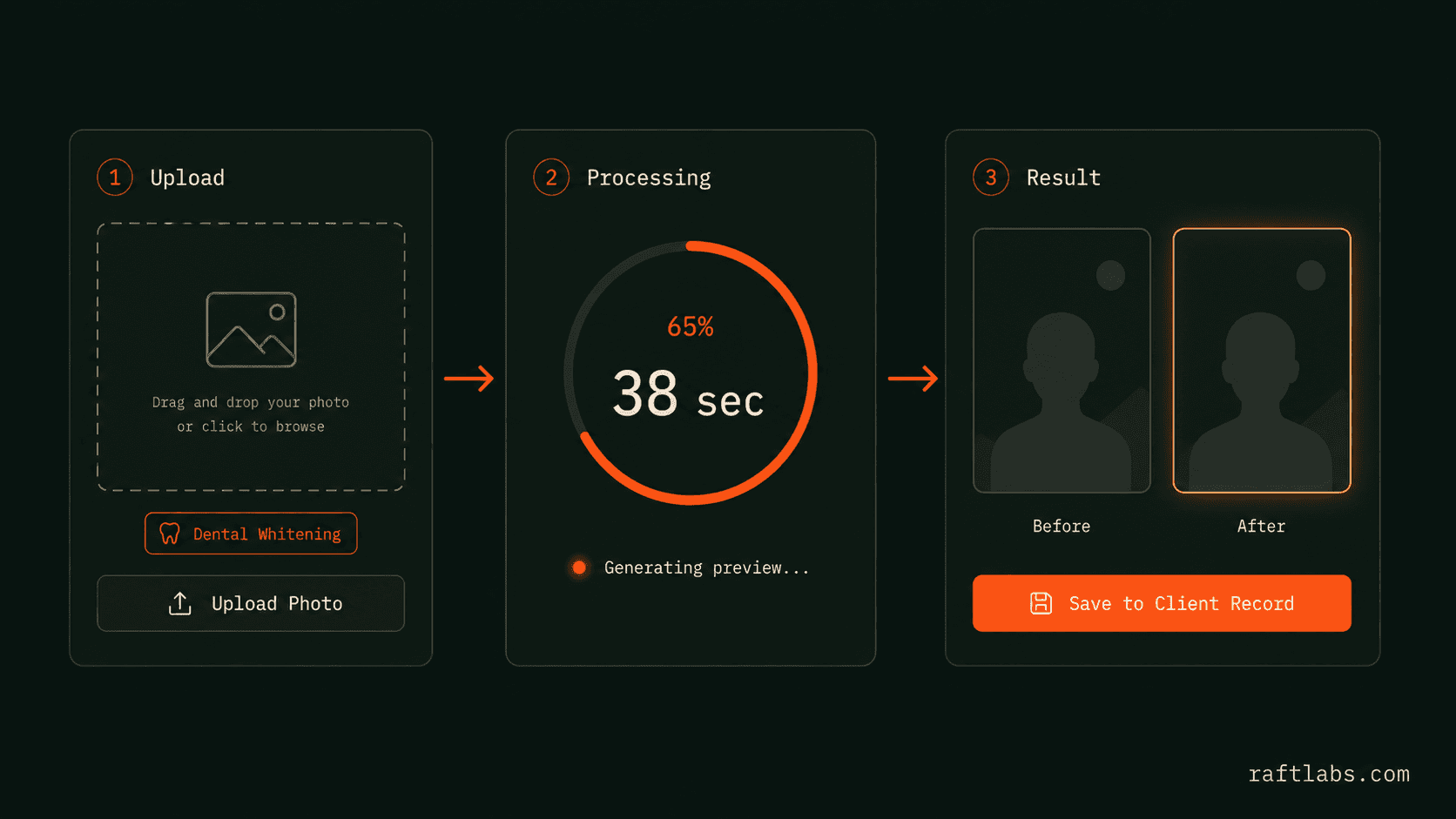
A preview that takes five minutes to generate is not a consultation tool. It is a disruption. The entire flow had to complete in under 60 seconds: photo capture, upload, inference, and display back to the practitioner and client. That required a job queue architecture that could route requests to the right category model, handle inference retries without adding visible latency, and deliver the result directly to the consultation interface without requiring a page refresh. Replicate's GPU infrastructure handled the inference; the engineering challenge was the end-to-end latency budget.
Proof
What the client reported, and what this page can't claim
Conversion figures are client-reported. Preview speed and category coverage are product-recorded.
| Result | What changed | Period or context | Evidence and limitation |
|---|---|---|---|
| Conversion | 35% higher consultation-to-booking conversion | Practices using Makeover to show clients their own-face preview before they commit | Client-reported |
| Preview speed | 60 seconds from photo capture to photorealistic preview | Photo capture, upload, inference, and display back to the consultation interface without a page refresh | Product-recorded. A preview that takes five minutes is a disruption, not a consultation tool |
| Coverage | 40+ service business categories supported | Category-specific models trained on real transformation pairs, from dental whitening to interior finishes | Product-recorded |
the build
What we built
Makeover is built around a core insight: the preview has to look like the client, not like a model. Anything that reads as templated or artificial undermines trust at the moment it matters most.
Client sees a photorealistic result in under 60 seconds, from a model trained on real before-and-after pairs
The client uploads a photo or it is captured on a tablet in the consultation room. Makeover runs the image through a category-specific AI model (dental, hair, aesthetics, interiors) and returns a photorealistic result in under 60 seconds. The model is trained on real before-and-after pairs for each category, not on general image generation data.
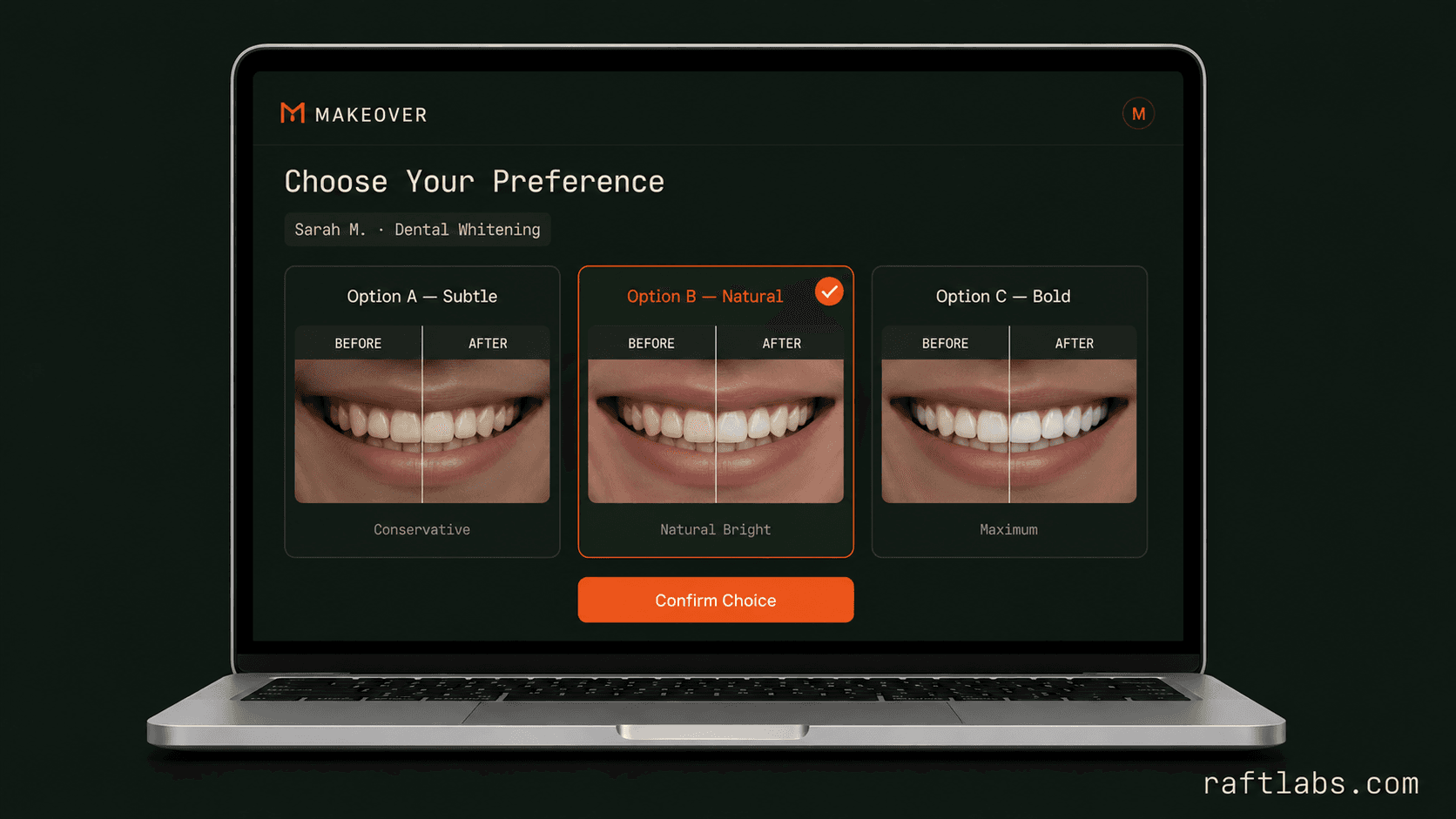
Clients express a preference rather than committing blindly to one fixed outcome
Practitioners show multiple versions in the same session: lighter vs. heavier treatment, one approach vs. another. The client sees options rather than a single fixed outcome, which supports a more natural consultation conversation and allows the client to express a preference rather than committing blindly.
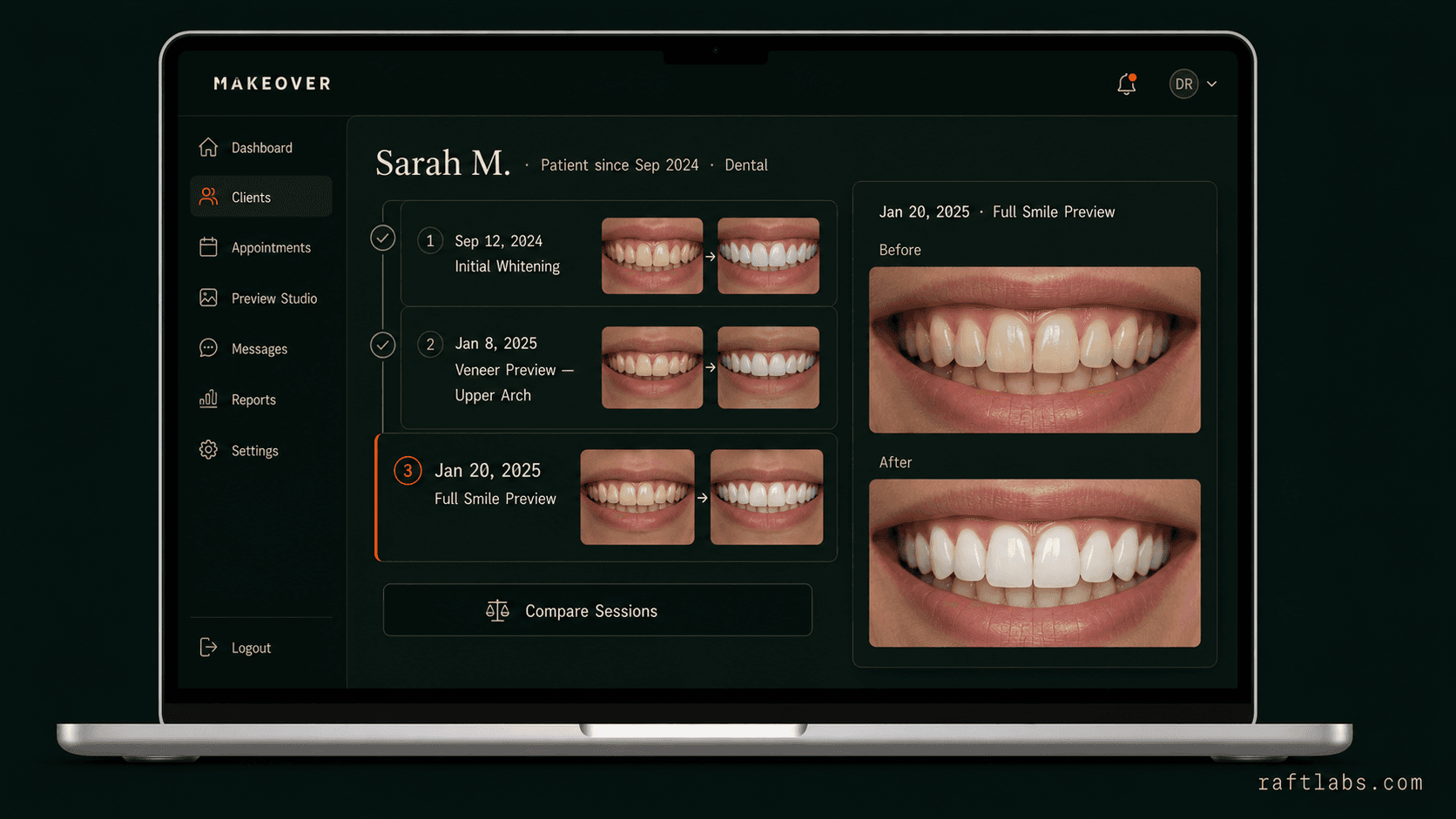
Returning clients compare new previews against previous sessions, no file hunting before appointments
Previews are saved to the client's record and linked to their profile. Returning clients can compare a new preview against previous sessions. Practitioners access the image history before a follow-up appointment without hunting for a saved file.
Clients who leave without booking get a reminder with their own preview, not a generic brochure
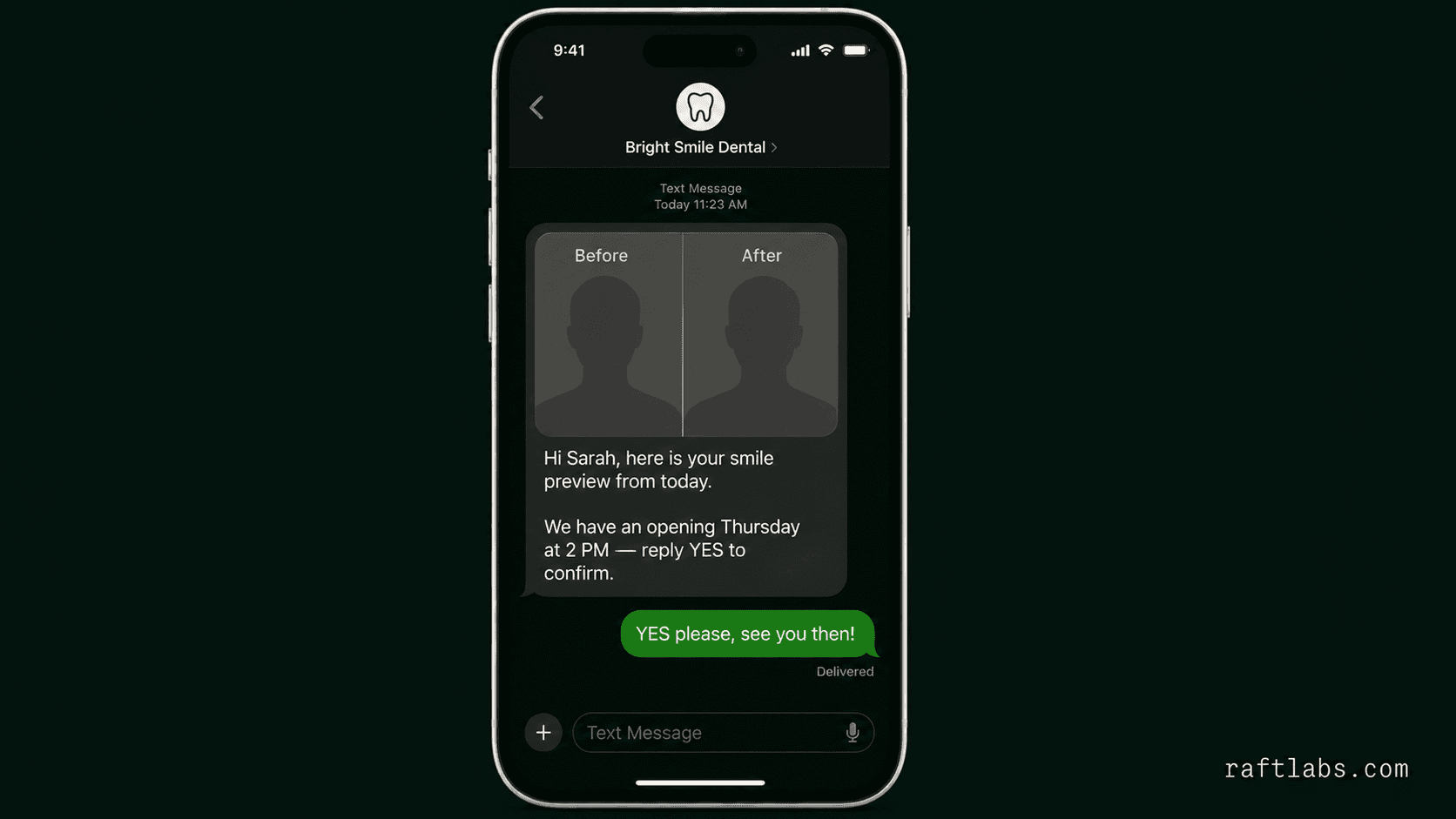
After the consultation, the practitioner sends the client their personalized preview via email or SMS. Clients who leave without booking receive a reminder with their preview attached, a follow-up that is personal because the image is theirs, not a generic brochure.
The lesson
The preview is a promise
An AI preview that looks obviously artificial does more damage than no preview at all. It signals that the practice is using technology it does not fully control. But the deeper risk is the opposite: a preview so convincing that the client treats it as a guarantee. AI does not account for anatomy, tissue quality, healing, or the natural limitations of a procedure. It is not showing a guaranteed outcome.
That is why the build's center of gravity was the quality bar, not the feature list. Category-specific models trained on real before-and-after pairs, realistic at consultation viewing distance, and fast enough to be part of the conversation rather than a disruption. The preview starts the consultation. It does not end it.
How it runs
- Next.js
- The practitioner dashboard and client-facing share pages needed fast initial loads with optimistic UI updates so the consultation flow did not stall while waiting for the inference result to arrive.
- Replicate
- Category-specific image generation models run on Replicate's GPU infrastructure. Replicate's API allowed us to deploy separate fine-tuned models for each transformation category without managing GPU servers.
- AWS
- Preview images are stored on S3 with signed URLs that expire after 30 days, keeping client photos secure and ensuring share links sent to clients cannot be accessed indefinitely.
- Node.js
- The job queue manages inference requests, routes each job to the correct category model, handles retries for failed inference calls, and delivers the completed preview back to the practitioner dashboard without requiring a page reload.
Common questions
At normal consultation viewing distance on a tablet or screen, the previews read as realistic. The AI is trained on real before-and-after pairs for each category, which helps it learn the texture and depth characteristics specific to each transformation type. Practitioners are encouraged to describe previews as "an indication of the expected result" rather than a guarantee. The preview is a conversion tool, not a clinical commitment.
The core categories with dedicated models are: dental (whitening, alignment, veneers), aesthetics (Botox, fillers, contouring), hair (color, cut, extensions), and interior design (paint, furniture layout). Additional categories are supported with a general transformation model. New category models are added based on demand from active users.
Client photos and previews are stored in the practice's account. The practice owns all client data. Photos are processed for preview generation and retained only as long as the client record exists. They are never used to train any shared model or accessed for any purpose other than generating the client's own preview.
Yes. Makeover has a widget embed and an API. The widget drops into an existing patient portal or booking page. The API lets you trigger preview generation from within your CRM or practice management software and retrieve the result URL to display inline without leaving the existing workflow.
We built the core Makeover platform (inference pipeline, multi-category model routing, practitioner dashboard, client record storage, and share flow) in 12 weeks. Adding a new service category with a dedicated fine-tuned model typically takes 3 to 5 weeks depending on the volume and quality of training data available for that transformation type. Categories with limited real before-and-after pairs take longer to achieve consistent output quality. Contact us to discuss your specific category requirements.
Related work
More of our work
Building a loyalty platform for
Building a loyalty platform for a high-end cosmetic dermatology practice
Gamified mobile loyalty platform for a medical spa with urgency mechanics.
AI remote patient monitoring for
AI remote patient monitoring for chronic care
HIPAA-compliant remote patient monitoring with AI insights.