Pool chemical dosage calculator
Enter your pool volume and your test readings, pick the chlorine product you use, and get the amount to add for chlorine, stabiliser, and salt, in metric and imperial units.
- Four chlorine products
- Gallons or litres
- Metric and imperial results
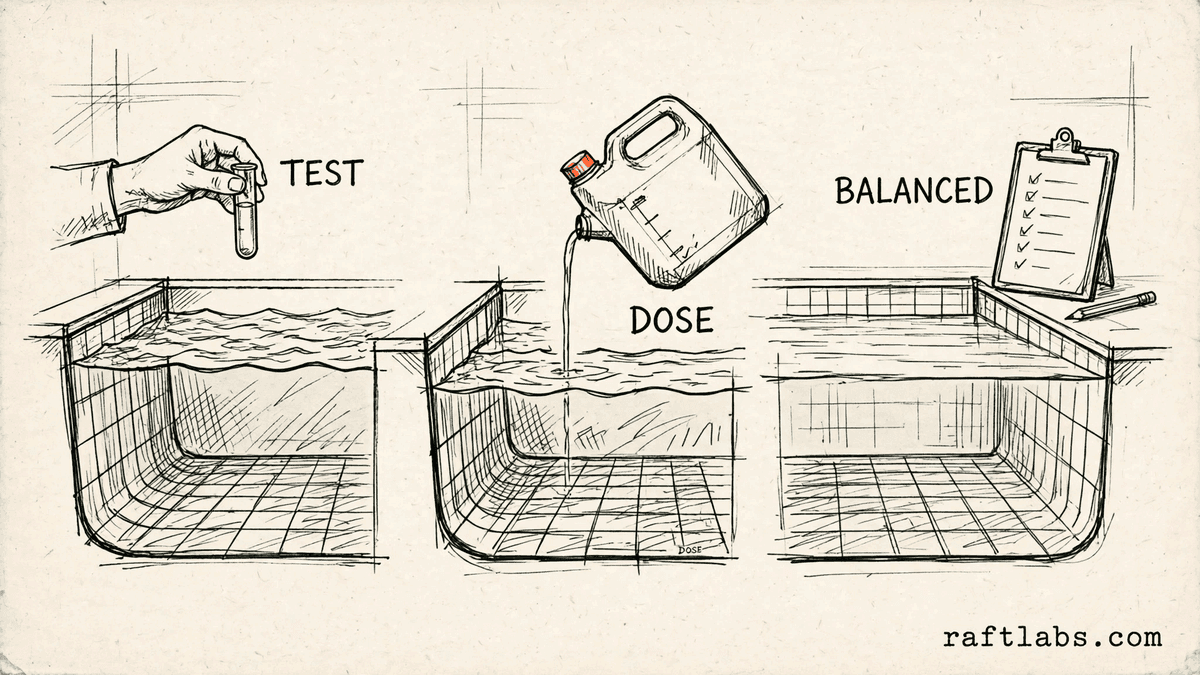
Before you run the numbers
A dose is a weight of chemical in a volume of water
A parts per million reading is a weight share: so many parts of chemical in a million parts of water. Raising a reading by a set amount in a known volume of water needs a known weight of the active chemical. That is the whole calculation.
The one wrinkle is the product. A container of chlorine product is part active chlorine and part other material, and the share differs by product. This calculator divides by the share on the product you pick, so the amount it gives is the amount of that product, not of pure chlorine.
Your numbers
1. Pool volume
Every amount in the result scales with this volume. If you only know the pool size in one unit, enter it in that unit and the calculator converts for the math.
2. Free chlorine: current reading, target, and product
The concentration presets are starting points printed on common product labels. Check the label on the product you hold and change the percentage to match it.
3. Cyanuric acid (stabiliser)
4. Salt (saltwater pools only)
Leave both salt fields at zero on a pool that does not use a salt system.
5. Your prices (optional, for the cost lines)
Prices are optional. The dosage amounts do not depend on them. Leave a price at zero and its cost line stays at zero.
Result
Estimated chemical cost
$0.00
Product needed = ppm rise x Pool gallons x 8.34 / 1,000,000 / Concentration share
Amounts come from the mass balance on your volume and readings. Add your price per unit for each product in section 5 to see the estimated chemical cost.
Short answer
A pool chemical dosage calculator works out how much product raises a reading by a set amount in a set volume of water. It multiplies the ppm rise by the pool volume and the weight of water, then divides by the share of active chemical in the product you use, for chlorine, stabiliser, and salt.
What the cost covers
What goes into a pool chemical dose?
Three inputs decide every dose. The first is the pool volume, because the same ppm rise in a large pool needs more chemical than in a small one. The second is the gap between your current reading and your target, in ppm. The third is the product itself: its concentration for chlorine, its purity for stabiliser.
Chlorine, stabiliser, and salt are each worked out on their own gap, so you can dose one without touching the others. Set a target equal to the current reading and that chemical comes out at zero.
The cost lines are optional and separate from the dosing math. If you enter your price per unit for a product, the calculator multiplies it by the amount and shows an estimated chemical cost. The amounts never depend on the prices.
| Cost part | What it covers | Who sets the price |
|---|---|---|
| Chlorine product | The amount of your chosen product that raises free chlorine from your current reading to your target | Your readings and the product label |
| Stabiliser | The amount of cyanuric acid product that raises the stabiliser level by the ppm gap you enter | Your readings and the product purity |
| Salt | The amount of salt that raises the salt level by the ppm gap you enter, on saltwater pools | Your readings |
| Chemical cost | An optional estimate: each amount times your own price per unit for that product | You |
The math
How the dosage is worked out
One gallon of water weighs 8.34 pounds. A rise of 1 ppm in one gallon of water therefore needs 8.34 millionths of a pound of the active chemical. Multiply by the pool volume and the ppm rise and you have the pure weight needed. Divide by the share of active chemical in your product and you have the product weight to add.
Product needed (lb) = ppm rise x Pool gallons x 8.34 / 1,000,000 / (Concentration / 100)
Liquid volume (fl oz) = Product weight (lb) / Weight per gallon (lb) x 128
Example, using example inputs only: an example pool of 20,000 gallons. Free chlorine reads an example 1 ppm against an example target of 3 ppm, using an example cal-hypo product at 65 percent available chlorine. Stabiliser reads an example 30 ppm against an example target of 50 ppm, with an example stabiliser purity of 100 percent. Salt reads an example 2,000 ppm against an example target of 3,200 ppm.
Chlorine: the rise is 2 ppm, so the pure weight is 2 x 20,000 x 8.34 / 1,000,000 = 0.33 lb, and dividing by 0.65 gives 0.51 lb of product, about 8.2 oz. Stabiliser: the rise is 20 ppm, so the amount is 20 x 20,000 x 8.34 / 1,000,000 = 3.34 lb at full purity. Salt: the rise is 1,200 ppm, so the amount is 1,200 x 20,000 x 8.34 / 1,000,000 = 200.2 lb, about 90.8 kg.
Every figure in this example is a made-up input chosen to show the math. Your amounts will use the volume, readings, and product strength you enter.
Quoting well
Tips for dosing a pool well
The math is simple. Getting the inputs right is the skill. Four habits keep the dose right.
- 01
Test first, then dose
Every amount in this calculator starts from a current reading. A dose worked out from a guessed reading is a guessed dose. Test the water at the pool, enter the reading you just took, and dose to the target you want.
- 02
Read the concentration off the label in your hand
Products with the same name can ship at different strengths. The percentage printed on the container you hold is the one the math needs. Change the preset whenever your product label says something different.
- 03
Add in parts and retest
For a large rise, add part of the amount, let the water circulate, and test again before adding the rest. Overshooting a target is easy to do and slow to undo, while a second smaller dose is quick.
- 04
Remember that stabilised chlorine adds stabiliser too
Dichlor and trichlor carry cyanuric acid along with their chlorine. Regular use raises the stabiliser level over time. Keep an eye on the stabiliser reading when those products are your regular chlorine source.
Frequently asked questions
Straight answers to what buyers ask before they scope. Still stuck? .
- It uses a mass balance. The rise you want, in parts per million, times your pool volume gives the weight of pure chlorine the water needs. The calculator then divides by the share of available chlorine in the product you picked, because a product that is 65 percent available chlorine must supply more weight than the pure figure. The result is the amount of that product to add.
- Two chlorine products can carry very different shares of available chlorine. A liquid product might be near 12.5 percent, while a solid product might be 65 or 90 percent. The same ppm rise needs far more weight of the weaker product. Enter the concentration printed on the label of the product you hold, and the calculator adjusts the amount to that product.
- Stabiliser is dosed the same way as chlorine. The calculator takes the rise you want in cyanuric acid, in ppm, applies it to your pool volume, and divides by the purity of the stabiliser product you enter. A product at 100 percent purity needs the plain mass figure. A product with a lower purity needs more weight for the same rise.
- Salt is a plain mass balance with no concentration step, because the product is salt itself. The calculator multiplies the ppm rise you want by your pool volume and the weight of water, and gives the salt to add in pounds and kilograms. Leave both salt fields at zero on a pool that does not use a salt system.
- The amount for that chemical comes out as zero. Adding product can only raise a reading, never lower it. A reading that is too high comes down through dilution, partial draining and refilling, or time, depending on the chemical. The calculator only works out additions, so it never shows a negative dose.
- Yes. Enter the pool volume once per stop, then the current and target readings from your test at that pool, and pick the product on the truck. The amounts come back in pounds and ounces or fluid ounces, with kilograms and litres alongside. Add your price per unit for each product and the same screen shows the estimated chemical cost for the stop.
Stay on topic
More for pool and waterpark teams
The tools give you a range. A call gives you a number.
30-minute scoping call. We will walk through how your venue handles admissions, maintenance, and water quality records today, and you leave with a clear plan for the software that runs it.