Crane hire cost calculator
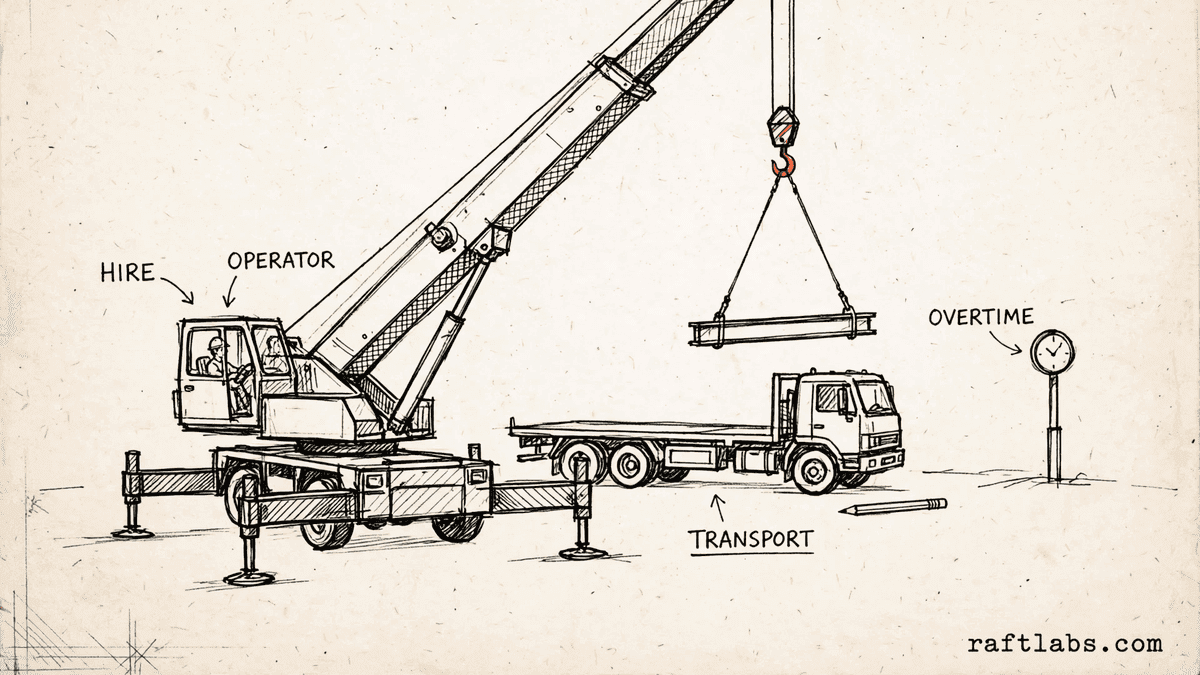
Build a crane hire quote line by line: the day rate for the class you select, the operator, transport per move, and overtime. Every rate is your own, so the total matches the quote in front of you.
- Up to five crane classes
- Minimum hire days applied
- Cost per billed day shown
Before you run the numbers
One total, every line visible
A crane hire quote is not one price. It is a short list of separate charges: the crane itself by the day, the operator, the trips to and from the site, and any hours past the agreed day. When those lines are bundled into a single figure, it is hard to tell what you are paying for.
This calculator keeps the lines separate. Enter the day rates for the crane classes you run, pick the class for the job, and see the total build up line by line, with a cost per billed day.
Your numbers
1. Crane classes and your day rate for each one
Add up to five classes. One class is quoted at a time.
2. Hire days and your minimum
You are billed for the longer of the two: the hire days or your minimum.
3. Operator
4. Transport
5. Overtime
Result
Estimated total
Enter your own prices on the left to see the total.
Short answer
A crane hire cost calculator adds up the parts of a crane hire quote: the day rate for the class you select for the billed days, operator cost if you charge it separately, transport for each move, and overtime. Every rate is one you enter, so the total reflects your own figures.
What the price covers
What goes into the price of crane hire?
The price of crane hire covers four kinds of cost. The first is the hire itself: the day rate for the crane class you select, charged for the billed days. Billed days are the hire days you need, or your minimum hire days when the minimum is longer.
The second is the operator. Some firms include the operator in the day rate, and others charge the operator as a separate per-day line. The third is transport: getting the crane to the site and away again, charged as a flat amount for each move.
The last cost is overtime, for hours the crane works past the agreed day. Each part is priced on its own, which is why this calculator asks you to enter every rate rather than guessing them for you. Each firm sets its own rates for the classes it runs.
| Cost part | What it covers | Who sets the price |
|---|---|---|
| Crane hire | The day rate for the selected crane class, for the billed days | The crane hire firm |
| Operator | The operator for each hire day worked, when charged apart from the day rate | The crane hire firm |
| Transport | Getting the crane to the site and away again, charged per move | The crane hire firm |
| Overtime | Hours worked past the agreed day, charged at your overtime rate | The crane hire firm |
| Minimum hire | The fewest days you will bill for, even when the job is shorter | The crane hire firm |
The math
How the total is worked out
The billed days come first. Take the longer of the hire days and the minimum hire days you set. Multiply the billed days by the day rate for the selected class to get the hire cost. The operator, when you charge for one apart, is charged for the hire days worked, not the billed days. Then add transport, at your price per move times the number of moves, and overtime, at your overtime rate times the overtime hours.
Billed days = max(Hire days, Minimum days). Total = Hire + Operator + Transport + Overtime
Example: a day rate with an example price of $850, for a hire of 3 days with an example minimum of 2 days. The billed days are 3, so the hire cost is $2,550. An operator at an example price of $300 per day for the 3 hire days worked comes to $900.
3 x $850 = $2,550. 3 x $300 = $900
Transport at an example price of $250 per move for 2 moves comes to $500. Overtime of 2 hours at an example price of $120 per hour comes to $240. The total is $4,190, which is $1,396.67 per billed day. Every figure in this example is a made-up input chosen to show the math. Your total will use the rates you enter.
$2,550 + $900 + $500 + $240 = $4,190
Getting it right
How to get an accurate crane hire quote
The total is only as good as the figures behind it. Four steps keep a quote accurate and free of surprises later.
- 01
List each crane class you run
Add one row per class, with the name your clients use and your day rate for that class. Keep the list current. When a rate changes, change the row, so every new quote starts from the right figure.
- 02
Agree the hire days and the minimum up front
Confirm how many days the crane is needed and state your minimum hire days in the quote. If the job runs short, the minimum is what gets billed, and there is no surprise when the client sees the billed days line.
- 03
Count the moves before you quote transport
Work out how many times the crane has to travel: in, out, and any move between sites. Price transport per move and put the count in writing, so a later extra move is easy to add and easy to explain.
- 04
Show the quote line by line, with a per-day view
Send the quote with hire, operator, transport, and overtime as separate lines, plus the cost per billed day. A client comparing two quotes can then see what each part costs, not just which total is lower.
Frequently asked questions
Straight answers to what buyers ask before they scope. Still stuck? .
- A crane hire quote lists the hire itself, priced from the day rate for the crane class and the number of billed days. The operator can be part of that rate or a separate line. Transport to and from the site is charged per move, and overtime is charged for hours worked past the agreed day. This calculator follows the same layout, and every rate in it is one you enter yourself.
- Many hire firms set a minimum number of days. If the job needs fewer days than the minimum, you still pay for the minimum. This calculator bills the longer of the two: the hire days you enter or the minimum days you set. The result card shows the billed days so you can see which one set the price.
- It depends on the firm and the job. Some quotes include the operator in the day rate. Others charge the operator as a separate per-day line. If your firm charges the operator apart, turn the operator line on in the calculator and enter your per-day operator rate. The operator is charged for the hire days worked, not for extra minimum days.
- Transport covers getting the crane to the site and taking it away again. Each trip is a move, and firms charge a flat amount per move. Enter your price per move and the number of moves for the job. A crane that stays on one site for one job is often two moves: one in and one out.
- Overtime covers hours the crane works past the agreed working day, such as an early start or a late finish to complete a lift. Enter the overtime hours for the job and your price per overtime hour. The calculator adds that as its own line, apart from the day rate.
- Yes. Add a row for each crane class you run, with the class name and your day rate for it. Select the class being quoted, enter the hire days and your minimum, then add the operator, transport, and overtime for the job. The result is an itemised quote with a cost per billed day that the client can read line by line.
Stay on topic
More for crane hire teams
The tools give you a range. A call gives you a number.
30-minute scoping call. We will walk through how your firm handles bookings, operator schedules, and hire quotes today, and you leave with a clear plan for the software that runs it.