Claude vs ChatGPT vs Gemini for Business in 2026
You've seen demos of all three. Here's which AI model actually wins for each business use case - and when none of them is enough.

In this article
Short answer
For business use in 2026, Claude leads on document review and nuanced writing, ChatGPT/GPT-4o on ecosystem breadth and automation integrations, and Gemini on Google Workspace tasks and multimodal analysis. The best model depends on the use case. When off-the-shelf models can't cover your workflow, RaftLabs builds custom AI on top of these models to fill the gap.
Key takeaways
- Claude is the strongest choice for long-document review, contract analysis, and tone-sensitive business writing
- ChatGPT/GPT-4o has the widest integration ecosystem - the right choice when you need AI connected to dozens of business tools
- Gemini wins for teams already deep in Google Workspace, especially for Sheets, Docs, and Drive workflows
- Pricing across all three is similar at the Pro tier ($20-30/user/month), but enterprise licensing varies significantly
- When a model handles 80% of your workflow but the remaining 20% is the high-value part - that's when you need custom AI, not a better model
You've sat through the demos. Your team has tried all three. Now you need to make a decision.
This isn't a benchmark. We're not going to run inference speed tests or paste in a long math problem. This is a business use-case guide - written for the people who have to decide which AI platform their company commits to.
We'll tell you which model wins for each specific business task. We'll tell you what you'll actually pay. And we'll tell you when none of these tools is enough and you need something built specifically for your workflows.
What this comparison won't do
This guide won't tell you which model scores highest on MMLU or which one hallucinated fewer facts on some academic dataset.
Why? Because your business doesn't care about benchmarks. Your team cares about whether the AI actually handles the work they throw at it every day - drafting client proposals, answering support tickets, summarizing a 200-page contract, or pulling trends from a messy spreadsheet.
We're also not going to declare one winner. Any guide that picks a single "best AI" for all business use cases is wrong. Each model has real strengths and real gaps. Your job is to match the model to the task.
One more thing: ChatGPT, Claude, and Gemini are all general-purpose AI models sold by their makers as standalone tools. They're not the same as building custom AI on top of these models - which is a different conversation entirely. We'll get to that at the end.
Claude vs ChatGPT vs Gemini: the quick read
| Claude (Anthropic) | ChatGPT/GPT-4o (OpenAI) | Gemini (Google) | |
|---|---|---|---|
| Best at | Long documents, nuanced writing, reasoning | Broad ecosystem, automation, general tasks | Google Workspace, multimodal, data-heavy tasks |
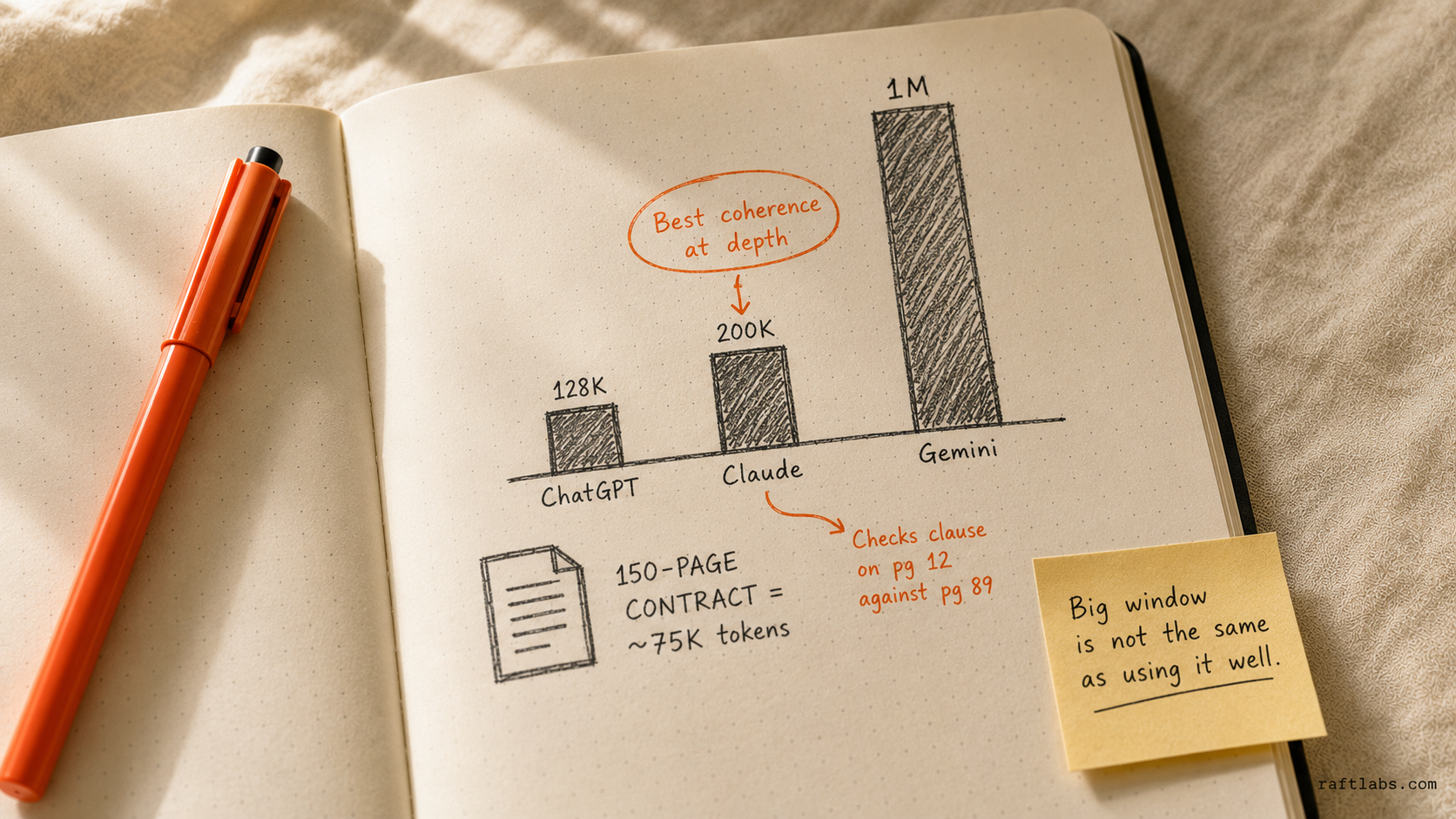
| Context window | 200K tokens | 128K tokens (GPT-4o) | 1M tokens (Gemini 1.5 Pro) |
| Ecosystem | Operator API, Claude.ai | ChatGPT plugins, OpenAI API, 1000+ integrations | Google Workspace, Vertex AI, Bard API |
| Pro price | ~$20/user/month | ~$25-30/user/month (Team) | ~$20/user/month (Gemini Business) |
| Multimodal | Yes (images, PDFs) | Yes (images, files, code) | Yes (images, video, audio) |
| Strongest business use | Contract review, research synthesis | Automation, customer support | Workspace productivity, data analysis |
| Weakest spot | Ecosystem integrations, plugins | Long-document coherence | Accuracy on complex reasoning |
Now let's go deeper on each use case.
Which AI model wins for each business use case
Writing and content creation
Winner: Claude - with ChatGPT close behind.
Claude produces tighter, more consistent prose on first pass. Give it a brief for a client proposal, a case study, or a thought leadership piece, and you'll spend less time editing the output.
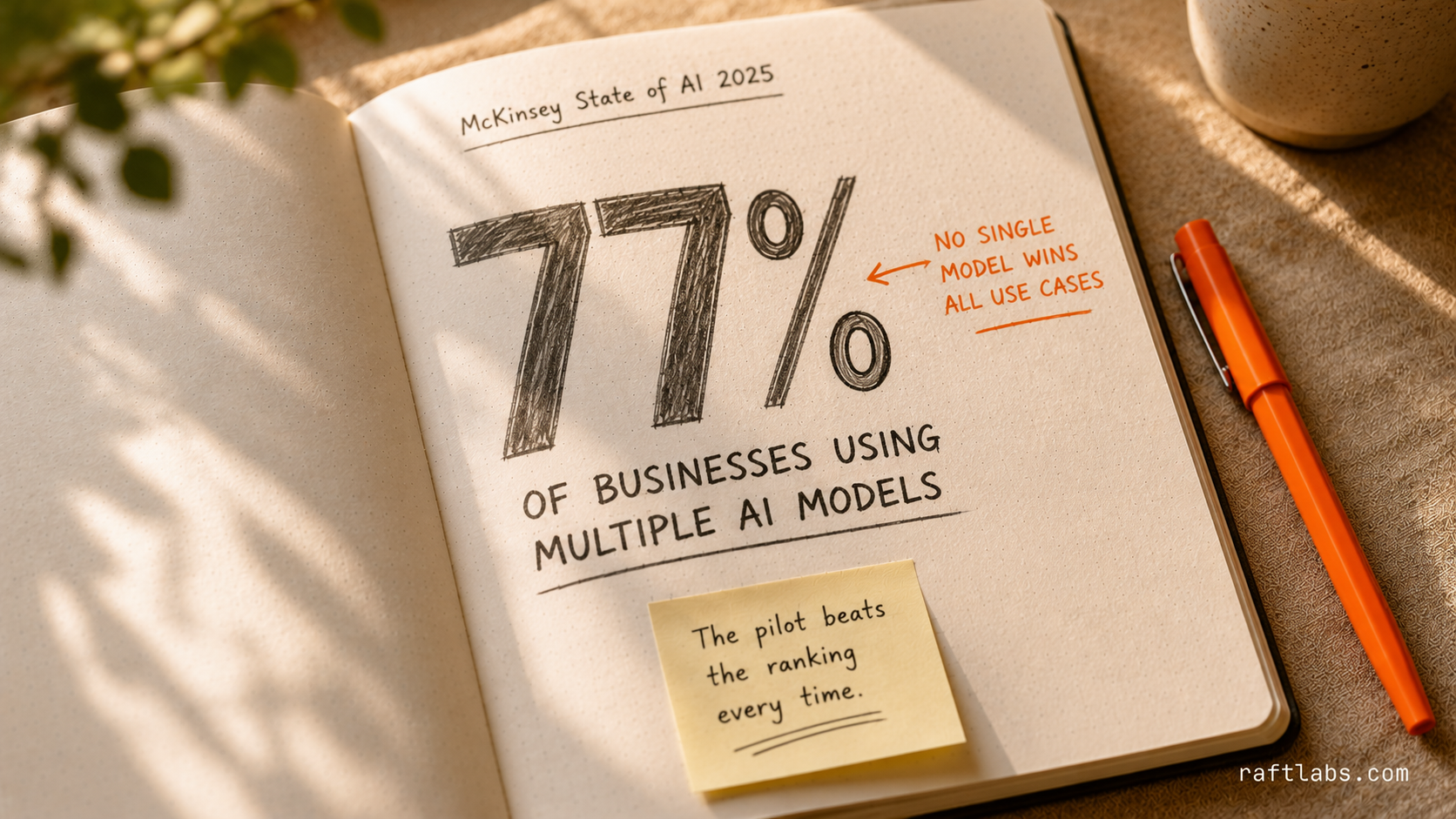
According to McKinsey's State of AI 2025, 88% of organizations now regularly use AI in at least one business function, up from 78% the prior year. That acceleration means the question is no longer whether to use AI for business tasks, but which model to use for each one.
The gap comes down to instruction-following. Claude holds tone, voice, and structural constraints through long documents better than GPT-4o does. Ask it to write like a senior consultant and avoid corporate jargon - it actually does it. ChatGPT often reverts to filler phrases on longer outputs.
For templated content - product descriptions, standard email sequences, SEO content at scale - ChatGPT performs well and has stronger plugin support (export to CMS, scheduling tools, etc.).
Gemini handles writing but often produces safer, more generic output. It's fine for internal communications. Not the first choice for anything client-facing.
Practical recommendation: Use Claude for anything that requires a specific voice or needs to survive a review by a senior person. Use ChatGPT when you need writing connected to a downstream tool or publishing workflow.
Customer support and chatbot foundation
Winner: ChatGPT/GPT-4o.
When you're building a customer-facing AI system - or using a platform like Intercom that runs on GPT-4o - the ecosystem matters more than raw language quality. Gartner puts the average cost of a live human service interaction at $8.01 versus roughly $0.50 for an AI-resolved interaction - which is why the underlying model and its integration ecosystem matter as much as raw language quality.
OpenAI's API is more mature for production deployments. Most customer support platforms (Intercom, Zendesk, Freshdesk) have native integrations with OpenAI's API or have built their AI layers on top of it. That means less custom integration work and more off-the-shelf reliability.
Claude's API is solid for custom builds, but the third-party integration ecosystem is thinner.
Gemini is gaining ground here, especially for Google Business customers who want AI support inside Google Chat or Gmail. But it's not yet the default for customer-facing chatbot infrastructure.
Practical recommendation: If you're using a platform that already has AI built in, match the model to what that platform uses. If you're building a custom customer support bot, an LLM integration service can connect the selected model to your CRM, ticketing system, and knowledge base with evaluation and fallback controls.
Data analysis and business intelligence
Winner: Gemini - for Google Workspace teams.
Gemini through an LLM integration with Google Sheets and Looker is the clearest product advantage any of the three has in a specific business context. If your team lives in Google Sheets, Gemini can query, analyze, and chart your data inside the tool you already use - without any extra setup.
For teams using Microsoft Power BI or Tableau, the advantage disappears. Neither Claude nor Gemini integrates as cleanly with those tools, though both handle data analysis when you paste or upload files.
ChatGPT's Advanced Data Analysis mode (formerly Code Interpreter) is genuinely useful for exploratory data analysis - upload a CSV, ask questions, get charts. It's the best self-contained data analysis experience if you don't have BI infrastructure.
Claude handles data interpretation well, especially when you need a written summary of what the numbers mean in plain English. It's the right tool when the output is a narrative (an exec summary, a board report) rather than a visualization.
Practical recommendation: Gemini if your data lives in Google Sheets or Looker. ChatGPT Advanced Data Analysis for ad hoc data exploration. Claude for translating analysis into written summaries.
Code generation and development assistance
Winner: ChatGPT/GPT-4o - but it's close.
All three write competent code. The differences are in the development workflow.
ChatGPT has the widest IDE integration (GitHub Copilot is OpenAI-based, Cursor uses GPT-4o by default, dozens of VS Code extensions). If your developers already have AI tools in their IDE, those tools are almost certainly running on OpenAI.
Claude is a strong second. Anthropic has been aggressive in the developer market, and Claude 3.5 Sonnet is widely used in coding tools. Many developers prefer Claude for complex reasoning tasks - refactoring legacy code, debugging intricate logic, explaining architectural decisions.
Gemini integrates with Google's developer tools (Firebase, Cloud Console, Android Studio) and is the right choice if your team is on Google Cloud. It's not the default choice for general software development.
Practical recommendation: Match the model to your IDE and toolchain. ChatGPT/GitHub Copilot for most web and backend development. Claude for complex reasoning and architecture discussions. Gemini for Google Cloud and Android development.
Document review and contracts
Winner: Claude - and it's not close.
This is where Claude's 200K context window and reasoning quality matter most. Feed it a 150-page contract and ask it to identify risk clauses, flag non-standard terms, or summarize the key obligations. It does this well.
More importantly, Claude maintains coherence across very long documents. It doesn't lose track of earlier context the way shorter-context models do. When you ask "does anything in this document contradict the indemnification clause on page 12?" - Claude actually checks.
ChatGPT handles documents well up to a certain length, but the shorter context window means you may need to chunk longer contracts, which breaks the cross-document reasoning.
Gemini has a 1M token context window (one of the largest available), which should make it strong for document review. In practice, performance at the very long end of the context window isn't yet consistent. Worth testing for your specific document types.
Practical recommendation: Claude for any document review task that requires cross-document reasoning, risk identification, or nuanced interpretation. Test Gemini if you're regularly reviewing very large document sets and want to evaluate the 1M token advantage.
Internal knowledge base and employee Q&A
Winner: depends on your infrastructure - but ChatGPT leads on integrations.
Building an internal AI assistant that answers employee questions from your company's documents, policies, and wikis is a Retrieval-Augmented Generation (RAG) problem. The underlying model matters less than the retrieval layer, the chunking strategy, and the integration with your knowledge sources.
That said, the model that's easiest to connect to your knowledge base wins on implementation time. Most knowledge base tools (Notion AI, Confluence AI, SharePoint Copilot) run on either OpenAI or Microsoft's Azure OpenAI stack.
If you're building a custom internal AI assistant from scratch, all three models are viable. OpenAI's ecosystem gives you more pre-built connectors. Claude's API gives you better reasoning quality at the edge of the knowledge base - when questions require synthesizing multiple documents rather than retrieving a single answer.
Practical recommendation: Use whatever model your knowledge base platform already supports. For custom builds, OpenAI for fastest integration with document sources. Claude for highest-quality reasoning across complex internal knowledge bases.
Pricing: what you'll actually pay
Here's what pricing looks like for teams as of late 2026. These figures are directional - verify with each vendor before purchasing.
| Tier | Claude | ChatGPT | Gemini |
|---|---|---|---|
| Individual (Pro) | $20/month | $20/month | $19.99/month |
| Team | $25-30/user/month | $25-30/user/month | $20/user/month (add-on) |
| Enterprise | Custom (starting ~$60+/user/month) | Custom (GPT-4 access, admin controls) | Custom (Vertex AI enterprise agreements) |
| API access | Pay-per-token (claude-3-5-sonnet: ~$3/$15 per million input/output tokens) | Pay-per-token (gpt-4o: ~$2.50/$10 per million input/output tokens) | Pay-per-token (gemini-1.5-pro: ~$1.25/$5 per million input/output tokens) |
At the team and enterprise level, pricing converges. The cost difference between Claude, ChatGPT, and Gemini is rarely the deciding factor for a business decision. What matters more is the number of seats, the API usage volume, and whether you need enterprise compliance features (SSO, data isolation, audit logs).
Gemini often ends up cheaper for Google Workspace businesses because it's bundled into existing Google plans.
The integration question
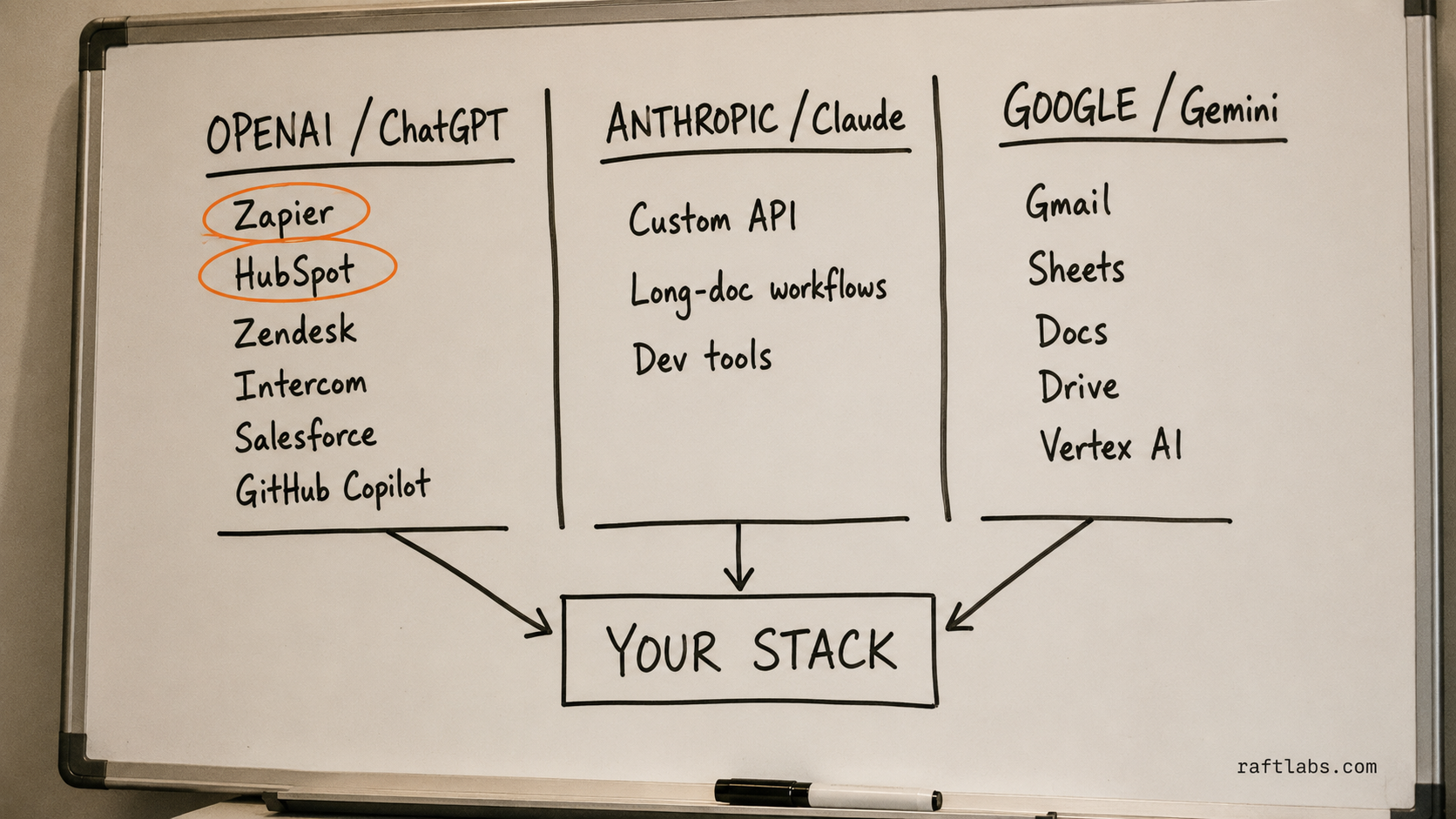
Your AI model doesn't work in isolation. It needs to connect to the tools your team already uses. Here's where each model plays well:
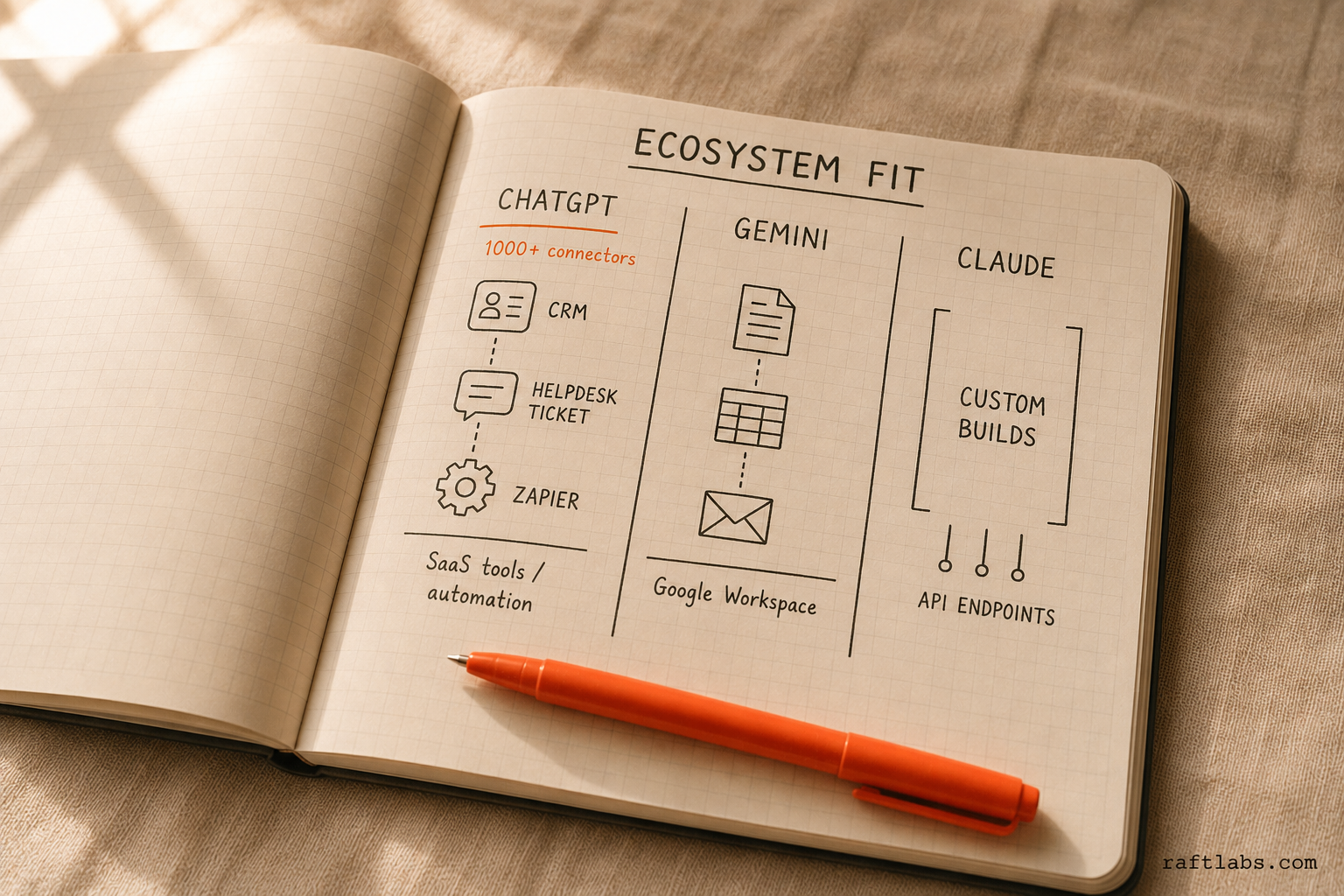
ChatGPT/OpenAI integrates with the most third-party business tools. Zapier, Make (formerly Integromat), HubSpot, Salesforce, Intercom, Zendesk - most have native OpenAI connectors. If your business runs on a stack of SaaS tools, ChatGPT is the easiest to wire in without custom development.
Gemini is deeply embedded in Google's ecosystem. If your team uses Gmail, Docs, Sheets, Drive, Meet, and Google Calendar, Gemini works inside those surfaces. It also connects to Google Cloud services and is the default model for Vertex AI workloads.
Claude has the cleanest API for custom integrations and performs well in developer-built workflows. Its ecosystem of pre-built connectors is thinner, but that gap has been closing. Claude is often the model of choice when a business is building a custom AI application rather than plugging into an off-the-shelf tool.
The honest read: if your team lives in Microsoft 365, Microsoft Copilot (which isn't in this comparison) deserves serious evaluation. If you're in Google Workspace, Gemini has structural advantages. If you're building custom automation or you're not locked into either ecosystem, OpenAI has the widest integration surface.
When none of these is enough: the custom AI threshold
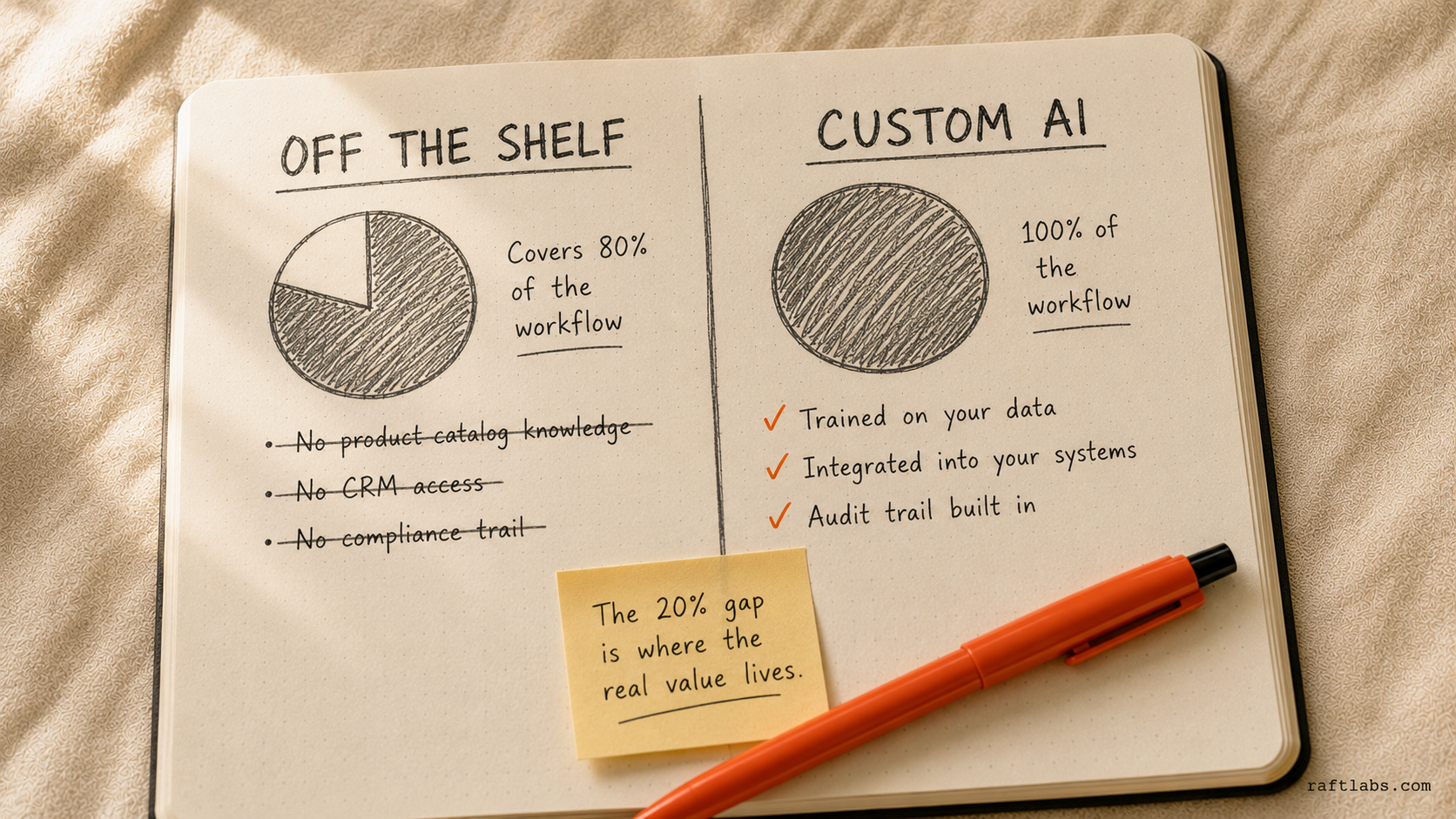
Here's the situation we see most often. A company evaluates ChatGPT, Claude, and Gemini. They find that one of them handles 80% of their target workflow reasonably well. But the 20% that's missing is the highest-value part of the workflow.
The AI doesn't know their specific customer segments. It can't access their internal database. It doesn't understand the edge cases in their industry. And it can't be given a level of reliability or auditability that their compliance team would accept.
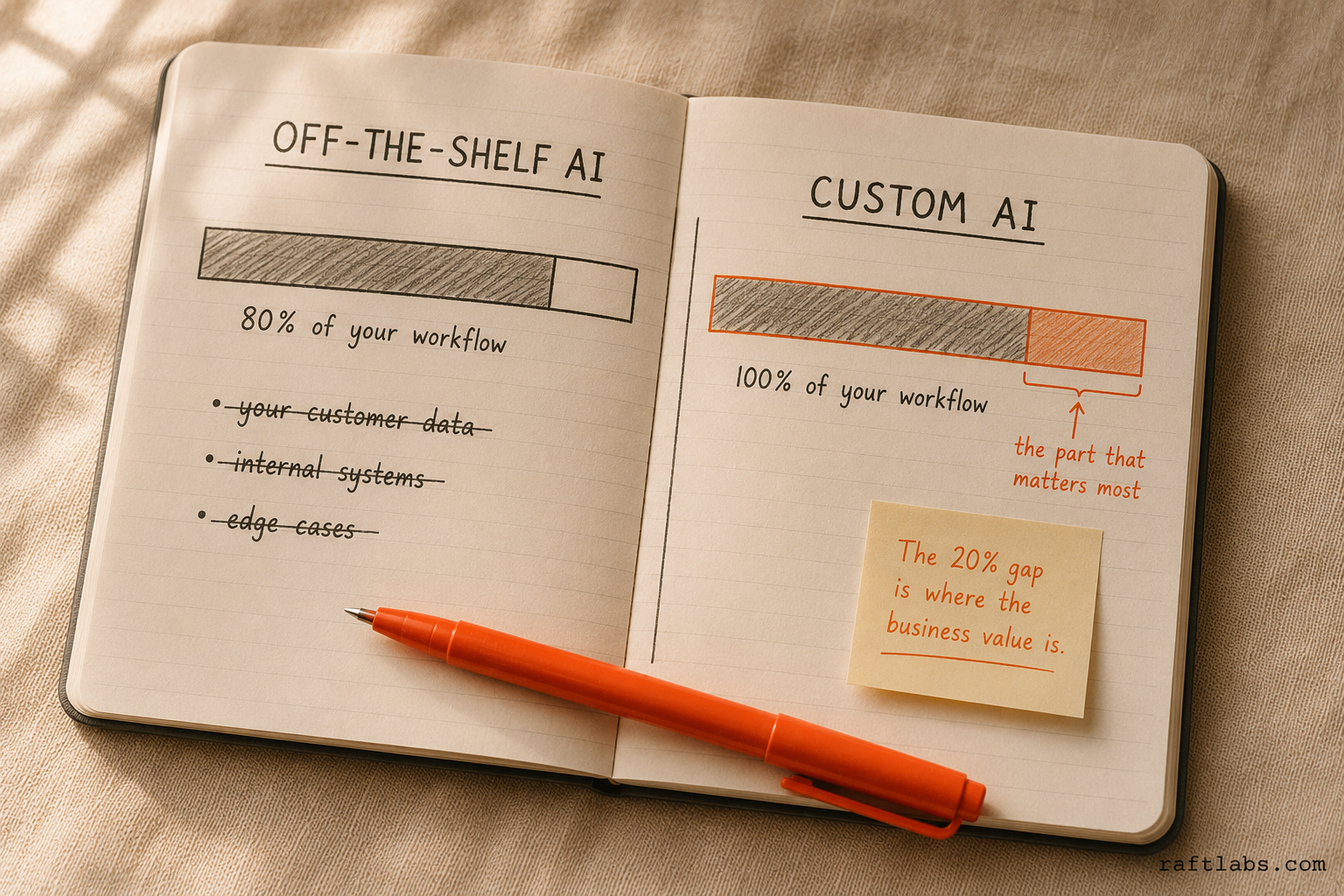
That's the custom AI threshold. Off-the-shelf models are trained on general data. They can't know your product catalog, your pricing rules, your service history, or your customers by default. They need to be connected to that data, constrained by your business logic, and integrated into your existing systems.
This is where custom AI development starts - not replacing ChatGPT or Claude, but building on top of them. You use the model as the reasoning engine and build the layers around it: the data connectors, the agent logic, the guardrails, the monitoring, the integration with your CRM or ERP.
The common triggers for crossing the custom AI threshold:
Your use case requires the AI to know your internal data, not just general knowledge
You need AI integrated into your existing systems (not a separate tool your team has to switch to)
You need reliability or uptime guarantees that public LLM APIs don't offer
You need audit trails for compliance (healthcare, finance, legal)
The off-the-shelf tool handles the common case but fails on your specific edge cases
If you've evaluated ChatGPT, Claude, and Gemini and you're still finding that gap - that's when you call someone like us.
How to run a proper pilot before committing
Before locking in a model or a license tier, run a structured 4-week pilot. Here's how we'd approach it.
Week 1: Pick the use case, not the model. Choose the single highest-frequency AI task your team does today - or the one they'd do if they had AI access. Write out exactly what the input is, what the output should look like, and what "good" means. This gives you a consistent evaluation baseline.
Week 2: Run the same input through each model. Claude, ChatGPT, Gemini - all three. Use the same prompt, the same document, the same starting point. Grade the outputs against your criteria. Don't rely on your gut. Score them on the metrics that matter to your team: accuracy, tone match, editing time required, integration friction.
Week 3: Test at volume. The first comparison is useful. The tenth is where the real differences emerge. Run 50-100 real tasks through the model that scored best in week 2. Track how often you need to edit outputs. Measure total time (including AI usage time) vs. the baseline you documented in week 1.
Week 4: Evaluate the integration question. The model performance is only half the decision. Can the output actually flow into the next step of your workflow? Does it require a manual copy-paste? Does the API connect to your systems? The best model in isolation may not be the best model for your specific stack.
Most businesses that run this process end up with a clear answer. The ones who skip it and go straight to enterprise licensing often find themselves locked into the wrong tool for their use case.
Our verdict: a decision framework
Here's how to cut through this quickly for your business.
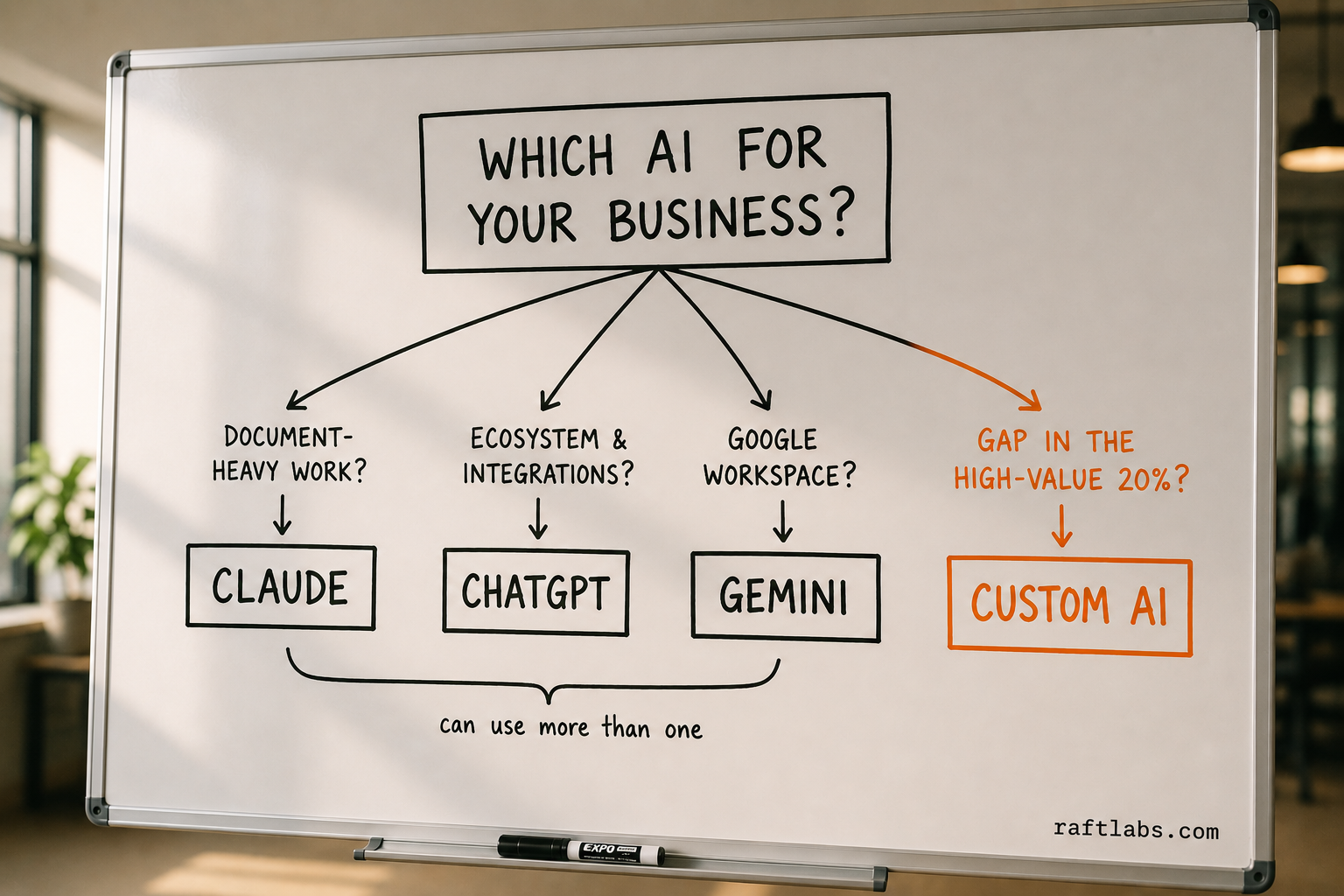
Choose Claude if: Your team does a lot of document-heavy work - contracts, research, proposals, reports. Or if you need AI writing that doesn't sound like AI writing. Or if you need a model that follows precise formatting and tone instructions through long outputs.
Choose ChatGPT/GPT-4o if: You need AI connected to your existing business tools (CRM, helpdesk, automation platforms). Or if you want the widest ecosystem of third-party integrations with minimal custom development. Or if your team needs a consumer-familiar interface with the broadest plugin support.
Choose Gemini if: Your business is built on Google Workspace. Or if you're running data analysis in Google Sheets and want AI that works inside those tools without switching context. Or if you're on Google Cloud and want AI built into your Vertex AI pipelines.
Use more than one if: Different teams have different primary use cases. A content team on Claude and a customer support team on ChatGPT is a completely reasonable split. Many mid-market companies run two models in parallel for different functions - the per-seat costs are similar enough that the productivity gain justifies the complexity.
Go custom if: You've run pilots with at least one of these models, identified the specific capability gap, and that gap is in a part of your workflow that drives real business value. Don't start with custom AI - start with the off-the-shelf tools and find the ceiling first.
At RaftLabs, we build custom AI for businesses that have already found that ceiling. We don't resell ChatGPT or Claude. We build on top of these models - custom agents, automation pipelines, and LLM integrations tied to your specific data and processes. Fixed price, 12-week sprints, starting with a diagnostic to find where the model gaps are actually costing you.
If you're at that point, talk to us.
Ask an AI
Get an instant summary of this post from your preferred AI assistant.
Common questions
- There's no single best model - it depends on the use case. Claude wins for document review and nuanced writing. ChatGPT/GPT-4o wins for ecosystem integrations and general automation. Gemini wins for Google Workspace users and multimodal data tasks. Most businesses end up using more than one.
- For most business writing tasks, yes. Claude handles long documents better, follows tone instructions more precisely, and produces less generic output on first pass. ChatGPT is more consistent for templated outputs and has better plugin support for publishing workflows.
- Not directly - they serve different ecosystems. Gemini is built into Google Workspace (Docs, Sheets, Gmail, Drive). Microsoft Copilot is built into Microsoft 365 (Word, Excel, Teams, Outlook). The right choice depends on which productivity suite your business already uses.
- ChatGPT Team is approximately $25-30/user/month. ChatGPT Enterprise is custom-priced, typically starting around $60-80/user/month for larger deployments. Claude Pro is $20/user/month. Gemini Business is bundled with Google Workspace Business plans or available as an add-on around $20/user/month.
- When existing tools handle 80% of your use case but the 20% gap is the part that drives the most business value - that's the custom AI threshold. Common triggers: needing AI that knows your internal data, processes, or customers; needing AI integrated into your existing systems (ERP, CRM, ops tools); needing reliability guarantees that public LLM APIs can't offer. RaftLabs builds custom AI for exactly this threshold - agents, automation pipelines, and LLM integrations built on your data and processes.