NEMT per-mile rate calculator
Turn your own vehicle costs, driver pay, and miles into a rate per billable mile: your cost per mile, your break-even rate, and a rate at your target margin.
- Your own costs only
- Deadhead miles counted
- Break-even and margin rates
Before you run the numbers
One rate, built from your own costs
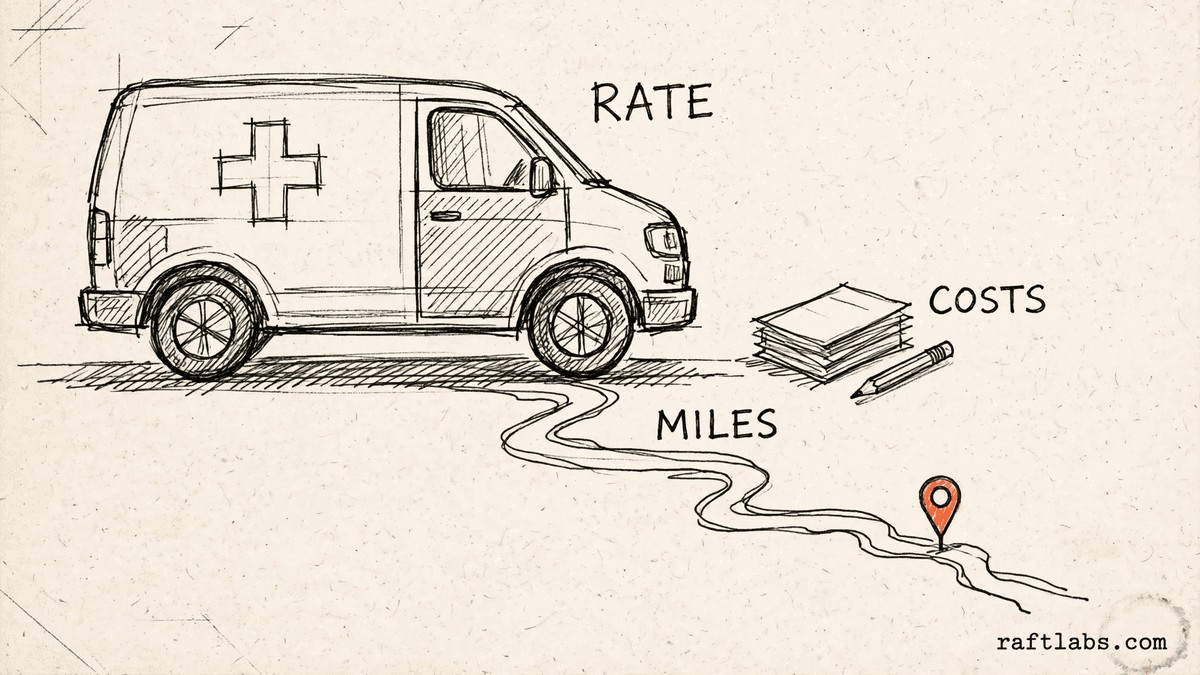
A per-mile rate has to carry more than fuel. It has to carry the vehicle payment, the insurance, the maintenance, and the driver, across every mile you drive. That includes the miles with no passenger on board.
This calculator starts from your own figures. Enter the monthly costs for one vehicle, the driver pay and hours, and the billable and deadhead miles for a day. The result is the rate those figures support, and nothing else.
Your numbers
1. Monthly vehicle costs
Use the costs for the one vehicle you are pricing. Leave a line at zero only if that cost does not apply to that vehicle.
2. Driver cost
Paid hours are all the hours the driver is paid for in a day, including driving to pickups and driving back.
3. Miles and days
Deadhead miles are miles driven with no passenger on board. They still cost fuel and driver time.
4. Target margin
The margin is the share you want to keep above your costs. Leave it at zero to see the break-even rate on its own.
Result
Rate at your target margin, per billable mile
Enter your own figures on the left to see your rate. The calculator needs your billable miles per day and your days operated per month before it can divide your costs.
Short answer
An NEMT per-mile rate calculator turns your own running costs into a rate per billable mile. It adds your monthly vehicle costs and driver pay into a daily cost, spreads that cost over your billable and deadhead miles, then shows break-even and a rate at your target margin.
What the rate covers
What goes into a per-mile rate?
A per-mile rate for non-emergency medical transport has two cost blocks. The first is the vehicle. Its monthly costs are the payment or lease, the insurance, the fuel, and the maintenance. Those costs run whether the vehicle carries a passenger that day or not.
The second block is the driver. Driver pay per hour, times the paid hours in a day, gives the driver cost for that day. Paid hours include the time spent driving to pickups and driving back, not only the time with a passenger on board.
The miles split two ways as well. Billable miles are the miles a trip pays for. Deadhead miles are the miles driven with no passenger on board, and they still use fuel and driver time. A rate that ignores deadhead miles spreads the daily cost over too few miles, so it comes out too low.
Each payer and broker sets its own terms for the work it offers. This calculator does not use those terms, and it does not set your rate for you. It turns your own costs into a rate, so you can judge any offer against what a day on the road actually costs you.
| Cost part | What it covers | Where the figure comes from |
|---|---|---|
| Vehicle payment or lease | The monthly payment or lease cost for the vehicle you are pricing | Your own monthly amount |
| Insurance | The monthly insurance cost for that vehicle | Your own monthly amount |
| Fuel | The fuel that vehicle uses in a month, across billable and deadhead miles | Your own monthly amount |
| Maintenance | Servicing, tyres, and repairs for that vehicle in a month | Your own monthly amount |
| Driver pay | Driver pay per hour times the paid hours in a day | Your own pay figure and hours |
| Billable and deadhead miles | Miles with a passenger on board, and miles driven with no passenger on board | Your own miles per day |
The math
How the rate is worked out
The math runs in three steps. Start by turning the monthly vehicle costs into a daily figure, then add the driver cost for the day. That daily cost is spread over your miles to give a cost per mile and a break-even rate. The break-even rate is then lifted to your target margin.
Vehicle cost per day = Monthly vehicle costs / Days operated per month
Driver cost per day = Driver pay per hour x Paid hours per day
Daily cost = Vehicle cost per day + Driver cost per day
Cost per total mile = Daily cost / (Billable miles + Deadhead miles)
Break-even rate per billable mile = Daily cost / Billable miles
Rate at target margin = Break-even rate / (1 - Target margin)
Example: monthly vehicle costs made up of an example payment of $900, example insurance of $300, example fuel of $600, and example maintenance of $200 add up to $2,000 a month. Over an example 20 days operated, that is $100 of vehicle cost per day. Example driver pay of $20 per hour for an example 8 paid hours adds $160, so the daily cost is $260.
$2,000 / 20 = $100 per day; $20 x 8 = $160 per day; $100 + $160 = $260 daily cost
With an example 100 billable miles and an example 25 deadhead miles in the day, the total is 125 miles. The deadhead share is 20% of those miles. An example target margin of 20% lifts the break-even rate to the rate at that margin.
Cost per total mile = $260 / 125 = $2.08; Break-even = $260 / 100 = $2.60; Rate at 20% margin = $2.60 / 0.80 = $3.25
Every figure in this example is a made-up input chosen to show the math. Your rate will use the costs, miles, and margin you enter.
Getting it right
How to set a rate that holds up
The rate is only as good as the figures behind it. Four habits keep it honest over time.
- 01
Start from a full month of costs
Fill in all four vehicle lines: payment or lease, insurance, fuel, and maintenance. A rate built on a partial cost list looks fine until the missing cost lands. Pull the figures from your own records for the vehicle you are pricing, not from a fleet-wide guess.
- 02
Count deadhead miles honestly
Deadhead miles are part of the job. The drive to a pickup and the drive back both cost fuel and driver time. If you leave them out, your cost per mile looks lower than it is, and the gap comes out of your margin on every trip.
- 03
Price from break-even, then add your margin
Break-even is the floor. It is the rate that covers one day of costs and leaves nothing over. Set your target margin above that floor for the work in front of you, and use the rate at that margin when you quote or review a contract.
- 04
Recheck the rate when costs or miles change
A rate holds only while the figures behind it hold. Recheck it when fuel or insurance changes, when a driver pay change lands, or when new work adds longer deadhead runs. A short recheck with fresh figures beats finding the gap at the end of a month.
Frequently asked questions
Straight answers to what buyers ask before they scope. Still stuck? .
- It is a tool that turns the costs of running one vehicle into a rate per billable mile. You enter your own vehicle costs, driver pay, billable miles, and deadhead miles. The tool works out your daily cost, your cost per mile, and the rate you need to charge to break even. Every figure in the result comes from numbers you entered.
- Add up one day of costs first. Take your monthly vehicle costs and divide them by the days you operate that month. Then add driver pay per hour times the paid hours for the day. Divide that daily cost by your billable miles for the day. The result is the rate per billable mile that covers that day of costs, with nothing left over.
- Deadhead miles are miles you drive with no passenger on board. They include the drive to a first pickup, the drive between trips, and the drive back at the end of a run. Those miles still burn fuel and still take driver time, but no one pays for them directly. This calculator counts them in your cost per mile and shows them as a share of your total miles.
- Use the monthly costs of the vehicle you are pricing. The calculator has four lines for them: the payment or lease, insurance, fuel, and maintenance. Add the four lines from your own records for that vehicle. If a cost is missing, the rate will look lower than the true cost of running the vehicle.
- The break-even rate only covers your costs. A target margin adds room above those costs. The calculator takes the break-even rate and divides it by one minus your margin, written as a decimal. So a higher margin gives a higher rate. The margin is your own figure, and you set it for the work you are pricing.
- No. This calculator does not use any payer, broker, or Medicaid rate, and it does not look one up. Each payer and broker sets its own terms, and those terms sit outside this tool. Price from your own costs instead. Then compare your rate with the terms on offer before you accept the work.
Stay on topic
More for NEMT operators
The tools give you a range. A call gives you a number.
30-minute scoping call. We will walk through how your operation schedules trips, tracks deadhead miles, and sets rates today, and you leave with a clear plan for the software that runs it.