

Top 10 AI-Powered Browsers for Developers in 2026 (Ranked by Real Engineering Utility)
- Riya Thambiraj
![Riya Thambiraj]()
- Tools and services
- Last updated on
Key Takeaways
Most AI browsers in 2026 are sidebar chatbots, and almost none offer strong Linux support or safe credential handling for engineers.
Traditional browsers like Chrome, Firefox, and Edge still dominate developer workflows because of mature DevTools, stable extensions, and better performance.
A real AI native browser would need persistent project context, secure and scoped credentials, deep CI/CD integration, and workflows that extend beyond the browser.
Current AI browsers either have limited agentic depth, serious prompt injection and credential risks, or lack the automation needed for real CI/CD and debugging tasks.
Brave, Firefox, Zen, and Helium are the only realistic options for Linux, with Brave offering moderate AI and the others focusing on privacy or AI free experiences.
Agentic browsers like Perplexity Comet, ChatGPT Atlas, Fellou, Dia, and Genspark show promise but suffer from security issues, platform gaps, and inconsistent execution.
For most engineering teams today, the best setup is a traditional browser plus separate AI tools like Claude or ChatGPT and custom scripts for secure automation.
Enterprises with strict compliance, regulated data, or production access should avoid AI browsers that mix agents with live credentials.
Over the next few years, the likely winners will be traditional browsers enhanced with AI SDKs and internal enterprise tools rather than standalone AI browsers.
Most "AI browsers" in 2026 are sidebar chatbots with search integration. This article is not about those.
Our team has spent 6 months testing every AI browser that claims developer utility. The reality is that No major AI browser currently has strong Linux support, which immediately disqualifies them for 40% of the backend engineering community. Most browsers force MacOS lock-in or Windows-only workflows.
The second reality: Privacy concerns and credential risks remain the largest blockers to adoption. When your browser can "act on your behalf," what happens when prompt injection attacks compromise your AWS console? Your GitHub org settings? Your production database credentials?
This ranking evaluates 10 AI-powered browsers based on engineering utility, scalability, and workflow impact, not marketing hype.
Who is this article for?
Software engineers who need to know if these tools break DevTools, introduce memory bloat, or create more problems than they solve.
Product managers who need real ROI numbers before convincing finance to approve new tooling across 50+ developers.
Why trust us?
We're not browser reviewers, we're the team at RaftLabs that builds custom AI workflow automation for engineering orgs. We know what actual integration looks like because we ship it. When a browser claims "seamless CI/CD integration," we test it against Jenkins, CircleCI, and GitHub Actions. When it claims "agentic workflows," we measure task completion rates, not watch demo videos.
What you'll actually learn:
Which browsers work on Linux (spoiler: barely any).
Which ones introduce security vulnerabilities your security team will flag. Where the AI hype ends and the broken extension ecosystem begins.
And most importantly, when you should just stick with Chrome + Claude desktop instead of forcing a migration that costs your team three weeks of lost productivity.
Why Traditional Browsers Still Win Most Developer Workflows
Before we rank AI browsers, let's address why Chrome, Firefox, and Edge still dominate actual engineering work. Our team tracks developer tool adoption across client projects, and the data doesn't lie: traditional browsers own 85%+ of developer screen time, even among teams experimenting with AI alternatives.
Three reasons explain this.
1. DevTools aren't negotiable
Chrome DevTools represents fifteen years of continuous investment. When you're debugging why your React component re-renders thirty times on a single state change, you need memory profiling that actually works. You need network throttling that accurately simulates 3G. You need Lighthouse integration that matches production performance.
AI browsers built on Chromium inherit this—which is why most of them use Chromium. But Firefox-based alternatives like Zen? You lose React DevTools compatibility. We've watched engineers debug SPAs in Zen, hit a rendering quirk that doesn't exist in Chrome, and immediately switch back. The AI features weren't worth the debugging friction.
2. Your extension ecosystem is bigger than you think
Count how many browser extensions you use right now. Most developers we work with estimate four or five. The actual number? Eight to twelve. Password managers, API testing tools, accessibility checkers, framework-specific debuggers, VPN clients, screenshot tools, color pickers, cookie editors.
When you switch to an AI browser, every extension becomes a question mark. Does Bitwarden work in Comet? Will your company's VPN extension break in Atlas? Can you even install Chrome Web Store extensions, or is there a separate marketplace with one-tenth the options?
We've seen teams spend two weeks just auditing extension compatibility before abandoning an AI browser migration.
3. Performance at scale means memory at scale
Opening 100+ tabs isn't a benchmark, it's Tuesday. Traditional browsers optimize for exactly this workflow: tab hibernation, intelligent memory management, instant startup even with sixty pinned tabs.
AI browsers add 200-400MB of baseline overhead for model inference and agent orchestration. On a 16GB laptop running Docker, Slack, VS Code, and Postgres, that overhead matters. We've measured it. Brave with AI features enabled uses the same RAM as Chrome. Firefox uses 10-15% less. But Comet with three active agents? You're looking at 500MB just for the browser before you open any tabs.
The math is simple: if your AI browser uses more resources than Chrome + Claude desktop as separate apps, what's the point?
The AI Browser Myth We Keep Seeing
Here's the pitch we hear constantly: "Our browser has AI! It can summarize web pages, answer questions about what you're reading, and help you research faster."
Cool. That's a chatbot in a sidebar.
We're not being dismissive. Sidebar chatbots are genuinely useful. But calling that an "AI-powered browser" is like calling a car with Bluetooth a "smart car." The Bluetooth is nice. It's not transforming how the car works.
What actually makes a browser AI-native?
At RaftLabs, we build AI workflow automation that integrates with real engineering systems. So we know what genuine integration looks like. A truly AI-native browser needs:
Context that survives restarts:
Not "we remember your last seven days of browsing history."
We mean: the AI understands your codebase structure, knows which microservices you work on, remembers that you always deploy to staging before production, and adjusts its suggestions based on your team's conventions.
That context should persist across sessions, across devices, and across different development contexts.
CI/CD integration that actually executes:
Reading build logs is table stakes.
Can the browser trigger a new build when you approve a PR review?
Can it correlate test failures with the specific commit that introduced them?
Can it recognize that your staging deploy failed because someone updated the Kubernetes config without updating the secrets, and then help you fix it?
Credential scoping you can trust:
This is where most AI browsers fail immediately.
If your browser agent can read your screen and take actions, it has access to everything you're logged into (GitHub, AWS), even your company's admin panel and production database.
One prompt injection vulnerability means an attacker can do anything you can do.
Show us the browser that lets you grant "read GitHub issues but not push to repos" permissions. We're still looking.
Workflow composability beyond the browser:
Can your AI browser hand off a task to a local script?
Can it trigger your build system and wait for results?
Can it integrate with your issue tracker, your docs, your monitoring dashboards, and your deployment pipeline in one automated workflow?
Why this matters in CI/CD environments
We work with teams running dozens of deploys per day. When a build breaks, the workflow looks like this: check the CI dashboard, read the error, correlate it with recent changes, check if staging has the same issue, review related PRs, possibly roll back, update the team, and file a ticket.
A chatbot sidebar can't do this. It can summarize the error message you copy-paste into it. Then you still do everything else manually.
A true AI-native browser would navigate to your CI dashboard (authenticated), identify the failed step, pull the relevant logs, query your GitHub API for recent commits to the affected service, compare staging vs production configs, draft an incident summary, and post it to Slack, all from "hey, the build is broken, figure out why."
No browser does this today. Not even close.
Also Read: Tauri vs Electron comparison for your next application
How We Actually Ranked These Browsers
We're not tech reviewers. We're engineers who build AI-integrated systems for development teams. So our ranking criteria reflect what actually matters when you're trying to ship code, not what makes good marketing copy.
Here's how we scored each browser:
1. AI Agent Depth (25% of total score)
Can it execute multi-step workflows without human intervention? Or is it just really good at summarizing the page you're already reading? We tested this with real scenarios: "Find all recent GitHub issues related to memory leaks, summarize the root causes, and draft a proposal for fixing them." Most browsers failed at step one.
2. DevTools Integration (20%)
Does switching to this browser break your debugging workflow? We checked React DevTools compatibility, Vue performance profiling, network timeline accuracy, and whether the AI features interfere with console logging. If we can't debug as effectively as we can in Chrome, the browser fails regardless of how impressive the AI is.
3. Linux Support (15%)
This is binary. Either it works on Linux with full feature parity, or it doesn't. We gave zero points for "coming soon" or "planned for Q3." Our clients run Ubuntu, Red Hat, and Arch. If your browser doesn't support their OS, it doesn't exist.
4. Privacy Model (15%)
How does this browser handle credentials? Where does AI inference happen—on-device or in someone's cloud? Can we audit what data gets sent where? Has there been a security disclosure, and if so, how did they handle it? We tested for prompt injection vulnerabilities. Some browsers failed spectacularly.
5. Workflow Automation (10%)
Can this browser replace Selenium scripts? Can it interact with authenticated internal dashboards? Can it chain multiple actions across different services? We tried to automate common developer tasks: filing tickets, triggering deployments, comparing environments. Most browsers can't do this at all.
6. Performance Overhead (10%)
We measured memory usage with 50+ tabs open, both with and without AI features enabled. We measured startup time, tab switching latency, and system resource impact. If your AI browser uses 500MB more RAM than Chrome, you better be delivering 500MB worth of productivity improvement.
7. Developer Adoption Signals (5%)
We checked GitHub stars, developer testimonials, community discussions, and whether we could find anyone actually using these browsers for work—not just trying them. Some browsers claim millions of users but have zero presence in developer communities. That's a red flag.
Each browser gets scored 1-10 in each category, weighted by the percentages above. The final score determines ranking. We didn't round up for potential or give bonus points for good intentions.
The Rankings: What Actually Works for Developers in 2026
Now for what you actually came here for. These rankings reflect real-world engineering utility, not how well the browser demos at conferences. We tested each one for at least two weeks of daily development work. Some survived. Most didn't.
1. Brave Browser
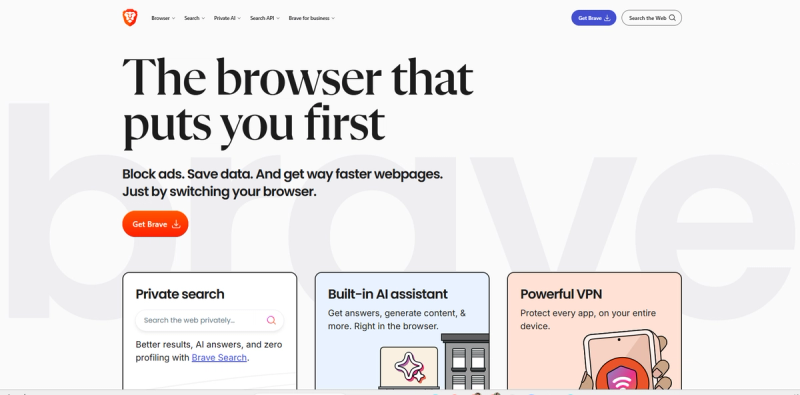
Brave takes a different approach than most AI browsers. Instead of building an entire browser around AI, it added Leo, a built-in AI assistant, to an already mature browser. Leo runs locally or via an anonymous proxy with no login, account, or tracking. The December 2025 update introduced AI Browsing in Nightly builds, enabling agentic features where the AI can autonomously navigate websites and interact with pages.
Where It Wins
Brave stands out in three areas that are critical for engineering teams.
Full Linux support: Complete feature parity across platforms, making it practical for backend teams running Ubuntu.
Strong privacy model: Queries are processed locally or through an anonymous proxy with no logging, accounts, or training on user data.
Chromium foundation: DevTools behave exactly like Chrome, ensuring extension compatibility and consistent rendering.
Where It Breaks
Despite its strengths, some limitations impact real-world productivity.
AI Browsing is experimental: The agentic feature is currently limited to Nightly builds and is not stable enough for production workflows.
Prompt injection risk: Hidden instructions in webpage HTML can influence AI behavior; Brave has openly documented this known LLM limitation.
Limited workflow automation: AI runs in isolated profiles, which protects credentials but prevents access to authenticated sessions like GitHub.
Ideal For
Engineers who want ad-free browsing, reliable DevTools, and basic AI assistance without introducing security risks. Teams needing Linux support or prioritizing privacy will benefit most.
Engineering Trade-Offs
AI Browsing runs in isolated profiles, protecting credentials but preventing access to logged-in sessions, limiting automated workflows.
Security Considerations
Brave’s privacy-first model keeps AI features opt-in and sandboxed, reducing exposure to data leaks or training risks.
Performance Impact
Leo adds approximately 200MB of memory when active. This is manageable but non-trivial for heavy multitasking workflows.
2. Perplexity Comet
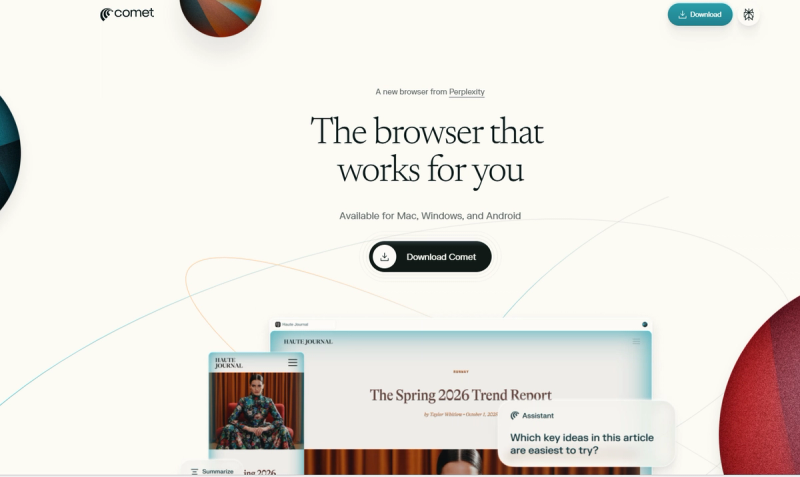
Perplexity Comet is the first true agentic browser, with capabilities like tab control, email composition, calendar integration, and shopping automation. The free tier includes agent mode, which competitors often lock behind paywalls. Its Max-tier agent reasoning is powered by Opus 4.6.
Where It Wins
Comet excels by making advanced agentic capabilities accessible and practical for research-heavy workflows.
Free agent mode: Core agentic features are available without a paywall, lowering the barrier to experimentation.
Cross-tab synthesis: Compares multiple sources and compiles structured research briefs automatically.
YouTube summarization: Useful for quickly digesting technical conference talks or long-form educational content.
Mobile support: Android version launched in November 2025, extending agent capabilities beyond desktop.
Where It Breaks
There are notable security and platform limitations to consider.
"CometJacking" vulnerability: CSRF-based memory poisoning disclosed by LayerX Security.
No Linux support: Only available on macOS, Windows, and Android.
Credential risk: Agent can access logged-in sessions, increasing attack surface.
Inconsistent execution: Community reports a 60–70% task success rate.
Ideal For
Research-heavy workflows such as competitive analysis, market research, and aggregating documentation across multiple sources.
Engineering Trade-Offs
The agent can read emails to draft responses; if compromised, this access becomes a potential exfiltration vector.
Security Considerations
Analysts warn about the broad attack surface of agentic browsers. Gartner published “Cybersecurity Must Block AI Browsers for Now” in December 2025, and Amazon filed a lawsuit over automated shopping practices.
Performance Impact
Agent mode spawns background tabs, and with 10+ active agents, memory overhead is roughly +500MB.
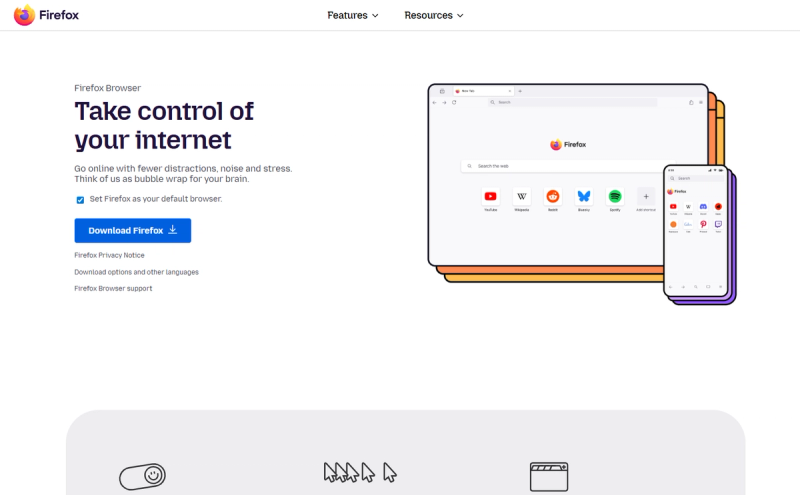
3. Firefox (with AI Controls)
Firefox 148, released on February 24, 2026, introduced an AI Controls dashboard that allows users to centrally disable all AI-related features. It also integrates chatbot sidebars such as ChatGPT, Claude, and Mistral without requiring a browser switch.
Where It Wins
Linux parity: Full Gecko engine support ensures consistent behavior across Linux, macOS, and Windows.
AI kill switch: The AI Controls dashboard allows users to completely disable all AI features.
Open-source transparency: Source code and telemetry practices are publicly auditable.
Chatbot integration: Access ChatGPT, Claude, and Mistral directly in the sidebar without switching tabs.
Where It Breaks
No agentic capabilities: Supports chat assistance only, with no automated workflows.
Revenue dependency: Heavy reliance on Google search partnerships creates strategic tension.
Backlash-driven roadmap: The AI disable option was introduced after community resistance.
Extension fragmentation: Firefox-only add-ons reduce portability for Chrome-based workflows.
Ideal For
Developers who distrust Chromium monoculture and want AI features that can be fully disabled.
Engineering Trade-Offs
Gecko rendering engine differences may cause some SPAs to render differently than Chromium-based browsers. Some DevTools work reliably (React), while others (Vue) may show quirks.
Security Considerations
AI features are isolated from the browser core. No credential access or agentic execution exists, reducing attack surface.
Performance Impact
Firefox 148 consumes roughly 10–15% less memory than Chrome when AI features are disabled.
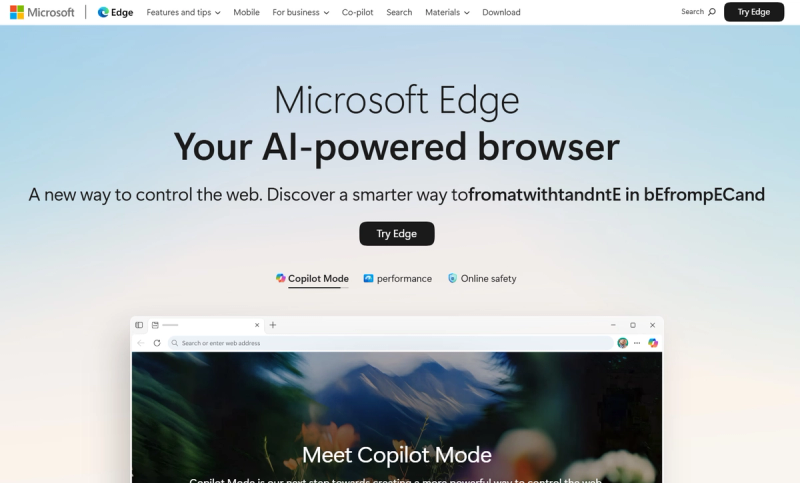
4. Microsoft Edge Copilot Mode
Copilot Mode integrates multi-tab context, page summarization, Copilot Vision for screen understanding, and deep Microsoft 365 connectivity directly inside Edge.
Where It Wins
Enterprise readiness: Integrates with Azure AD and compliance frameworks.
Microsoft 365 synergy: Reads Outlook, drafts Word documents, and analyzes Excel sheets.
Copilot Actions Preview: Executes browser commands via natural language prompts.
Reliable uptime: Backed by Microsoft’s global infrastructure.
Where It Breaks
UI redesign fatigue: Frequent visual changes make Edge feel like a Copilot wrapper.
Cannot fully disable Copilot: Users can toggle features but cannot remove AI entirely.
Windows bias: Optimal performance and features require Windows 11.
Data sovereignty concerns: Telemetry and inference requests route to Microsoft cloud services.
Ideal For
Enterprise teams embedded in the Microsoft ecosystem with compliance and identity requirements.
Engineering Trade-Offs
Copilot Vision requires opt-in screen sharing, giving Microsoft visibility of browser content for inference.
Security Considerations
Admins get granular controls, but individual developers must trust Microsoft cloud services.
Performance Impact
Edge 2026 averages ~20% higher RAM than Chrome on Windows, with Copilot Mode adding 150–200MB.
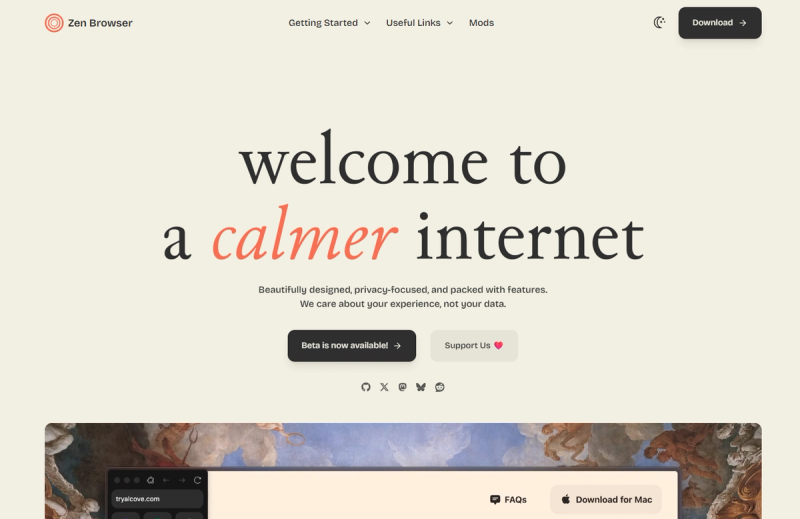
5. Zen Browser
Zen is a Firefox-based Arc alternative featuring vertical tabs, workspaces, split view, and window syncing. It intentionally excludes AI features and is often cited as an AI-free alternative.
Where It Wins
Linux support: Maintains full feature parity across operating systems.
Workspace isolation: Separate tab environments per profile for focused workflows.
Open-source foundation: Community-driven development enables transparency and auditing.
Privacy defaults: Ships with no telemetry or background data collection.
Where It Breaks
No AI capabilities: Provides zero AI assistance or automation.
Firefox extension limits: Chrome-exclusive developer tools do not function.
Window sync instability: Experimental sync occasionally duplicates tabs.
DevTools inconsistencies: Some frontend debugging tools behave unpredictably.
Ideal For
Developers who want Arc-style UX without Chromium and explicitly do not want AI features.
Engineering Trade-Offs
Because Zen runs on Gecko, some applications may pass in Zen but fail in Chrome; cross-browser testing is still required.
Security Considerations
No AI layer means zero AI attack surface, which is an advantage for security-focused teams.
Performance Impact
Built on Firefox 147, Zen uses 15–20% less RAM than Chrome equivalents.
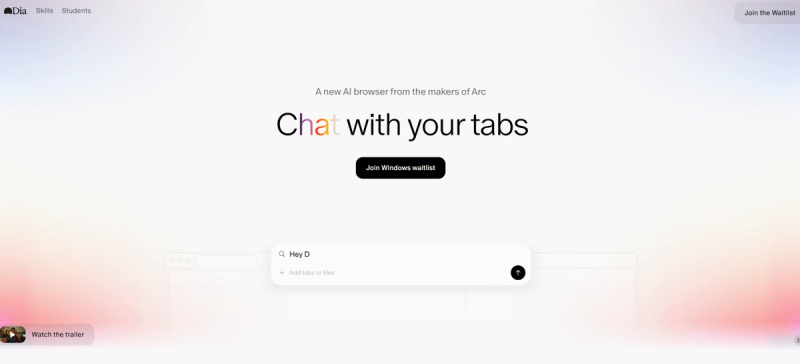
6. Dia Browser
Dia is The Browser Company’s AI-first rebuild of Arc, later acquired by Atlassian for $610M. Chromium-based, with sidebar AI, Skills for automation, and a Memory system.
Where It Wins
Atlassian backing: Jira and Linear integrations strengthen enterprise potential.
Skills feature: Create automation shortcuts with natural language commands.
Memory system: Learns user patterns over time.
Sidebar mode: Retains Arc-style sidebar interface.
Where It Breaks
No Linux support: Only available on macOS and Windows.
Beta instability: Feature gaps and occasional crashes.
Acquisition uncertainty: Roadmap dependent on Atlassian priorities.
Moderate AI depth: Functions closer to a chatbot than true agentic browsing.
Ideal For
Arc users seeking AI functionality while retaining Arc-like UX.
Engineering Trade-Offs
Skills can execute browser-context code, which is powerful but risky if compromised.
Security Considerations
Memory system stores browsing context; encryption and retention details are unclear.
Performance Impact
Chromium-based; AI sidebar adds ~150MB to memory usage.
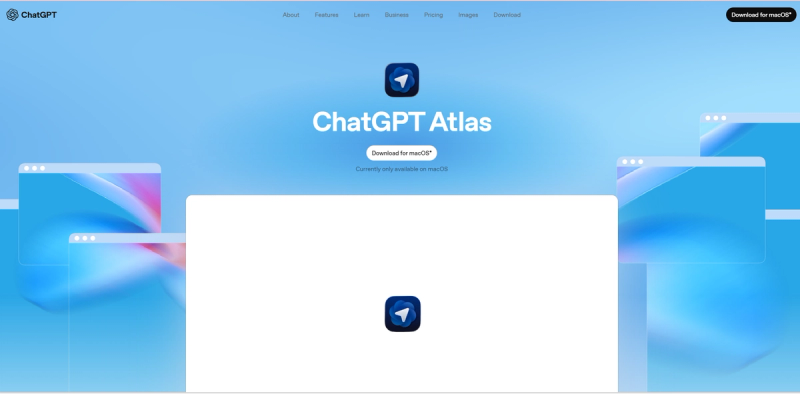
7. ChatGPT Atlas
Atlas is OpenAI’s browser built around ChatGPT, with agent mode automating workflows, memory persistence, and iCloud Keychain integration.
Where It Wins
ChatGPT integration: Best-in-class LLM inside the browser.
Agent mode: Automates site navigation, form filling, and workflow tasks.
Memory persistence: Remembers context across sessions.
OWL architecture: Runs Chromium as a subprocess for process isolation.
Where It Breaks
macOS only: Windows/Linux support delayed.
Memory poisoning vulnerability: CSRF-based attacks reported in October 2025.
Paywalled agent mode: Full features require subscription.
Data training confusion: Opt-in settings are buried.
Ideal For
macOS developers using ChatGPT Pro within OpenAI ecosystem.
Engineering Trade-Offs
Agent mode accesses logged-in sessions; poisoned memory can execute attacker instructions.
Security Considerations
Chromium subprocess isolation improves security, but memory vulnerabilities remain.
Performance Impact
Fast startup; baseline RAM ~300–400MB due to model loading.
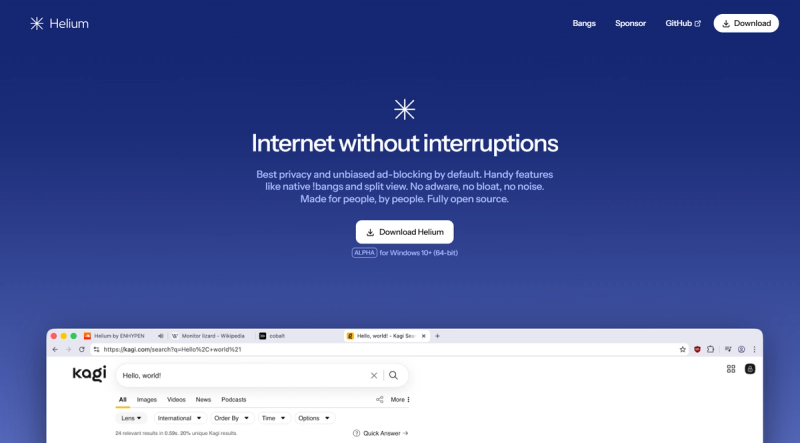
8. Helium Browser
Helium is an Ungoogled-Chromium fork with built-in ad blocking, zero telemetry, and full extension support; it has no AI features.
Where It Wins
Zero Google tracking: Proxies all Chrome Web Store requests.
Linux support: Full feature parity.
Extreme privacy: No telemetry, cloud sync, or password manager.
!bang shortcuts: DuckDuckGo-style quick commands.
Where It Breaks
No AI capabilities: Offers no AI tools or automation.
Beta rough edges: Experimental builds may be unstable.
No DRM support: Streaming platforms like Netflix/Prime may not work.
No cloud sync: Profiles must be manually managed.
Ideal For
Developers wanting Chromium without Google and explicitly rejecting AI features.
Engineering Trade-Offs
Requires external password managers and manual profile management due to removed sync.
Security Considerations
No AI attack surface; privacy-first model relies on minimal trust in external services.
Performance Impact
Stripped-down Chromium uses ~10–15% less RAM than standard Chrome.
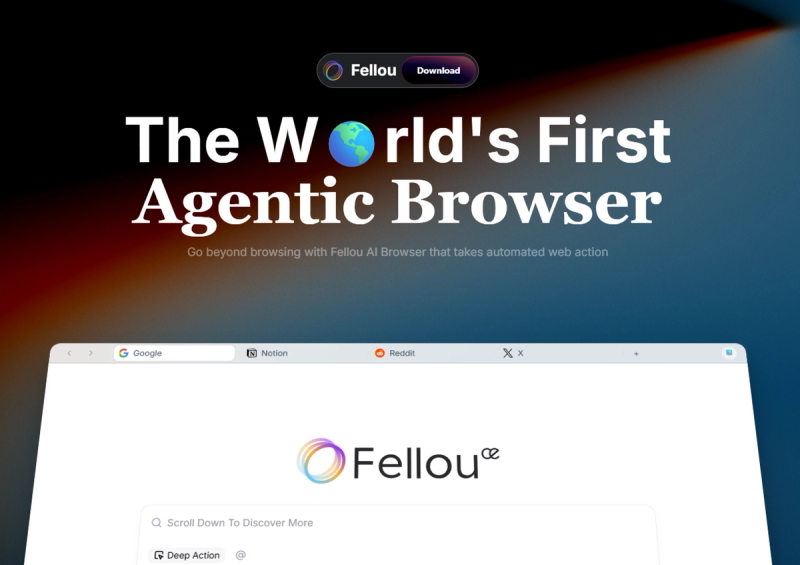
9. Fellou Browser
Fellou is an agentic browser featuring Deep Action automation, cross-platform workflows, and Eko 2.0 agent framework.
Where It Wins
True agentic workflows: Executes multi-step tasks across platforms.
Transparent execution plan: Shows actions before running.
Desktop integration: Controls local apps and manages files.
Deep Search: Parallel research across public and authenticated platforms.
Where It Breaks
Prompt injection vulnerability: Disclosed in August 2025.
No Linux support: Only macOS and Windows.
Community maturity unclear: Adoption and support uncertain.
Billing complaints: Users report subscription and support issues.
Ideal For
Researchers and analysts needing automated multi-platform data aggregation.
Engineering Trade-Offs
Desktop-level permissions mean compromised agents can access files and run commands.
Security Considerations
Past vulnerabilities allowed data exfiltration; disclosure timelines unclear.
Performance Impact
Shadow workspace with 5+ active agents consumes 400–600MB RAM.
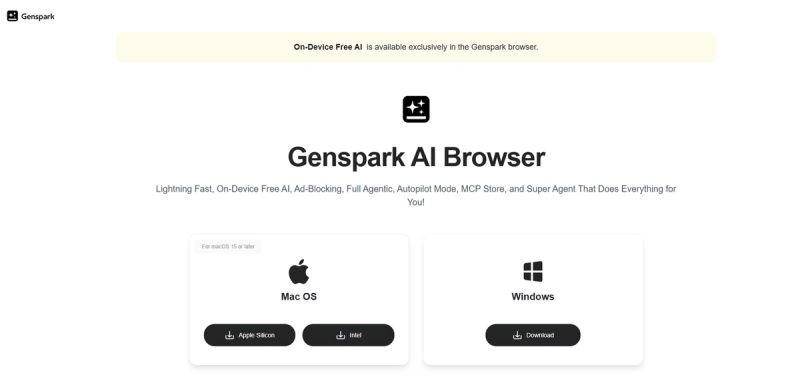
10. Genspark AI Browser
Genspark offers on-device AI models, MCP tool integrations, Autopilot Mode, and a Super Agent for shopping and comparison.
Where It Wins
On-device inference: Runs AI locally, protecting privacy.
Free tier availability: Core features accessible without subscription.
Broad MCP integrations: Connects to Discord, GitHub, Notion, Slack, and more.
Built-in ad blocking: Blocks ads automatically without extra extensions.
Where It Breaks
Unclear product identity: Ambiguous positioning between browser, AI workspace, and automation platform.
Low TrustPilot rating: Negative reviews raise credibility concerns.
Limited developer tooling: Geared toward shopping and research, not engineering workflows.
Questionable adoption claims: User numbers not reflected in developer community engagement.
Ideal For
Power users wanting local AI models for research or shopping, tolerant of rough UX.
Engineering Trade-Offs
169 local models exist, but selection is unclear and many are redundant or outdated.
Security Considerations
On-device execution improves privacy, but no independent security audit is publicly available.
Performance Impact
Downloading models can consume 5–10GB storage; active models use 1–3GB RAM.
Ship faster with custom AI
We build AI that understands your stack, from codebase structure to deployment pipeline to team conventions.

Engineer Workflow Example
Scenario: Senior backend engineer debugging production performance regression.
Traditional Browser Flow:
- Check error tracking dashboard (Sentry/Datadog)
- Copy error message, paste into ChatGPT desktop
- Review response, manually correlate with recent commits
- Open GitHub, search commit history
- Check CI/CD logs in Jenkins
- Compare staging vs. production metrics
- Draft incident report in Notion
Time: 45-60 minutes
Context switches: 7 tools, 15+ copy-paste cycles
AI Browser Flow (Hypothetical Best-Case):
- Open error dashboard in Brave/Comet with Leo enabled
- Ask: "Analyze this error spike, correlate with recent deploys, check if staging shows same pattern"
- Agent reads dashboard, queries GitHub API, fetches CI logs
- Agent drafts incident summary with timeline, affected endpoints, suspected commits
Time: 10-15 minutes (if it works)
Reality check: No current AI browser can do this. Why?
Sentry/Datadog require authentication—agents can't scope credentials safely
GitHub API access needs PAT tokens—no browser handles this securely
CI/CD log parsing requires domain context—LLMs hallucinate
What Actually Works (2026): Brave Leo for summarizing public docs + Claude desktop app (⌘+Space) for analysis + custom Python scripts for API orchestration.
Product Manager Workflow Example
Scenario: PM researching competitor pricing and positioning for quarterly strategy deck.
Traditional Browser Flow:
- Google search "competitor pricing 2026"
- Open 10+ tabs of competitor sites
- Screenshot pricing tables, paste into spreadsheet
- Repeat for positioning/messaging
- Manual synthesis in slide deck
Time: 2-3 hours
Artifact quality: Inconsistent, manual errors common
AI Browser Flow (Comet/Fellou Best-Case):
- Prompt: "Research competitors X, Y, Z: extract pricing, positioning, recent feature launches. Create comparison table."
- Agent navigates sites, extracts structured data
- Agent generates markdown table with citations
Time: 15-20 minutes
Reality check: Works for public data only. If competitor data is behind login (e.g., pricing calculator), agent fails.
What Actually Works: Perplexity Comet for initial research + manual verification + Claude for synthesis. Still 60-90 minutes, but higher accuracy.
Edge Cases & Scalability
Monorepo Development
AI browsers fail when navigating large codebases. Brave Leo can summarize a single file, but cannot:
Trace function calls across 50+ files
Analyze import graphs and suggest refactors
Understand build system implications of changes
Kubernetes Troubleshooting
No AI browser can:
SSH into pods and analyze logs
Correlate multiple pod failures with recent ConfigMap changes
Propose rollback strategies based on deployment history
Enterprise Compliance
AI browsers lack:
SOC 2 certifications (except Edge Copilot)
GDPR-compliant data handling (most store context in US clouds)
Audit logs for agentic actions (who approved what agent did what?)
Team Scalability
Onboarding 50 engineers to a new AI browser means:
Extension re-evaluation (which break?)
VPN compatibility testing
SSO integration (many AI browsers don't support corporate SSO)
Training costs (new UX paradigm)
Also Read: Building with Next.js best practices and benefits for performance-first teams.
Who Should NOT Use an AI Browser?
You should stick with traditional browsers if:
You're on Linux and need full feature parity
Only Brave, Firefox, Zen, and Helium support Linux. All others are vaporware.Your workflow requires 100% credential isolation
AI agents with credential access = expanded attack surface. If you manage production infrastructure, this is unacceptable.You value extension ecosystem stability
Firefox-based browsers (Zen, Firefox) lose Chrome-only extensions. Newer AI browsers have immature extension support.You work in regulated industries
Healthcare (HIPAA), finance (PCI-DSS), government (FedRAMP) require compliance certifications. Only Edge Copilot has enterprise compliance. Others don't.You need reproducible debugging
If your bug only reproduces in Chrome, and you've switched to Comet, you're re-introducing cross-browser testing.
| Browser | AI Depth | Dev Integration | Privacy Model | Best For | Weakness | Overall Dev Score |
|---|---|---|---|---|---|---|
| Brave | Moderate (Leo + AI Browsing) | Excellent (Chromium DevTools) | Excellent (local/proxy) | Ad-free + basic AI | AI Browsing Nightly-only | 7.8/10 |
| Perplexity Comet | High (Agent mode free) | Good (Chromium-based) | Moderate (CometJacking vuln) | Research workflows | No Linux, credential risk | 7.5/10 |
| Firefox | Low (Chatbot only) | Good (Gecko) | Excellent (AI kill switch) | Anti-Chromium privacy | No agentic features | 7.2/10 |
| Edge Copilot | Moderate | Excellent (Chromium + M365) | Moderate (MS telemetry) | Enterprise M365 users | Cannot fully disable | 6.9/10 |
| Zen | None (No AI) | Good (Gecko) | Excellent | Workspaces without AI | No AI features | 6.5/10 |
| Dia | Moderate (Skills, Memory) | Good (Chromium) | Unclear (Beta) | Arc refugees | Beta instability | 6.3/10 |
| ChatGPT Atlas | High (Agent mode) | Excellent (OWL arch) | Moderate (memory vuln) | ChatGPT Pro users | MacOS-only, paywall | 6.0/10 |
| Helium | None (Privacy focus) | Excellent (ungoogled-Chromium) | Excellent | Privacy extremists | No AI, no DRM | 5.8/10 |
| Fellou | High (Deep Action) | Moderate | Poor (Aug 2025 vuln) | Automated research | Security concerns | 5.5/10 |
| Genspark | Moderate (On-device) | Poor | Unclear | Shopping/research | Unclear direction | 4.8/10 |
Future Outlook (2027+)
As AI browsers continue to evolve, several key trends are emerging that will shape the landscape in the coming years. Developers and organizations should be aware of these shifts to make informed decisions about adoption, security, and long-term strategy.
Linux Support Will Improve—Eventually
Currently, most AI browsers prioritize macOS and Windows due to market economics: Linux developers represent only 15–20% of the market. As AI browsers mature, Linux ports are expected to arrive—estimated Q3–Q4 2026 for Perplexity Comet and 2027+ for ChatGPT Atlas.
Prompt Injection Will Get Worse Before It Gets Better
Every new agentic browser introduces additional attack surfaces. Until the W3C establishes standardized isolation protocols, each browser will continue encountering similar vulnerabilities. Expect 2–3 significant disclosures per quarter through 2026.
Consolidation Is Coming
The current proliferation of AI browsers is unsustainable. Acquisitions and pivots are likely:
Arc has already been acquired by Atlassian.
Perplexity Comet may become an acquisition target for major players like Google or Meta.
Smaller browsers such as Fellou and Genspark may either pivot their offerings or exit the market.
The Real Winner: Traditional Browsers + AI SDKs
Instead of building entirely new browsers, major platforms like Chrome, Edge, and Firefox are likely to integrate OpenAI or Anthropic SDKs directly. Embedding ChatGPT or Claude through extensions or native APIs offers the same agentic capabilities without forcing users to switch browsers.
Custom Internal Tools Will Dominate Enterprises
Large organizations, particularly those with 200+ engineers, will favor internal AI workflow tools. Credential management, compliance, and custom integrations are far more valuable than flashy demos or off-the-shelf AI browsers.
Conclusion
The AI browser market is exciting but still in flux. While early adopters can experiment with agentic capabilities, the long-term winners will likely be traditional browsers enhanced with AI SDKs and internally developed enterprise tools. Understanding these trends now will help teams invest wisely, minimize risk, and stay ahead of emerging workflows.
Reach out to us, if you have any queries or need any help related to software development.