10 Best Headless CMS for Enterprises in 2026: Features, Plan & Pricing
Choosing the right enterprise headless CMS is a strategic mandate. This guide shortlists top platforms, like Sanity, Contentful, and Strapi evaluating them on technical fit, governance, and editor experience. Learn to navigate complex migrations, preserve SEO, and align your architecture with long-term business goals.

In this article
Short answer
Enterprise headless CMS selection comes down to content-modeling flexibility, API performance under load, and total cost of ownership once migration work is priced in. RaftLabs has delivered headless CMS builds on Sanity, Contentful, and Storyblok, including a zero-downtime Webflow-to-Sanity migration that produced a 30% organic traffic increase. 4.9/5 on Clutch, $29-49/hr.
Key takeaways
- Sanity’s GROQ query language lets you fetch exactly the data structure you need without over-fetching. That’s a concrete advantage over GraphQL for content-heavy applications with many content types.
- Contentful’s Lite plan at $300/month includes 1M API calls. Once you exceed that, pricing scales unpredictably. Map your expected API call volume before committing to any usage-based platform.
- The 20% rule: licensing fees are roughly 20% of total year-one cost. Content modeling, ETL scripting, 301 redirects, frontend build, and team training account for the other 80%.
- RaftLabs migrated a client from Webflow to Sanity with zero downtime for 12,000+ monthly visitors and a 30% organic traffic increase. The gain came from faster load times and programmatic SEO, not from the migration itself.
- Strapi’s open-source self-hosting eliminates vendor lock-in and cuts SaaS fees, but you own infrastructure reliability, security patching, and backup management. These costs are easy to underestimate.
Your CMS is costing you more than you think.
Every time a content editor needs a developer to publish a page, you pay for that wait in delayed campaigns, missed launches, and engineer time pulled from product work. According to Forrester's 2024 Digital Experience Platform report, enterprises using monolithic CMS platforms spend an average of 35% more in content operations costs than those on headless architectures, primarily because of developer bottlenecks.
The headless CMS market has matured fast. You no longer have to choose between developer flexibility and editor usability. Platforms like Storyblok deliver visual editing. Sanity delivers programmable content models. Contentful delivers enterprise-grade API performance. The question is not "should we go headless." It is which platform fits your team structure and content complexity.
RaftLabs has delivered headless CMS development projects on Sanity, Contentful, and Strapi for SaaS, FinTech, and media companies. Our most cited result: zero-downtime migration from Webflow to Sanity for a client with 12,000+ monthly visitors, followed by a 30% organic traffic increase. Here is the framework we use to match teams to the right platform.
This isn't just about picking a database anymore. The choice of your next-generation content platform is a seriously strategic decision. It dictates your digital future and how fast you can respond to the market.
A slow CMS means bad user experience and, critically, worse search engine performance. Period. Your teams need to spin up a new landing page, run an A/B test, or optimize a conversion path without filing a ticket. Decoupled architecture offers a better security posture, reducing the attack surface. This is non-negotiable for FinTech and regulated industries. And your content needs to live everywhere: website, mobile app, internal systems, partner portals. A traditional CMS ties content to the presentation layer. A true enterprise headless CMS frees it.
Who Should Read This Enterprise Headless CMS Comparison?
If you are a CTO, Head of Engineering, Product Manager, or a digital leader tasked with overhauling a legacy system, or scaling a rapidly growing digital product, this guide is for you. We cut through the noise. This is the best headless CMS for enterprise shortlist vetted by real-world implementations.
As a software development agency that designs and builds enterprise CMS implementations for SaaS, FinTech, and fast-growing startups, we help teams shortlist and implement the right platform. We see the good, the bad, and the ugly of these systems every day.
What You'll Get From This Blog
By the end of this guide you will have:
A definitive, expert-vetted shortlist of the top headless CMS platforms.
Clear guidance on how to choose the right platform for your specific business scenario.
A practical next step you can take today (consultation / audit / migration assessment).
Who Is This Headless CMS Shortlist For? (And Who It’s Not For)
It's true. This high-end comparison isn't for everyone. These platforms, particularly the top-tier ones, are built to solve complexity and scale that small businesses simply don't face yet.
This List is Primarily For:
- Mature SaaS and FinTech companies with dedicated engineering, marketing, and product teams that have complex data models and need strict content governance.
- Global organizations operating in multiple regions that need reliable localization and multi-site management.
- Companies with existing microservices pursuing a composable DXP strategy. The CMS must integrate as one component of a larger technical stack.
- Teams migrating from legacy systems: if you're abandoning Adobe AEM, Sitecore, or old WordPress/Drupal installations because they failed to scale, this shortlist is your replacement guide.
This List Is Not Primarily For:
- New startups or single founders focused on a simple marketing site or blog. These platforms are priced and built for organizational scale, not early-stage simplicity.
- Simple websites with low traffic. If your content needs are basic, DatoCMS or ButterCMS will serve you until you hit a breaking point. The high-end options are unnecessary until then.
- Agencies building one-off client sites. Unless that client is a large enterprise, simpler site builders are more cost-effective.
The platforms we detail next are designed to solve the hardest scaling problems.
How We Selected These Top Enterprise CMS Platforms
When we evaluate a headless CMS platform for an enterprise client, we move past simple feature checking. We use a three-pillar framework. It’s about finding the right fit for your whole organization, not just the engineering team.
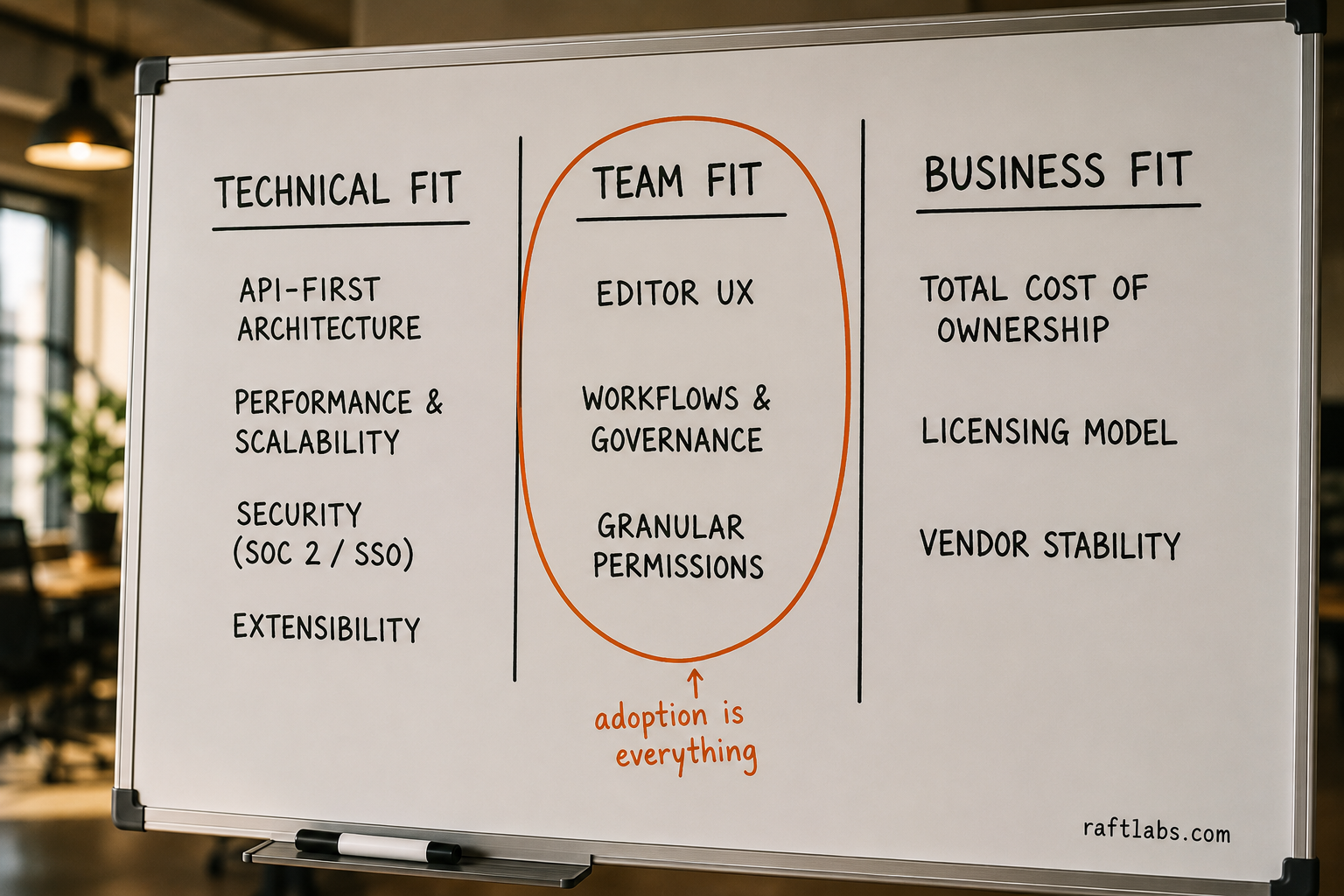
1. Technical Fit
This is the foundation. If the architecture is weak, the project collapses under load.
Architecture and APIs: must be API-first with strong GraphQL support for flexible, efficient data fetching.
Performance and scalability: can it handle massive traffic spikes and a complex content repository without degrading?
Security: SSO, SOC 2 and ISO certifications, and granular access controls are non-negotiable for enterprise.
Extensibility: how easily does it connect with your existing MarTech stack, CDPs, analytics, personalization engines, and e-commerce platforms?
2. Team Fit
A technically perfect CMS that content editors hate will fail. User adoption is everything.
Editor UX: can non-technical marketers create and publish complex content without a developer?
Workflows and governance: enterprise demands multi-stage approval flows and audit trails with clear rules about who can publish, when, and where.
Permissions: granular control over content spaces, environments, and user roles matters for global distributed teams.
3. Business Fit
This is the long-term view of ownership. It is where the real cost lies and business risk is managed.
Total cost of ownership: licensing fees matter, but so does developer time for maintenance, feature building, and updates. Lower developer overhead means lower real cost.
Licensing model: does it align with your growth? Models that penalize API call volume or user counts can surprise you at the worst time. Avoid them.
Vendor stability: strong financial footing, a clear roadmap, and an active community protect your long-term investment.
What is headless CMS?
Before exploring the enterprise landscape, here is a clear definition of what a headless CMS actually is.
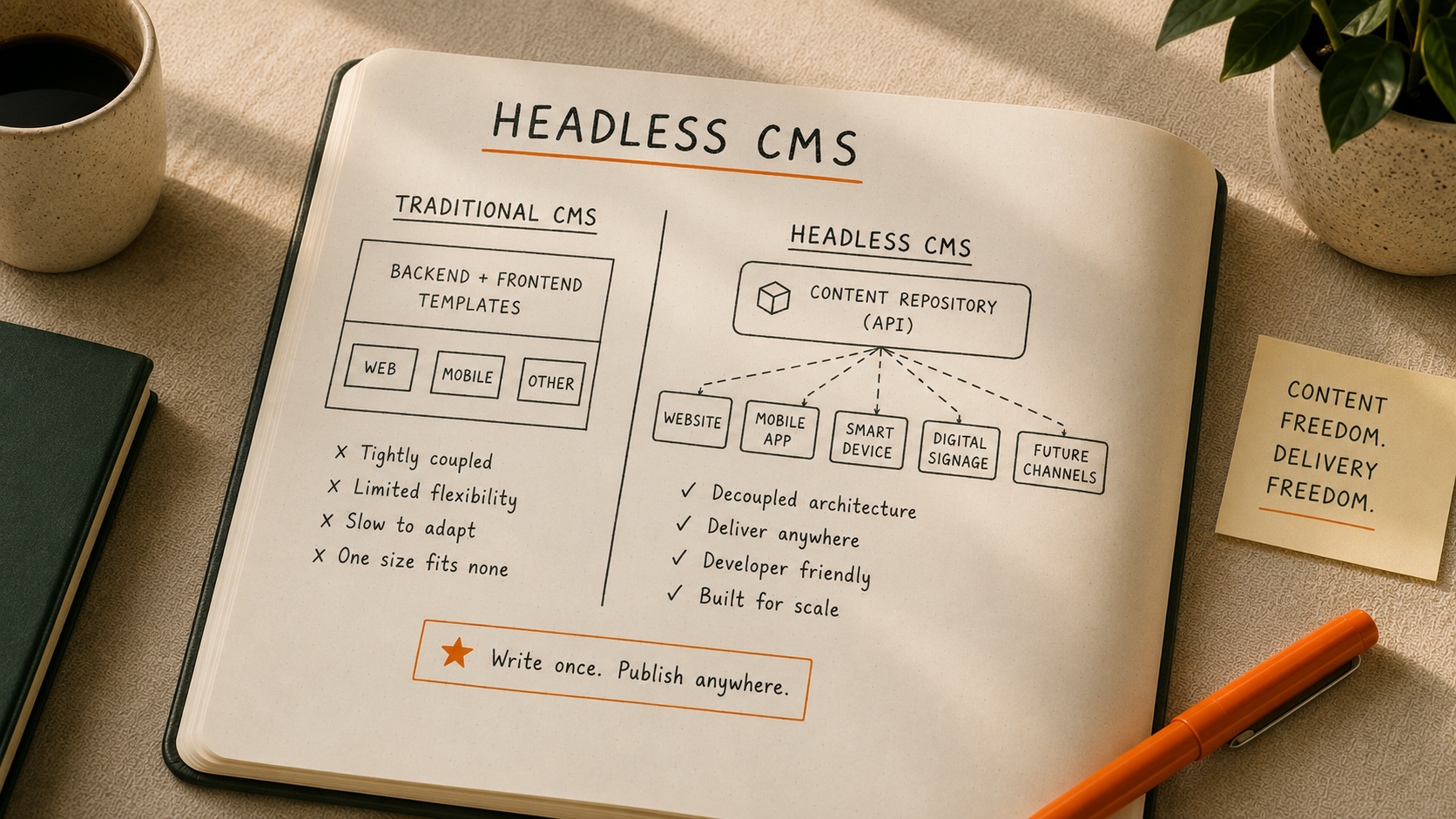
A headless CMS is a content management system that separates the backend (where content is created and stored) from the frontend (where content is displayed).
Instead of being tied to a single website or theme, it delivers content through APIs so the same content can power websites, mobile apps, kiosks, smart devices, and any future channel.
This decoupled architecture gives teams more flexibility, faster performance, stronger security, and the freedom to redesign or scale without touching the core content layer. In short, a headless CMS lets you create content once and publish it anywhere.
According to Storyblok's State of CMS 2025 survey of 1,300 CMS users, 69% of teams that adopted a headless CMS reported improved time-to-market and productivity. The driver in most cases is removing the developer dependency from routine editorial work.
Check out: Our Headless CMS Development services to build your scalable websites
Why a headless CMS is the engine behind high-growth digital products
With a clear definition in place, here is why this architecture has become the standard choice for modern enterprises.
If you are still looking at traditional, coupled CMS options, you're looking backward. For genuine enterprise scale, the old ways fail. Here is why all the top headless CMS platforms dominate this space now:
Separating content from presentation means your frontend can be built with modern frameworks (React, Next.js, Vue) for fast delivery and better user experience. Your content isn’t locked into one dated technology stack. Developers pick the right tool for each job, which maximizes efficiency and retention. Headless also provides content as pure data via API, so today’s website and mobile app become tomorrow’s AR/VR experience or smart home dashboard without rebuilding your content layer. And modern enterprises run on microservices. Your content service should be one too.
We only look at solutions built on this modern foundation. Now, let’s see the list of best headless CMS for enterprises.
Top 10 Headless Content Management Systems for Enterprises
| Platform | Best For | Editor Experience | Scalability & Performance | Pricing Band | Our Verdict |
|---|---|---|---|---|---|
| Sanity | Content-heavy SaaS, media companies, multi-brand enterprises | Advanced, highly customizable | Excellent, real-time collaboration shines | Free - $15/seat - Custom | Most flexible for complex content models |
| Contentful | Enterprise teams with strong dev resources, multi-channel delivery | Developer-focused, editor experience improving | Industry-leading API performance | Free - $300/mo - Custom | Gold standard for enterprise headless |
| Strapi | Cost-conscious teams, dev-heavy organizations | Basic but functional | Good, self-hosted control | Free - $15/mo - $375/mo | Best open-source option for full control |
| Hygraph | GraphQL-first teams, content federation needs | Clean, GraphQL-native workflows | Strong performance with GraphQL optimization | Free - $199/mo - Custom | Ideal for GraphQL-heavy architectures |
| Contentstack | Large enterprises, complex approval workflows | Structured, enterprise-grade | Excellent multi-region deployment | ~$995/mo - Custom | Enterprise features but less intuitive UX |
| Prismic | Marketing-focused teams, rapid page building | Excellent, visual Slice Machine | Solid, good for marketing sites | Free - $10/mo - Custom | Best for marketing teams who want independence |
| Storyblok | Teams wanting visual editing without compromise | Outstanding visual editor | Very good, component-based architecture | Free - €99/mo - Custom | Visual editing done right |
| DatoCMS | Image/video-heavy sites, media companies | Intuitive, media management excellence | Great CDN performance | Free - €149/mo - Custom | Unbeatable for media asset management |
| ButterCMS | Simple content needs, quick implementations | Simple and straightforward | Good for standard use cases | Free - $79/mo - Custom | Easiest to implement, fewer advanced features |
| Cosmic | Startups, rapid prototyping, simple content structures | Clean and minimalist | Adequate for most projects | Free - $299/mo - $499/mo | Lightweight and affordable for simpler needs |
Now let's break down what actually matters about each platform.
1. Sanity
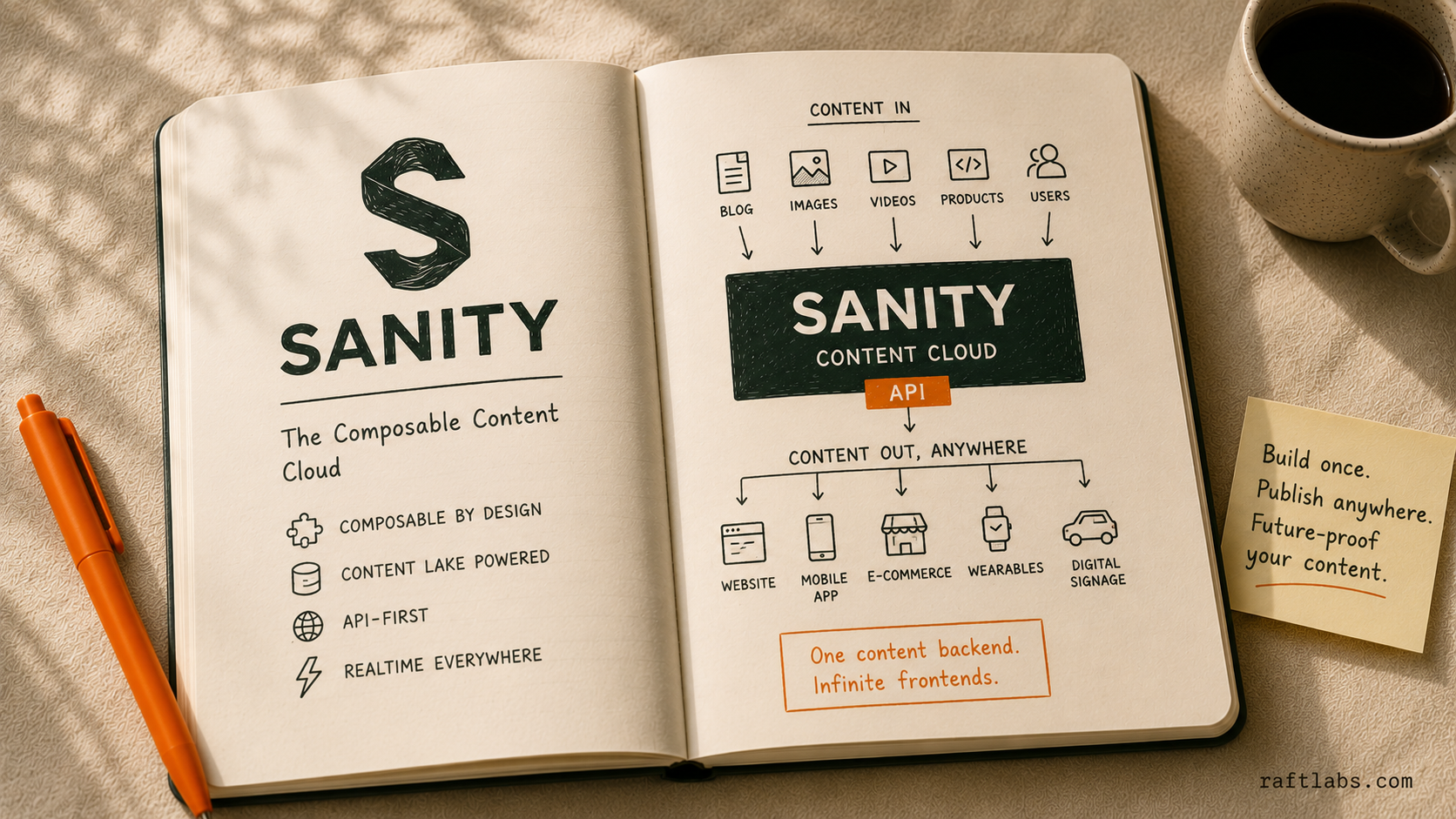
Sanity isn't just another headless CMS. It's a content platform that treats your content like structured data from day one.
What it is: Sanity gives you a real-time content backend where everything, pages, products, blog posts, author bios, lives as structured content you can query, manipulate, and deliver anywhere.
The editing environment (Sanity Studio) is an open-source React application you can customize completely. This is not "themes and plugins" customization. You can actually rewrite the entire interface if you need to.
Best Sanity CMS Features for Enterprises
Real-time Collaboration: Multiple editors can work on the same document simultaneously without overwriting each other's changes. You see cursors moving, changes appearing live, and conflicts getting resolved automatically.
Portable Text editor: Instead of storing HTML (which breaks when you need content elsewhere), Sanity uses a structured format that renders beautifully on web, mobile, email, or whatever channel you dream up next.
GROQ query language: This is their secret weapon. It's more intuitive than GraphQL for content queries and lets you fetch exactly the data structure you need without over-fetching.
Customizable Studio: Your content team needs custom workflows. Build them. Need a special preview for a specific content type. Add it. The Studio is just React components you control.
Content Lake architecture: Your content lives in a versioned, distributed system that's fast globally and keeps complete edit history forever.
Excellent API performance: Sanity's CDN delivers content fast, and their APIs handle complex queries without the sluggishness you get with some competitors.
Ideal Use Cases
Multi-brand enterprises managing dozens of websites from one content repository.
SaaS platforms where product content needs to appear in documentation, marketing site, in-app help, and sales collateral.
Media companies publishing to web, apps, newsletters, and social simultaneously.
E-commerce operations with complex product catalogs and localization requirements.
Notable use case: Our Sanity developers built a B2B SaaS documentation system that delivers the same content to a website, mobile app, PDF exports, and in-product help widgets from a single content model. The content team authors once, and it flows everywhere.
What to watch: Sanity is a developer-first platform. The learning curve is steep for non-technical editors, and Studio customization requires React knowledge, so marketing teams can't extend it alone.
Pros:
Most flexible content modeling we've seen; you can represent virtually any content structure.
Real-time collaboration beats everything else for distributed teams.
Developer experience is outstanding (our devs consistently choose Sanity for greenfield projects).
Generous free tier lets you test thoroughly before committing budget.
Cons:
Steeper learning curve for non-technical editors (this is a developer-first platform).
GROQ is powerful but requires learning a new query language.
Studio customization requires React knowledge; marketing can't do it alone.
Pricing scales with seats, so large editorial teams get expensive.
When we recommend it:
Sanity is our go-to when clients have complex content models, need genuine multi-channel delivery, and have development resources to customize the experience.
If your content team is comfortable with structured content thinking (not just "make the page look pretty"), Sanity gives you power no other platform matches.
Our sanity developers built a B2B SaaS documentation system on Sanity that delivers the same content to their website, mobile app, PDF exports, and in-product help widgets. The content team authors once, and it flows everywhere. That's Sanity's sweet spot.
Pricing:
Free tier includes 20 users and unlimited content types; perfect for testing or smaller projects.
Growth plan at $15 per user/month adds private datasets, scheduled publishing, and AI Assist.
Enterprise pricing is custom but includes SSO, custom roles, SLA guarantees, and dedicated support. Unlike usage-based pricing models, you pay per seat, so scaling traffic doesn't increase costs.
Check our Sanity CMS development services to build custom and scalable headless solutions.
2. Contentful
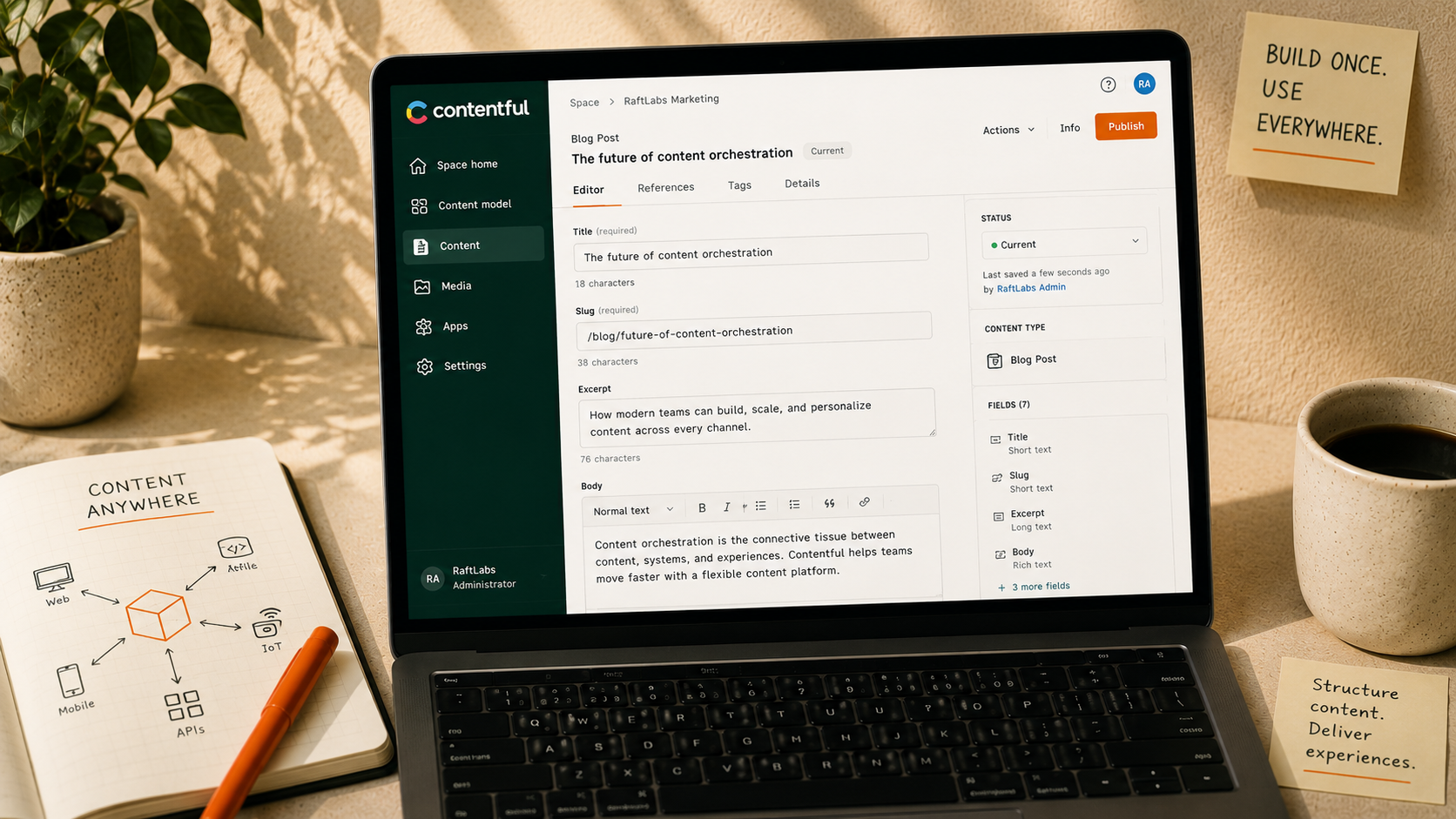
If Sanity is the developer's dream, Contentful is the enterprise standard everyone measures against.
What it is: Contentful pioneered the enterprise headless CMS category and built a platform that thousands of major companies trust for mission-critical content operations. It's an API-first system designed for teams that need reliability, performance, and features that work at massive scale.
Best Contentful CMS Features for Enterprises
Industry-leading API performance: Contentful's content delivery API is consistently fast. We're talking sub-100ms response times globally. When you're serving millions of requests, this matters.
Powerful localization: Managing content in 20+ languages. Contentful's localization system lets you see translation status, manage locale fallbacks, and coordinate global content teams without losing your mind.
Content modeling flexibility: Create complex content types with references, validations, and custom fields. The visual content model builder helps you understand relationships between content types.
Integration marketplace: Contentful's app framework and marketplace mean you can connect to basically any tool your enterprise already uses: DAMs, commerce platforms, analytics, you name it.
Granular role-based permissions: Granular control over who can do what. Different teams can access different content spaces with different permission levels.
Strong developer tooling: CLI tools, migration scripts, environment branching, webhooks; everything you need for proper DevOps workflows.
Ideal Use Cases
Large enterprises managing content across multiple brands and regions.
E-commerce platforms requiring tight integration with commerce engines.
Organizations with established development teams that can build on API-first architecture.
Companies needing enterprise SLAs and support for business-critical applications.
Notable use case: Our Contentful developers have used the platform to build high-performance websites for enterprises that need proven API reliability across multiple brands and regions, leaning on its localization system to coordinate 20+ language rollouts.
What to watch: The editor experience feels dated next to newer visual-first platforms, and pricing escalates quickly once you add locales, API calls, and bandwidth beyond the Lite tier.
Pros:
Maturity and stability; Contentful isn't going anywhere.
Consistently fast API performance and strong uptime.
Full feature set that covers most enterprise requirements out of the box.
Strong community and extensive documentation.
Cons:
Editor experience feels dated compared to newer visual-first platforms.
Navigating deeply nested content structures gets clunky.
Pricing escalates quickly as you add locales, API calls, and bandwidth.
Setting up complex workflows requires significant configuration.
When we recommend it:
Contentful is our recommendation when enterprises need proven reliability and a full feature set and our contentful developers used the CMS maximum of it to build high performance websites.
If you have development resources and prioritize API performance over editor experience, Contentful delivers. It's especially strong when you're already using multiple best-of-breed tools and need a CMS that integrates smoothly.
Pricing:
Free tier offers 10 users and basic features for testing.
Lite plan at $300/month includes 20 users and 1M API calls.
Premium (enterprise) pricing is custom and includes unlimited API calls, dedicated support, 99.99% uptime SLA, and advanced security features. Budget for premium tier to start around $3K-$5K monthly depending on scale.
Check our Contentful CMS development services to build scalable websites.
3. Strapi
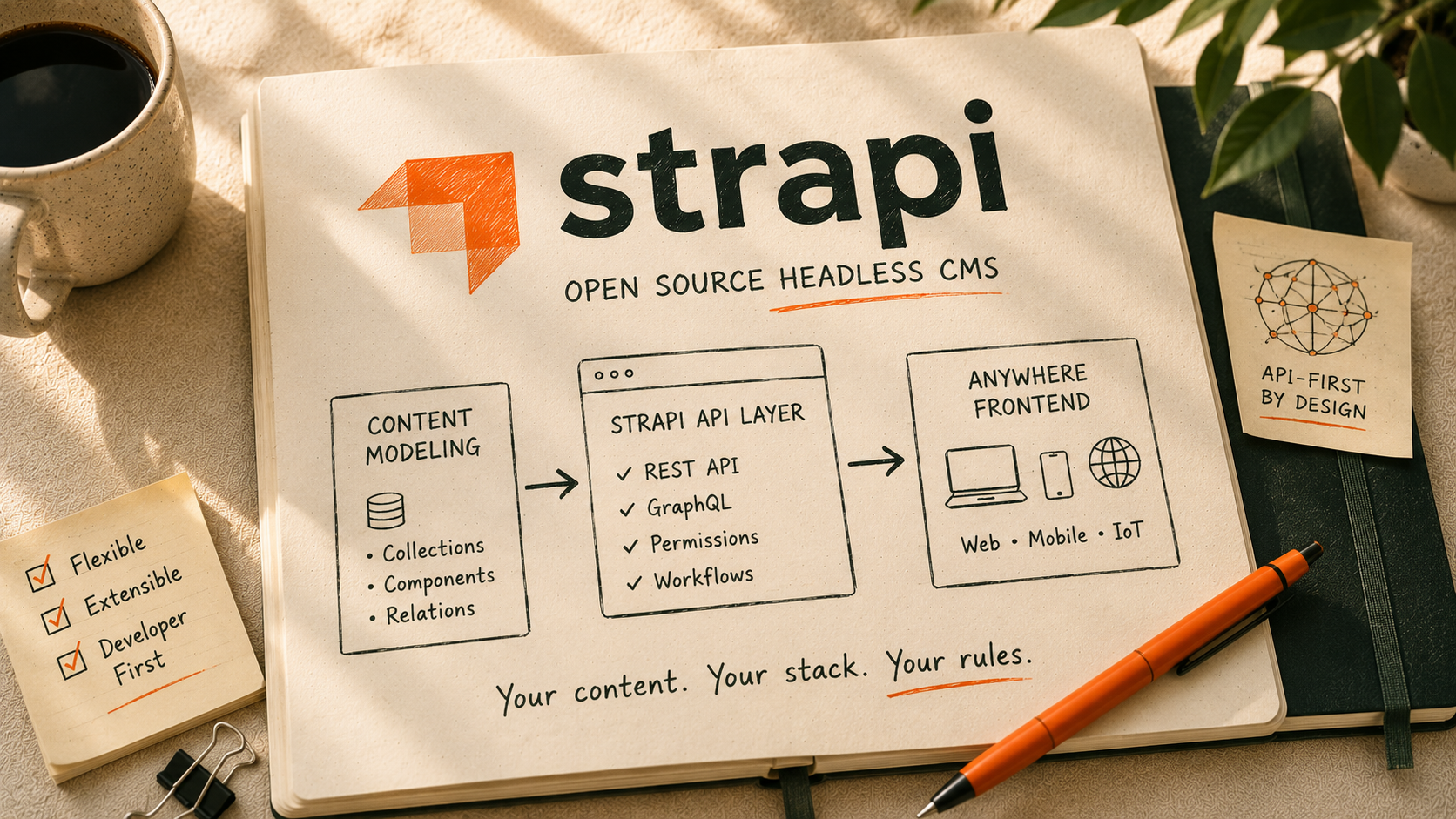
Open-source headless CMS platforms often compromise on features or polish. Strapi doesn't.
What it is: Strapi is a fully-featured, open-source headless CMS you can self-host or run on their cloud. Built with Node.js, Our Strapi developers experimented with this CMS, it gives you complete control over your content infrastructure while providing a surprisingly polished admin interface.
Best Strapi CMS Features for Enterprises
Complete data ownership: Self-host on your infrastructure and control everything. There is no vendor lock-in and no data residency concerns.
Customizable admin panel: Built with React, you can modify the entire admin interface to match your workflows. Add custom fields, validation, plugins, whatever you need.
Flexible content types: Create and modify content structures through the UI or directly in code. This is perfect for developers who want version-controlled schemas.
Plugin library: Active community building plugins for everything from internationalization to custom field types.
Multiple database support: Works with PostgreSQL, MySQL, SQLite, or MongoDB. Use whatever your team already knows.
RESTful and GraphQL APIs: Get both API styles without extra configuration.
Ideal Use Cases
Organizations with data residency requirements or strict security policies.
Teams with strong DevOps capabilities who want infrastructure control.
Cost-conscious enterprises (self-hosting significantly reduces ongoing costs).
Companies building multiple applications that share content infrastructure.
Notable use case: Regulated-industry teams (healthcare, finance) that cannot let content leave their own infrastructure self-host Strapi to keep full data residency while still getting a polished, React-based admin interface.
What to watch: Self-hosting means you own DevOps: hosting, security patching, and backups. Some enterprise features like SSO and advanced workflows feel less polished than commercial alternatives.
Pros:
True open source; audit the code, modify anything, no licensing restrictions.
Self-hosting means predictable costs as you scale.
Active community and frequent updates.
Lower entry cost than commercial platforms.
Cons:
Self-hosting requires DevOps expertise (hosting, security, backups, updates).
Cloud version pricing scales up faster than competitors.
Some enterprise features (SSO, advanced workflows) feel less polished than commercial alternatives.
You're responsible for security patches and infrastructure reliability.
When we recommend it:
Strapi makes sense when you have development and DevOps resources and want maximum control.
It's ideal for regulated industries (healthcare, finance) where data residency matters, or for companies building custom applications where owning the entire stack provides strategic advantage.
Pricing:
Free open-source version for self-hosting.
Cloud pricing starts at $15/month per project for 100K API requests and goes up to $375/month for the Scale plan.
Enterprise pricing is available for advanced features and support. Self-hosting costs just infrastructure expenses.
Check our Strapi CMS Development Services to build fast and scalable websites.
4. Hygraph
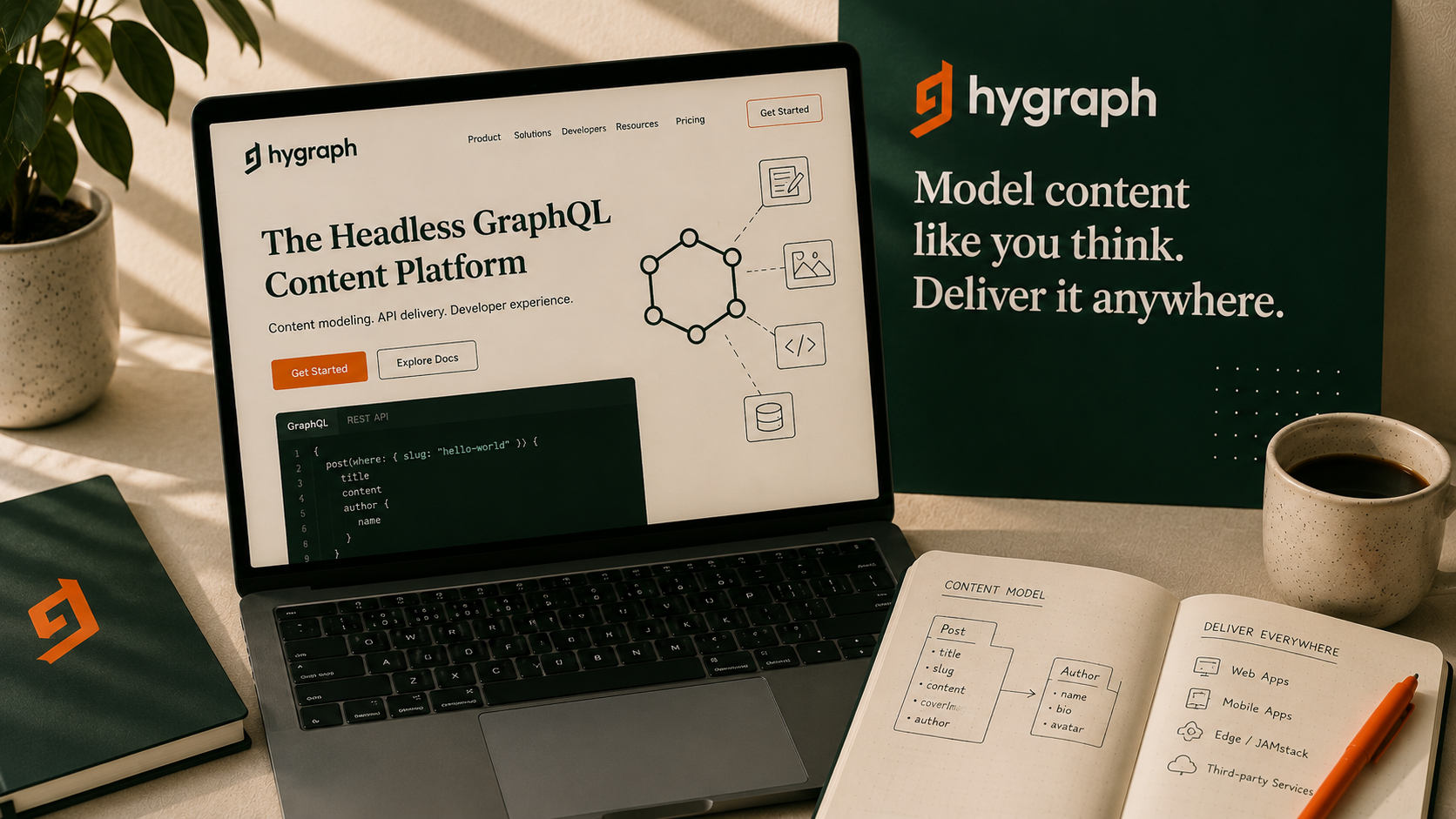
Hygraph is built entirely on GraphQL, meaning this advanced query technology is deeply integrated into the platform's core architecture rather than just being an added feature.
What it is: Hygraph (formerly GraphCMS) built a headless CMS with GraphQL as the foundation, not an add-on. Everything: content modeling, querying, and mutations, happens through APIs that feel native.
Best Hygraph CMS Features for Enterprises
Native GraphQL is everything: Content models automatically generate GraphQL schemas. No configuration needed. Query exactly the data you need with proper type safety.
Content Federation: Pull content from multiple sources (other CMSs, databases, APIs) into unified GraphQL queries. This is huge for complex enterprises with distributed content.
Excellent performance: Built-in CDN and smart caching make content delivery fast globally without complex setup.
Localization at the field level: Not just page-level translation. Individual fields can have different localized values with fallback rules.
Asset management: Solid DAM features with automatic image transformations, video processing, and metadata management.
Webhooks and automation: Trigger workflows when content changes, integrate with external systems, automate publishing.
Ideal Use Cases
Development teams already using GraphQL throughout their stack.
Enterprises needing content federation from multiple sources.
Organizations with complex data relationships that GraphQL queries handle elegantly.
Teams building modern frontend apps with Next.js, Gatsby, or similar frameworks.
Notable use case: Enterprises migrating off a legacy CMS use Hygraph's Content Federation to query old and new content sources through one GraphQL layer, letting them transition gradually instead of a hard cutover.
What to watch: If your team doesn't already know GraphQL, expect a learning curve, and some advanced features are locked behind the Enterprise plan.
Pros:
GraphQL implementation is the cleanest we've seen.
Content Federation solves real problems for enterprises with fragmented content.
UI is clean and intuitive without sacrificing power.
Performance is consistently strong.
Cons:
If your team doesn't know GraphQL, expect a learning curve.
Pricing jumps significantly between tiers.
Some advanced features locked behind Enterprise plan.
Documentation covers basics well but advanced scenarios less thoroughly.
When we recommend it:
Hygraph is perfect when your frontend architecture is GraphQL-based and you want your CMS to match.
Content Federation becomes valuable for enterprises migrating from legacy systems; you can federate old and new content sources while transitioning gradually.
Pricing:
Free Hobby plan includes 2 locales and 3 seats for personal projects.
Growth starts at $199/month with more locales and seats.
Enterprise pricing is custom and includes SSO, audit logs, custom workflows, and dedicated support. Growth plan works for small teams; budget for Enterprise at scale.
5. Contentstack
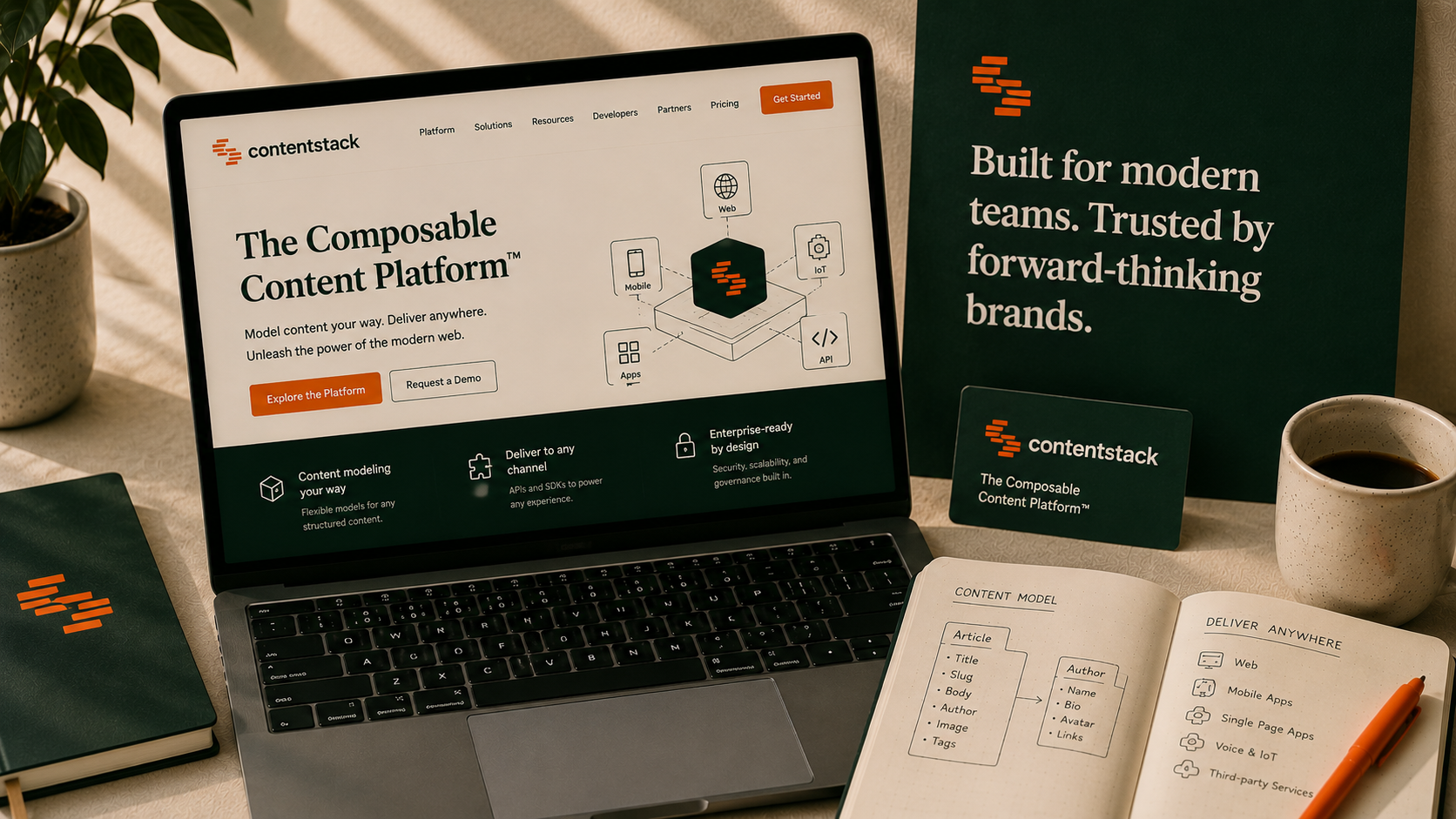
Contentstack positions itself squarely in enterprise territory; and the feature set backs it up.
What it is: An enterprise-grade headless CMS built for organizations with complex governance requirements, multiple teams, and global operations. If you need workflows, approvals, scheduled publishing, and granular permissions, Contentstack has it.
Best Contentstack Features for Enterprises
Advanced workflow engine: Build multi-stage approval workflows with conditional logic. Content moves through legal review, brand approval, localization, whatever your process requires.
Visual Builder: WYSIWYG page building with developer-created components. Marketing builds pages independently while developers maintain design systems.
Strict governance: Detailed audit logs, version history, role-based permissions at granular levels. Know who changed what and when.
Multi-site management: Manage multiple websites or brands from one platform with shared content and site-specific variations.
Personalization engine: Deliver different content based on audience segments, location, behavior without custom development.
Launch/deployment management: Schedule coordinated releases across multiple content items and channels.
Ideal Use Cases
Large enterprises with complex approval processes.
Organizations requiring detailed compliance and audit trails.
Multi-brand companies managing dozens of sites.
Teams needing marketing autonomy with developer-enforced guardrails.
Notable use case: A multi-brand enterprise with content passing through legal, brand, and localization review before publishing uses Contentstack's multi-stage workflow engine to enforce that chain automatically instead of relying on manual sign-off emails.
What to watch: The editor interface feels complex, with lots of clicking through nested structures, and pricing is firmly in enterprise territory from day one.
Pros:
Enterprise features actually work (unlike some platforms that claim enterprise readiness).
Workflow and governance capabilities are genuinely sophisticated.
Multi-region deployment options for performance and compliance.
Dedicated support and training for enterprise customers.
Cons:
Editor interface feels complex; lots of clicking through nested structures.
Performance can lag when loading large content lists.
Pricing is firmly in enterprise territory from day one.
Setup and initial content modeling requires significant time investment.
When we recommend it:
Contentstack fits when governance and workflows matter as much as content delivery.
If your content passes through multiple approvers before publishing, if compliance requires detailed audit trails, if you manage dozens of sites, Contentstack handles complexity other platforms struggle with.
Pricing:
Starts around $995/month for base tier including 1TB bandwidth and storage.
Scale plan and Enterprise pricing are custom based on usage, features, and deployment requirements. Free trial available. Budget $2K-$10K+ monthly depending on scale and feature needs.
Make your content system future-proof Modernize your stack, unlock faster delivery, and give your team the tools they need to scale globally. Upgrade your CMS
6. Prismic
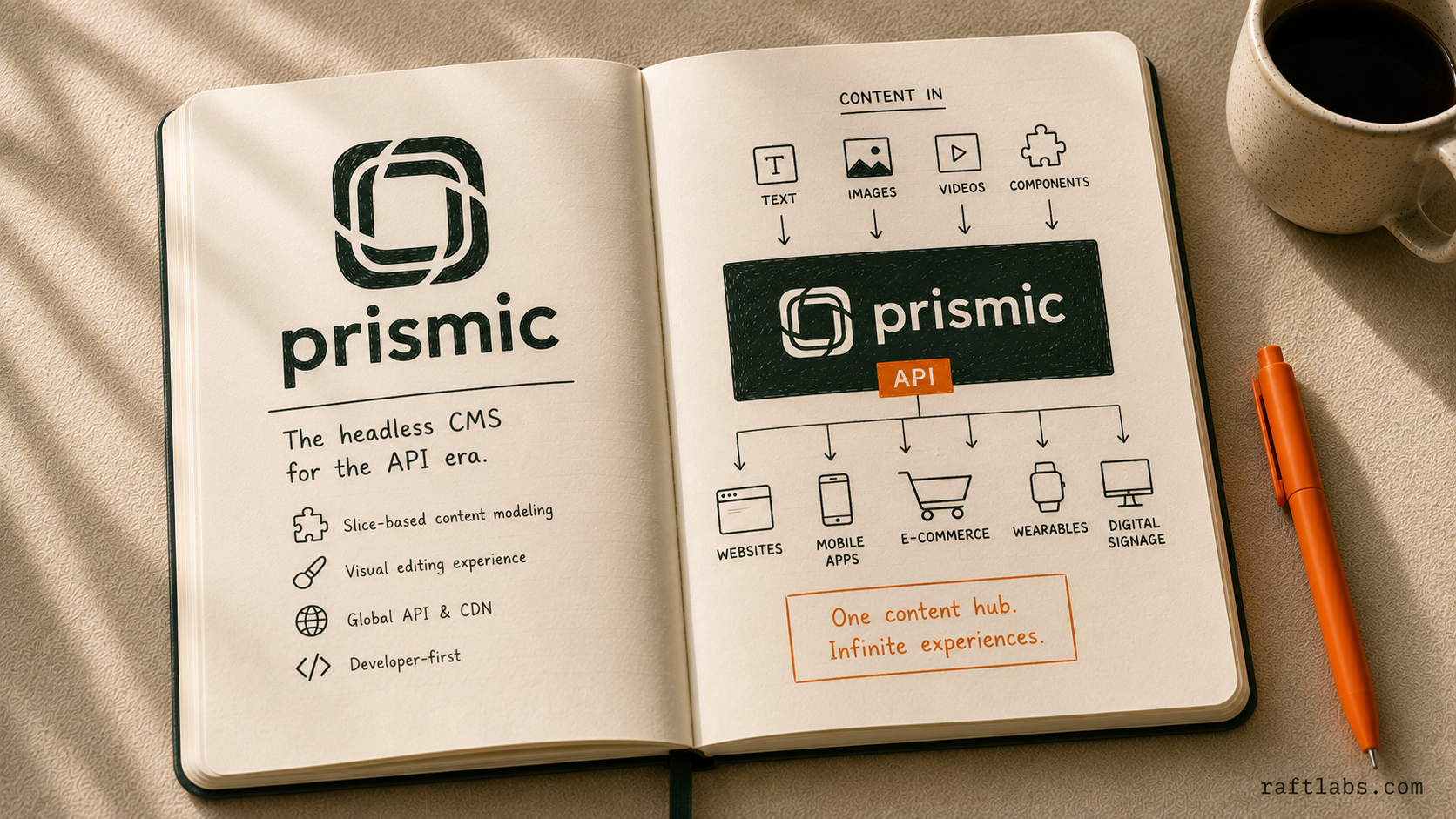
Prismic emphasizes the content creation experience, specifically focusing on its "Slices" feature. This allows marketers to build pages from pre-developed components without needing a developer, combining the flexibility of headless with the visual appeal of a page builder.
What it is: Prismic focuses on developer experience by letting engineers define content modules (Slices) in code. Editors then use these Slices to assemble pages visually. It provides a reliable content API and a fast content management interface.
Best Prismic CMS Features for Enterprises
Slices/Visual Builder: Marketers can drag and drop content sections created by developers, drastically accelerating page production and maintaining brand consistency.
Predictable Content Structure: Developers define the components (Slices), ensuring quality control and protecting the frontend design system.
Multi-language Support: Solid, easy-to-manage localization capabilities for global rollouts.
Release Manager: Tools for scheduling and coordinating content changes so major launches go out on time.
Performance: Reliable API delivery and a focus on speed for marketing sites.
Ideal Use Cases
Marketing departments that need autonomy over page layout without breaking the frontend code.
Agencies delivering multiple client websites quickly using a standardized component library.
Any organization where speed-to-market for new landing pages is critical.
Notable use case: A campaign-heavy marketing team that launches new landing pages weekly uses Prismic's Slices so non-technical editors assemble pages from developer-built components without ever touching frontend code or breaking the design system.
What to watch: The Slices model can feel restrictive for non-page content, and building the initial Slice library upfront takes real developer effort before editors see any benefit.
Pros:
Excellent visual editing experience for marketing teams.
Strong component-based structure ensures design consistency.
Low barrier to entry and fast deployment.
Predictable pricing model based on features.
Cons:
Slices model can be slightly restrictive for non-page content.
API flexibility is less granular than Contentful or Sanity.
Requires significant developer effort upfront to build the initial Slice library.
When we recommend it:
Prismic is ideal when the internal development team needs to build a secure framework but the marketing team needs maximum creative control over page layout.
It's a great choice for companies that frequently launch new campaigns and landing pages.
Pricing:
Free plan for personal projects.
Standard paid plans start at $10/month per project.
Scale and Enterprise plans are custom and include advanced features, higher quotas, and dedicated support.
7. Storyblok
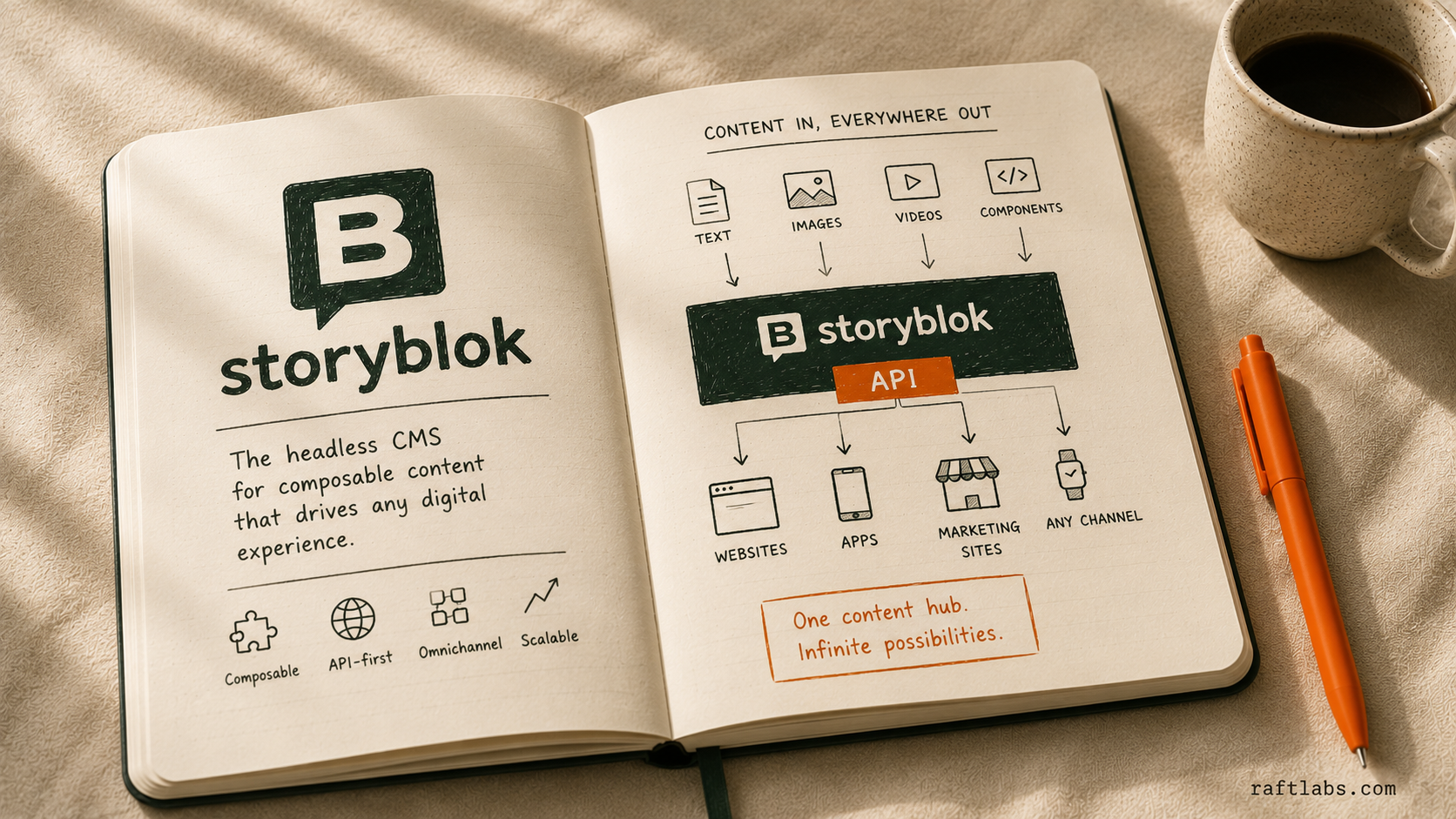
Storyblok is a highly visual and component-driven headless CMS platform. Its key feature is its "Visual Editor," which offers a real-time preview of how content changes will look on the live site. This eliminates the tedious back-and-forth between developers and content editors.
What it is: A self-described "Content Management System with a visual twist." Storyblok provides a component-based structure where every piece of content is a reusable block. Editors can see exactly what they are building in a live preview frame.
Best Storyblok CMS Features for Enterprises
True Visual Editing: Edit content directly on the frontend rendering, making the process intuitive and error-free for all users.
Component-Based Architecture: Everything is a reusable component, ensuring consistency across various digital channels and reducing content entry time.
E-commerce Focus: Strong integration capabilities for major commerce platforms (Shopify, BigCommerce).
Scheduled Publishing: Supports coordinated release planning and version control.
Modern Technology: Built on a fast, modern tech stack, making it one of the strongest headless CMS options available today.
Ideal Use Cases
E-commerce businesses needing visual merchandizing tools and layout control.
Teams migrating from traditional visual page builders (like WordPress) to a modern headless stack.
Complex sites where content relationships must be visually verified before publishing.
Notable use case: An e-commerce team moving off WordPress uses Storyblok's Visual Editor so merchandisers can see exactly how a promotional layout renders on the live storefront before publishing, without waiting on a developer to preview it.
What to watch: Enterprise pricing gets competitive only at very high scale, and the platform leans less into deep, non-visual data modeling than Sanity.
Pros:
Unmatched visual editing experience and editor adoption.
Strong native support for frontend component libraries.
Excellent component management system.
Good focus on global content delivery.
Cons:
Enterprise pricing can be competitive at very high scale.
Less focused on deep, non-visual data modeling than Sanity.
Learning how components interact can be a small initial hurdle.
When we recommend it:
Storyblok is the choice for clients where editor training and visual confidence are paramount, especially in retail, high-design, or e-commerce environments.
It bridge the gap between headless power and visual simplicity.
Pricing:
Free Community plan available.
Commercial plans start at €99/month.
Enterprise plans are custom and include dedicated infrastructure, high-touch support, and advanced features like SSO.
8. DatoCMS
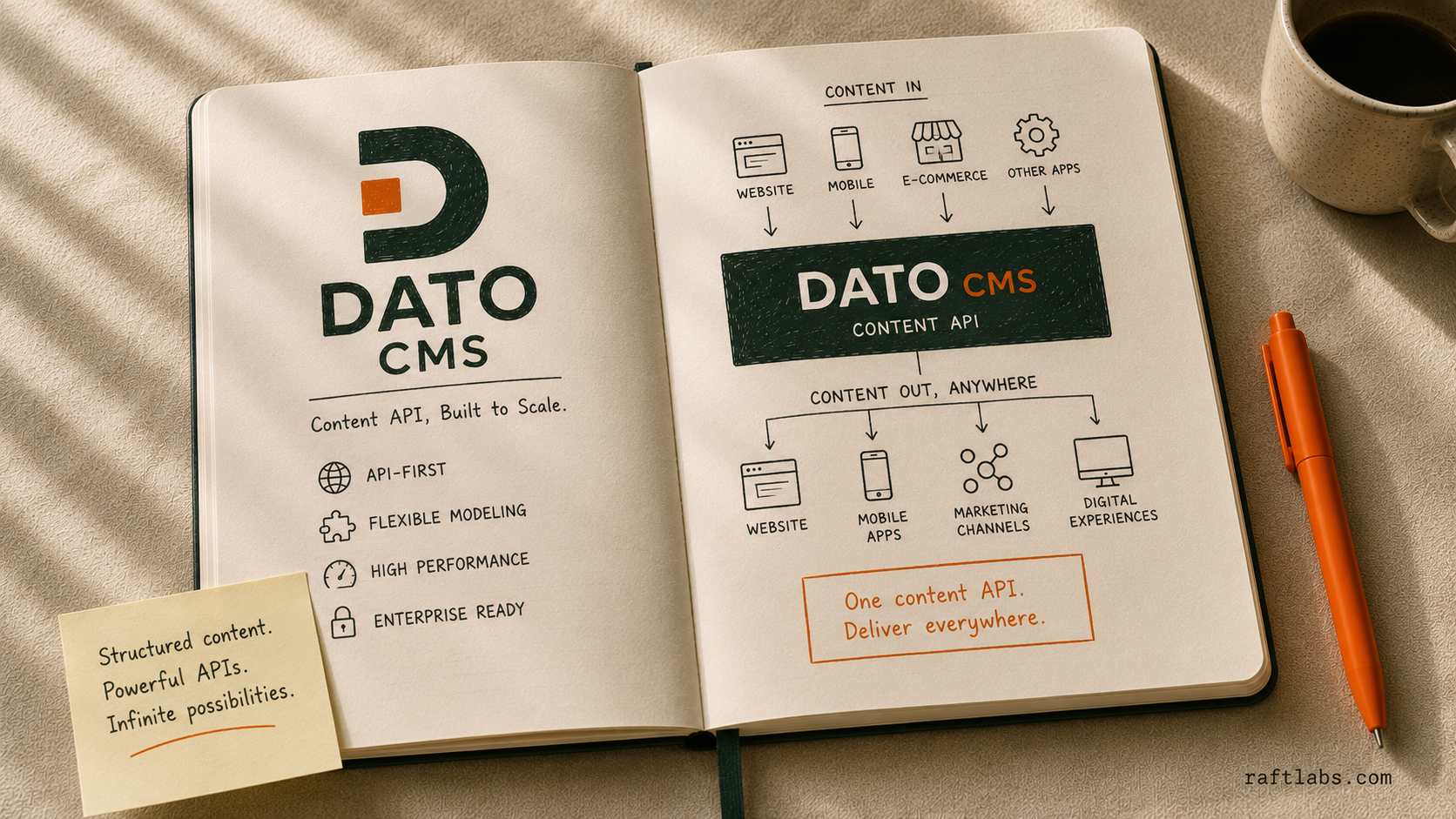
DatoCMS is built on a "Simplicity First" philosophy. It delivers extremely fast content delivery through its focus on image optimization and edge caching. It is a fantastic example of a powerful, lightweight headless CMS that doesn't sacrifice enterprise-grade speed or essential features.
What it is: DatoCMS offers a straightforward, powerful content management system with a massive focus on performance. It integrates solid media handling and a global CDN, making it an excellent platform for highly optimized Jamstack sites.
Best DatoCMS Features for Enterprises
Built-in Image Optimization: Automatic image processing and lazy loading through its CDN, delivering huge performance gains out of the box.
Focus on Speed: The entire platform is optimized for performance, often resulting in lower TCO due to less developer optimization work.
Simple, Clean UI: Very fast content entry and management, reducing editor friction.
Global CDN Delivery: Reliable and speedy content access worldwide.
Structured Content API: Content relationships and APIs are clean and easy to integrate.
Ideal Use Cases
Fast-growing startups and mid-market companies needing high performance without DXP complexity.
Media sites or blogs where image loading speed is critical for SEO.
Teams prioritizing developer experience and low overhead in content delivery.
Notable use case: A media site with a high volume of rich imagery relies on DatoCMS's automatic image optimization and global CDN so page-load speed stays fast without a developer hand-tuning every asset.
What to watch: Governance and complex workflow features are lighter than Contentful or Contentstack, and admin panel customization is more limited.
Pros:
Excellent performance and media handling (a true differentiator).
Extremely easy to use and deploy.
Strong commitment to developer experience.
Predictable usage-based pricing.
Cons:
Less feature-rich in governance and complex workflows than Contentful or Contentstack.
Editor customization is more limited.
Not designed for deep customization of the admin panel.
When we recommend it:
DatoCMS is perfect for projects where the main goals are high performance, developer happiness, and low initial overhead.
If your content team primarily deals with high volumes of rich media, DatoCMS is a top contender.
Pricing:
Free Developer plan available.
Commercial plans start at €149/month.
Enterprise is custom and includes a dedicated cluster, custom SLA, and dedicated engineering support.
9. ButterCMS
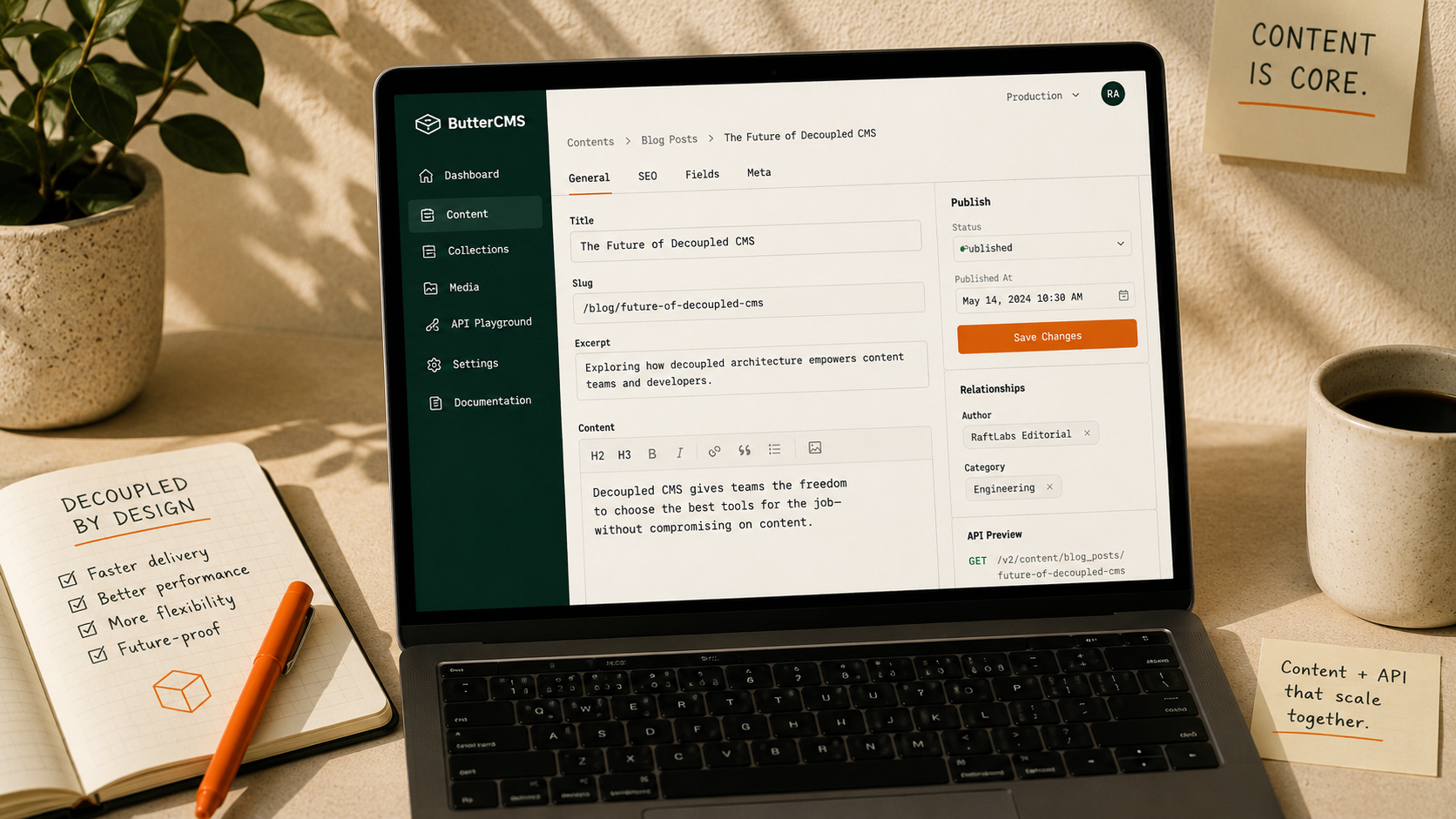
ButterCMS is designed as a drop-in solution, often used when an enterprise needs to quickly add content management capabilities, like a blog or a knowledge base, to an existing application or static site built on any framework.
What it is: ButterCMS focuses on the API. It aims to be the fastest way to integrate managed content into an existing application built on any tech stack (Ruby, Python, .NET, etc.) with minimal interruption to the core product.
Best ButterCMS Features for Enterprises
API-First Simplicity: Extremely easy to integrate into any existing application or codebase.
Fast Content Modeling: Quickly define and populate content types without extensive setup.
Simple UI: Low learning curve for editors, making quick adoption easy.
Dedicated SEO Fields: Built-in fields for managing crucial meta-data for marketers.
Global CDN: Reliable content delivery service.
Ideal Use Cases
Adding a blog or news section to an existing legacy application stack.
Rapidly deploying landing pages without interrupting the main application environment.
Small, focused content needs within a large, existing enterprise product.
Notable use case: A team adding a blog or knowledge base to an existing legacy application (Ruby, Python, .NET) uses ButterCMS's API to bolt on content management without touching the core product's tech stack.
What to watch: Not suited for complex content modeling or deep relationships between content types; the feature set is basic compared to full DXPs.
Pros:
Easiest and fastest integration point.
Highly flexible for any tech stack.
Very clean and simple editor experience.
Good option for non-JavaScript-based frontends.
Cons:
Not suited for complex content modeling and deep relationships.
Less focus on deep collaboration features and sophisticated workflows.
Feature set is relatively basic compared to high-end DXPs.
When we recommend it:
Choose ButterCMS when you need a simple, powerful content API for focused content areas (like a blog or FAQs) and don't want to overhaul your entire existing tech stack.
Pricing:
Free trial available.
Standard paid plans start at $79/month.
Pro and Enterprise plans are custom and include features like SSO and unlimited API requests.
10. Cosmic

Cosmic is a versatile platform for mid-market and scaling SaaS companies. It features a solid media management system and emphasizes ease of content modeling and quick feature adoption across different organizational scales.
What it is: A modern, feature-rich headless CMS that strikes a strong balance between usability, developer tools, and pricing. It provides both REST and GraphQL APIs and includes strong media management capabilities.
Best Cosmic CMS Features for Enterprises
Media Management: Strong asset organization and delivery capabilities, including image transformation.
Webhooks and App Integration: Easy connectivity to CI/CD pipelines and external services.
Buckets and Environments: Good separation of content for testing, staging, and production environments.
Flexible APIs: Supports both REST and GraphQL, giving developers choice.
Ease of Use: Clean interface makes content modeling and editing fast.
Ideal Use Cases
Mid-size SaaS companies needing to manage both product marketing and help center content.
Teams looking for a balance of features, ease of use, and competitive pricing.
Internal applications where quick API access to structured data is needed.
Notable use case: A mid-size SaaS company managing both product marketing pages and a help center uses Cosmic's Buckets to separate the two content sets while sharing the same media library and API layer.
What to watch: Less global brand recognition than Contentful or Sanity, and governance tools are simpler than a full DXP offering.
Pros:
Great balance of features and ease of use.
Flexible API options for developers.
Strong media management features.
Competitive pricing structure for scaling businesses.
Cons:
Less global recognition than Contentful or Sanity.
Governance tools are simpler than full DXP offerings.
Designed primarily for North American data centers.
When we recommend it:
Cosmic is a solid, reliable platform for enterprises moving to headless that need versatility without the high complexity or price point of the larger, premium systems.
Pricing:
Free Community plan available.
Commercial plans start at $299/month for the Basic plan, and Enterprise plans are custom.
Sanity, Strapi, or Contentful - which one fits you? Let’s assess your legacy CMS and map out the best modern alternative tailored to your workflows and scaling needs. Book a call
The Final Strategic Decision: Choosing the Right Platform
Selecting the best enterprise headless CMS is not a checklist exercise; it's a strategic decision based on your team structure, budget, and long-term complexity.
The most common mistake we see is teams jumping straight into a feature comparison before deciding which buyer camp they're actually in. Two genuine camps exist, and the right platform depends on which one describes your organization.
Content-team-led organizations - marketing sites, campaign-heavy brands, teams where non-technical editors publish daily - get the most value from Storyblok, Prismic, DatoCMS, or ButterCMS. These platforms trade some content-modeling depth for visual editing and fast page assembly, which is the right trade when editorial velocity matters more than engineering flexibility.
Developer-led product platforms - SaaS documentation, multi-brand content repositories, systems with complex data relationships feeding several channels - fit Sanity, Contentful, Hygraph, Contentstack, or Strapi better. These platforms ask more of your engineering team upfront in exchange for content models that scale with product complexity.
Most enterprises land closer to one camp than they think once they're honest about who actually publishes content day to day.
The Decision Matrix: Find Your Best Fit
To narrow the field, ask yourself these three critical questions:
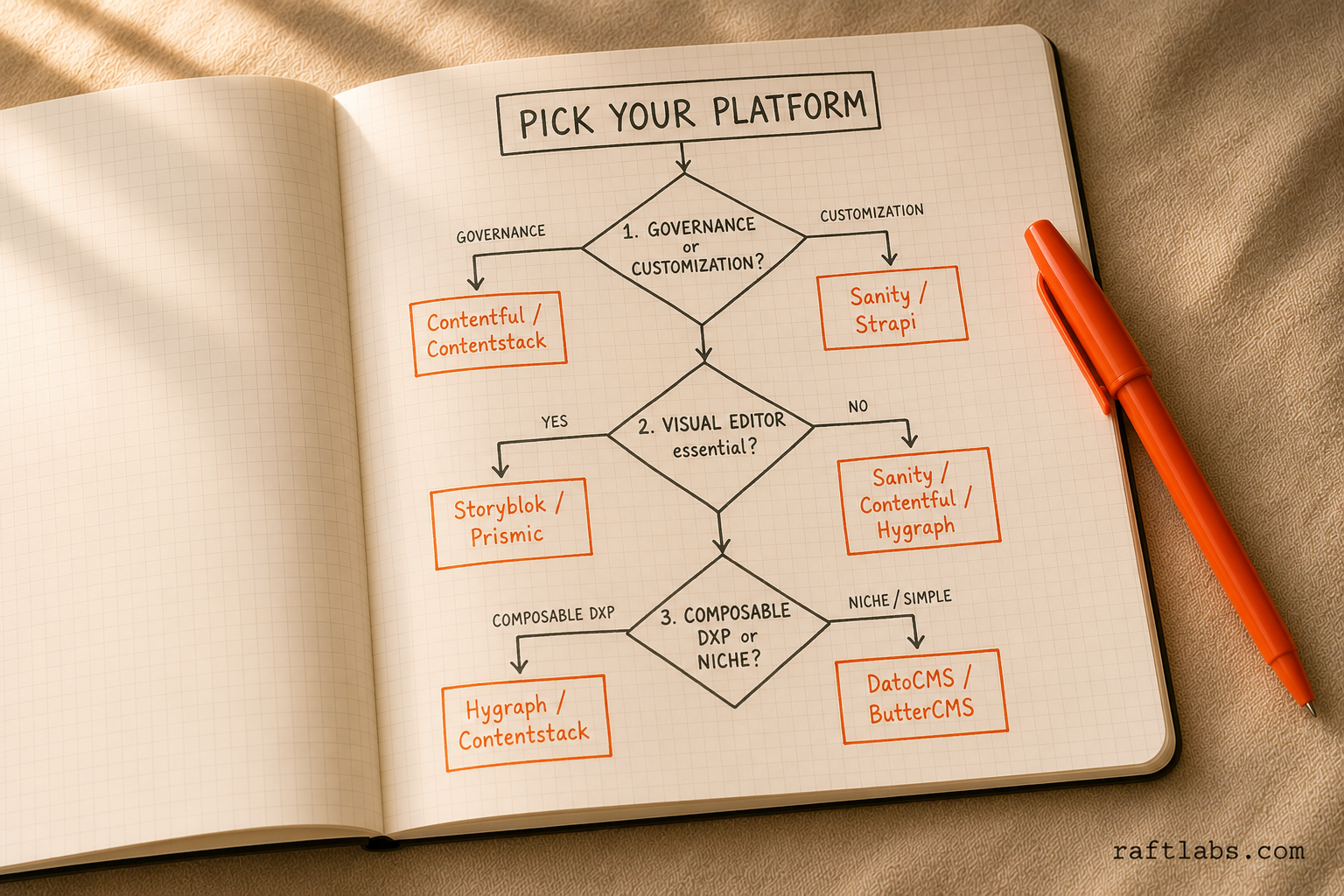
1. Is Governance or Customization my highest priority?
Governance First: If you require multi-stage approval, strict compliance, and managing 10+ regions, choose Contentful or Contentstack.
Customization First: If you need the ability to build custom editor interfaces or complex data architectures, choose Sanity or Strapi.
2. Does my Marketing Team demand a Visual Editor?
Visual is Essential: If your marketers must see what they build in real-time, choose Storyblok or Prismic.
Structured Content is OK: If your team is comfortable with structured data entry, choose Sanity, Contentful, or Hygraph.
3. Are we building a Composable DXP or solving a niche problem?
Composable DXP (High Integration): Choose Hygraph (for federation), Contentful, or Contentstack.
Niche/Simplicity: If you need a fast blog or simple content injection, choose DatoCMS or ButterCMS.
Common Mistakes to Avoid During CMS Selection
When making this strategic decision, enterprises often fall into predictable pitfalls.
Over-architecting: don't buy Contentstack if all you need is a blog and a few landing pages. Match the platform's complexity to your content's complexity.
Ignoring editor experience: developers often lead the selection and prioritize API flexibility. If editors hate the platform, they find workarounds that break governance and slow publishing. Involve the content team in the final demo and trial.
Underestimating migration costs: the license fee is roughly 20% of the true cost. Content modeling, data transfer, custom component development, and training add up fast.
Misunderstanding pricing models: usage-based pricing (API calls, bandwidth) produces unpredictable bills when traffic spikes. Seat-based pricing (Sanity, Strapi) is more predictable for teams but penalizes large editorial staff. Know which model fits your growth pattern.
The best headless CMS is the one your team uses successfully, fits your organizational needs, and lets you scale without a painful re-platforming in three years.
How We Help with Enterprise CMS
Choosing the right platform is critical, but implementing it correctly is the real challenge.
As a software development agency focused on modern digital platforms, we provide targeted services to keep your CMS project on track.
We focus our expertise on the following implementation pillars:
Proof-of-Concept / Pilot Implementation: Before committing millions, we build a small-scale pilot project using your top two or three choices. This validates the developer experience, editor workflow, and actual performance in a real-world scenario.
Migration & Content Modeling: We manage the complex process of defining new structured data models and migrating content from your legacy system safely and efficiently. Our rigorous methodology involves deep content audits, structured re-modeling, and automated ETL scripting to protect your data integrity.
Performance Optimization: With modern frameworks like Next.js, we build headless CMS frontends that deliver sub-second load times and maintain a strong security posture.
How to Plan Your Migration to a Headless CMS
Migrating content from a monolithic or older system to a modern headless CMS is a complex undertaking. It requires careful planning across three distinct phases: Audit, Strategy, and Execution.
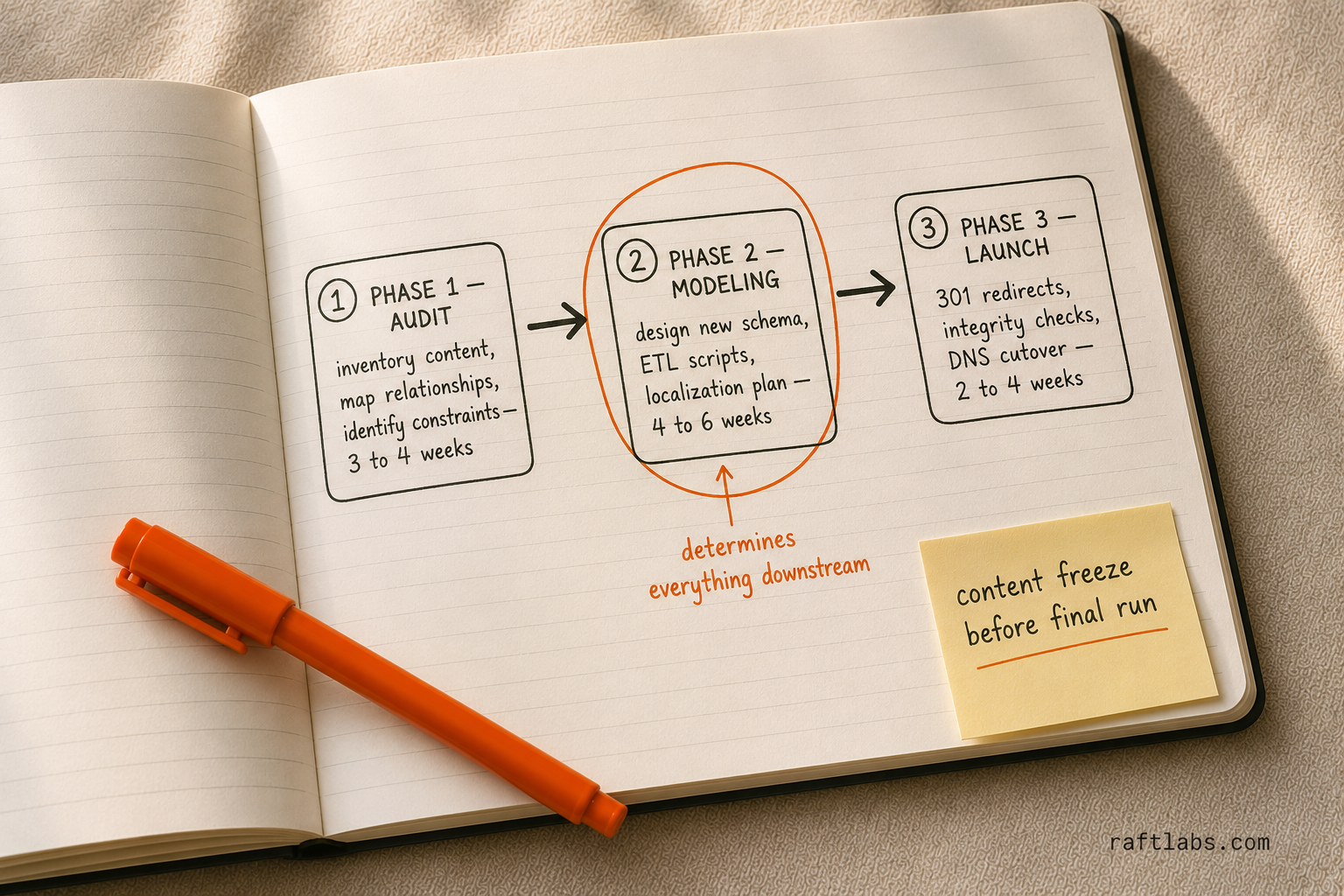
Phase 1: The Content Audit and Discovery
The first step is understanding exactly what you have and what you need. This phase determines the scope and complexity of the entire project.
Content Inventory and Triage:
Catalog all existing content types, fields, pages, and assets.
Determine the fate of each piece: Keep (needs migration), Archive (no longer published but stored), or Discard (irrelevant or obsolete).
Fix broken links, outdated SEO metadata, and inconsistent formatting now, before the migration starts.
Determine Data Relationships:
Map out how content pieces are linked in the old system (e.g., how a blog author connects to a blog post).
This is critical for designing the new, structured content model in the target headless CMS.
Identify Technical Constraints:
What is the migration path from the legacy database? Is there a clean API or only raw database access?
What are the limitations of the target CMS (e.g., API rate limits, asset size restrictions) during bulk import?
Phase 2: The Migration Strategy and Modeling
This is the design phase where you translate your old content into the new, structured framework.
Content Modeling:
Design the new content schema in your chosen CMS (Sanity, Contentful, Hygraph, etc.). This should be driven by the frontend components (what the site needs) and data reusability (omnichannel).
Avoid the "lift and shift" error: Do not simply replicate the old system's structure. Optimize the model for the headless environment.
Tooling and Scripting:
Decide on the migration method. For large-scale projects, automated scripting (using Python, Node.js, or custom tools) is essential for data extraction, transformation, and loading (ETL).
Set up a sandbox environment to test migration scripts repeatedly until the process is flawless.
Localization Strategy:
If you handle multiple languages, formalize the process. Will you use field-level localization (Hygraph) or content duplication/referencing (Contentful)?
Verify that all locale codes are correctly mapped and translated content is imported accurately.
Phase 3: Execution, Testing, and Launch
The final phase focuses on data integrity, deployment, and a clean cutover.
Data Integrity Checks:
After a test run, manually verify a sample across all content types (5% of all pages is a reasonable floor) to catch accuracy issues.
Use scripts to check total content items, total assets, and complex relationships. Automated checks catch what manual review misses.
Deploy the migrated content to a staging frontend and verify that the new structure renders correctly before touching DNS.
The Go-Live Sequence:
Announce a content freeze so no new content is published in the old system during the final migration window.
Run the full migration script one last time to capture all recent changes before the switch.
Update the frontend application to point to the new CMS APIs, then switch the domain's DNS.
Build a complete 301 redirect map so every old URL lands at its new destination. This is non-negotiable for SEO continuity.
Critical Migration Success Factors
To keep your transition to a decoupled architecture sustainable, it is vital to adhere to specific operational guardrails.
The following framework outlines the critical success factors required to manage technical complexity, protect your search engine visibility, and maintain data integrity throughout the move.
| Factor | Description | Why It Matters |
|---|---|---|
| Clear Ownership | Designate a Content Architect who owns the new content model and a DevOps lead who owns the migration scripting. | Prevents scope creep and ensures accountability for data integrity. |
| Incremental Migration | Migrate low-risk content (e.g., blog posts) first to refine scripts before tackling high-risk assets (e.g., product data). | Minimizes risk and allows for live testing of the new system while the old system remains operational. |
| SEO Preservation | The most common migration failure is losing SEO rankings. 301 Redirects and validating metadata/slugs are non-negotiable tasks. | Protects organic traffic and avoids revenue loss post-launch. |
This framework provides a structured approach for managing the complexity of migrating to a modern, decoupled architecture.
Real-world experience backs this two-camp framing. Deane Barker, founder and chief strategist at Blend Interactive and a longtime voice in enterprise content management, put the technical side of the decision plainly in a recent interview:
"I could make any CMS technically 'headless' with a dozen lines of code."
The point holds: decoupling content from presentation is the easy part. What separates a successful rollout from a stalled one is whether the platform matches how your content team actually works, not how flexible its API is on paper. The data backs this up too. In Storyblok's State of CMS 2025 survey, 69% of teams that adopted a headless CMS reported improved time-to-market and productivity, but 61% of teams were still running more than one CMS platform in parallel, a sign that plenty of organizations pick a platform before they've resolved which camp they're actually in.
Final Verdict: The Best Headless CMS is Strategic
We have seen that there is no single "best" enterprise headless CMS. Each platform earns its place for a specific buyer situation:
Sanity for content-heavy SaaS and media companies whose developer team needs to build genuinely custom content models and wants real-time collaboration.
Contentful for large, multinational enterprises that need proven API performance and a predictable SLA more than a delightful editor experience.
Strapi for teams with strong DevOps capabilities who want to self-host, keep full data ownership, and cut recurring licensing costs.
Hygraph for engineering teams already standardized on GraphQL who need to federate content from multiple sources.
Contentstack for organizations where multi-stage approval workflows and audit trails matter as much as content delivery.
Prismic for marketing departments that need to launch new landing pages fast without breaking the frontend design system.
Storyblok for e-commerce and retail teams that need marketers to see exactly what they're publishing before it goes live.
DatoCMS for image- and video-heavy sites where CDN performance and built-in media optimization matter most.
ButterCMS for teams bolting a blog or knowledge base onto an existing application without touching the core product.
Cosmic for mid-market SaaS companies that want a balance of features, ease of use, and price without full DXP complexity.
The true success of your headless adoption lies not in the platform's feature list, but in how well it aligns with your organizational structure and content goals.
Here is the pattern RaftLabs sees repeatedly: teams spend weeks evaluating features and pricing, then underinvest in content modeling. A poor content model on a premium platform performs worse than a solid content model on a mid-tier one. The modeling phase - typically 3 to 4 weeks - is where the project either earns or wastes its budget. Treat it as the most important technical decision in the migration, not an afterthought before the "real" development begins.
Your selection should answer three core strategic questions:
Flexibility: How complex is the content model, and how customized does the editor need to be?
Velocity: How fast does content need to get to market, and how visual is the editing process?
Governance: How strict are the compliance, security, and approval workflow requirements?
By honestly assessing these needs, you can select the right tool to unlock the full power of your composable digital experience.
Conclusion
The shift to enterprise headless CMS is no longer optional. It is the architectural standard for competitive digital businesses.
Success hinges on finding the balance between developer flexibility (APIs) and editor usability (UI). Use this headless CMS comparison guide to refine your shortlist. Start a pilot project, trust your engineers, and align your choice with your long-term business strategy.
If the complexity of migration or platform selection is slowing down your digital roadmap, our expert team can help you design the right content model and execute a clean migration to any of these platforms. Contact us today to discuss your enterprise CMS needs.
Ask an AI
Get an instant summary of this post from your preferred AI assistant.
Common questions
- A headless CMS does not hurt SEO. It often improves it through faster load times and cleaner structured metadata. The migration itself is the risk. You must map 301 redirects for every legacy URL, keep metadata consistent, and confirm the new frontend (Next.js or similar) is configured for server-side rendering so search engines can crawl it properly. RaftLabs migrated one client from Webflow to Sanity with zero downtime for 12,000+ monthly visitors and a 30% organic traffic increase post-launch.
- Yes, but platform choice is critical. Storyblok and Prismic offer visual editing tools that let marketing teams manage layouts without filing a developer ticket for each change. Choosing a developer-first platform like Sanity without sufficient internal resources creates bottlenecks. Partnering with an implementation agency for initial setup is the lower-risk path for teams under 3 developers.
- Licensing fees are roughly 20% of total cost of ownership. The rest includes: content modeling and schema design ($5,000-$20,000 depending on complexity), ETL migration scripting ($10,000-$40,000 for large content repositories), frontend build for the new presentation layer, staff training on structured content workflows, and third-party services like DAM or search (Algolia). Budget 4x the annual license fee for year-one total cost.
- Headless WordPress works for simple content needs, but the underlying database was designed for blogging, not for API-first content delivery at scale. Performance degrades under API load, security patching is ongoing, and plugin conflicts remain a risk. Purpose-built platforms like Contentful and Sanity are architected for API performance from the start, with SOC 2 compliance and sub-100ms global response times.
- A small-to-mid-size migration (under 5,000 content items) takes 8-14 weeks from audit to go-live. Large enterprise migrations with complex content models, 10+ locales, and legacy system integrations run 16-24 weeks. The content audit and modeling phase alone typically takes 3-4 weeks and determines the quality of everything that follows. RaftLabs executes all three phases: audit, modeling, and ETL scripting, with automated checks that verify 100% of migrated content before DNS cutover.
- Don't take vendor performance claims at face value. Contentful advertises sub-100ms global response times, but that depends on your query complexity and content volume. Ask for the exact API call ceiling on your target tier (Contentful's Lite plan caps at 1M calls a month before pricing jumps), what happens during a bulk import or traffic spike, and what asset size limits apply during migration. The only reliable test is a proof-of-concept: load your actual content model and a realistic traffic pattern into the platform before signing, not after.
- Two patterns should slow you down. First, usage-based pricing tied to API calls or bandwidth with no visibility into overage costs; Contentful's pricing escalates quickly once you add locales, API calls, and bandwidth, and that unpredictability is a common source of budget blowouts. Second, an enterprise tier listed only as 'custom pricing' with no published uptime number. A vendor confident in its infrastructure states its SLA (Contentful's premium tier publishes 99.99% uptime) rather than negotiating it case by case.
- If your content needs are basic, a marketing site or blog with modest traffic, a lighter platform like DatoCMS or ButterCMS will serve you well past the point most companies hit a breaking point. Enterprise-tier platforms earn their complexity and price when you have multiple regions needing localization, a microservices architecture the CMS must plug into, or a legacy system (Adobe AEM, Sitecore, old WordPress or Drupal) that's failing to scale. Below that threshold, the top-tier platforms are priced and built for organizational scale you don't need yet.